

Entry Details
See what the AI learned from your writing — the Saved card, summaries, themes, people, patterns, and what the entry added to your plan.
Overview
Your journal entries are more than just text. Every time you write, Onsen's AI reads what you shared and pulls out the key themes, people, patterns, and emotions. Open any entry to see your words alongside these insights — it is like having a thoughtful reader who highlights what matters most.
What You Will Find in an Entry
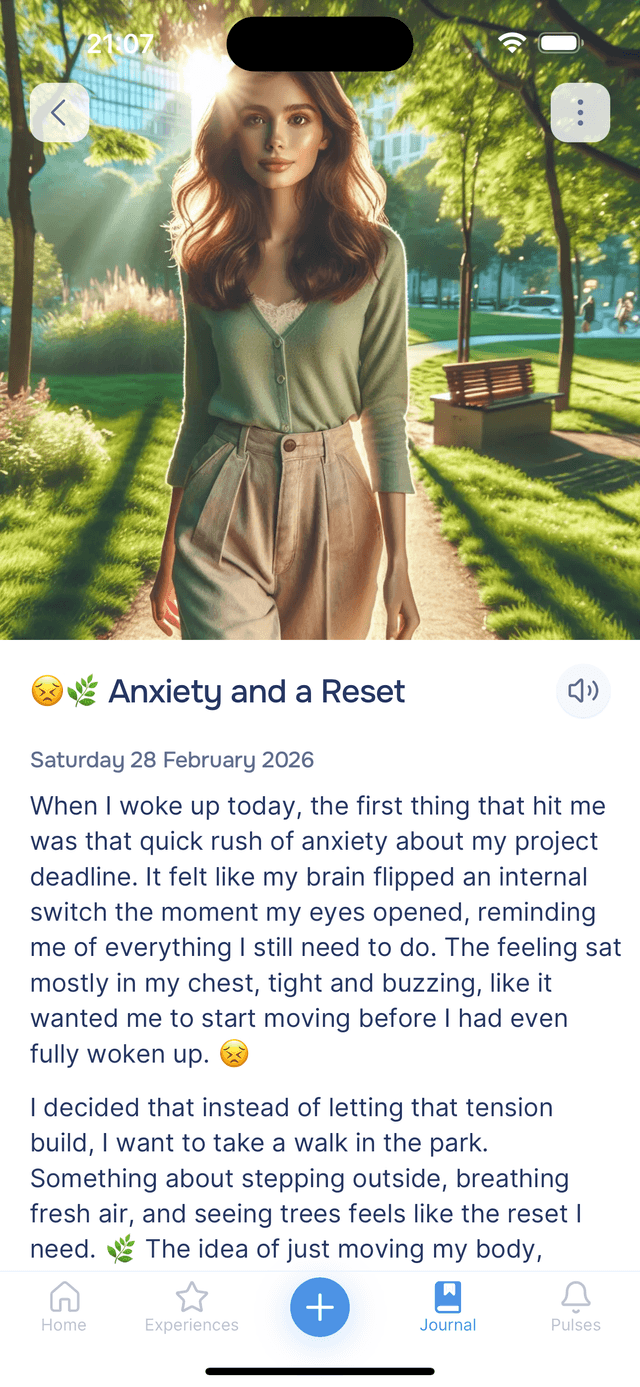
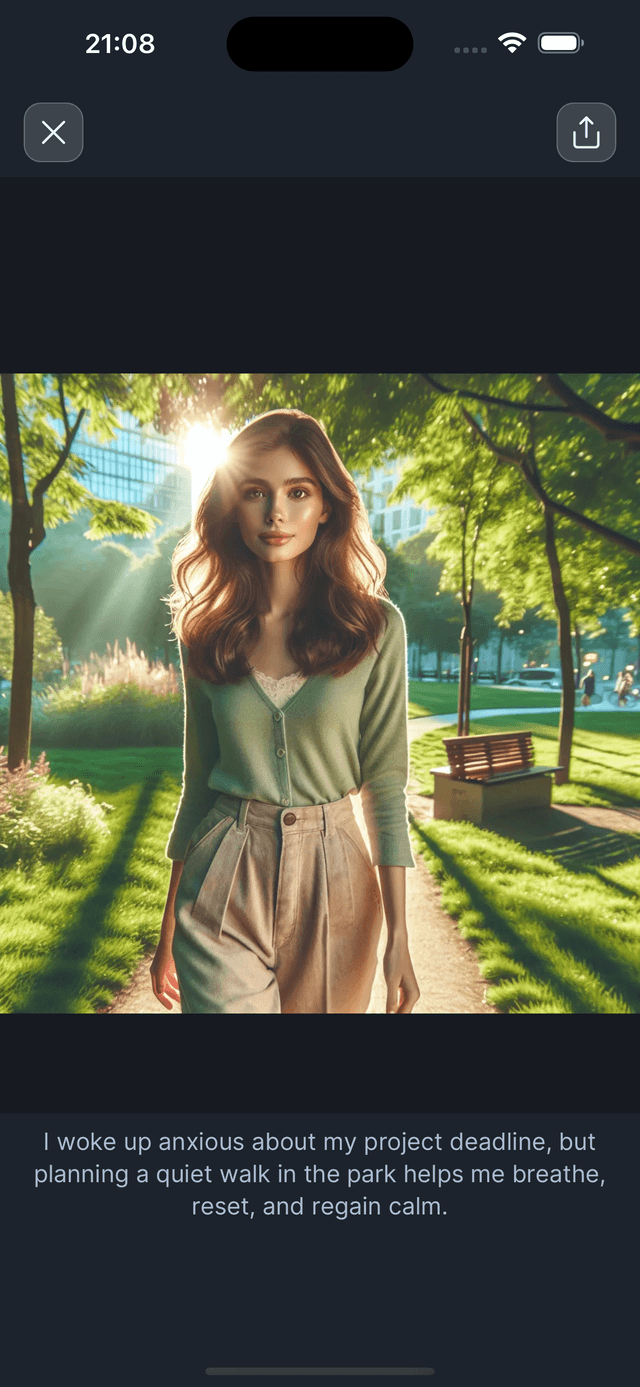
Tap any entry in your journal to open it. At the top you will see your full text (and an AI-generated image if the entry has one). Tap the image to view it full screen — from there you can share or save it. Below that, the AI insights are organized into clear sections.
The header holds three buttons. Favourite fills red and keeps the entry in your favourites. opens sharing — and if the entry is already shared, a small Shared · 2 pill on the artwork shows how many people and links have it, tappable to manage them. Entries shared with you show a Shared by pill with the sharer's name instead. opens the entry menu.
Under the title you will see when you wrote, down to the time: Friday, 1 August 2026 · 21:47. It is a small detail that turns out to matter — a 2am entry and a Sunday-morning entry are rarely the same kind of writing, and it is also what the Time of day filter sorts by. Entries shared with you keep their own history instead: Added 1 August 2026 · Written by Sam on 14 February 2026.
The Saved Card
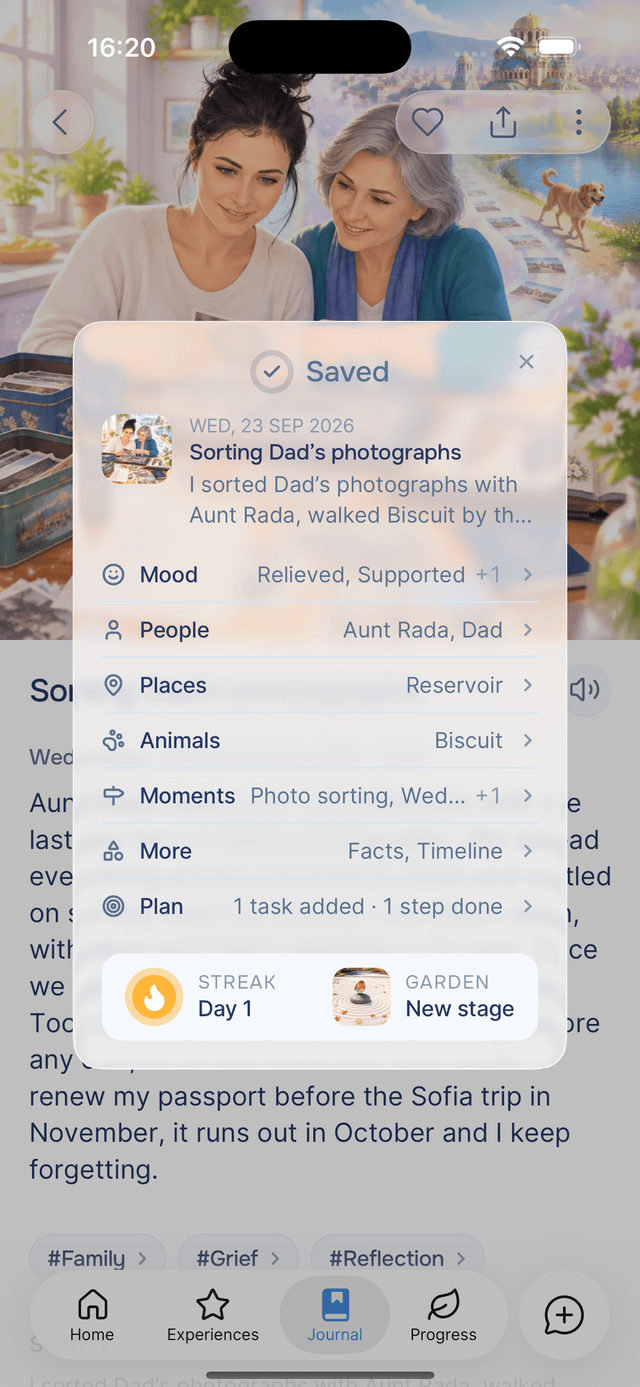
When your guide finishes processing a new entry, the Saved card opens over the entry and lists what your guide found in it.
- The top shows the entry's picture, title and summary.
- One line per type of knowledge — Mood, People, Places and the others — names the first two items and counts the rest, for example Joyful, Grateful +3. On a long entry, the smallest groups fold into one More line.
- Plan shows what the entry changed on your plan, for example 1 task added · 1 step done. The line appears only when the plan changed.
- Streak and garden appear at the bottom when the entry extended your streak, including any new garden stage you reached.
Tap a line to close the card and jump to that section of the entry, which is highlighted. Tap the streak or the garden to open them on the Progress tab. Tap or anywhere outside the card to close it.
The Saved card stays open until you close it. Re-generate Knowledge and Re-generate Plan also end with a Saved card. Editing the entry's text shows a brief Saved message instead.
Summary
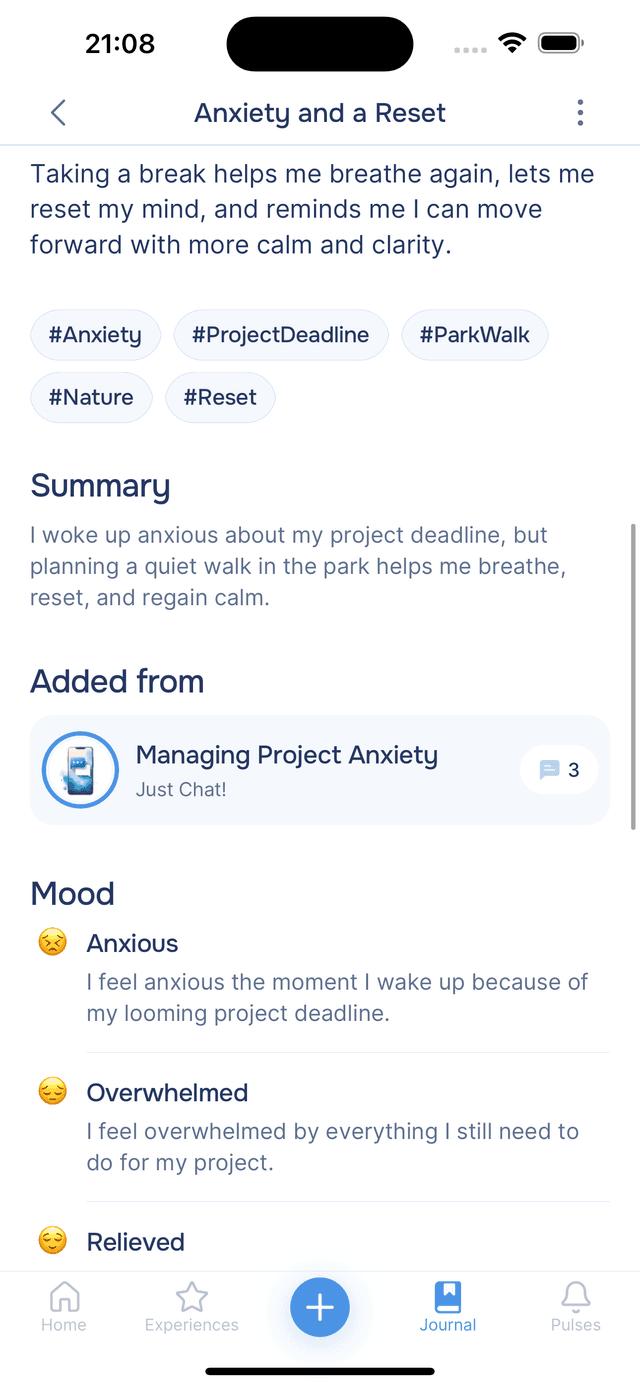
The AI writes a concise summary of your entry — a quick reminder of what you were thinking and feeling without having to re-read the whole thing. This is especially useful when you are looking back through older entries and want to quickly recall what each one was about.
Themes and Hashtags
Underneath the summary, you will see hashtags the AI generated from your writing — things like "self-reflection", "work-life-balance", or "gratitude". These make it easy to spot recurring themes across entries. If you keep seeing the same tags come up, that is a pattern worth paying attention to.
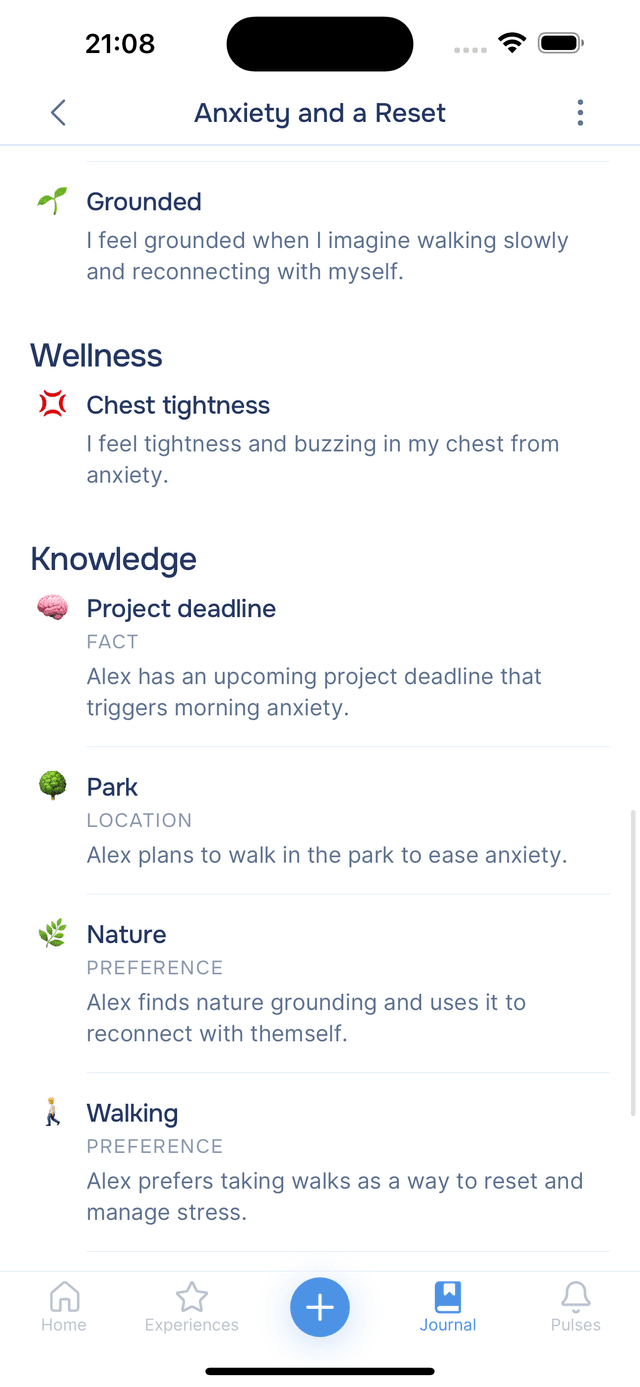
Knowledge
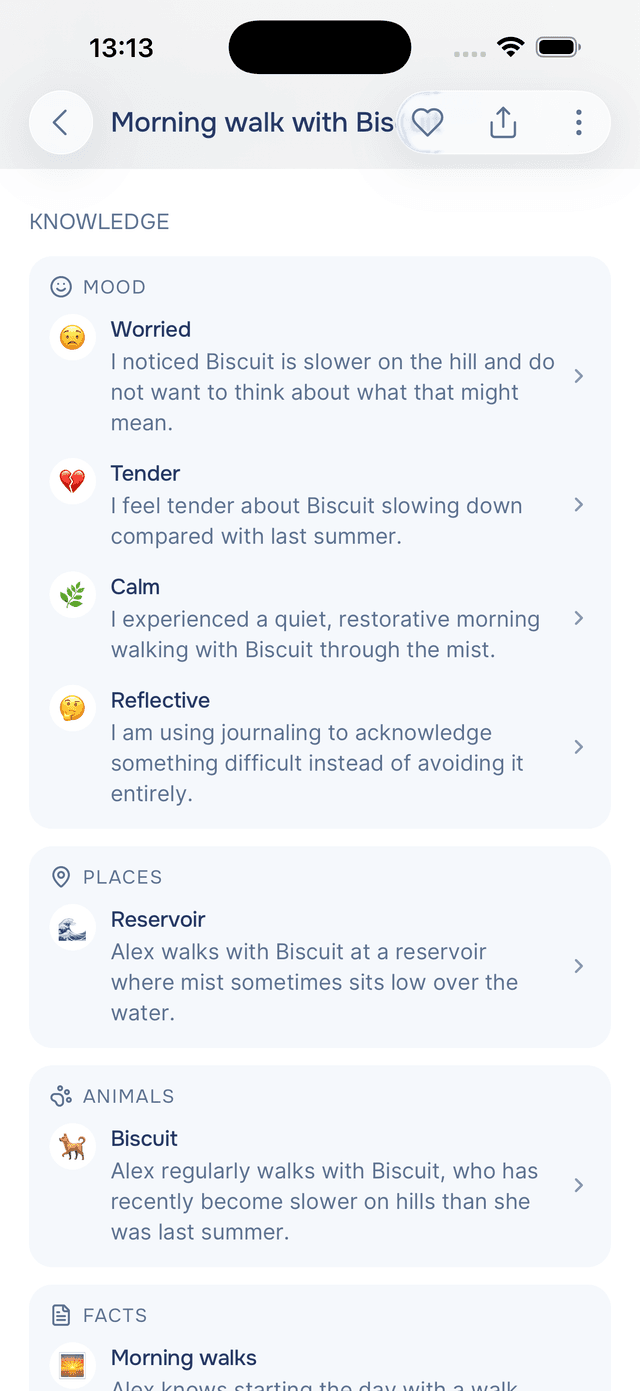
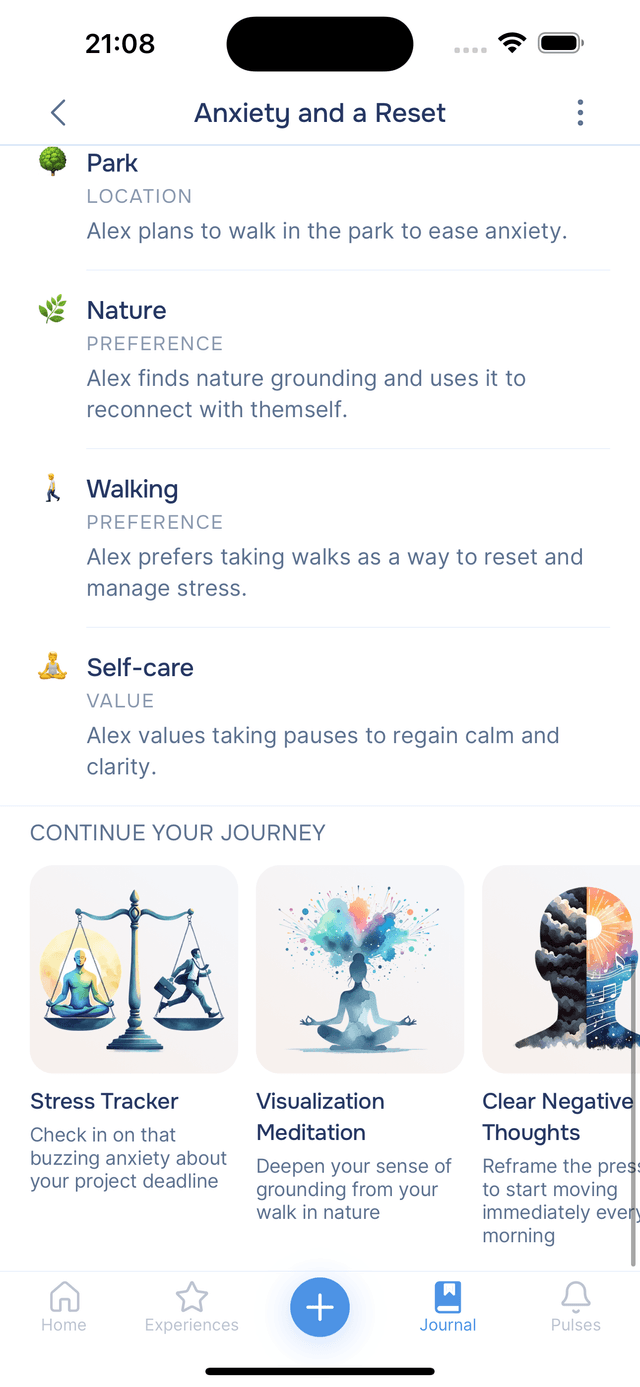
Below the summary, Onsen shows what it learned from this particular entry, sorted into cards — one for each kind of thing. Mood and Wellness come first, then People, Places, Animals, Companies & groups, Moments, Facts and any Timeline dates the entry referred to.
Each row gives the item's name and a sentence explaining what Onsen took from your writing. Dates show the date they actually refer to next to the name, so an entry written in August that mentions your anniversary reads Wedding anniversary · 9 August 2026 rather than today's date.
Tap any of them — or any hashtag above — to open that person, place or mood's own page, where you will find every entry that mentions it and when it tends to come up. Browse all knowledge at the bottom opens the whole picture. See Knowledge for what Onsen does with all of this.
Plan
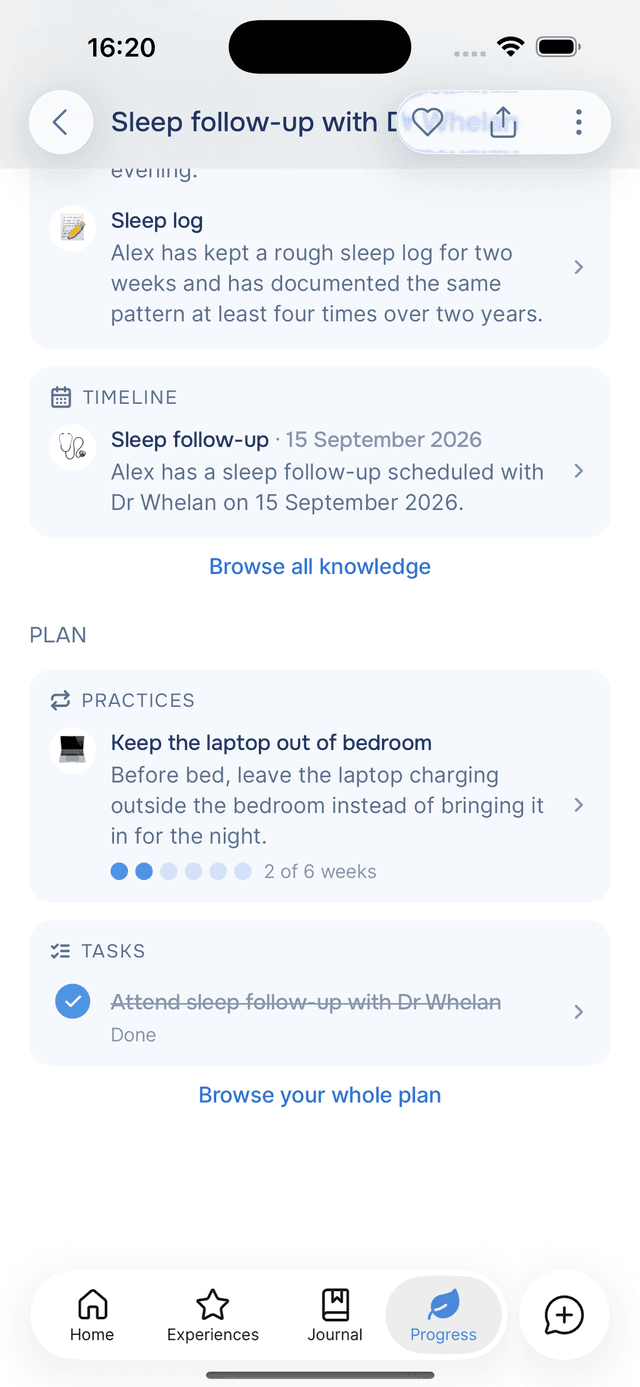
The Plan section, below Knowledge, lists the items this entry added to your plan, grouped into Practices, Goals and Tasks. Tap a row to open the item, or tick a task directly.
When an entry added nothing, the section shows Nothing from this entry. Browse your whole plan, below the section, opens the full Plan screen.
To have your guide read the entry again, tap and choose Re-generate Plan. It compares the entry with your plan as it is now, which helps if you have finished or archived items since writing it.
Listening to Your Entry
Prefer to listen rather than read? Tap the button next to the entry title to hear your entry read aloud. You get full playback controls — play, pause, and skip five seconds back or forward — along with an expressive voice option for a warmer, more natural reading style. Expressive voice is on by default; you can toggle it from the entry's options menu.
Hearing your own reflections spoken back to you can surface emotions and insights that reading alone might miss.
Listen anywhere
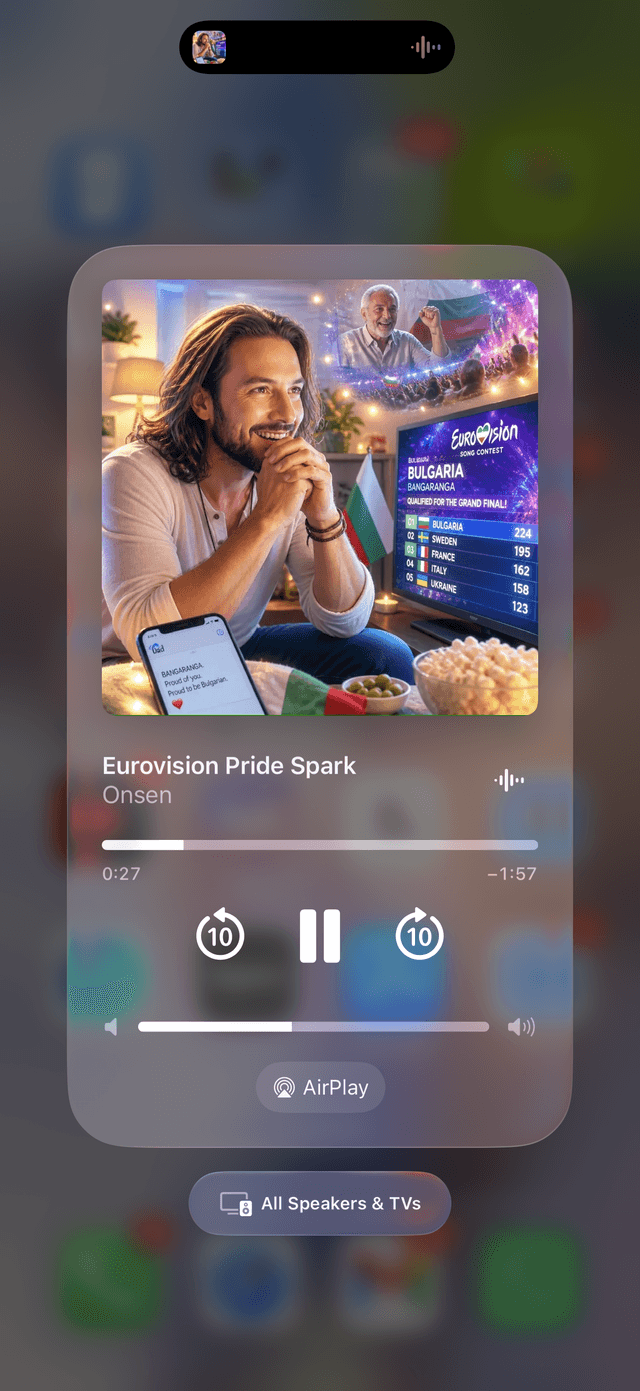
Once it starts, your entry keeps playing when you lock your phone, switch to another app, or slip it into your pocket — through your AirPods, your car, or a speaker. You can control it without opening Onsen: play, pause, and skip back or forward right from your lock screen and your phone's Now Playing controls, with the entry's own artwork on the cover.
This makes it easy to revisit entries on the go — during a walk, a commute, or while winding down for the night.
Related Experiences
Based on what you wrote, Onsen may suggest experiences at the bottom of the entry. If your entry touched on stress, for example, you might see a recommendation for "Clear Negative Thoughts" or a breathing exercise. Tap any suggestion to start it right away — it is a natural way to follow up on what you have been reflecting on.
Tips
- Read your summaries regularly — scanning through entry summaries is a quick way to notice emotional patterns over weeks and months.
- Watch for recurring hashtags — they reveal what is on your mind most often, which can be a powerful insight in itself.
- Tap knowledge items — each one opens its own page showing every entry it appears in and when it tends to come up.
- Use the Saved card to navigate — each line jumps to that section of the entry.
- Heart the entries worth returning to — a small favourites list is far easier to find your way back to than a whole journal.