

Chat Overview
Have open-ended conversations with your AI guide using text or voice.
Overview
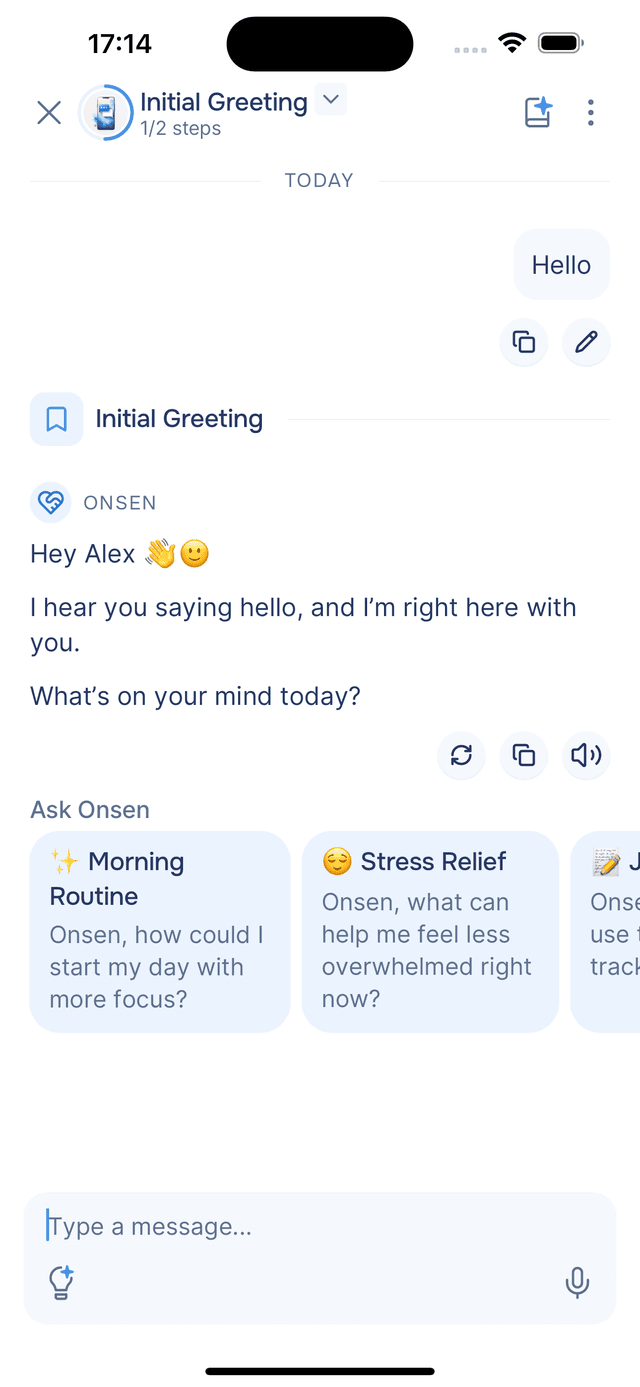
Chat is where you talk to your AI guide about anything on your mind. Whether you want to explore a feeling, think through a problem, or simply vent, it is a judgment-free space that adapts to you. The more you share, the better your guide understands you — and the more personalized its support becomes.
What You Can Do
- 💬 Have open conversations — talk freely without any structure or goal
- 🎙️ Use text or voice — type or tap the microphone to speak, and switch between the two at any time
- 🖼️ Share images (Premium) — attach up to 3 photos per message so your guide can respond to what you're showing
- 🔊 Listen to responses — tap the speaker icon on any AI message to hear it read aloud
- ⚡ Act on suggestions — the AI may offer quick-reply buttons or selectable cards to guide the conversation
- 📓 Save to your journal — turn meaningful parts of a conversation into a journal entry for future reflection
- 🗂️ Manage multiple conversations — start new chats, rename them, delete old ones, or switch your AI personality
How It Works
Your guide's responses stream in real time so the conversation feels natural. Your full history is preserved — you can pick up any conversation where you left off, even days later.
Learn More
Starting a Chat
How to begin a conversation, send messages, and navigate between chats.
Voice Input and Read Aloud
Speak your messages and listen to AI responses.
Interactive Elements
Quick-reply buttons, action cards, grids, and more.
Message Tools
Copy, regenerate, edit, read aloud, and give feedback on messages.
Image Attachments
Share photos with your AI guide so it can respond to what you're seeing.
AI Prompts
Steer conversations with ready-made prompts.
Saving to Journal
Turn conversations into journal entries.
Managing Your Chats
Restart, rename, delete, configure voice settings, and view usage.