

Settings
Customize your Onsen experience — your profile, AI guide, notifications, appearance, and more.
Overview
The Settings screen is where you personalize Onsen to work the way you want. Tap the profile icon in the top-right corner of the Home screen to open it.
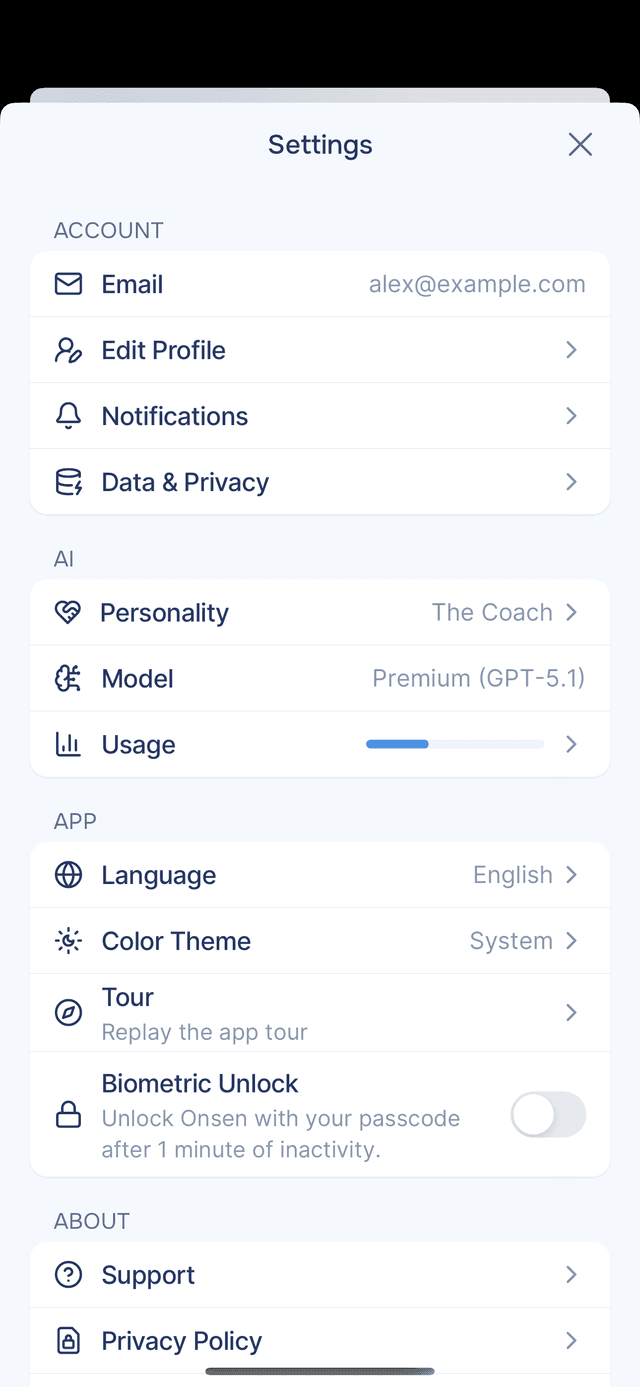
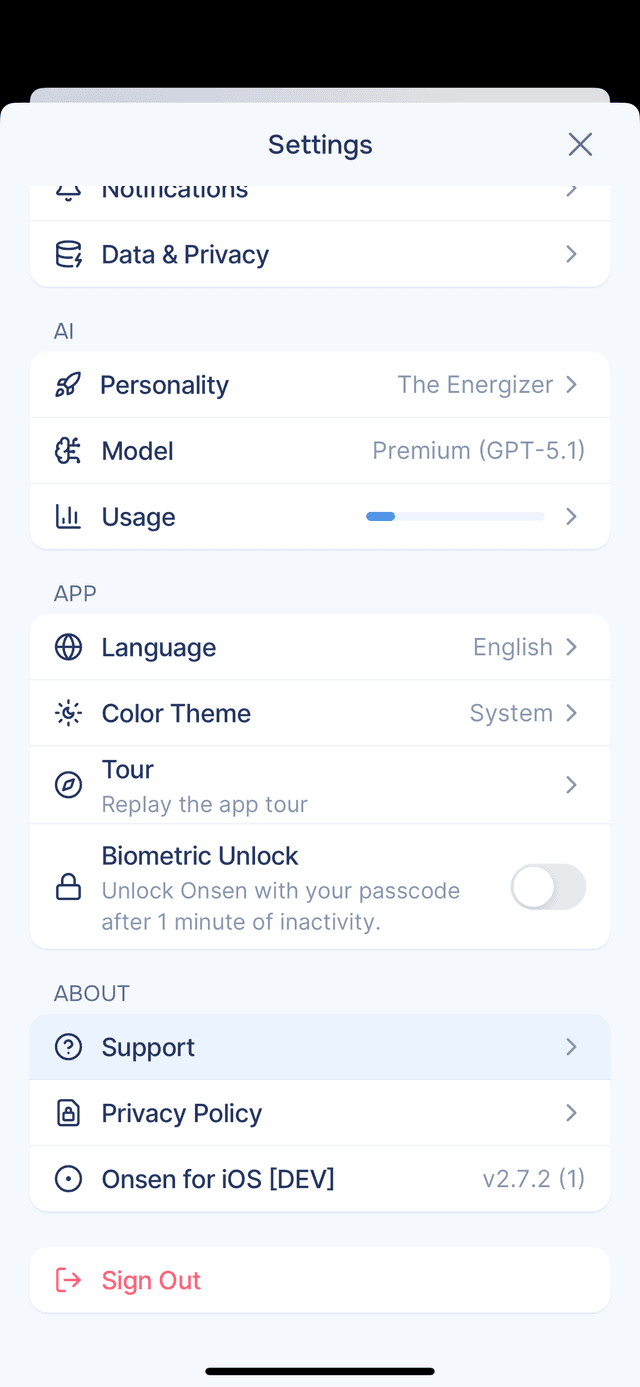
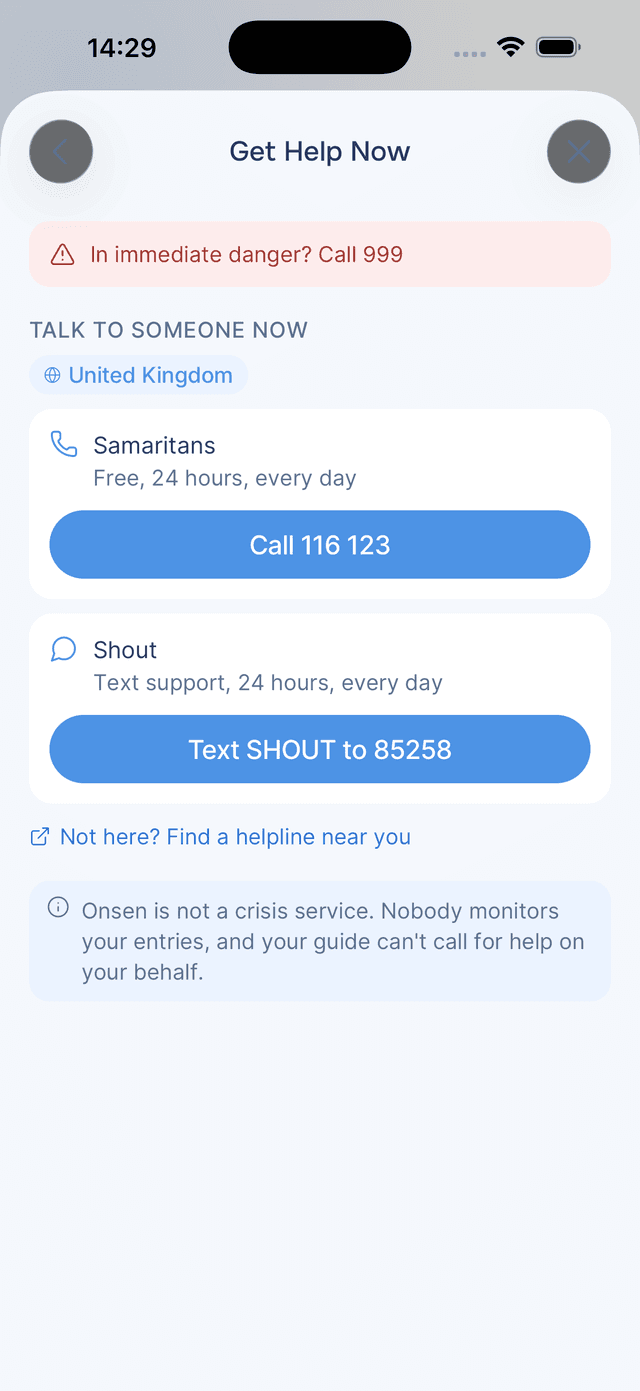
The card with your name at the top opens your Account. Everything else is grouped into sections that match what you see in the app: Your Guide, App, Your Data, Plan, Help, and About. At the very top sits Get Help Now for urgent support, and at the bottom the Sign Out button — your data stays safely stored in the cloud and will be there when you sign back in.
Other items on the settings screen that don't have their own page:
- Model — the AI model powering your conversations, shown as Premium or Standard. Every account is on Premium today.
- App Lock — lock Onsen with Face ID, Touch ID, or fingerprint after one minute of inactivity
- Plan — your plan and what it includes. Everyone is currently an Early Supporter: full premium access, free.
- Replay Tour — replay the introductory app walkthrough at any time
- Privacy Policy — opens onsenapp.com/legal/privacy-policy in your browser
- Onsen for iOS/Android — your current app version and build number
Profile & Account
Your entries, streak, plan and membership — plus editing your name and birthday.
What's New
Read what changed in each release and update when a new version is out.
Knowledge
Everything Onsen has learned about you, and how to rename or forget it.
AI Personality
View, change, or preview your AI guide's personality and voice.
Notifications & Pulses
Control push notifications and personalized AI-generated [Pulses](/docs/pulses).
Usage
Check your usage across messages, voice, images, and insights.
Shared Entries
Everything you've shared and everything shared with you, in one place.
Privacy and Your Data
Encryption, App Lock, and where to find everything Onsen holds.
Deleting Your Account
What deletion removes, and how to take a copy of your data first.
Appearance & Language
Switch languages and choose light, dark, or system theme.
Support
Get help, share feedback, report bugs, and request features.