

Knowledge
Everything Onsen has learned from your writing — the people, places, moods and moments that keep coming up, gathered in one place.
Every time you write, Onsen reads the entry and notices what is in it: who you mentioned, where you were, how you felt, what happened. Knowledge is where all of that collects. Instead of a pile of entries you have to remember your way through, you get the cast of your own life — your sister, your dog, your old flat, the mood that shows up every Sunday evening — and a way into every entry that mentions them.
Opening Knowledge
There are three ways in, and they all land in the same place:
- Tap Knowledge at the top of your journal.
- Go to Settings → Knowledge, under Your Data.
- Open search and tap Browse all knowledge at the bottom.
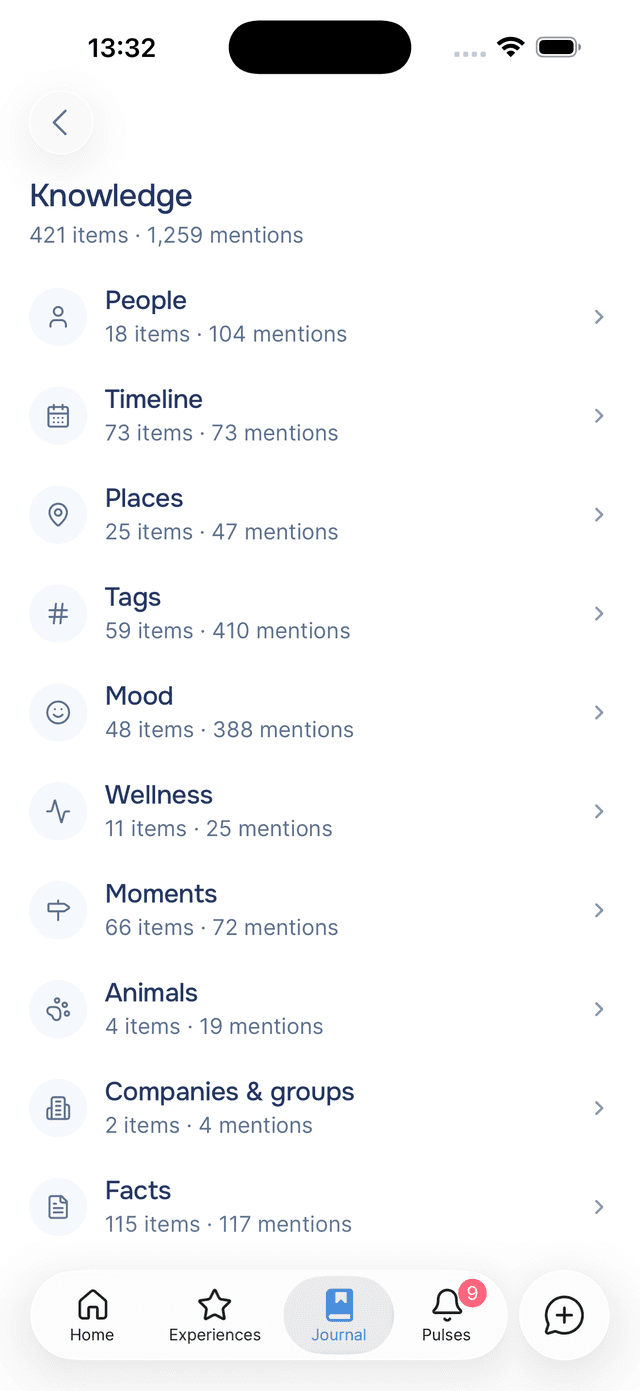
The top of the screen tells you how much there is: something like 1,234 items · 5,678 mentions. Items are the distinct things Onsen knows. Mentions are how many times they have come up across your writing.
The Categories
Knowledge is grouped into families, each with its own list. Onsen leads with the ones people actually return to and leaves the reference material at the end.
| Category | What it holds |
|---|---|
| People | Everyone you write about, by name or by role — "Mum", "my manager", "Alex". |
| Timeline | The dates your entries talk about — birthdays, moving day, the operation. See the Timeline. |
| Places | Cities, countries, the café you keep going back to, home. |
| Tags | The hashtags on your entries, whether the AI wrote them or you did. |
| Mood | How you have been feeling, in your own vocabulary. |
| Wellness | Sleep, energy, exercise, appetite, and the rest of how your body is doing. |
| Moments | Things that happened — the interview, the argument, the concert. |
| Animals | Pets, mostly. Sometimes a fox in the garden. |
| Companies & groups | Employers, teams, clubs, the choir. |
| Facts | Everything else worth remembering that does not fit the above. |
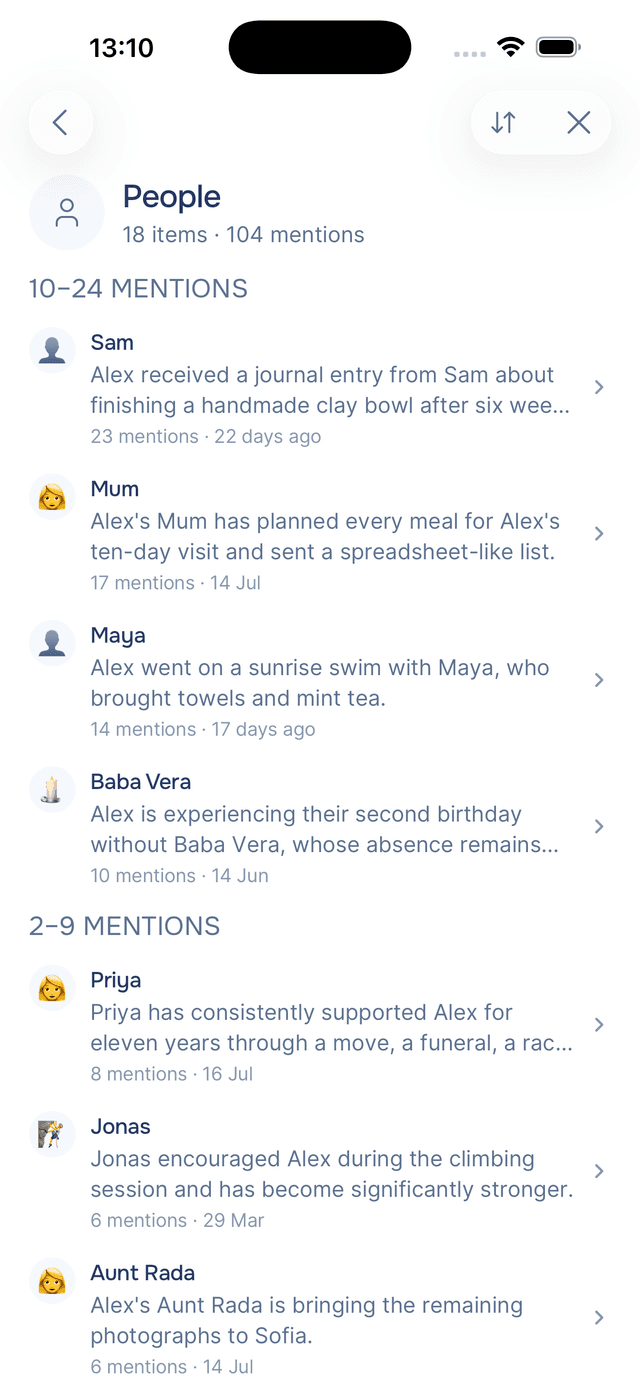
Tap any category to see everything in it. Each row shows the item's emoji, its name, a sentence explaining what Onsen learned, how many entries mention it, and when it last came up — "today", "4 days ago", "Aug 2024".
Sorting a Category
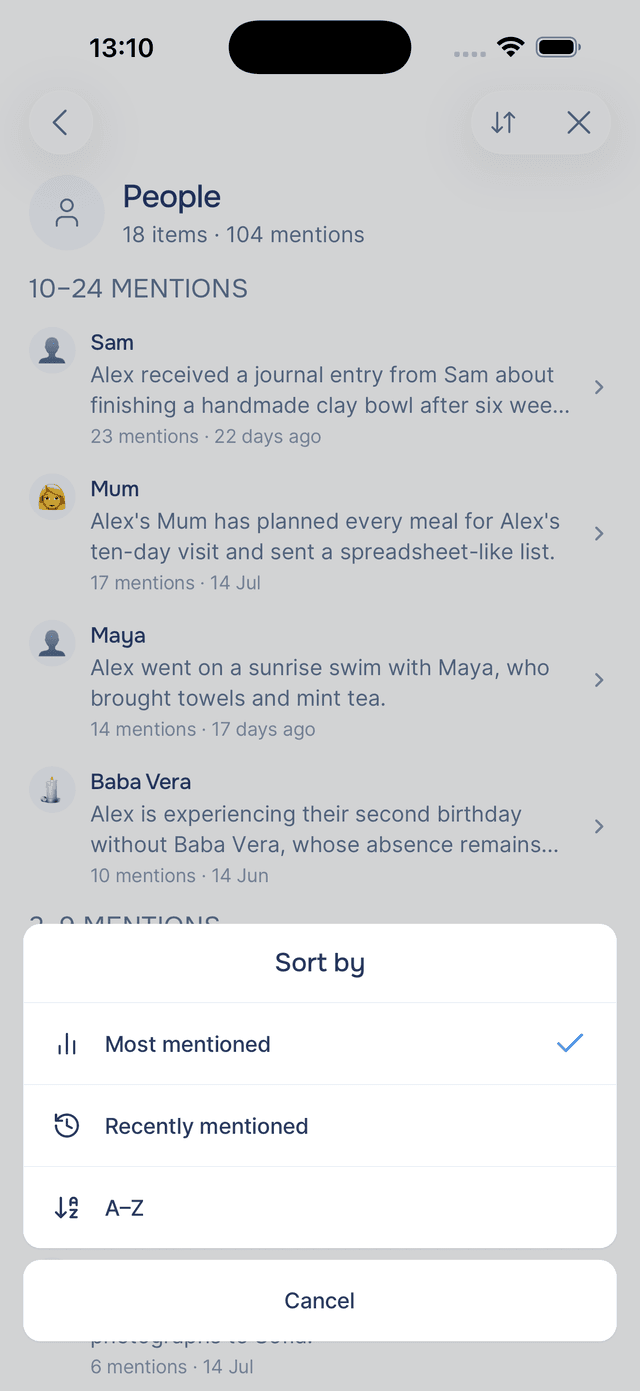
Tap Sort in the header to reorder a list three ways:
- Most mentioned puts the people and places at the centre of your life first. This is the default, and the list groups itself into bands —
100+ mentions,25–99 mentions, down toMentioned once— so you can see the shape of what matters at a glance. - Recently mentioned groups by month, which reads like a record of who and what has been on your mind lately.
- A–Z is for when you know the name and just want to find it.
The Timeline sorts differently, by date, because a chronology is the whole point of it.
Where Knowledge Comes From
Nothing here is typed in by hand. Onsen extracts it from your entries as you write them, which is also why your entries stay the source of truth — knowledge is a view of your writing, not a separate file about you.
That has a practical consequence worth knowing: when you rename or forget an item, Onsen changes what it learned from the entries themselves. Your words are never touched.
Knowledge is also what makes your conversations feel like they are with someone who knows you. When your guide remembers that you have been sleeping badly since the move, this is where that comes from.
Starting Out
A new journal shows Nothing learned yet. Write a few entries and the categories fill themselves in — people and moods usually appear first, since almost every entry has both.
Tips
- Start with People sorted by most mentioned — the top of that list is a fairly honest picture of where your attention goes.
- Use it as a way into your journal — tapping a person and reading their entries in order is a different experience from scrolling your journal, and often a more revealing one.
- Check Wellness when something feels off — seeing "poor sleep" mentioned in eleven entries this month is the kind of pattern that is hard to notice one day at a time.
- Tidy the names you will actually use — renaming "my brother" to his actual name once makes every future mention line up under it.