

Knowledge Items
Open any person, place or mood to see when it comes up, what it comes up with, and every entry that mentions it — then rename or forget it.
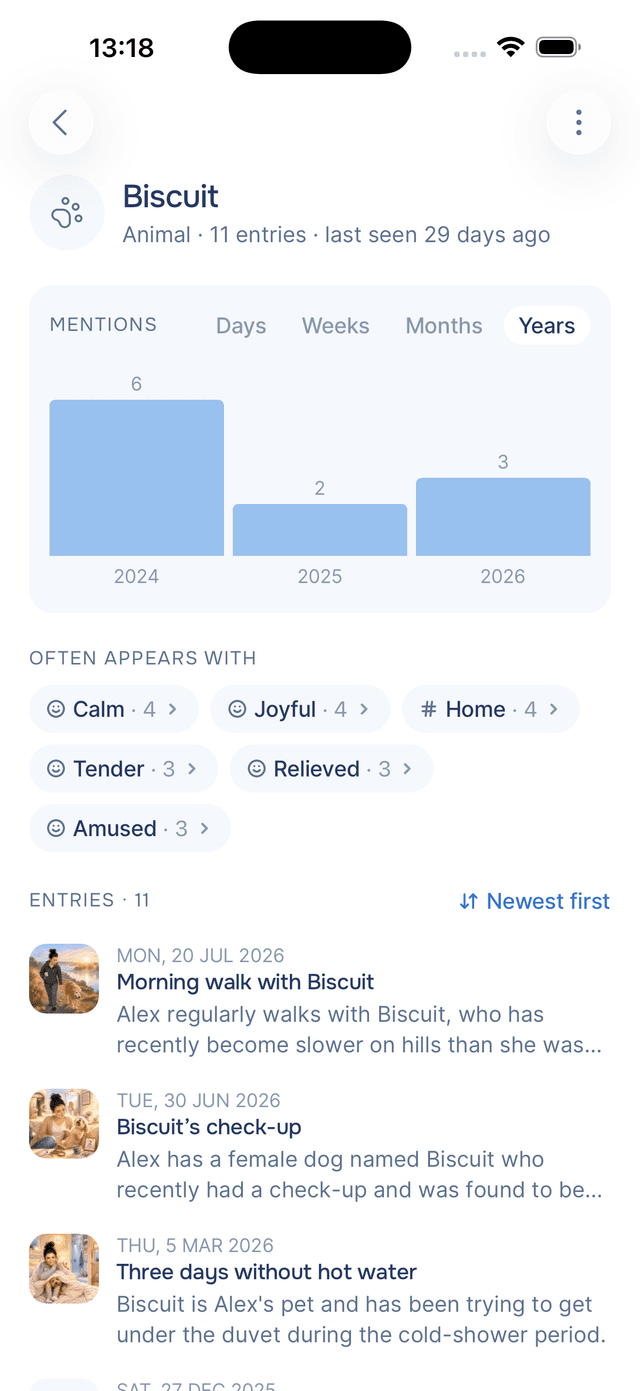
Tap anything in Knowledge — a person, a place, a mood, a date — and you get its own page. It is the closest thing Onsen has to a profile of something in your life: how often it comes up, when it comes up, what it tends to come up alongside, and every entry it appears in.
What the Page Tells You
The name sits at the top with a line underneath summing it up: what kind of thing it is, how many entries mention it, and when it last came up — Person · 42 entries · last seen 3 days ago. Dates carry their own date there too.
Below that, everything is about pattern. When has this been on your mind? What else was going on when it was?
The Mentions Chart
Once something has come up more than once, a small chart shows when. Switch between Days, Weeks, Months and Years to zoom out, and each bar carries its count.
The chart is where a pattern usually shows itself. Three mentions a week for a month and then nothing says something. A mood that spikes every December says something else.
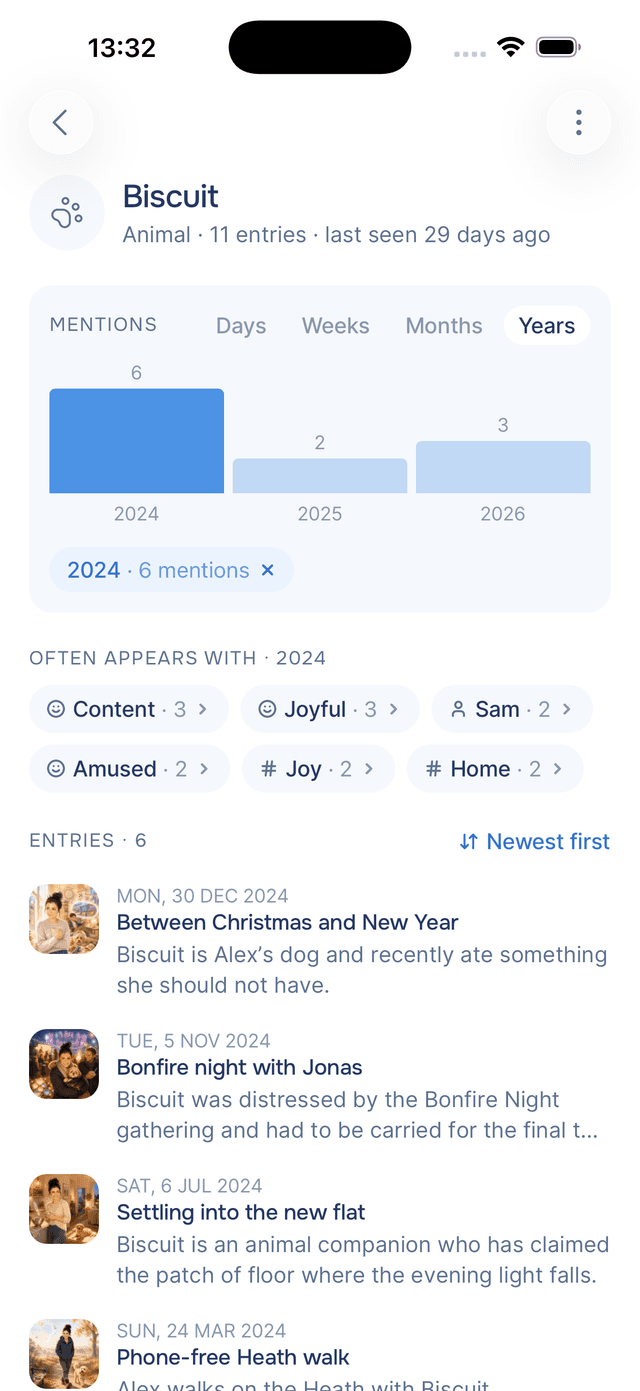
Tap a bar to narrow the page to that period — the rest of the chart dims, a chip appears reading Jun 2026 · 8 mentions, and the entries below become just the ones from that month. Tap the bar again, or the chip's , to go back to everything.
Often Appears With
Under the chart, Onsen lists what else tends to show up in the same entries. Open your brother's page and you might find your mother, home, and "anxious" sitting there — which is its own small insight, and one you would be unlikely to spot entry by entry.
Each one is a chip you can tap to jump to its page, so you can follow a thread through your journal: person to mood, mood to place, place to the year you lived there. When you have narrowed the chart to a period, this list narrows with it, so you can ask what a person appeared alongside last spring rather than in general.
Every Entry That Mentions It
The rest of the page is the entries themselves, newest first, each with its artwork, its date, its title, and the specific thing Onsen learned about this item from that entry. Tap Newest first to flip to oldest first and read forwards instead — which is the better way to read a person's page if you want it to feel like a story.
Renaming an Item
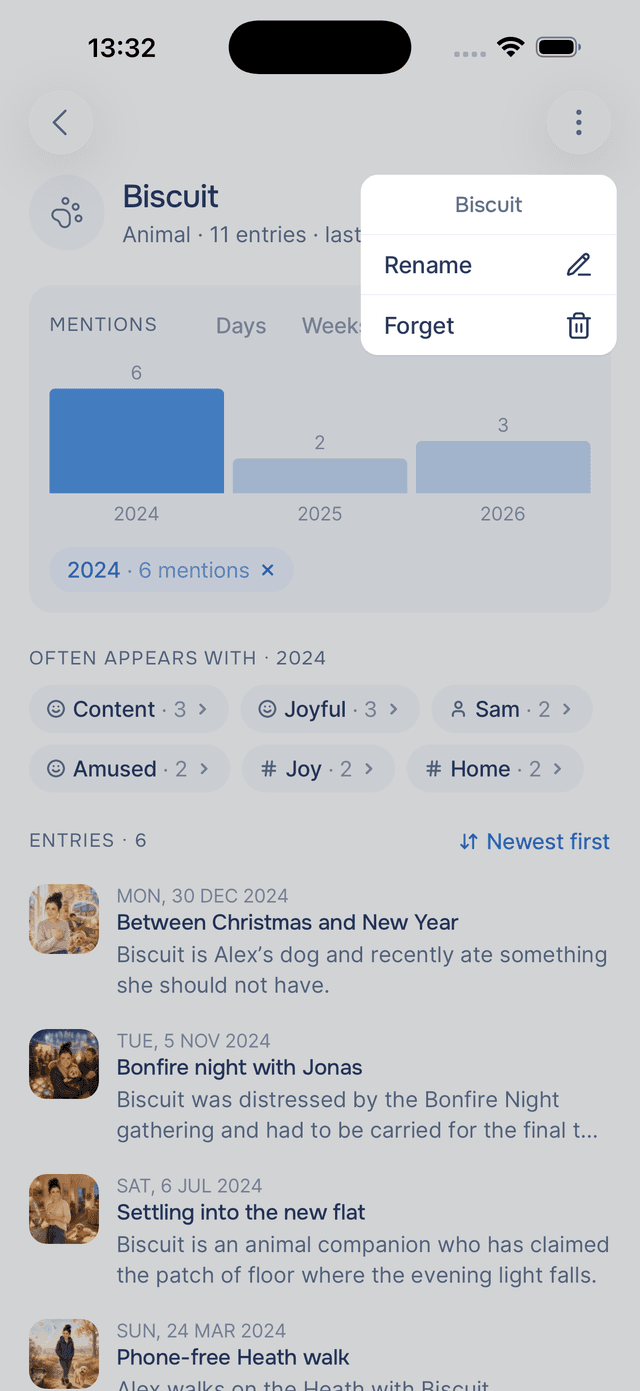
Tap in the top-right and choose Rename. This is how you tidy up the vocabulary — turning "my manager" into her name, or "the flat" into "the flat in Leeds".
If you rename something to a name that already exists, the two merge into one item and keep all their mentions between them. That is the fastest way to fix a person who has ended up recorded twice under two names.
Forgetting an Item
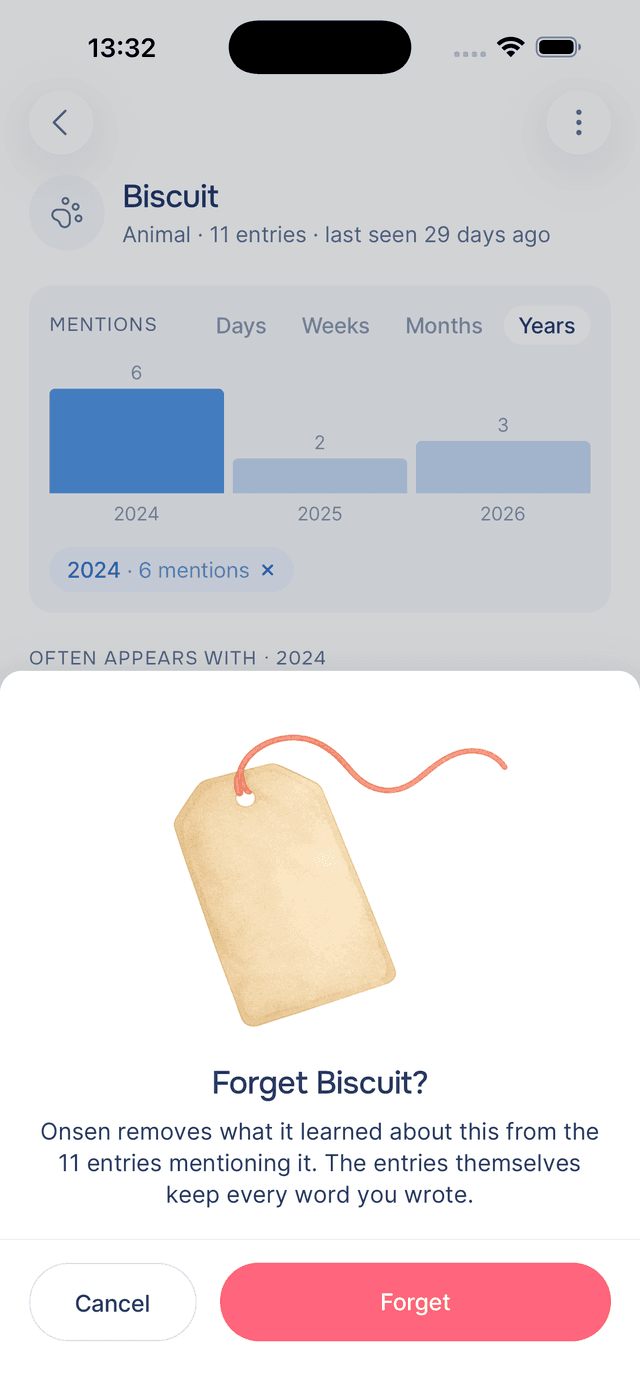
Choose Forget to remove something from what Onsen knows about you. It asks first, and it is specific about what happens: Onsen removes what it learned about this from the entries that mention it, and the entries themselves keep every word you wrote.
Use it for things Onsen picked up that you would rather it did not carry around, or for an item that was simply extracted wrong. One thing to expect: knowledge is drawn from your writing, so if you write about the same thing again, it comes back. Forgetting is not a block list.
Tips
- Merge duplicates early — one person recorded under two names splits their story in half. Renaming one onto the other puts it back together.
- Read a person oldest first — it turns a list of entries into a record of a relationship.
- Use the chart before you conclude anything — "I have been anxious all year" and the chart showing two clusters around specific weeks are very different stories.
- Forget rather than edit when something is wrong — if Onsen misread something entirely, forgetting the item is cleaner than trying to correct it in the entry.