

The Timeline
Every date your writing refers to, laid out in order, with a strip you can drag to travel decades in a second.
Your journal is ordered by the day you wrote. The Timeline is ordered by the day you wrote about. When you mention the summer you moved abroad, your grandmother's birthday, or the surgery that is booked for October, Onsen files each of those under its real date — so your life reads in order, not in the order you happened to bring things up.
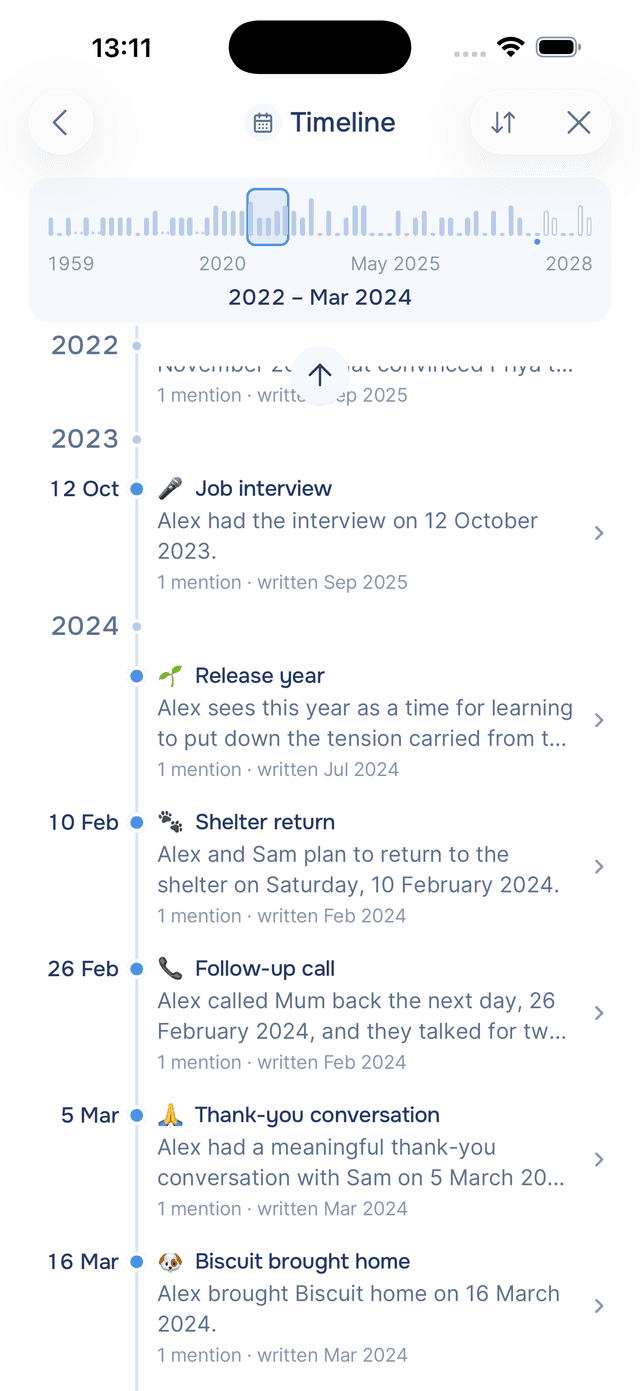
Opening the Timeline
Open Knowledge and tap Timeline. It is the second category, under People.
It opens oldest first, because reading forwards is how a life makes sense. Tap Sort and pick Newest first if you would rather start with what is happening now.
Reading the Timeline
Each row is one dated thing. The date sits on the left, the name of what happened sits on the right of a blue dot, and underneath it a sentence says what Onsen learned about it. Years appear as headers that stick to the top as you scroll, so you always know where you are.
The names describe the occasion rather than the calendar. You will see "Wedding in Lisbon" and "Started the new job", not "12 June 2019" repeated down the page. And because a date on the left could be confused with the date you wrote, the line underneath spells it out: 3 mentions · written 4 days ago.
Not every date is precise, and Onsen does not pretend otherwise. "Sometime in 2015" files under 2015 with no day, and a row that only knows the month shows just the month.
Gaps, Today and What Has Not Happened Yet
Three small things make a long timeline readable:
- Gaps. When your writing skips several years, three quiet dots on the line mark the jump instead of a wall of empty space.
- Today. A Today line runs across the timeline wherever now falls, so you can see at a glance what sits behind you and what is ahead.
- The future. Dates that have not happened yet — the trip in November, the appointment next spring — get a hollow dot instead of a filled one.
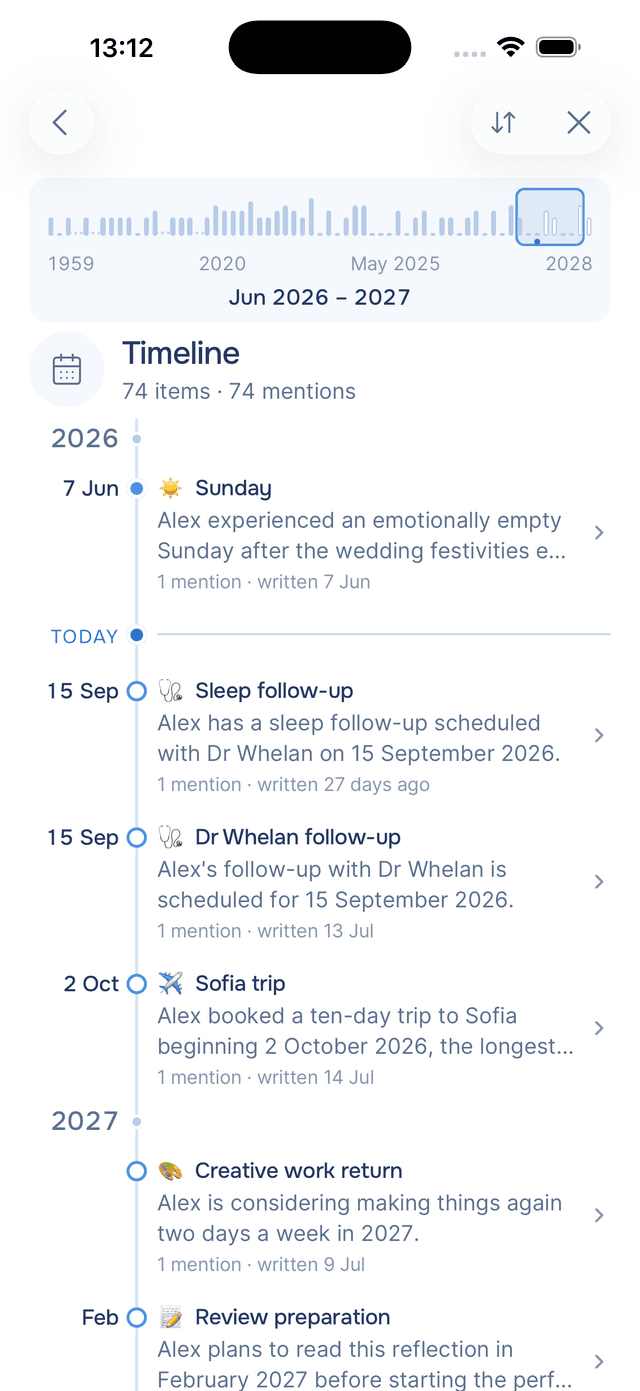
Travelling With the Strip
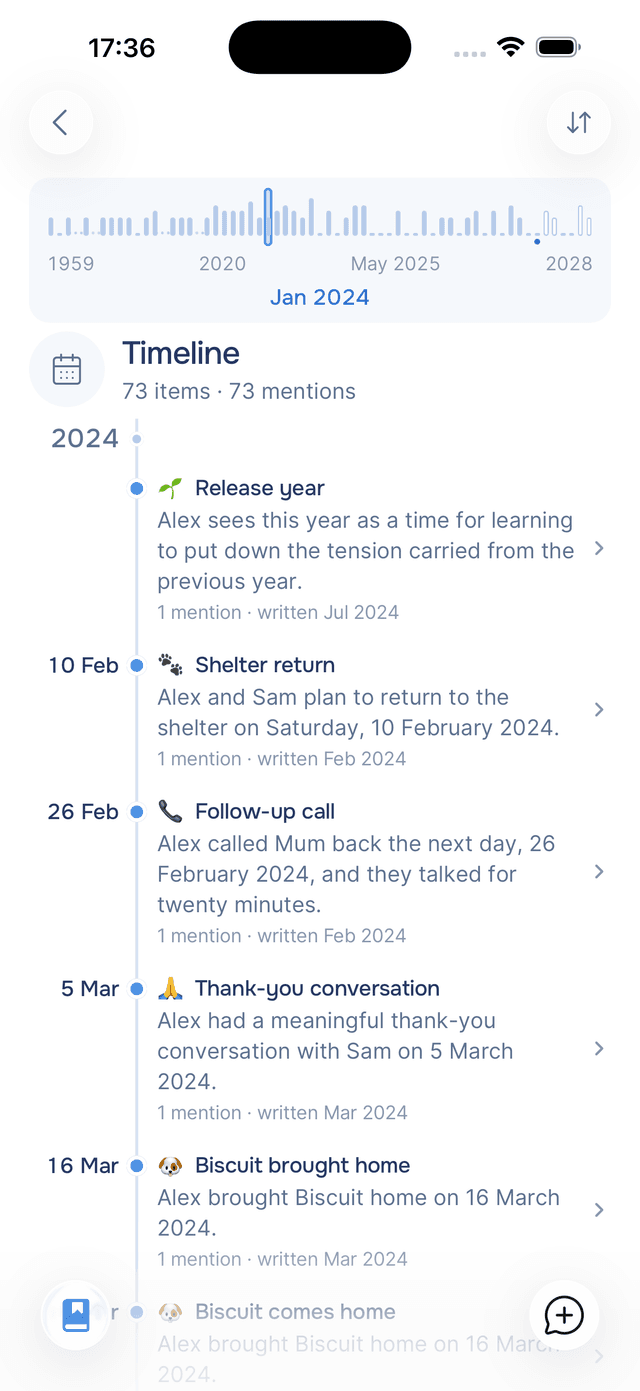
Above the list sits a small chart of your whole timeline, one bar per period, taller where more happened. Touch it anywhere and drag: a marker follows your finger, the label underneath names where you are — Jun 2016, 2016, or 1947 – 1962 for a long empty stretch — and your phone gives a tick as you cross each period. Lift your finger and the timeline jumps there, with the years above already loaded so you can keep scrolling in either direction.
The strip adapts to your writing rather than the calendar. A busy year opens up into months so you can land on March rather than somewhere in a whole year, while decades where nothing was recorded collapse into a few dots. The result is that the space on screen goes to the parts of your life you have actually written about.
At rest the strip shows where you are — a frame around the visible stretch and a label reading 2015 – 2016. A small mark under one bar shows today.
Jumping to a Year From Search
The Timeline row on the search screen shows your fullest years as chips. Tapping 2016 · 8 opens the Timeline already at 2016, which is quicker than dragging when you know exactly where you are going.
Tips
- Tap a row to see what you wrote — every date opens its own page with the entries that mention it, the same as any other knowledge item.
- Write about the past on purpose — mentioning when things happened, even in passing, is what fills the early years in. A single entry about your childhood can add a decade.
- Drag rather than scroll for long journeys — the strip crosses forty years in the time it takes to scroll past a month.
- Look at the shape — clusters of tall bars are the years you keep returning to, and that is usually worth noticing.