

The Progress Tab
See how your wellbeing is changing over time — the days you keep showing up, the garden that grows with them, where your check-in scores are heading, and what you are working on.
The Progress tab is where you see your wellbeing changing. It brings together the things that move slowly: how consistently you turn up, how far that consistency has carried you, which way your scores are heading, and what you are working towards.
On a day when it does not feel like anything is changing, this is where you find out whether that is true.
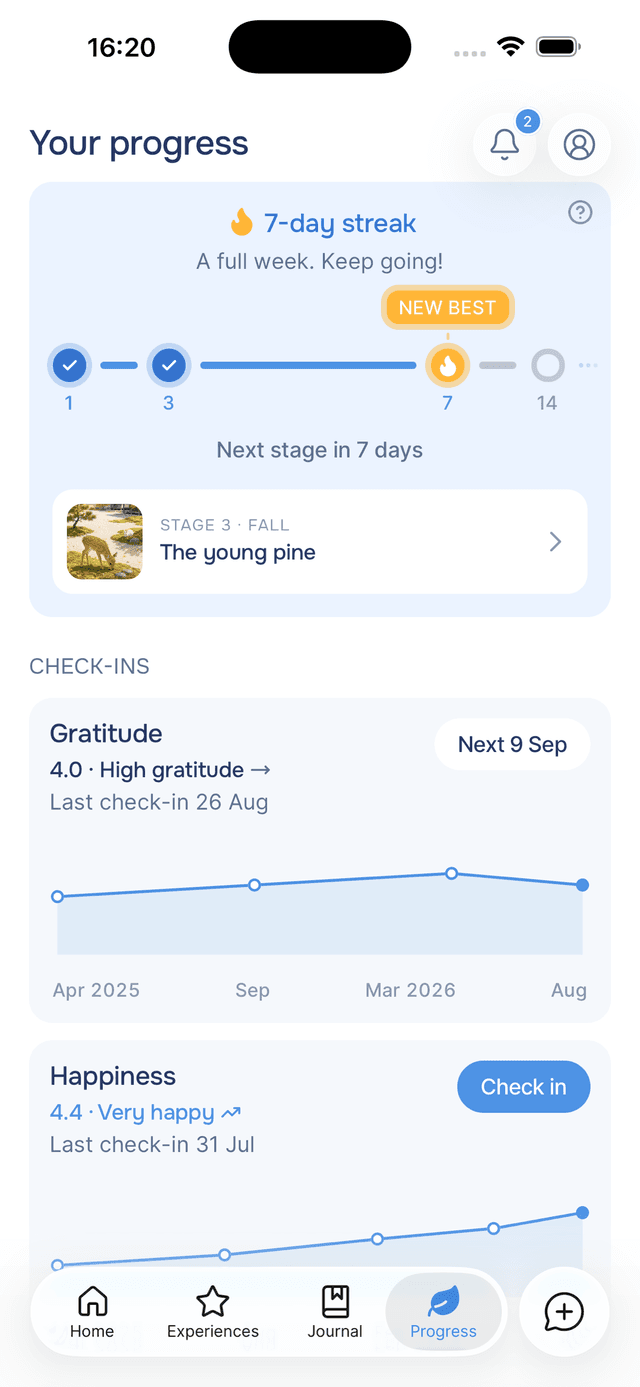
Tap Progress in the bottom bar to open it. The screen is titled Your progress. It opens with today's streak and the garden it has grown so far, followed by your plan and your check-in scores.
What Is on the Screen
Your streak
The days you have written, the stones ahead of you, and what counts as a day.
Your garden
A garden that grows a new stage at every streak milestone and keeps every stage you reach.
Check-ins
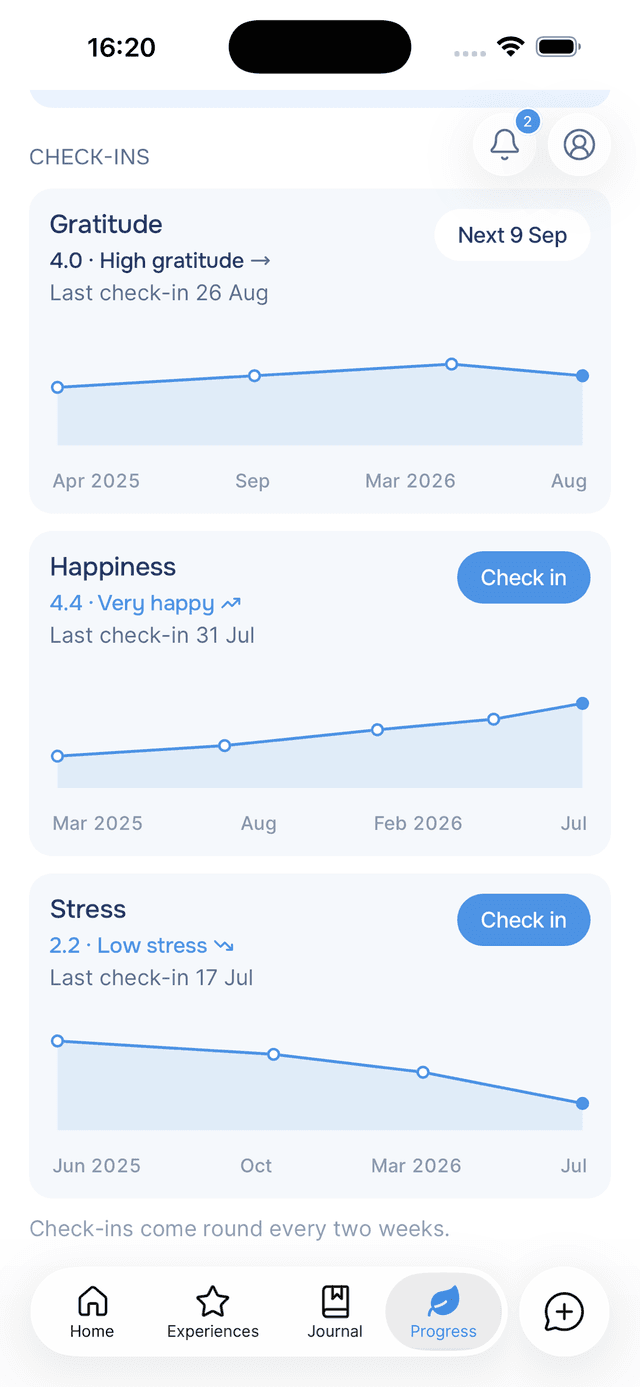
Your happiness, stress and gratitude scores, and which way each one is heading.
Your plan
The practices, goals and tasks your guide picks out of what you write.
The streak card sits at the top, with a row along its bottom showing your garden as it stands today. Under it comes Plan, the first few items on your plan with View all for the whole list, and then Check-ins, a full card with a chart for each. When a check-in is due, or your plan is empty, Check-ins comes before Plan.
Opening It From Anywhere
There are three other ways in:
- The flame in the Home header. It shows your current streak and taps straight here. See your streak.
- View all, beside the Track your progress heading on Home.
- The Saved card, when a journal entry you save extends your streak. Its bottom row shows your streak and garden, and tapping either opens them here. See the Saved card.
Tips
- Nothing here expires — your longest streak, your past scores and every garden stage you have reached are kept, whatever happens to your current streak.
- Tap the streak card — it opens the journal entries behind the number, day by day.