

Check-ins
Short questionnaires for happiness, stress and gratitude, taken every two weeks, with every score kept and charted.
A check-in is a short set of questions based on a published psychological scale. You answer them, your guide gives you your score and what it means, and the conversation becomes a journal entry. Do that every few weeks and the scores form a line showing which way your wellbeing is heading.
Onsen has three:
- Happiness Check-in, from the Oxford Happiness Questionnaire
- Stress Check-in, from the Perceived Stress Scale
- Gratitude Check-in, from the Gratitude Questionnaire
The questions take about two minutes, and the whole thing including the journal entry runs to about five. They live in the Experience Library under Check-ins, and your scores gather on the Progress tab.
Every Two Weeks
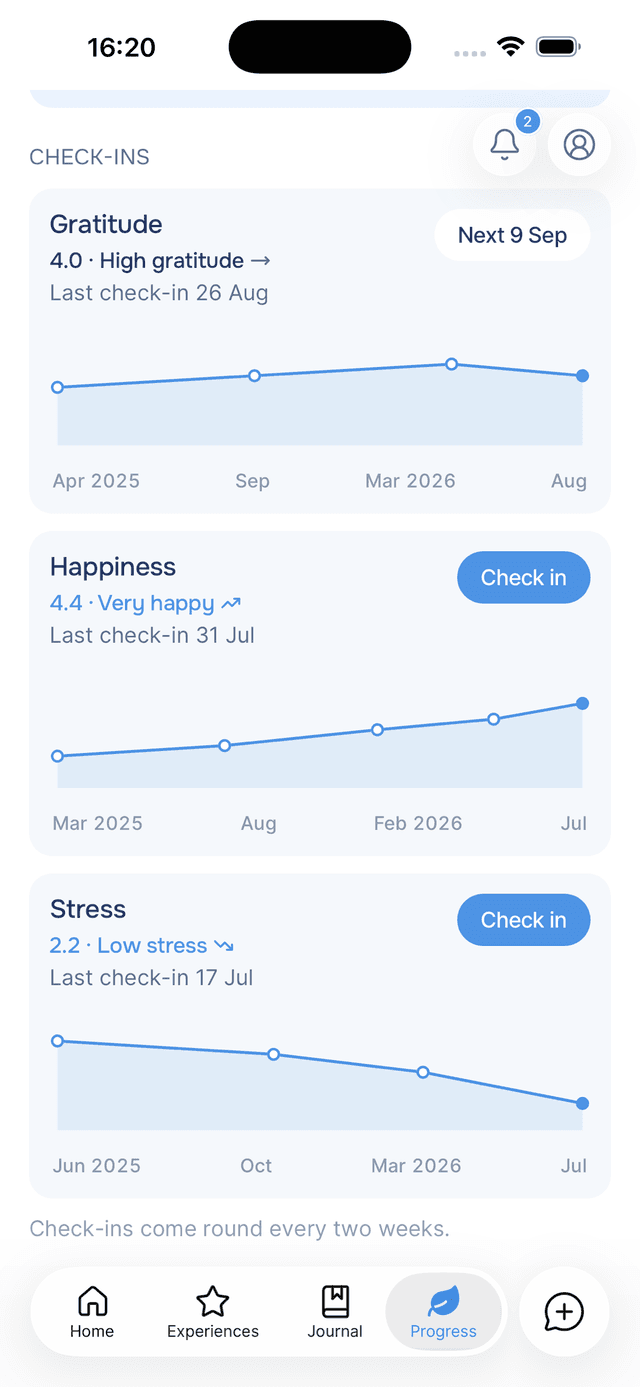
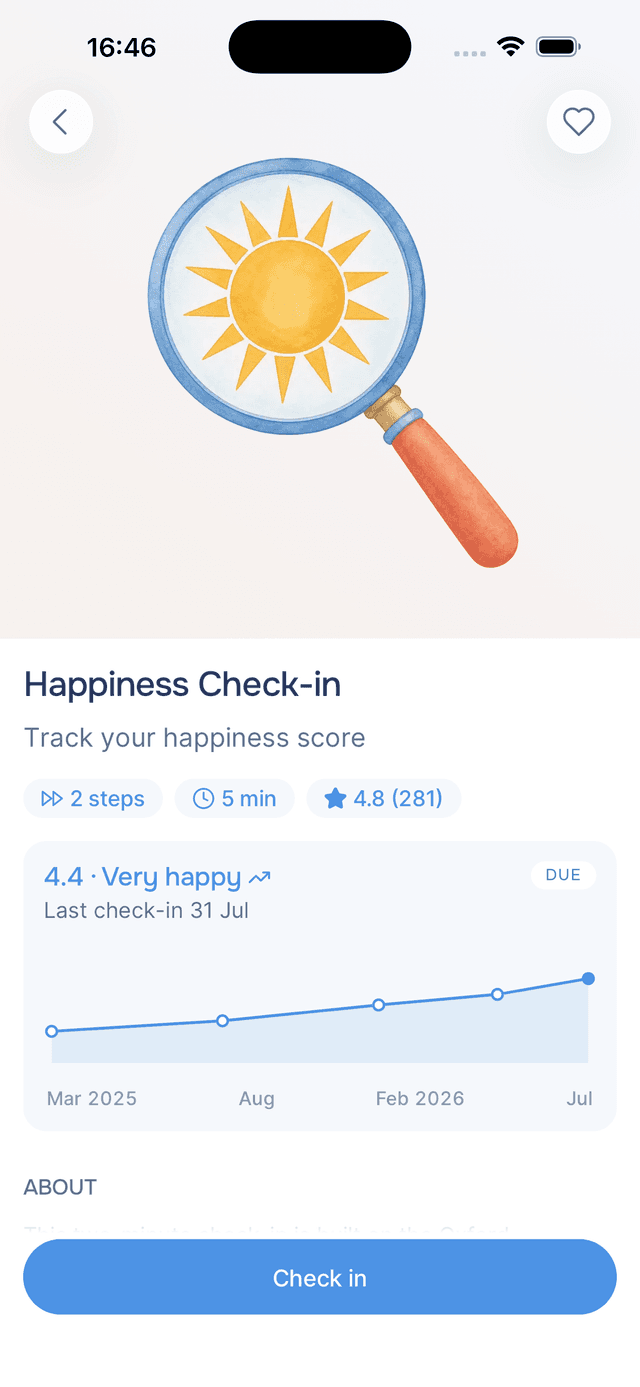
Check-ins come round every two weeks. Once you have taken one, its card shows the date the next is due as a quiet Next tag where the button was, both on the Progress tab and on your Home row.
Nothing is locked. The tag is tappable, so you can take a check-in sooner if you want to.
Reading a Check-in Card
Each card carries your whole history with one check-in:
- Your latest score on a 1 to 5 scale, with the interpretation beside it —
3.1 · Moderate. - A trend arrow when there is more than one score to compare. It is coloured by whether the move is good news, not by which way it points, so stress falling and gratitude rising are both blue.
- When you last took it, or how many questions it has if you never have.
- An action — Check in when one is ready, Start if you have never taken it, or a quiet Next tag with the date the next one is due.
- The chart, plotted against real time with months along the bottom. A busy stretch and a quiet one look different, because they were.
Tap a card to open the check-in's own page, which leads with the same chart and adds what the scale measures, how it helps, and every take you have made.
Your Answers, Kept
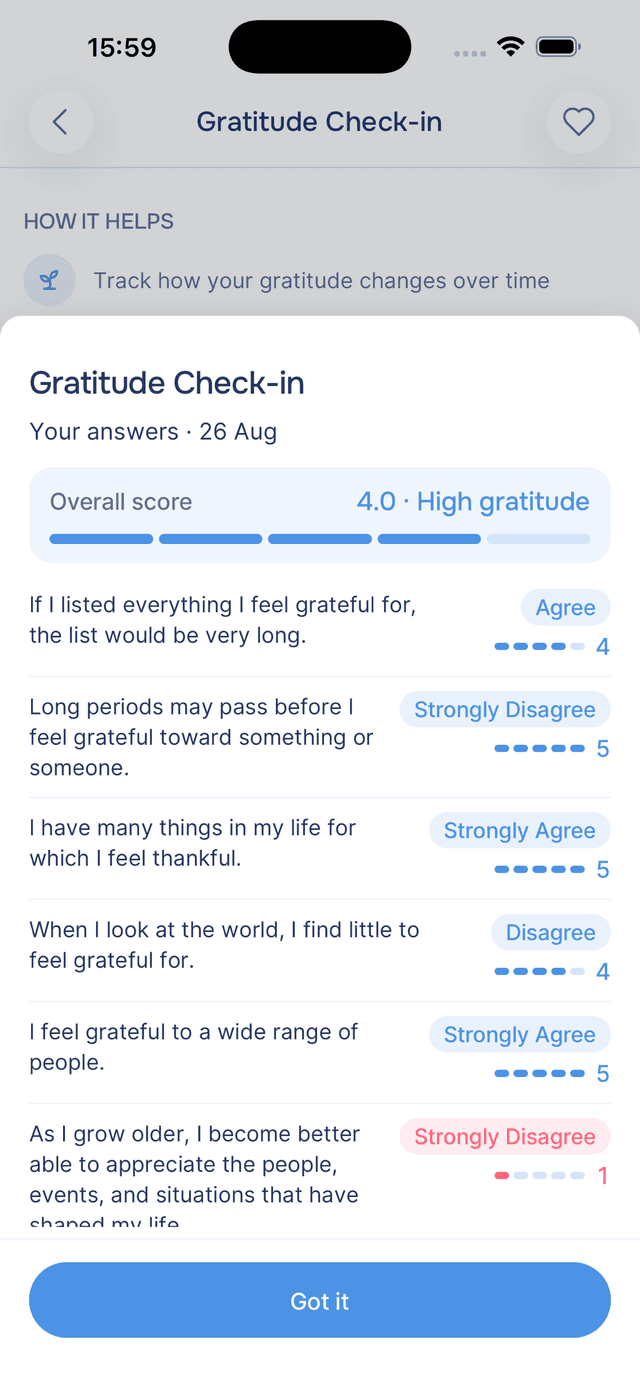
Every check-in you take appears in the History section of its page, each row showing the score it produced on a gauge pill. Tapping that pill opens Your answers: the overall score with its band, then each question with the answer you chose and where it sat on the five-point scale.
It is worth looking at when a score moves and you cannot think why. The number went up, and the question that moved it was the one about feeling in control.
Where They Show Up
- Home keeps a compact three-row list under Track your progress, with one action per row. See Track your progress.
- The Progress tab gives each one a full card with its chart.
- A nudge card on Home appears when one is ready, naming which. See the nudge card.
- A journal entry is written at the end of every check-in, so the conversation is searchable with everything else you have written.
Tips
- Answer for the window the questions name — most ask about the past two weeks, not about right now. A bad morning should not rewrite a good fortnight.
- Taking one extends your streak — a check-in ends in a journal entry, so it counts as a day. See your streak.
- Two scores are a line, three are a trend — the first check-in is only a starting point, and the chart earns its keep from the third onwards.
- A high stress score is a prompt, not a verdict — try Clear Negative Thoughts or one of the mindfulness experiences after one.
Your Garden
A garden that grows a new stage every time your streak reaches a milestone, keeps every stage you reach, and changes with the season on its own.
Your Plan
Your plan holds the practices, goals and tasks your guide picks out of your journal entries, and it appears on the Progress tab, in each entry and on Home.