

Your Plan
Your plan holds the practices, goals and tasks your guide picks out of your journal entries, and it appears on the Progress tab, in each entry and on Home.
Your plan is a list of the practices, goals and tasks your guide picks out of your journal entries. Each time you save an entry, your guide checks it for anything you want to do, start or keep up, adds it to your plan, and updates items that are already there. You mark your progress as you go, and finished items move to Done.
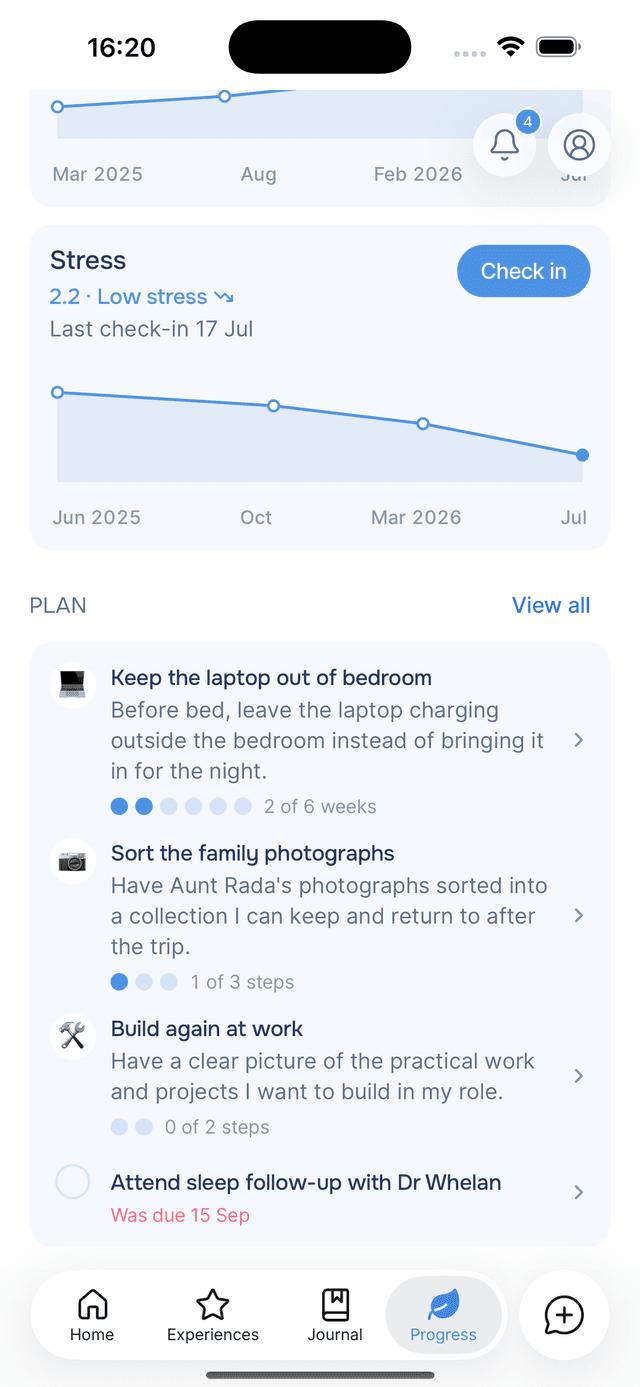
Your plan is on the Progress tab, below your streak and above your check-ins. When a check-in is due, or your plan is empty, the check-ins come first. Tap View all to open the full list.
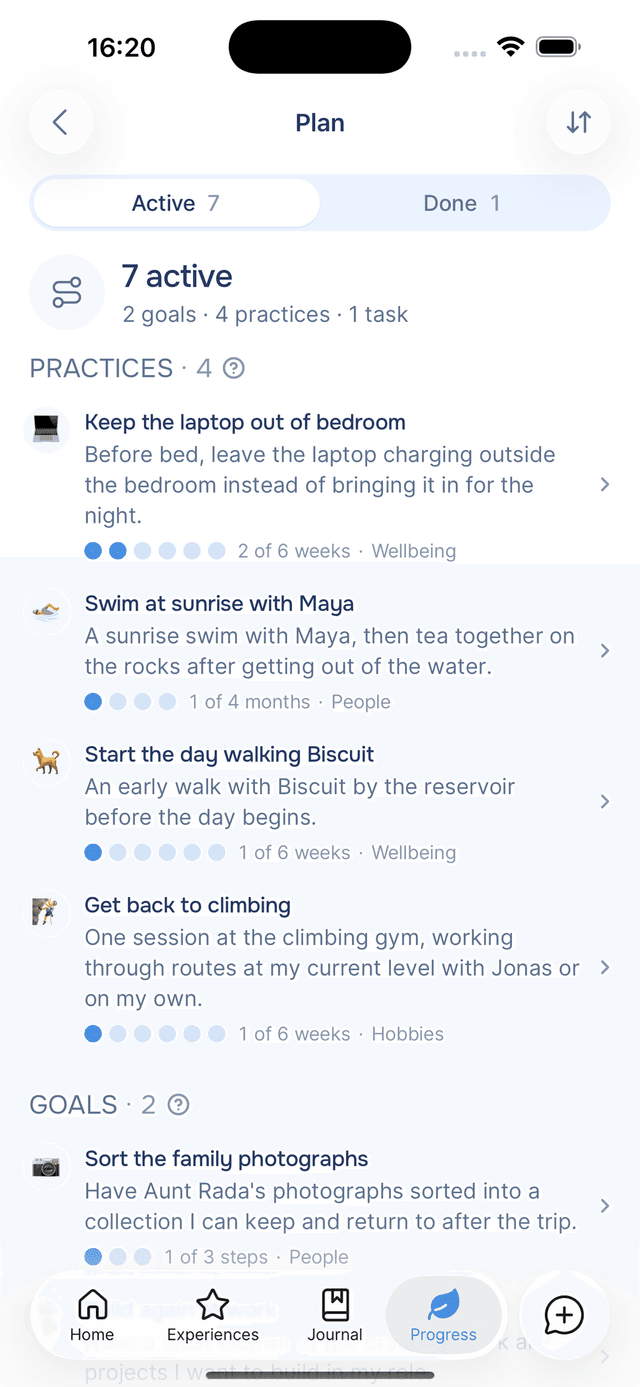
Practices, Goals and Tasks
Every item on your plan is one of three types, and each type is tracked differently.
| Type | What it is | How you track it | Example |
|---|---|---|---|
| Practice | Something you repeat until it becomes a habit | Mark the days you do it, and reach the target each week, every two weeks or each month, depending on the practice | "Walk the dog before work" 3 times a week · 6 weeks to a habit |
| Goal | Something you are working towards, broken into a few steps | Tick off the steps, then mark the goal done | "Sort the family photographs" 3 steps |
| Task | One thing to do | Tick it off | "Book a follow-up with the doctor" In 3 days |
For the details of each type, see Practices and Goals and Tasks.
How Items Are Added to Your Plan
You do not add items by hand. After you save a journal entry, your guide reads it and makes any of these changes to your plan:
| What your entry mentions | What changes on your plan |
|---|---|
| Something new you want to do | A practice, goal or task is added |
| Progress on an item already on your plan | A step is ticked, or a task is marked done |
| An item you are no longer pursuing | The item is archived. Nothing is deleted. |
Most entries leave your plan unchanged. When an entry does change it, the Plan line on the Saved card shows what changed, for example 1 task added · 1 step done.
Each item keeps a link to the entry that added it. Open the item and From your journal shows that entry, with the words you wrote.
Two things your guide does not do:
- Mark a practice as a habit early. A practice becomes a habit when you have done all its weeks or months, or when you choose Mark as a habit yourself.
- Archive items because of a hard day. Writing about a difficult day or week does not remove anything from your plan. Your guide archives an item only when an entry says you are no longer pursuing it.
Where Your Plan Appears
- Progress tab — the Plan section shows the first few items on your plan. View all opens the full list.
- Journal entries — every entry has a Plan section listing what that entry added to your plan. See entry details.
- Home — a card appears when a goal or task is due, or a practice is falling behind. See Home nudges.
- Chat — your guide can see your plan during conversations, so you can mention an item without explaining it.
The How It Works Sheet
Tap beside the Practices, Goals or Tasks heading on the Plan screen, or How it works on an item, to open a short explanation of that type. After you have opened it once, the link moves into the item's menu.
How Many Items Your Plan Holds
Your plan holds up to 10 goals and practices and 20 tasks at a time. When it is full, finish or archive an item to make room for a new one.
Tips
- You do not need to phrase it as a goal — "I keep meaning to call Mum more" is enough for your guide to add a practice.
- Mention progress in any entry — "sent the email to the landlord today" marks that task done, even in an entry about something else.
- Archiving does not delete — archived items are kept, and you can unarchive one at any time.