

Goals and Tasks
Goals and tasks are the items on your plan that have an end. You tick off steps and tasks yourself, and your guide marks them done when an entry says they are finished.
Goals and tasks are the items on your plan that have an end. A goal is something you are working towards, broken into up to three steps. A task is a single thing to do. Either can have a date, and either is marked done when it is finished, by you or by your guide when an entry says it is done.
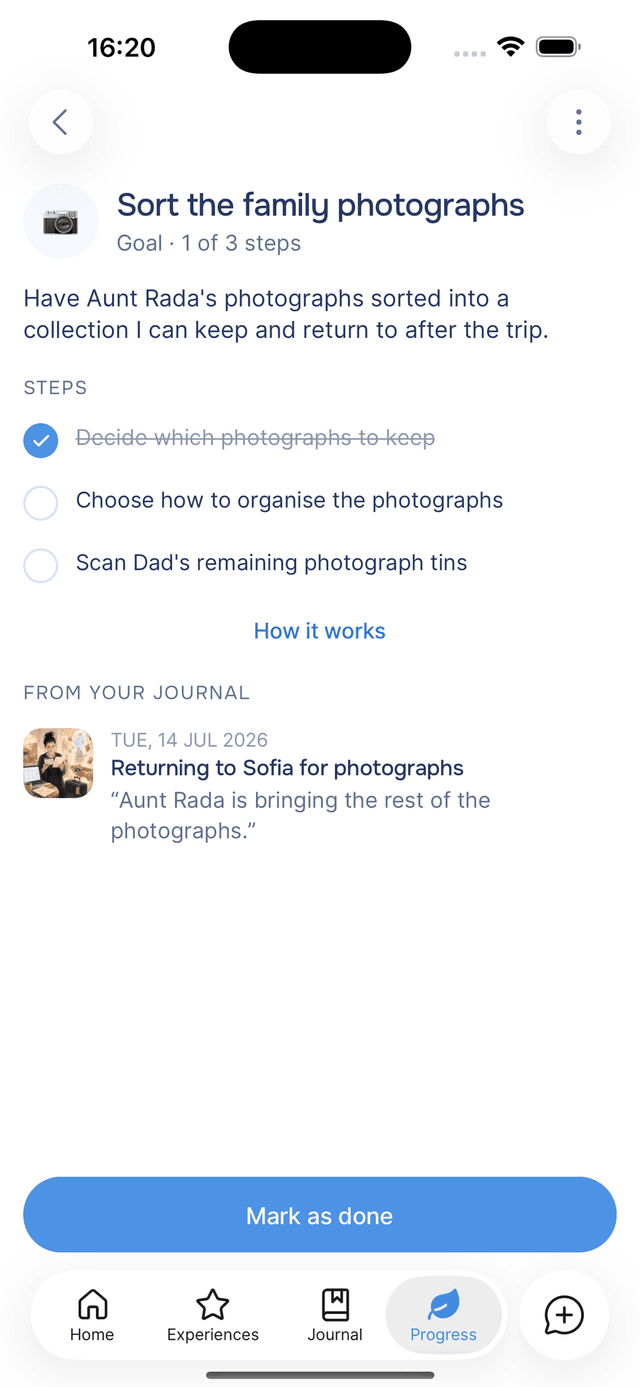
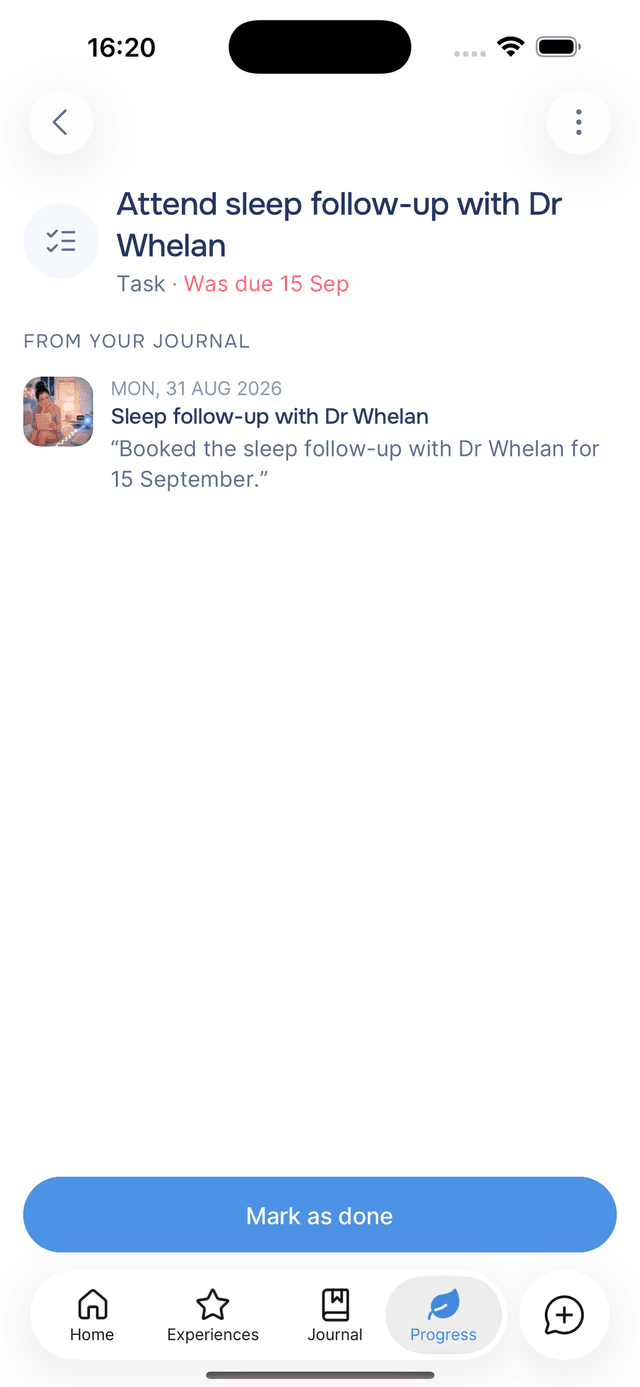
Goal Steps
Your guide suggests up to three steps for each goal, based on what you wrote. For "Sort the family photographs", the steps might be "Decide which photographs to keep", "Choose how to organise them" and "Scan the ones still in tins".
Open a goal and tick each step as you finish it. The line under the goal's name shows your progress, for example 1 of 3 steps.
Ticking every step is not required. Tap Mark as done when the goal is finished, whether or not the steps are ticked.
Tasks
A task has no steps. Tick the circle beside it on the Plan screen, or open it and tap Mark as done. A ticked task moves to Done. To undo, find it under Done and tick it again.
Dates
A goal or task has a date when your entry mentioned one. The item's row shows how close it is: Today, Tomorrow, In 3 days, or By 12 Oct for dates further out.
When the date passes, the row shows Was due 15 Sep in red. The item stays on your plan until you finish or archive it.
Marked Done From Your Journal
When an entry says you finished an item, your guide marks it done. Writing "finally booked the follow-up" marks that task done, and "sorted the first box of photographs" ticks that step, even in an entry about something else.
Your guide does this only when you write that something happened, not when you say you plan to. "I'll call the bank tomorrow" leaves the task open. The Saved card lists anything an entry marked done.
Home Reminders for Goals and Tasks
When a goal or task is due soon, or its date has passed, Home shows it in a card with Mark as done and Snooze. See Home nudges.
Tips
- Tick steps as you finish them — the row on your plan shows your progress without opening the goal.
- Mark a goal done when it is done — the steps are suggestions, not requirements.
- Archive a task you no longer need — see archiving an item. It is kept, not deleted.
Practices
A practice is something you repeat until it becomes a habit. You mark the days you do it and aim for a target each week, every two weeks or each month.
Managing Your Plan
The Plan screen lists everything on your plan. You can group your items, see what you have finished, and archive items or bring them back.