

Managing Your Plan
The Plan screen lists everything on your plan. You can group your items, see what you have finished, and archive items or bring them back.
The Plan screen lists everything on your plan. From it you can group your items by type, category or date, see what you have finished, archive items you no longer need, and bring archived or finished items back.
Opening the Plan Screen
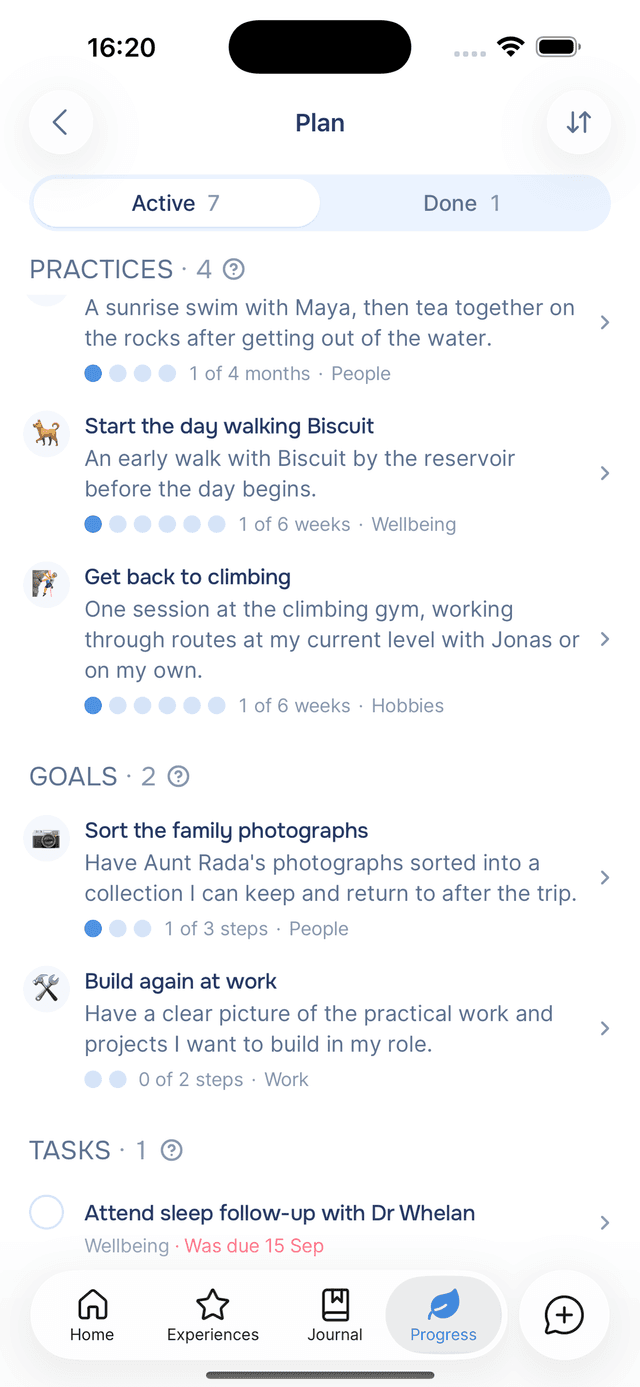
Tap View all beside Plan on the Progress tab. The top of the screen shows how many items are active, for example 7 active, and how many of each type.
Active lists everything in progress, grouped into Practices, Goals and Tasks. Tap a row to open the item, or tick a task directly from the list.
Grouping by Type, Category or Date
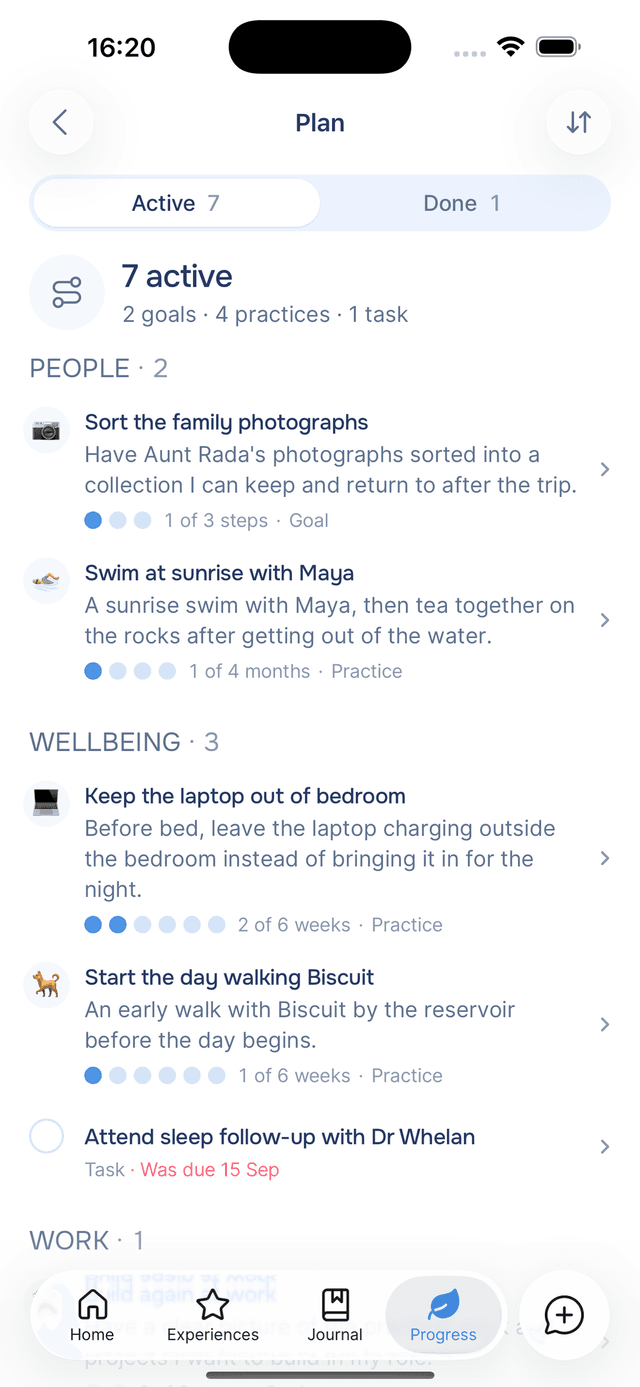
Tap at the top of the screen to choose how items are grouped:
| Group by | What you get |
|---|---|
| Type | Practices, goals and tasks, each under its own heading. |
| Category | Items grouped by what they are about: People, Wellbeing, Work, Hobbies, Fun and Admin. |
| Date added | Newest first, grouped by when each item was added. On Done this option reads Date, grouped by when you finished. |
The Done Tab
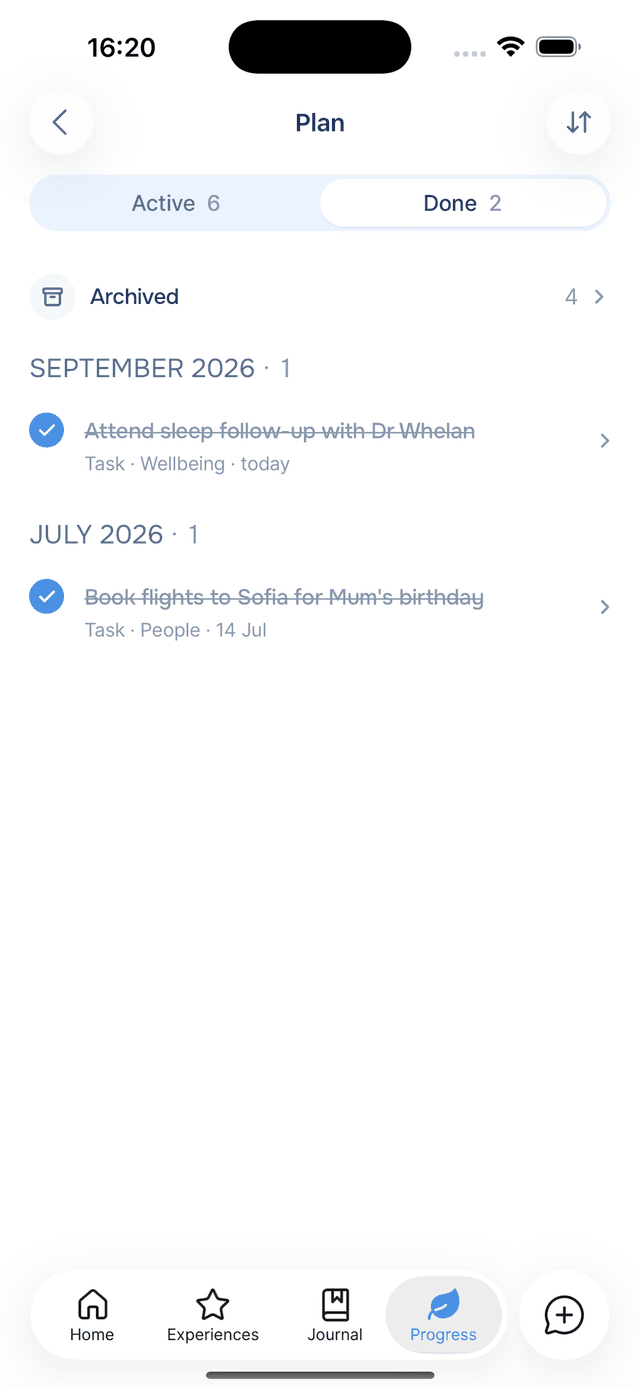
Done lists everything you have finished, newest first. Practices that became habits are labelled A habit now.
Archiving an Item
To take an item off your plan, open it, tap and choose Archive. This frees a place on your plan.
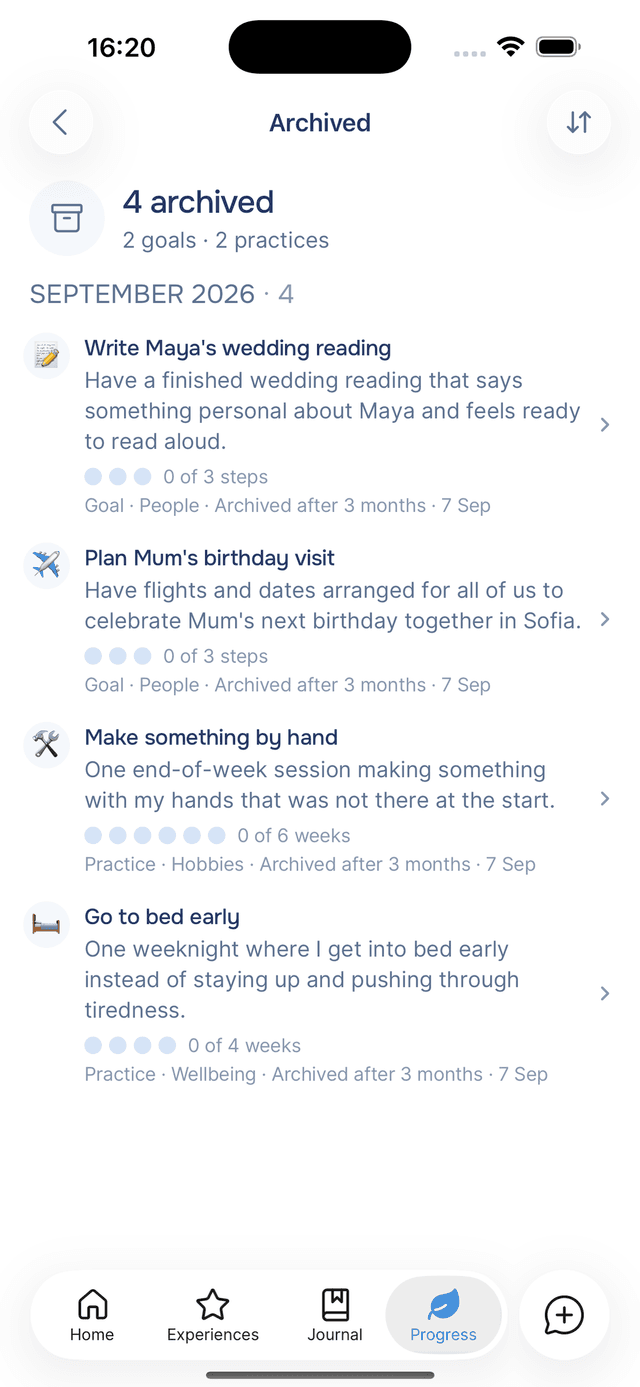
Archived items are kept, not deleted. To see them, open Done and tap Archived, the first row. Each archived item shows why it was archived:
- Archived by you — you archived it.
- Archived after a journal entry — an entry said you were no longer pursuing it.
- Archived after 3 months — it had no progress for three months. See items with no progress.
Unarchiving and Reopening
Open the item and tap the button at the bottom of the screen. An archived item shows Unarchive this goal (or practice, or task), and a finished item shows Reopen this goal. The item returns to your plan with its steps, marked days and history unchanged. If your plan is full, finish or archive another item first.
Items With No Progress
When a goal or practice has had no progress for a while, Home asks whether you are still working on it, with Keep and Archive. If an item still has no progress after about three months, it is archived automatically, labelled Archived after 3 months.
Progress means marking a day, ticking a step, tapping Keep, or an entry that updates the item.
Tips
- Group by category — to see which areas of your life your plan covers.
- Archive items you have stopped pursuing — a shorter plan is easier to keep up with, and archived items can be unarchived later.
- Check Done — it keeps everything you have finished, including every practice that became a habit.
Goals and Tasks
Goals and tasks are the items on your plan that have an end. You tick off steps and tasks yourself, and your guide marks them done when an entry says they are finished.
Pulses
Personalized AI-generated notifications that celebrate your wins, surface patterns, and keep you connected to your wellbeing journey.