

The Home Screen
Your personalized dashboard and starting point each time you open Onsen.
Overview
The Home screen is the first thing you see when you open Onsen. It is your personal hub — a quick way to check in, find something to try, and pick up where you left off.
What You Will Find
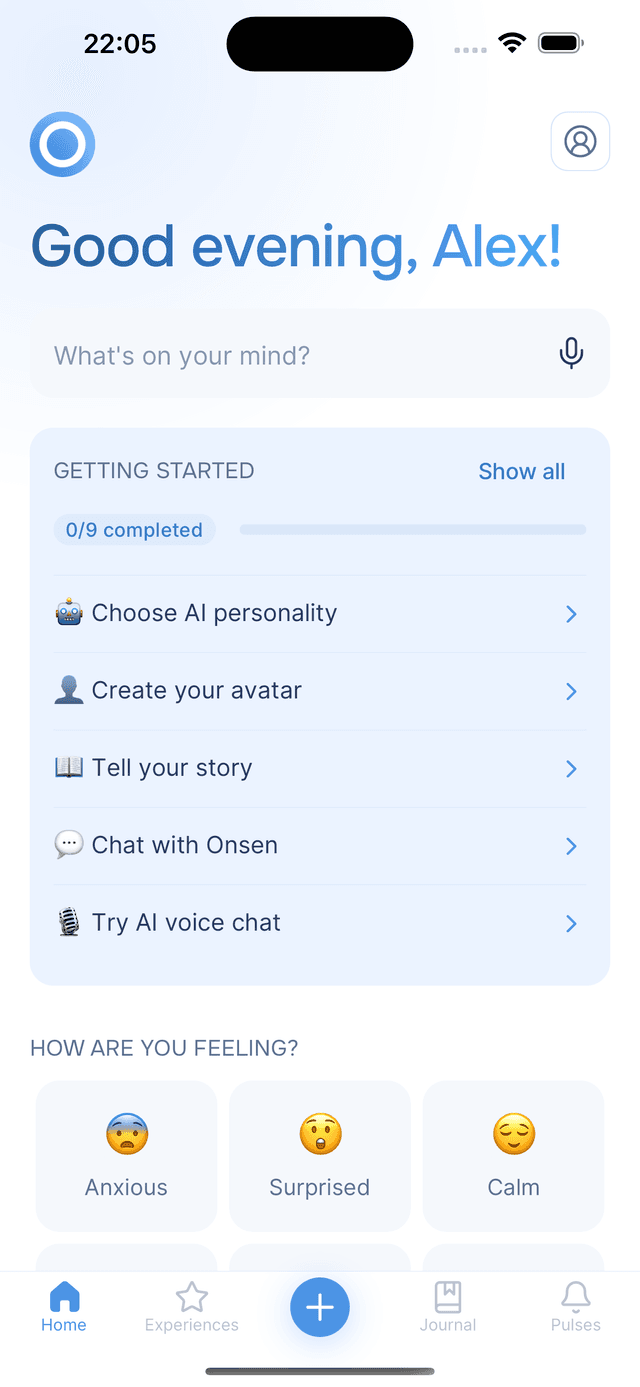
At the top, a personalized greeting welcomes you by name. Below that, the Home screen flows through several sections:
What's on your mind?
Type or speak whatever you are thinking — Onsen responds with AI guidance and recommended experiences.
Getting Started
A checklist that introduces you to Onsen's core features (shown for new users).
The Nudge Card
At most one thing Home asks of you today — a streak stepping back at midnight, or a check-in that has just opened.
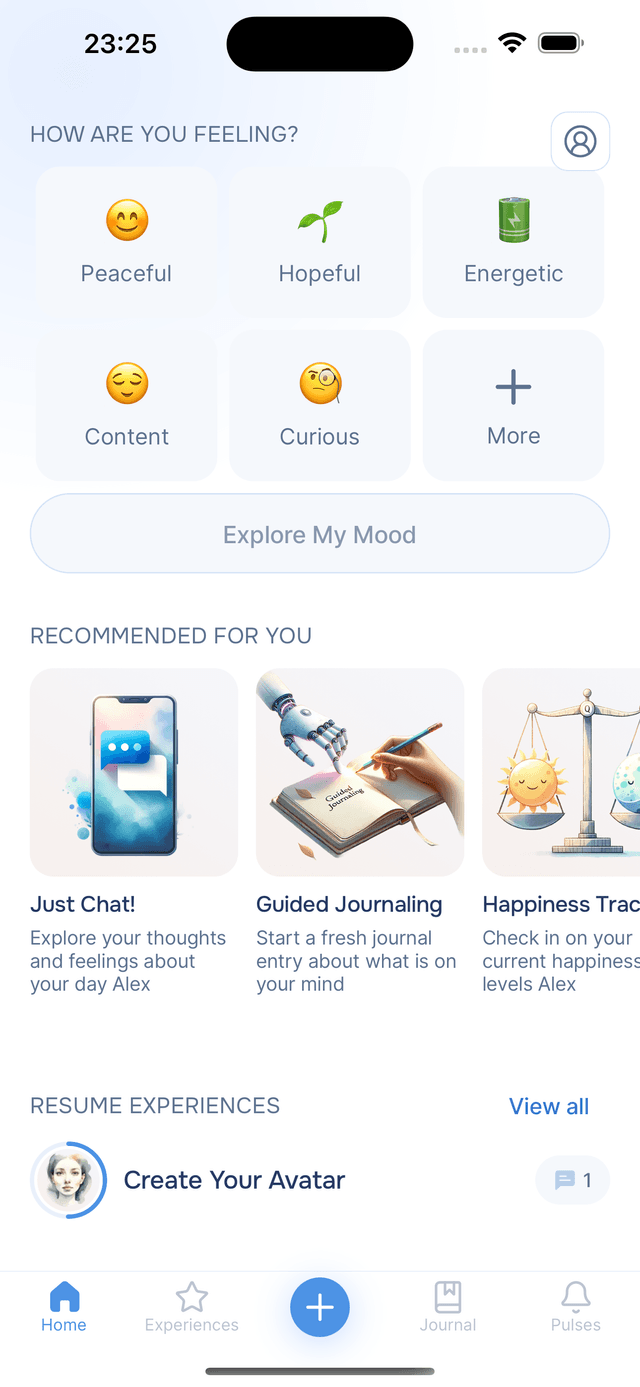
Mood Check-In
Tap one or more moods and get experience suggestions matched to how you are feeling.
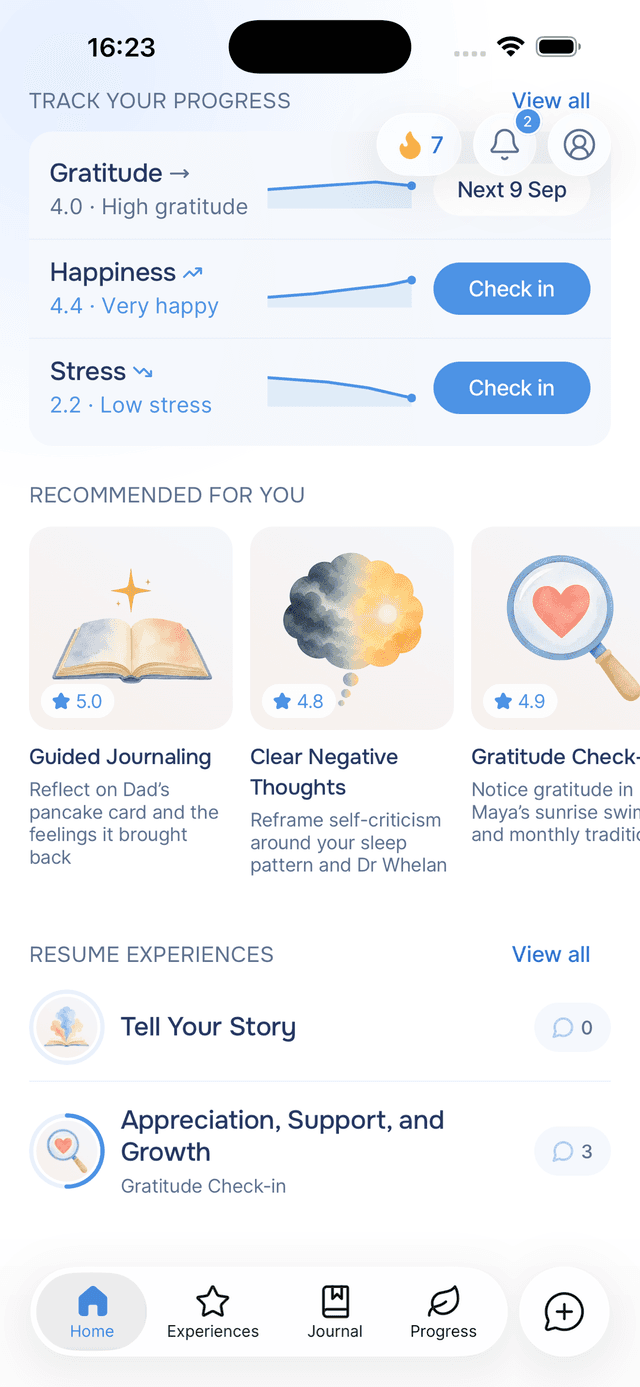
Recommended for You
AI-curated experiences based on your journal, moods, and history.
Track Your Progress
Your check-in scores in a compact list, with one tap to take the next one.
Resume Experiences
Quick access to experiences you have already started.
Profile and Settings
Update your profile, choose your AI guide, manage notifications, and more.
Each section is designed to give you a meaningful way to engage in just a few seconds — whether you have five minutes or a full evening.
The Header Buttons
Three buttons float in the top-right corner of Home, and they stay put while the screen scrolls underneath them:
- Your streak shows the days you have written. It is lit once today's entry exists and grey while the day is still open, and it taps through to the Progress tab. See your streak.
- Pulses opens your notification feed, with a badge for anything unread.
- Profile opens your settings, where you can update your profile, choose your AI guide, manage your account, and more. See Settings.
A fourth button appears beside them when there is a new app version to tell you about, and disappears once you have read it. See What's New.
Navigation Tabs
Onsen uses a bottom tab bar to move between the main areas of the app:
| Tab | Description |
|---|---|
| Home | Your personalized dashboard (this screen) |
| Experiences | Browse and start guided AI chat experiences |
| Quick Start | Quickly start a new chat or write a freeform journal entry |
| Journal | View and manage all your journal entries |
| Progress | How your wellbeing is changing over time: your streak, your garden and your scores |
Tap any tab to switch sections. The currently active tab is highlighted so you always know where you are.