

Choose Your AI Personality
Pick from six unique AI personalities to guide your Onsen experience, or design a fully custom one with your own traits, icon, and voice.
Overview
One of the first things you will do in Onsen is choose an AI personality. Your AI guide stays with you throughout the app — in chats, journaling, experiences, and more — but the personality you pick shapes how it communicates. A calm personality creates space for quiet reflection, while an upbeat one brings energy and motivation.
This is not a one-time decision. You can switch personalities at any time in Settings, and all your previous conversations and journal entries stay exactly as they are. So try a few and see what feels right.
How Personality Shapes Your Experience
Your chosen personality influences every part of Onsen:
- Conversation tone — from measured and thoughtful to casual and chatty
- Emotional approach — some personalities focus on how you feel, others help you spot patterns and solutions
- Energy level — calm and reflective or enthusiastic and motivating
- Humor — serious and grounded or playful and lighthearted
- Voice — each personality has its own voice for voice chat, matching its character
The personality also shapes how journal entries are written, how experiences are guided, and how AI Prompts are delivered — so it really does make a difference.
The Companion (Default)
When you first sign up, your AI guide uses The Companion — a neutral, balanced personality that works well while you are still getting a feel for the app. The Companion is a temporary starting point: once you choose one of the six built-in personalities below (or create a custom one), you cannot switch back to it. Think of it as a warm introduction before you find the personality that fits you best.
The Six AI Personalities
Onsen comes with six personalities to choose from. Your guide is always called "Onsen", but each personality gives it a unique feel.
The Mindful
Traits: Reflective, Mindful, Accepting
- Style: Formal tone, calm energy, flexible approach
- Best for: Finding inner peace, self-reflection, mindfulness practice
A calm, contemplative personality that creates space for quiet introspection. If you want to slow down and be present with your thoughts, The Mindful is a great companion.
The Coach
Traits: Supportive, Compassionate, Warm
- Style: Empathetic tone, calm energy, structured approach, humorous
- Best for: Emotional support, encouragement, working through challenges
Warm and caring, The Coach listens deeply, validates your feelings, and uses encouragement (and the occasional joke) to help you move forward. A great starting point if you are not sure what you need.
The Solver
Traits: Logical, Insightful, Goal-Oriented
- Style: Formal tone, analytical, structured approach
- Best for: Problem-solving, goal setting, understanding patterns
Practical and focused, The Solver helps you break down obstacles, identify patterns in your thinking, and work efficiently toward your goals. Ideal if you prefer a more structured, analytical approach.
The Visionary
Traits: Visionary, Eccentric, Empowering
- Style: Empathetic tone, enthusiastic energy, flexible approach
- Best for: Finding purpose, creative exploration, big-picture thinking
Inspirational and imaginative, The Visionary sparks new ideas and encourages you to dream big — one inspired step at a time. Choose this personality when you want to explore possibilities.
The Creative
Traits: Creative, Artistic, Quirky
- Style: Casual tone, enthusiastic energy, flexible approach, humorous
- Best for: Creative expression, exploring new ideas, playful conversations
Playful and full of surprises, The Creative keeps things fun, quirky, and inventive. Perfect if you want your Onsen experience to feel like an adventure.
The Motivator
Traits: Motivational, Progressive, Driven
- Style: Casual tone, analytical, enthusiastic energy
- Best for: Building habits, staying motivated, achieving goals
Enthusiastic and encouraging, The Motivator celebrates your progress and keeps you focused. Great for building habits and pushing toward your goals.
How to Choose
During onboarding, you will see a grid of personality options. Tap any personality to preview its traits and description.
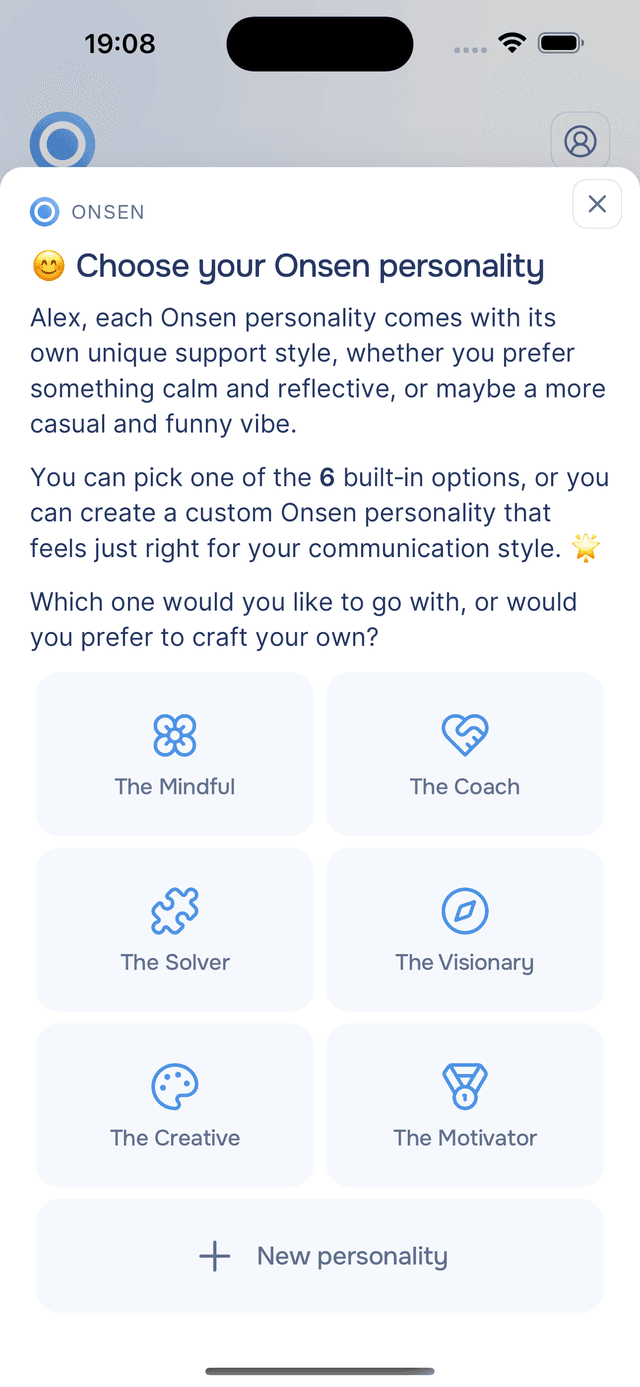
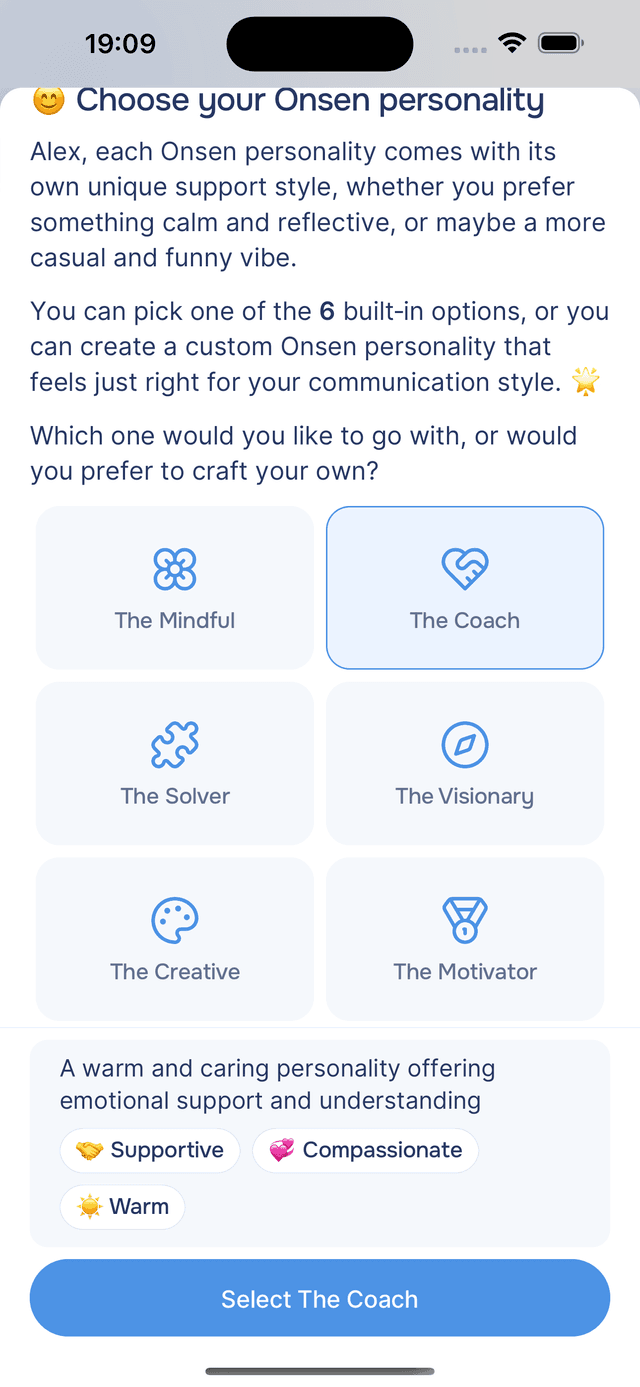
When you find the right fit, tap Select. You will then see a short demo conversation showing how the personality communicates, so you can get a feel for it before committing.
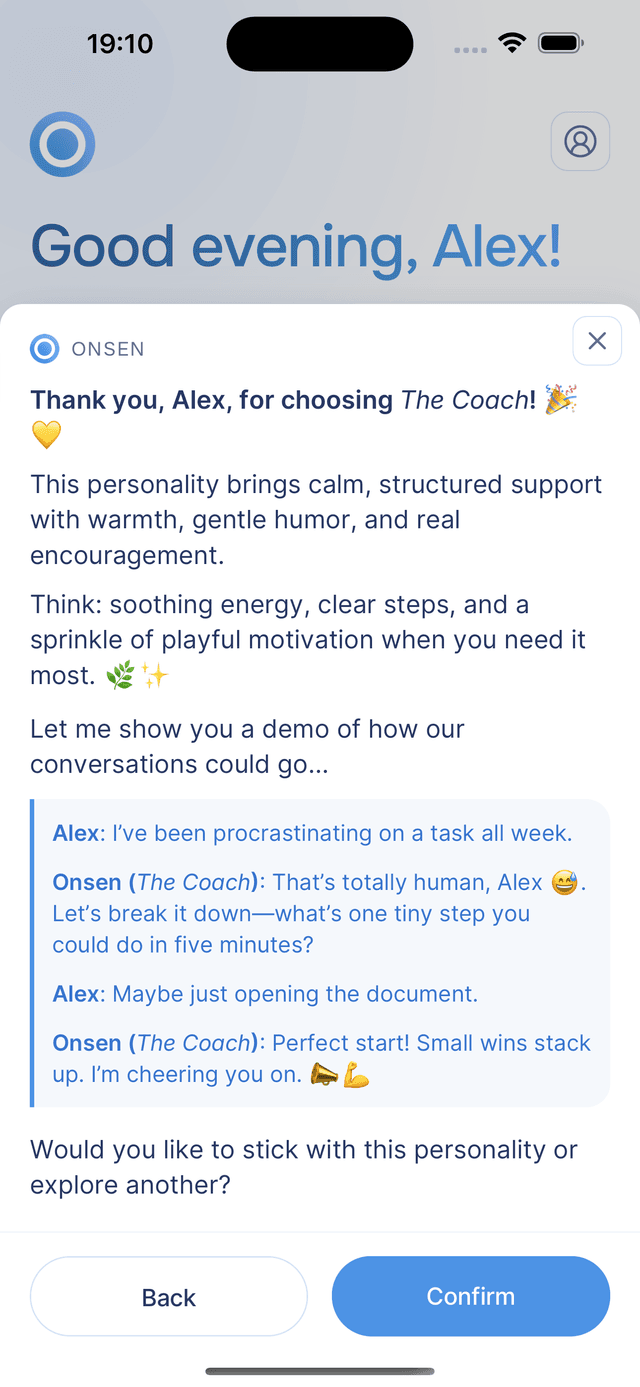
Tap Confirm to finalize your choice, or Back to pick a different one.
Not sure which to pick? Start with The Coach for warm emotional support, or The Mindful if you prefer a calm, reflective space. You can always switch later.
Creating a Custom Personality
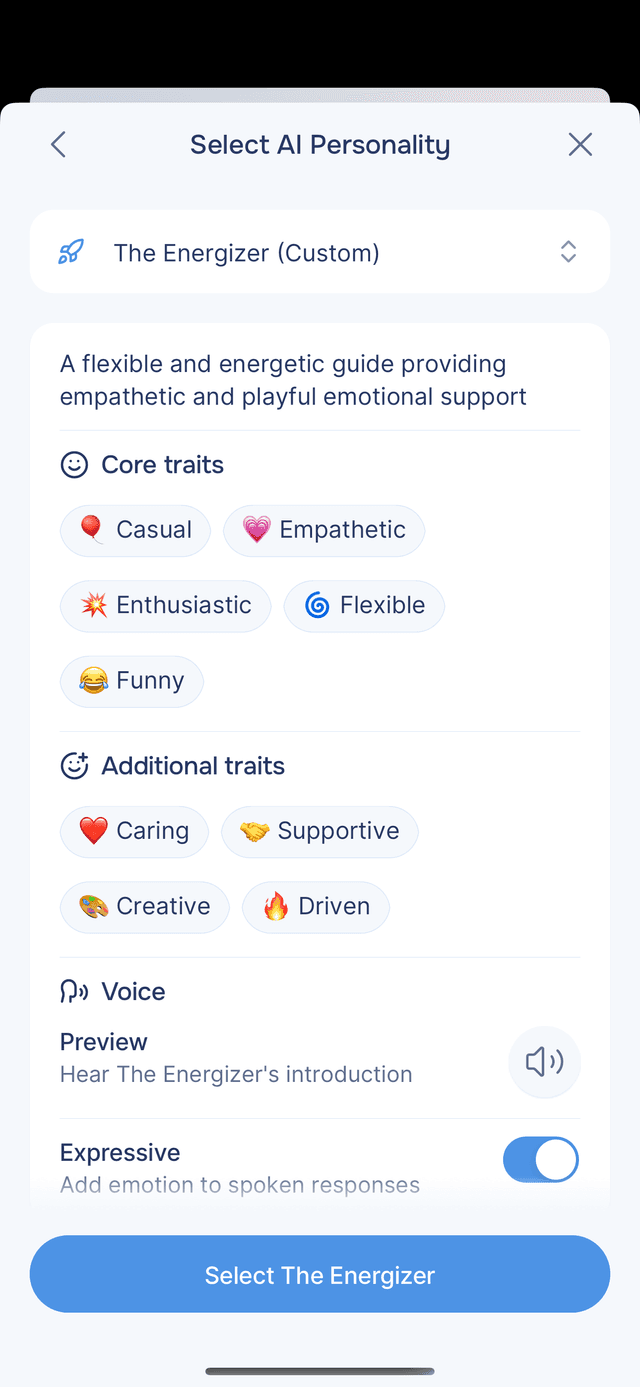
If none of the built-in options feel right, you can design your own. Custom personality creation is a Premium feature — during the Early Supporter period, everyone has access. Tap New personality in the personality grid to start.
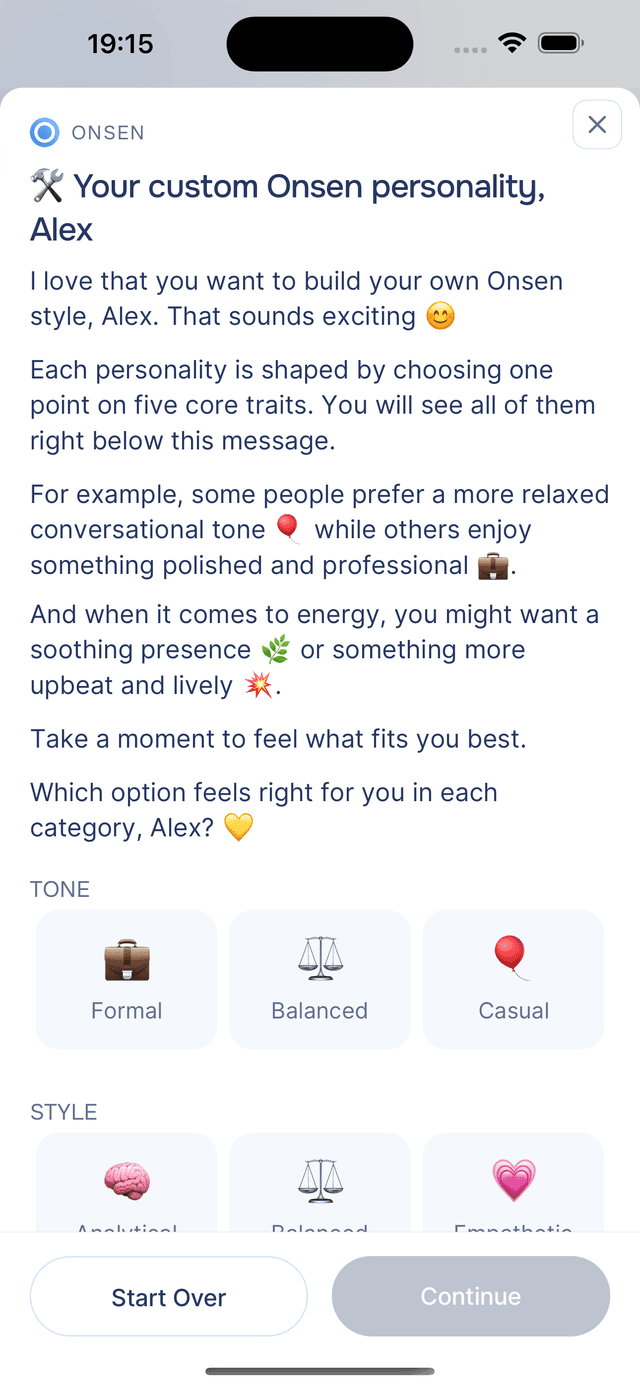
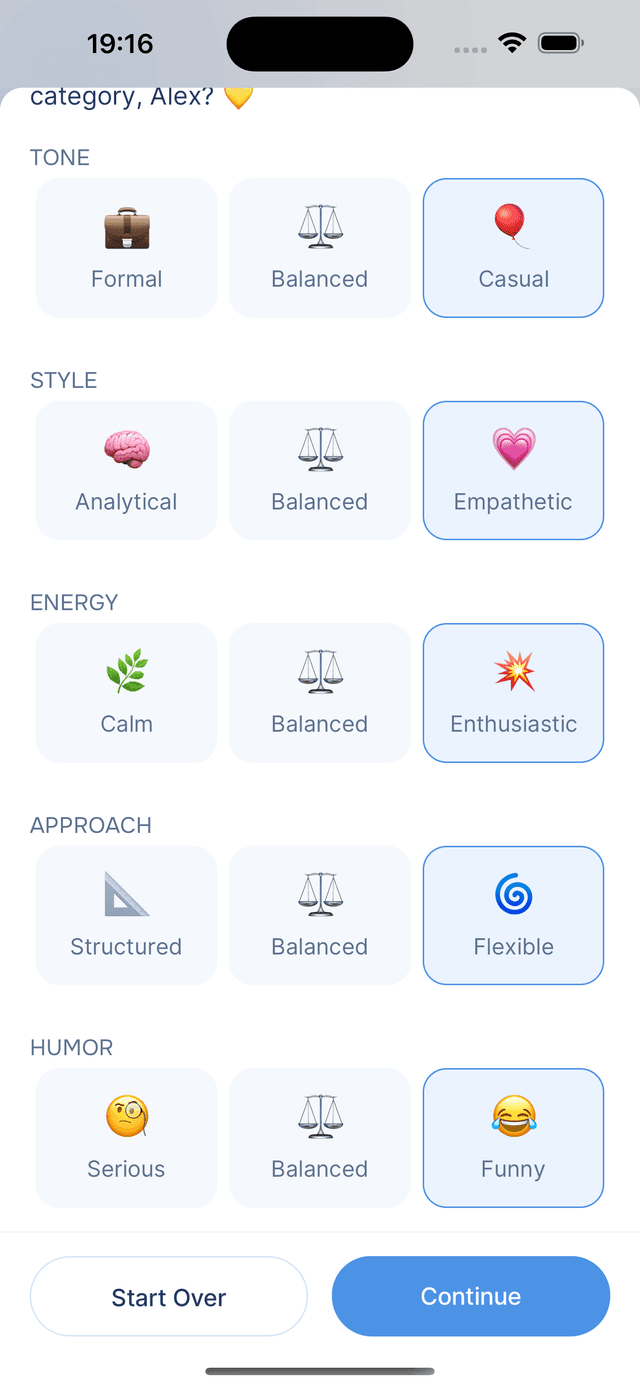
Step 1: Core Traits
Choose five personality dimensions, each on a spectrum with three options. These form the foundation — for example, Casual + Empathetic + Enthusiastic + Flexible + Funny creates a warm, energetic personality, while Formal + Analytical + Calm + Structured + Serious creates a composed, methodical one.
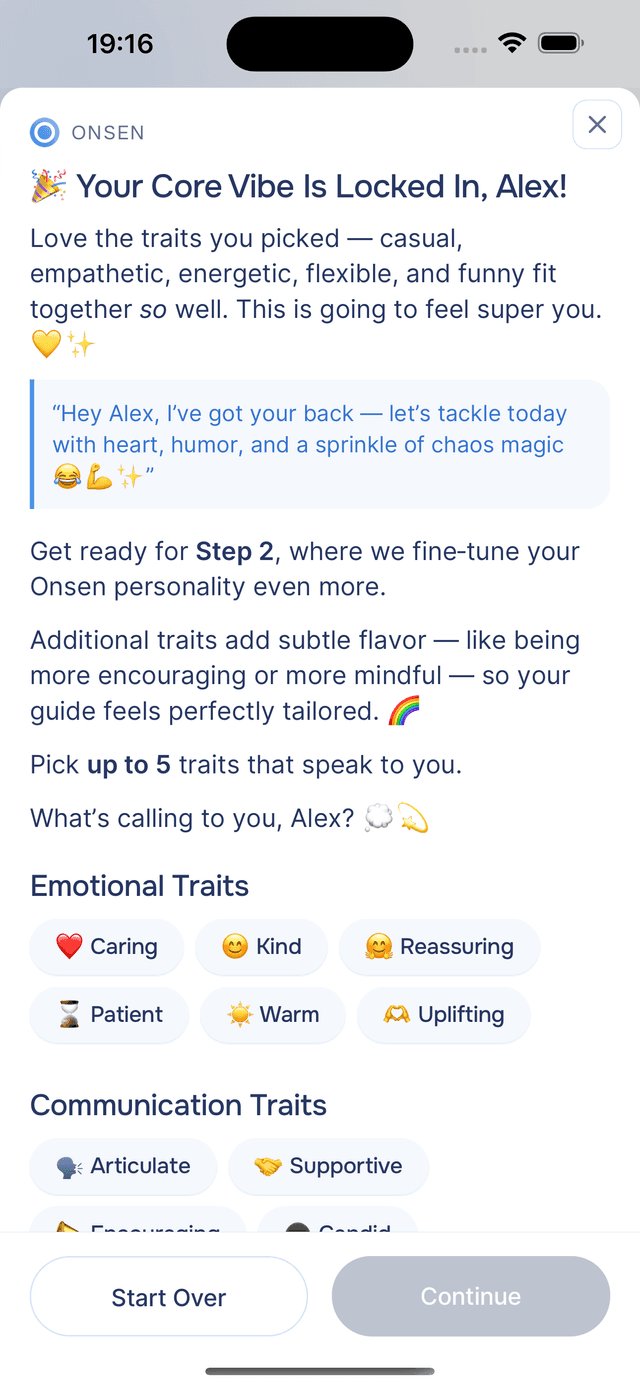
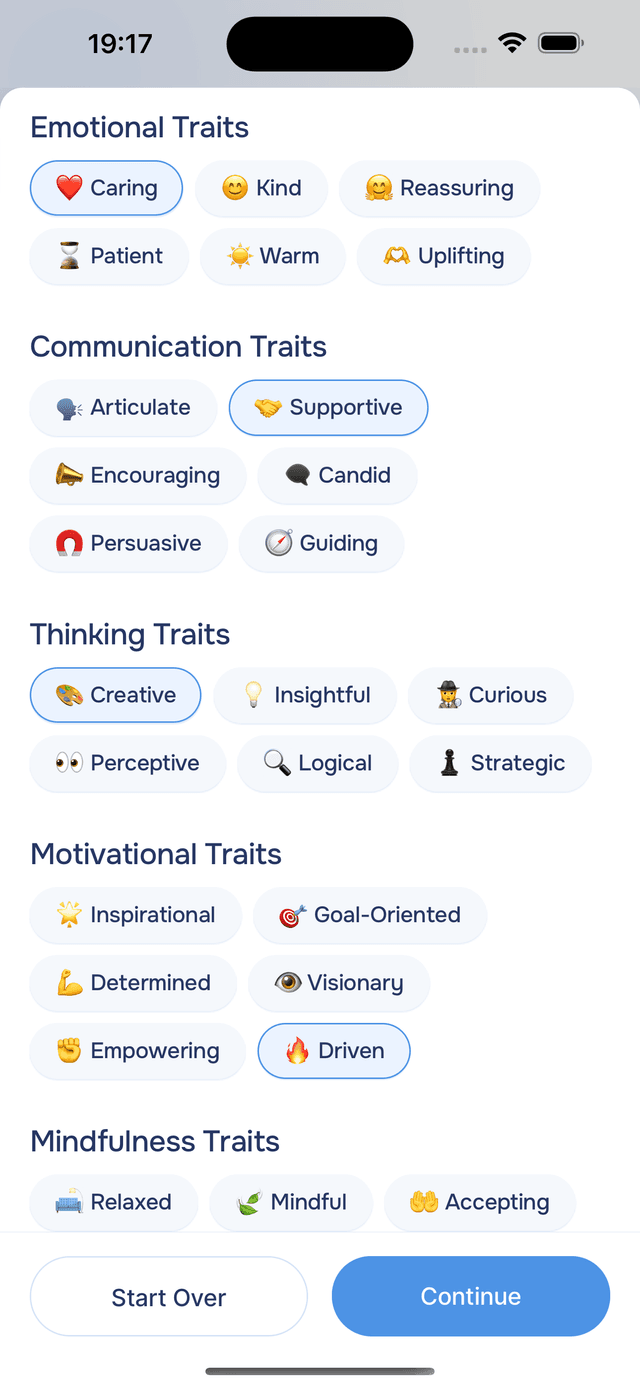
Step 2: Additional Traits
Refine your personality further by selecting up to five additional traits from six categories. These add depth and nuance — for example, picking Caring + Encouraging + Creative + Mindful + Quirky creates a personality that is emotionally supportive but also imaginative and unconventional.
After you confirm your traits, the AI shows a short example in your new personality's voice so you can hear how it sounds.
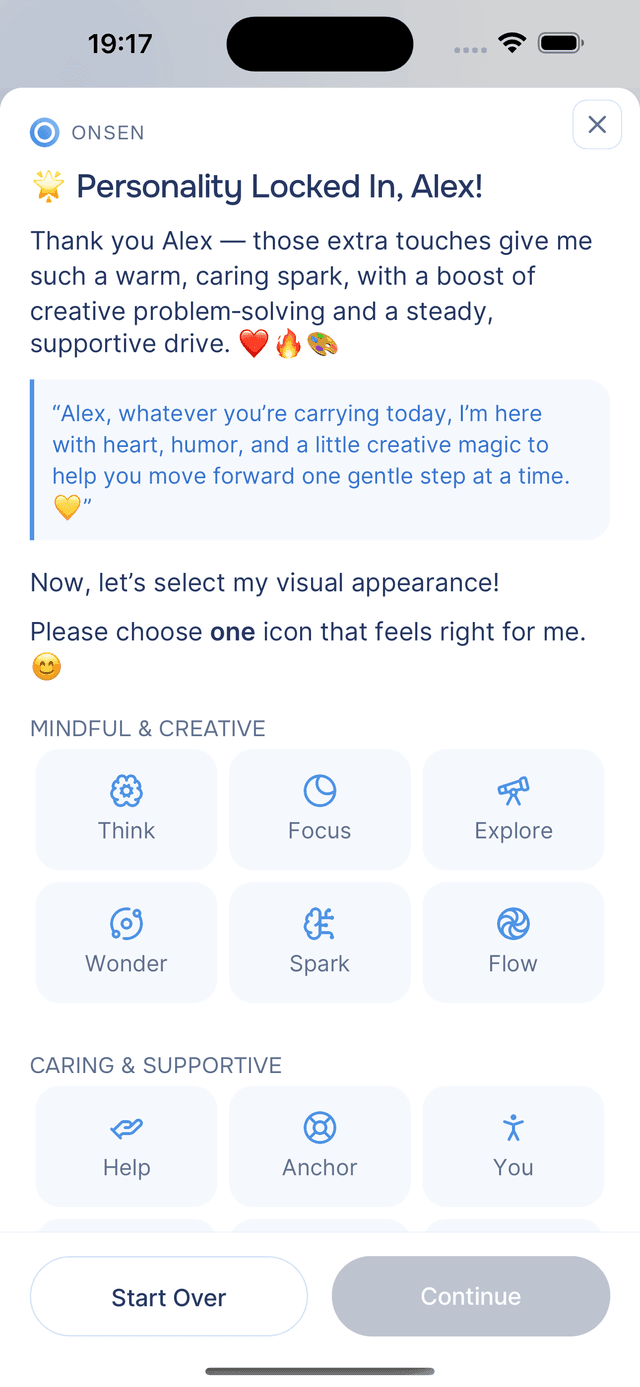
Step 3: Icon
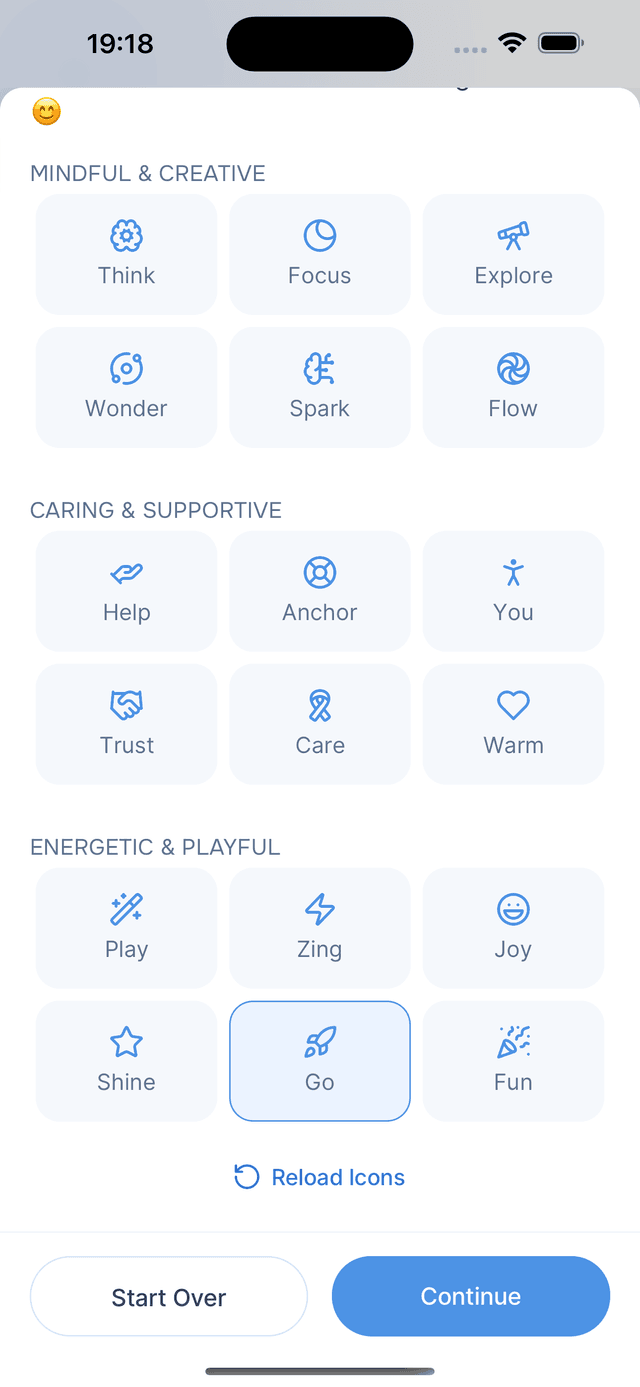
Choose an icon that represents your personality. The app generates 18 personality-aligned icons organized into three categories based on your traits. Pick the one that feels right, or tap Reload Icons for a fresh set.
Step 4: Voice
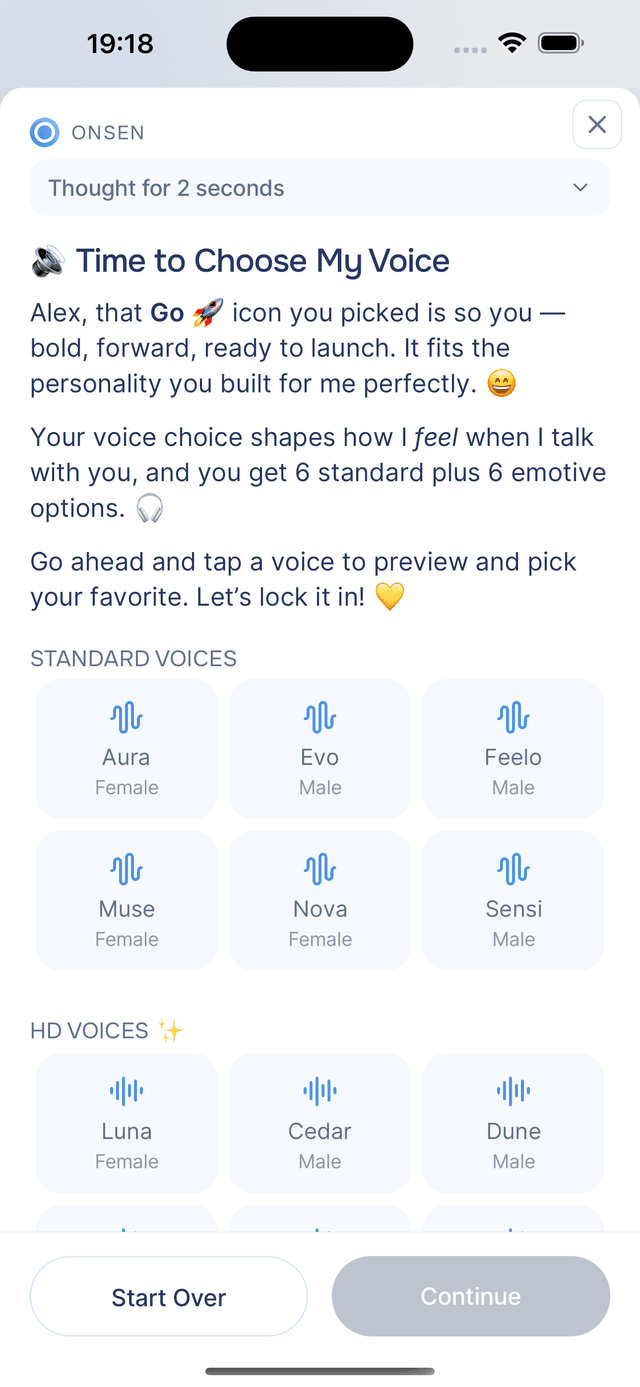
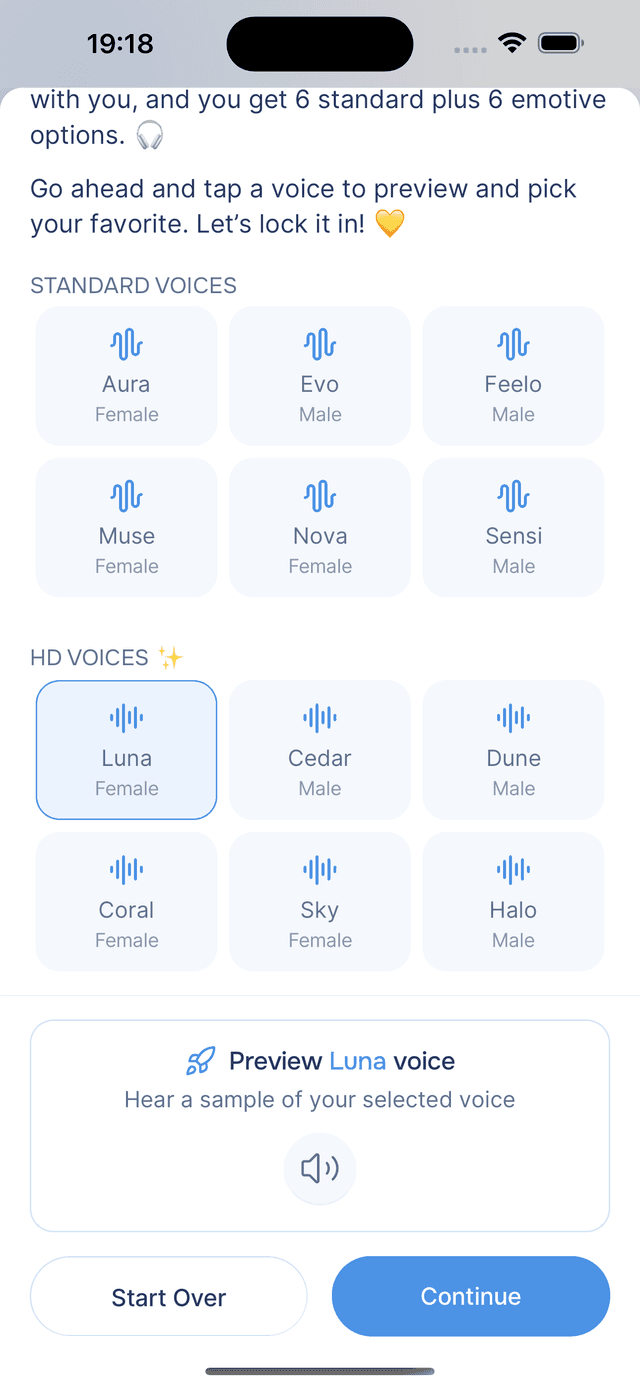
Select a voice for your personality. Standard voices are clear and natural, while HD voices offer higher-quality audio with more natural delivery — HD voices are a Premium feature. You can also toggle Expressive Voice on or off for either type, adding emotional intonation and richer expression. After selecting one, you can preview it — the app generates a short personalized script in your personality's voice so you can hear exactly how it will sound.
Step 5: Confirmation
Review everything — your traits, icon, voice, and a demo conversation showing how your personality communicates. Tap Create Personality to finish, or Start Over to begin again.
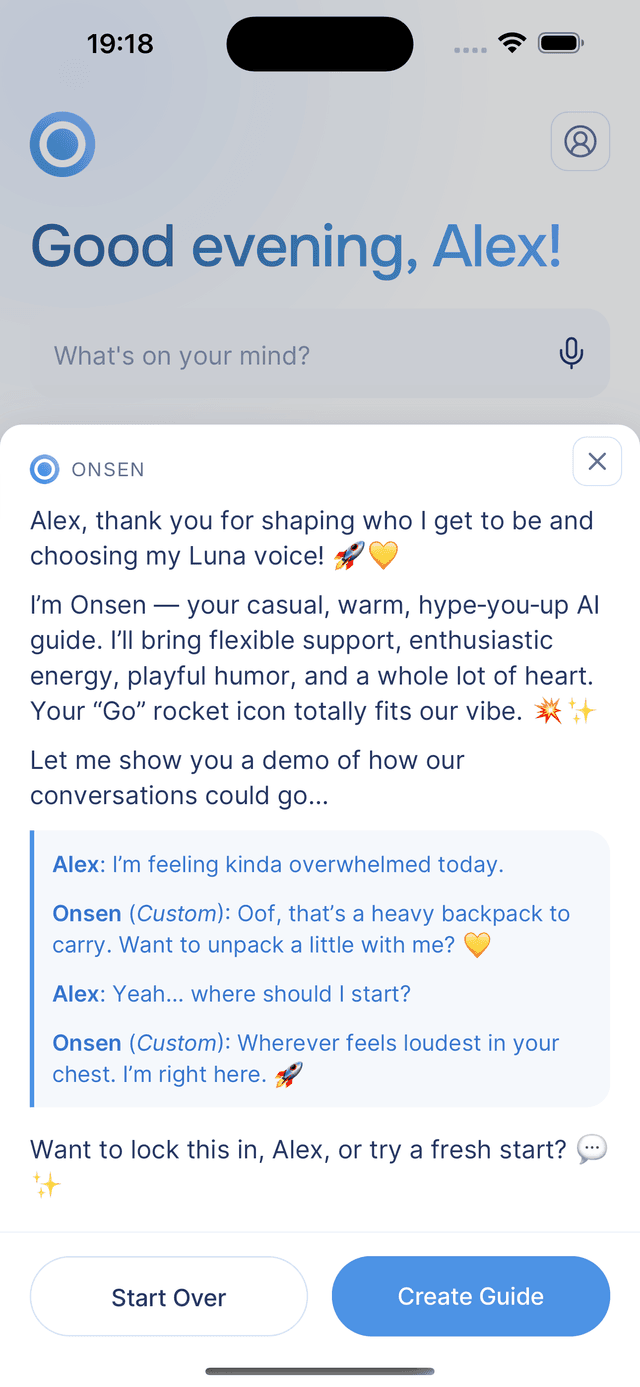
Each user can have one custom personality at a time. Creating a new one replaces the previous.
Changing Your Personality Later
You can switch your AI personality at any time in Settings. All your previous conversations and journal entries stay exactly as they are.
New chats and experiences use your currently active personality. If you switch while a conversation is in progress, the change only applies to the next new conversation — the current one continues with the personality it started with.
If you previously created a custom personality, it appears alongside the six built-in options in the personality grid.
Tips
- Start with The Coach — it is the most versatile personality and works well for most situations.
- Try different personalities for different needs — The Mindful for meditation, The Motivator for goals, The Creative for playful exploration.
- Build your own — if you want something specific, the custom personality creator lets you fine-tune every aspect of how your guide communicates.