

AI Personality
How to view, change, and preview your AI personality in Onsen.
Overview
Onsen has a single AI guide — your companion throughout the app — but you get to choose which personality it takes on. Each personality has a unique communication style, set of traits, and voice. You can switch personalities at any time to find the one that fits you best.
For a detailed breakdown of each personality and the custom personality creation flow, see Choose AI Personality.
Viewing Your Current Personality
To see your current AI personality:
- Open Settings.
- Under the AI section, tap Personality.
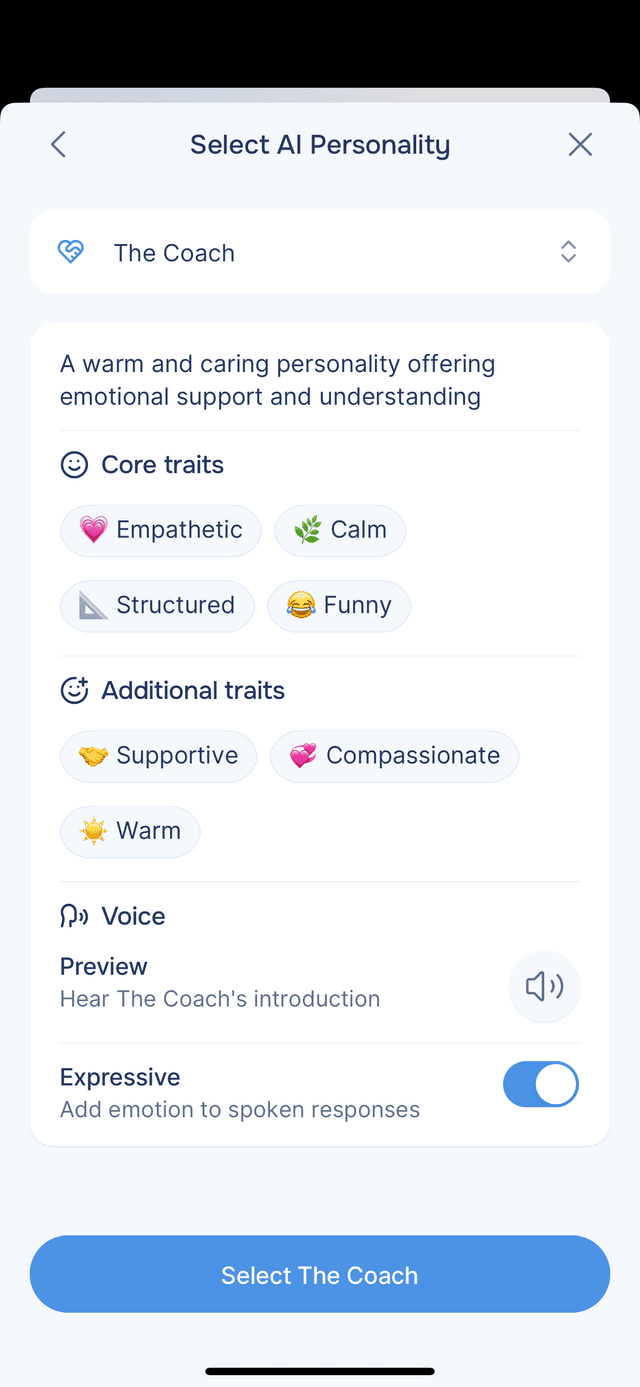
- The personality screen shows your current personality's name, description, core traits, and additional traits.
The personality card displays a detailed description along with trait chips so you can quickly understand its style.
Changing Your AI Personality
To switch to a different personality:
- On the Personality screen, tap the personality name field at the top.
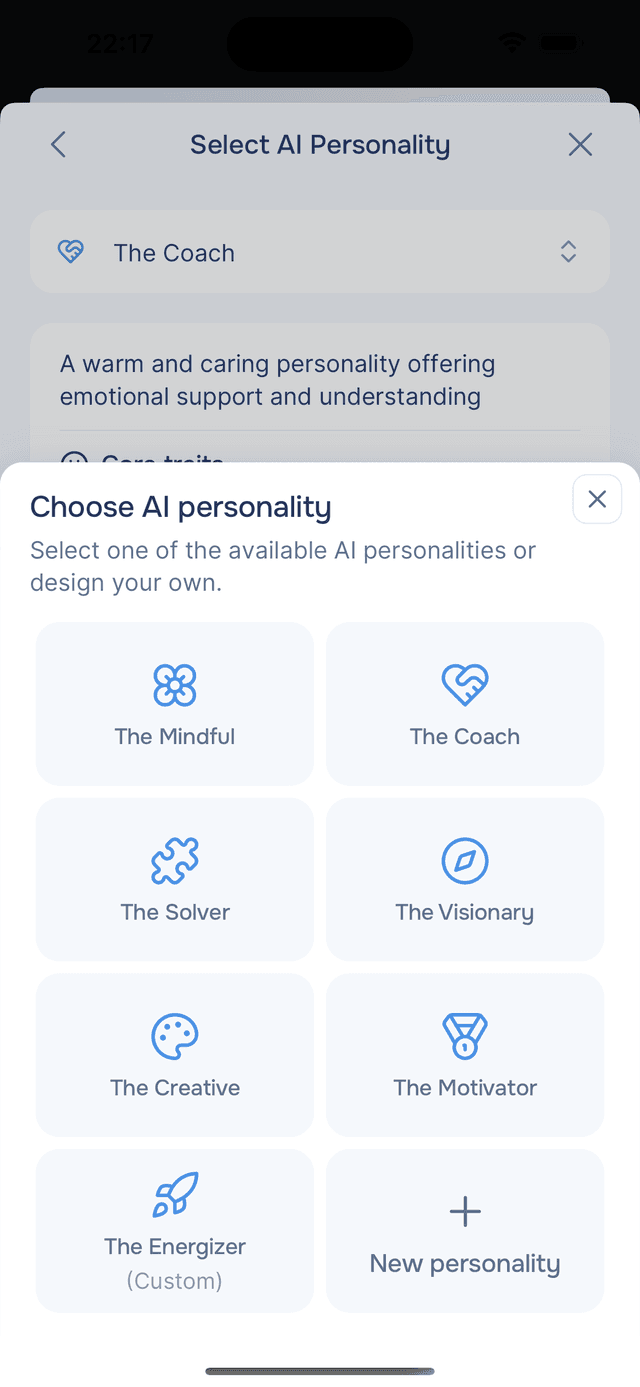
- A selection sheet opens showing all available personalities.
- Browse the personalities and tap one to preview it.
- Review the description, core traits, and additional traits.
- Tap Select [Personality Name] to confirm your choice.
Your new personality takes effect on your next conversation. Existing conversations and journal entries are not affected by the change. If you change your personality while a conversation is in progress, the change only applies to the next new conversation — the current one continues with the personality it started with.
Available Personalities
Onsen offers six built-in AI personalities:
| Personality | Style |
|---|---|
| The Mindful | Calm, contemplative, and reflective. Supports reflection and helps you find inner peace. |
| The Coach | Supportive, empathetic, and humorous. Listens deeply, validates your feelings, and helps you move forward. |
| The Solver | Logical, analytical, and goal-oriented. Helps you break down obstacles and identify patterns. |
| The Visionary | Inspirational, eccentric, and empowering. Sparks imagination and encourages you to dream big. |
| The Creative | Playful, artistic, and quirky. Keeps things fun and full of surprises — perfect for creative expression. |
| The Motivator | Enthusiastic, progressive, and driven. Celebrates your progress and keeps you focused on taking action. |
You can also create a custom AI personality with personalized traits, icon, and voice.
Voice Preview
Each personality has a unique voice. On the Personality screen you can:
- Tap the Preview button to hear the personality's introduction in its voice.
- Toggle Expressive on or off to control whether spoken responses include emotional intonation. Expressive voice adds warmth and feeling to AI-spoken text. This is enabled by default.
Things to Know
- Changing your personality does not affect past conversations or journal entries.
- The personality you select is used across all new chat conversations and guided experiences.
- If you have not chosen a personality, Onsen uses The Companion — a neutral, balanced default personality. The Companion is only active until you select one of the six built-in personalities or create a custom one — once you switch, you cannot go back to it.
- Each user can have one custom personality at a time. Creating a new one replaces the previous one.