

Export Your Data
Get a copy of everything you've created in Onsen, as a readable report and a portable data file.
Overview
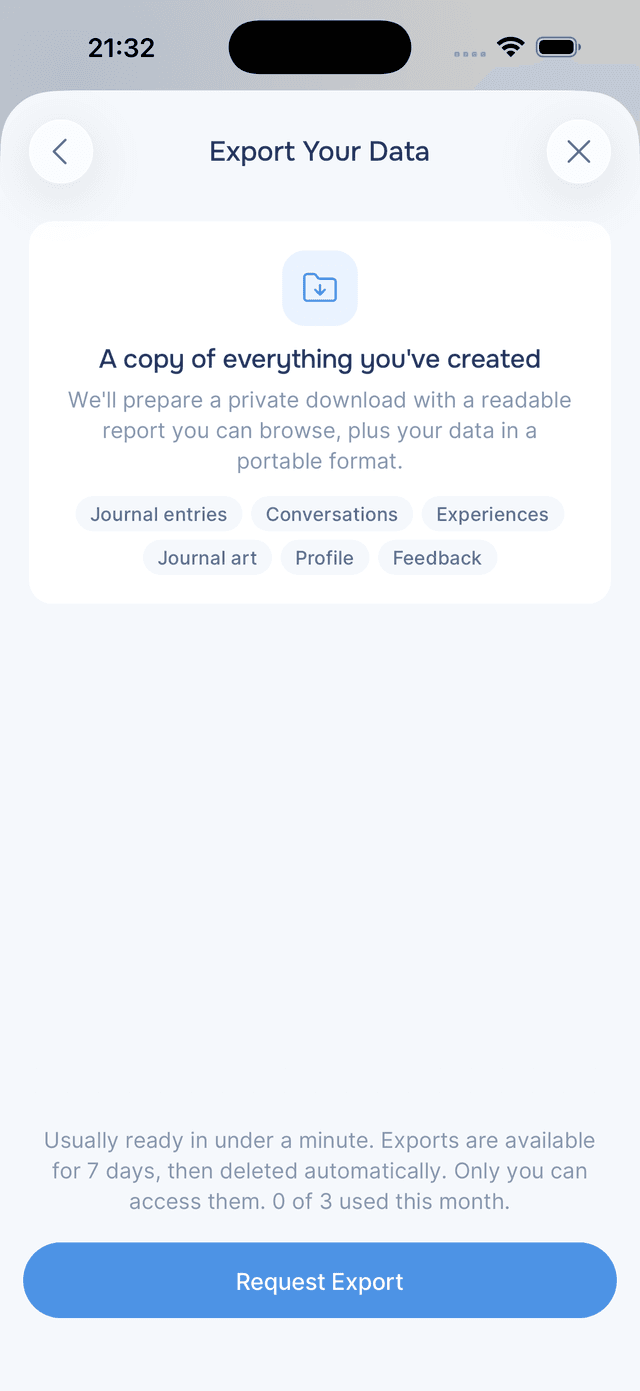
Everything you write in Onsen belongs to you, and you can take a copy with you at any time. The export includes your journal entries, conversations, guided experiences, journal artwork, profile, and feedback, packaged two ways: a report you can read in any browser, and a structured data file you can use anywhere else.
You don't need to email us or wait for support. Request it in the app, and it's usually ready in under a minute.
Requesting Your Export
- Open Settings.
- Tap Data & Privacy.
- Under the Data section, tap Export Your Data.
- Tap Request Export.
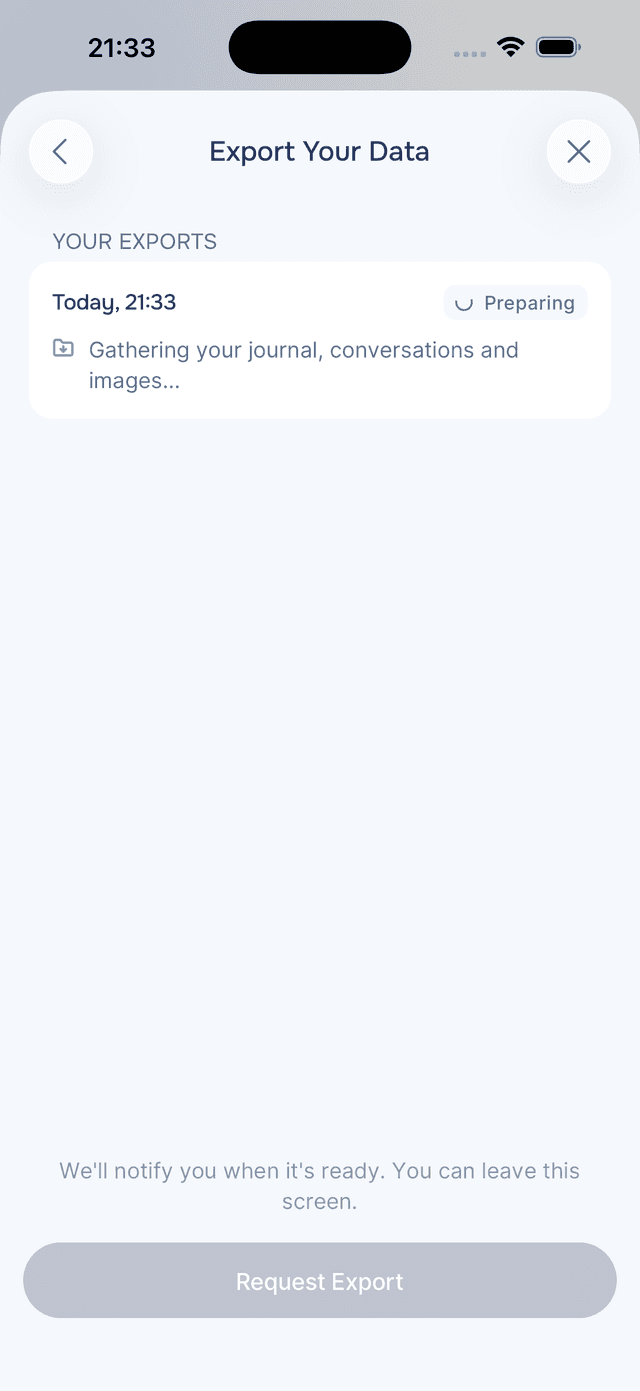
While your export is being prepared you'll see a card marked Preparing. You can leave the screen; we'll send you a notification when it's ready. Most exports finish in well under a minute.
Viewing and Saving
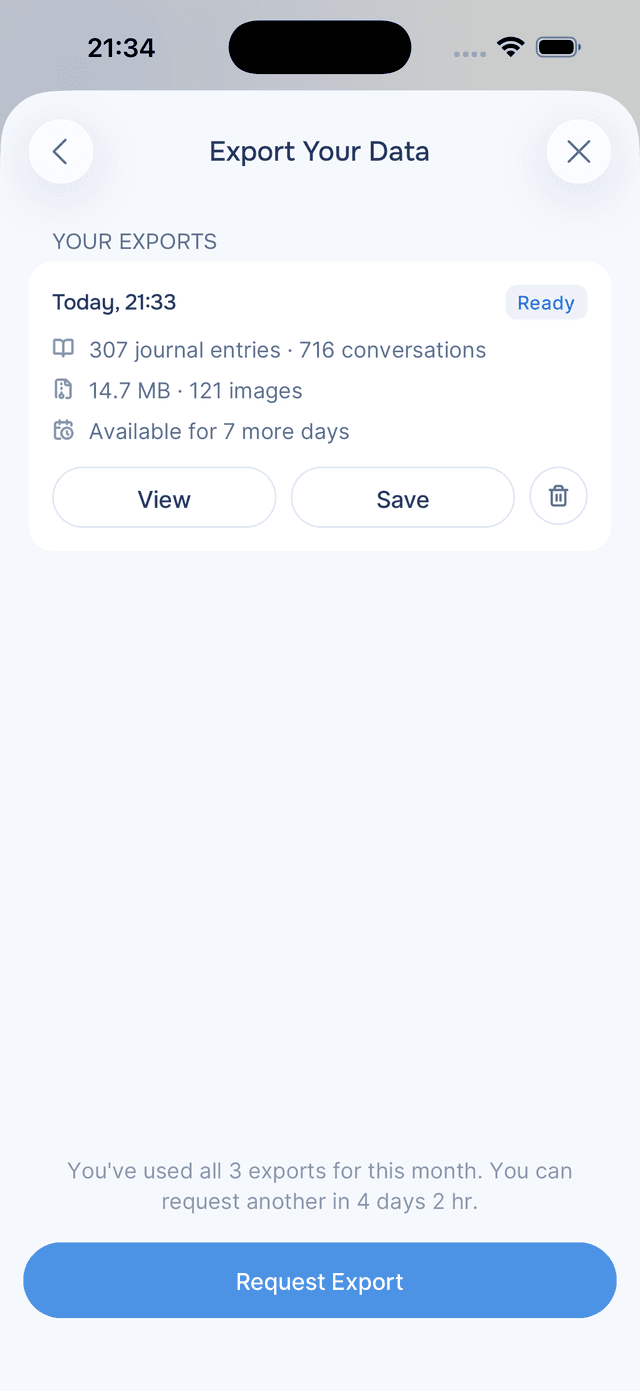
When an export is ready, its card shows two options:
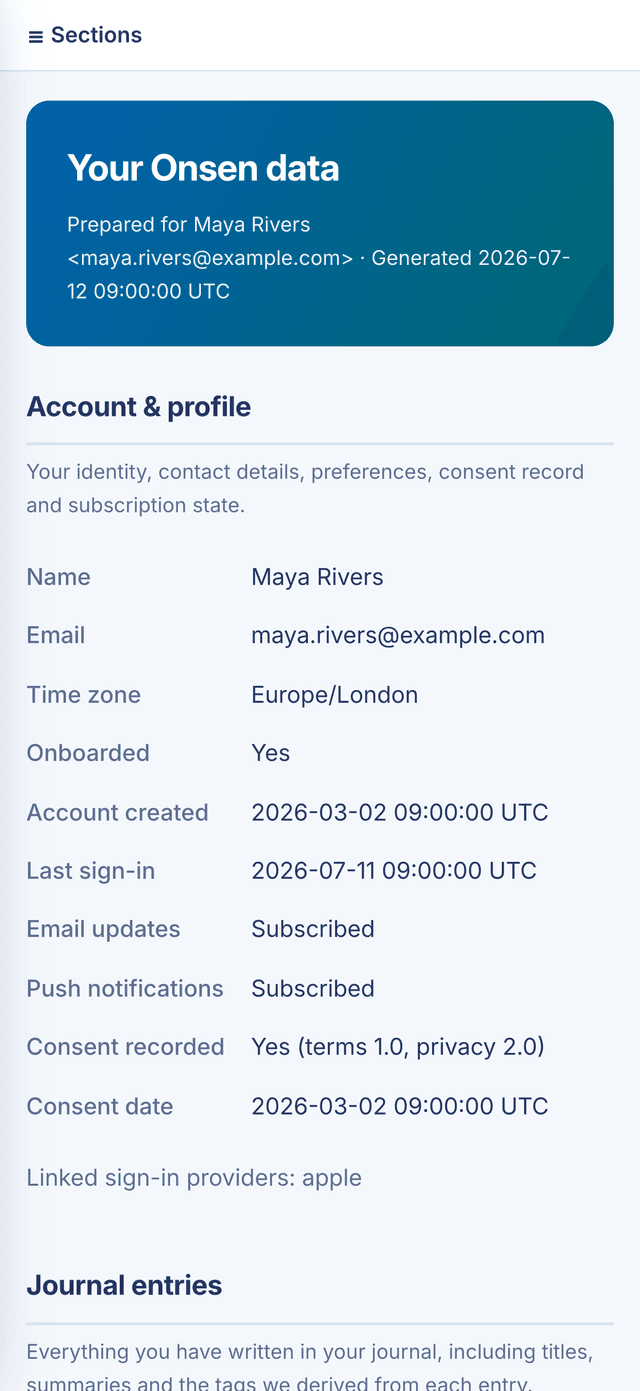
- View opens your export as a private web page, right in the app. It has a section menu so you can jump between your journal entries, conversations, and everything else. Nothing to download or unzip.
- Save downloads the full export as a single .zip file and opens the share sheet, so you can save it to Files, upload it to your cloud storage, or AirDrop it to another device.
The .zip file contains:
- report.html, the same readable report you see when you tap View. It works offline in any browser.
- data.json, all of your data in a structured, machine-readable format. This is the file to use if you want to import your data somewhere else.
- media, the images from your journal entries and conversations.
- README.txt, a plain-English guide to what's included.
What's Included
Your export covers everything you've created in Onsen:
- Journal entries, including titles, tags, and AI summaries
- All conversations with your AI guide
- Guided experiences and your progress through them
- Journal artwork and images you've uploaded
- Your profile, preferences, and consent record
- Feedback you've submitted and your subscription history
A few internal things are deliberately left out, such as system logs and the technical data we use to run the AI. The README inside your export explains exactly what was excluded and why.
Availability and Limits
- Each export stays available for 7 days, then it's deleted from our servers automatically. Save the file if you want to keep it longer.
- You can request up to 3 exports per month, and one at a time. If you reach the limit, the app shows you when you can request the next one.
- Expired exports remain in your list as a record of your past requests.
Deleting Exports
You don't have to wait for the 7 days. Tap the trash icon on any finished export to remove it and its files from our servers right away, or use Delete All Exports to clear your whole history. Deleting an export doesn't give back a monthly request, and an export that's still being prepared can't be deleted until it finishes.
Privacy and Security
Your export is as private as the rest of your data:
- Only you can request or download it, and only while signed in to your account.
- Download links are generated fresh each time you tap and expire after a few minutes.
- The files are deleted from our servers after 7 days, whether or not you downloaded them.
If you'd rather have your data removed than exported, see Deleting Your Account.
Tips
- Save the file if it matters - exports disappear from our servers after 7 days, so tap Save and keep a copy in Files or your cloud storage.
- Use data.json to move your data - it's a standard, structured format that other apps and tools can read.
- The report works offline - once saved, report.html opens in any browser, no internet or Onsen account needed.
- Tidy up when you're done - once you've saved your copy, you can delete the export so nothing lingers on our side.