

Mood Check-In
Tap an emoji to tell Onsen how you are feeling and get AI-guided support matched to your mood.
Overview
Sometimes you know how you feel but don't have the words for it. The Mood Check-In on the Home screen lets you skip the typing — just tap one or more emoji moods and Onsen takes it from there, responding with empathy and recommending experiences that match your emotional state.
The Mood Grid
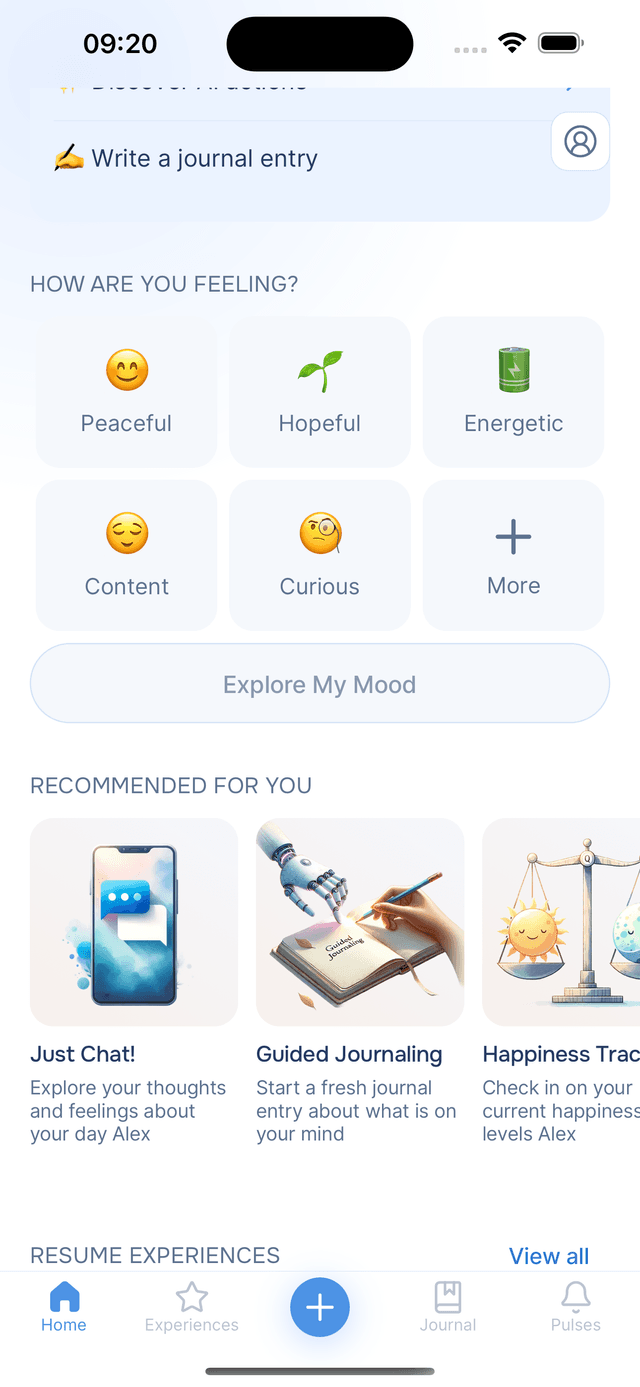
Right below "How are you feeling?" you will find a grid of five mood options plus a More button. Each mood has an emoji and a label — things like "Anxious", "Peaceful", or "Happy". These are not random: Onsen personalizes the suggestions based on your recent activity and conversation history, so the moods you see are likely to be relevant to you right now.
Selecting Moods
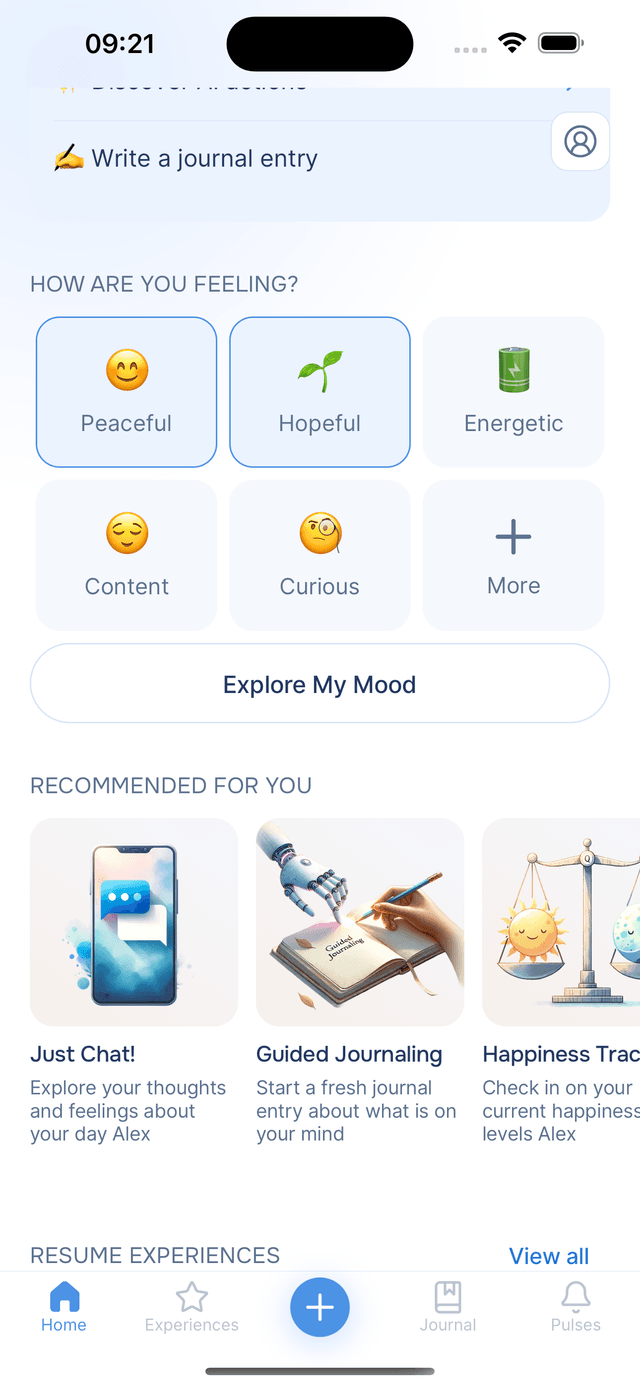
Tap any mood to select it. Feeling a mix of things? Select as many as you need — there is no limit. Selected moods get highlighted so you can see what you have picked at a glance. Changed your mind? Tap a mood again to deselect it.
Once you have chosen at least one mood, tap Explore My Mood to submit your selection.
Exploring More Moods
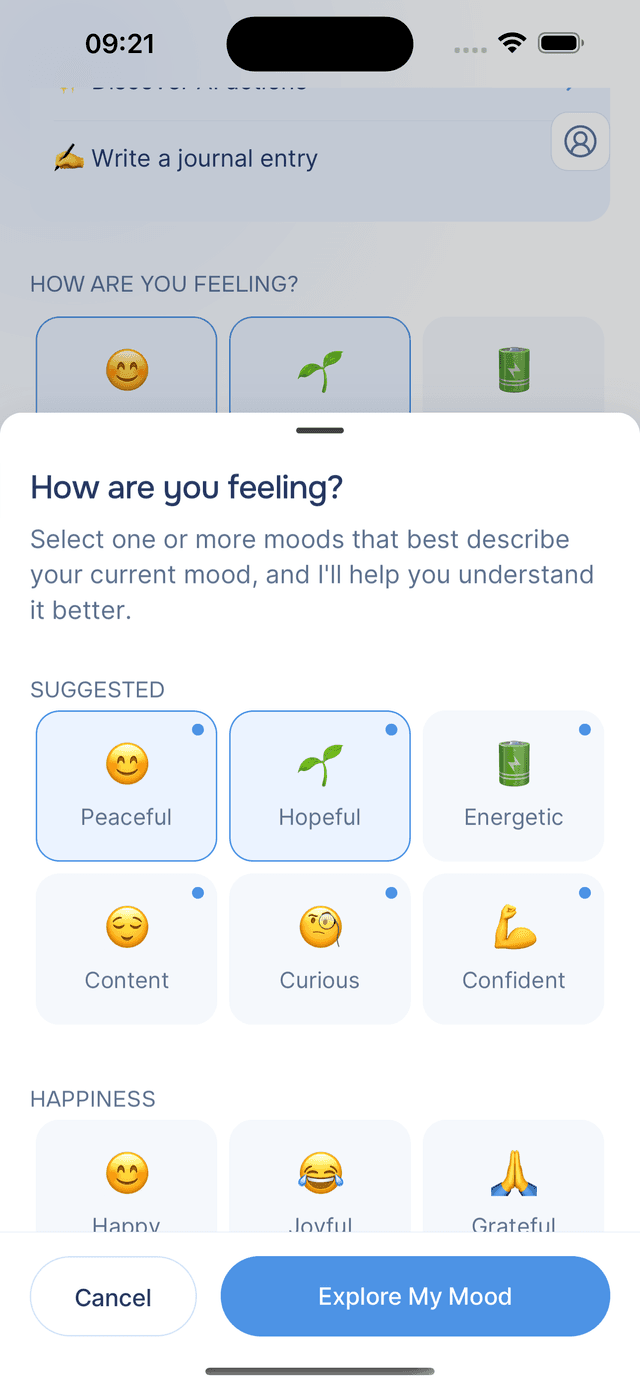
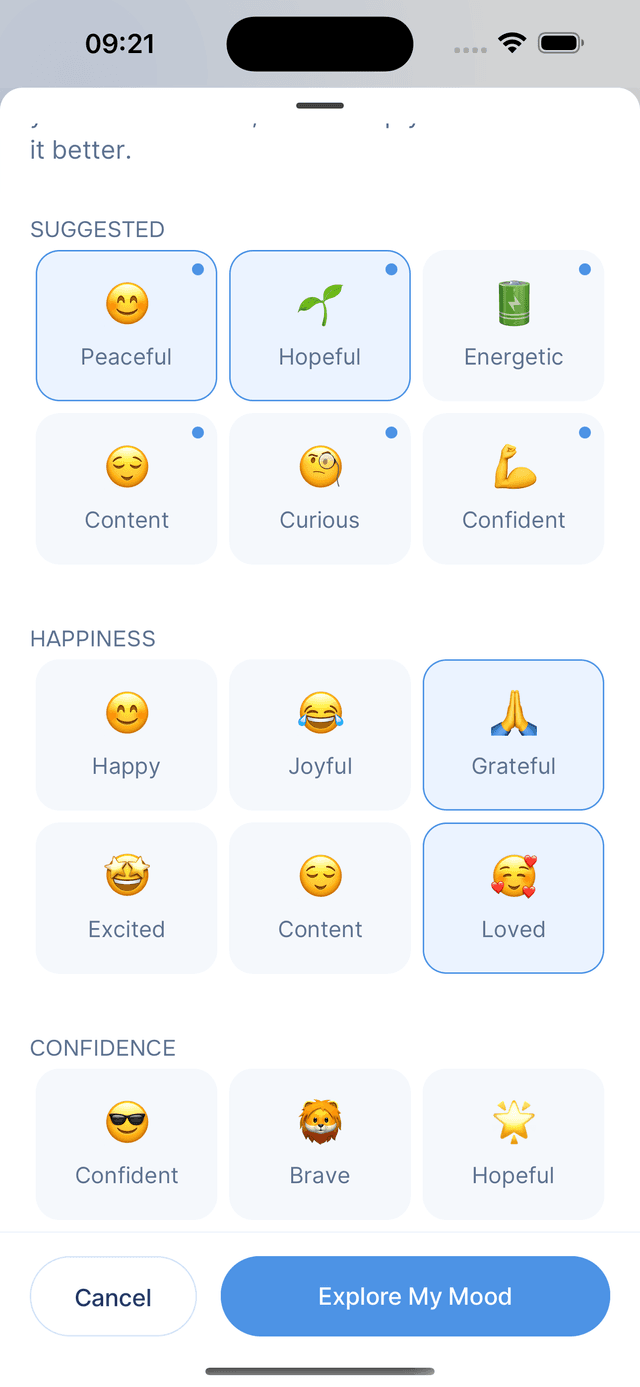
If the initial five don't quite capture how you are feeling, tap the More button in the grid. This opens a full list of mood options organized into categories, including:
- Suggested moods — personalized picks based on your recent patterns
- Additional moods — a broader set of emotions to browse
Each mood in the expanded view includes an emoji, the mood name, and sometimes a short quote explaining why it might resonate with you. Select one or more from the list, then tap Explore My Mood to continue — or tap Cancel to go back without submitting.
AI Response and Recommendations
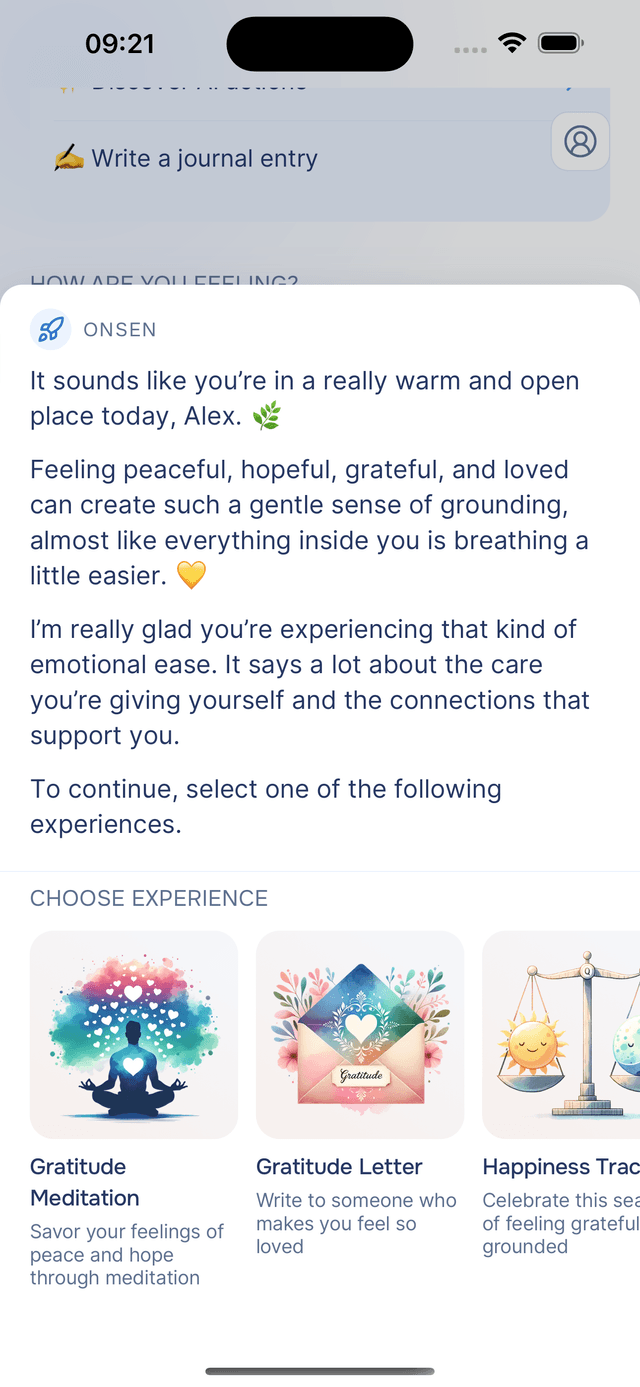
Once you submit, your AI guide responds with a message that acknowledges how you are feeling and offers some perspective. If you selected "Anxious" and "Overwhelmed", for example, the guide might offer calming reassurance and suggest practical next steps.
Below the message, Onsen recommends 3 to 5 experiences chosen based on your current mood and your past journal entries. These might include mindfulness exercises, guided reflections, or cognitive techniques — all personalized to what you are going through right now. Tap any recommendation to start it immediately.
When you dismiss the response, your mood selection is cleared so you can check in again whenever you like.
Tips
- No need to type anything — Mood Check-In is designed to be a quick, low-effort way to get personalized support.
- Check in as often as you like — your mood selection resets each time, so you can use it multiple times a day.
- Gets smarter over time — the mood suggestions Onsen shows you improve as it learns your patterns and preferences.
- Track your patterns — regularly checking in helps you notice emotional trends and what supports you best.