

Filtering Your Journal
Narrow your journal to favourites, a season, a single experience, entries with artwork, or the time of day you wrote.
Once you have written for a while, "scroll until you find it" stops working. Filters cut your journal down to the entries you actually want: the ones you hearted, the ones from last spring, the ones that came out of a particular experience.
Opening the Filter Sheet
Tap Filter in the top-right of your journal. While a filter is on, the icon turns blue and carries a dot, so you always know your journal is showing a slice rather than the whole thing.
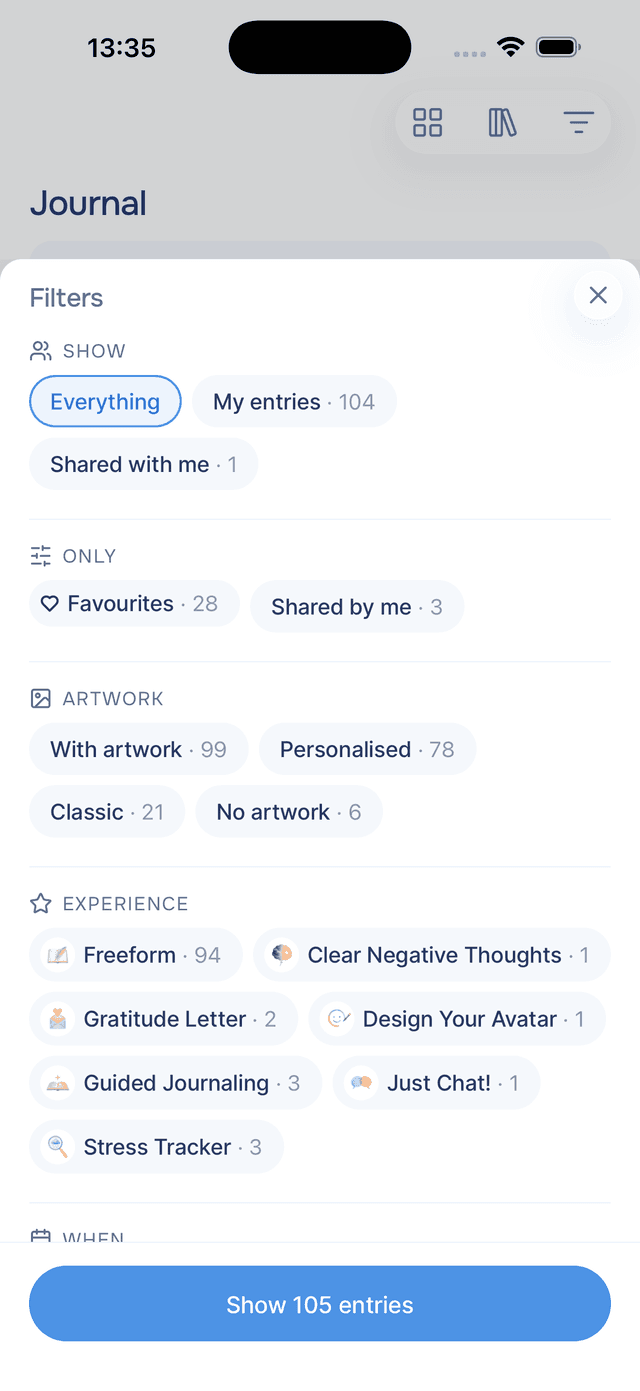
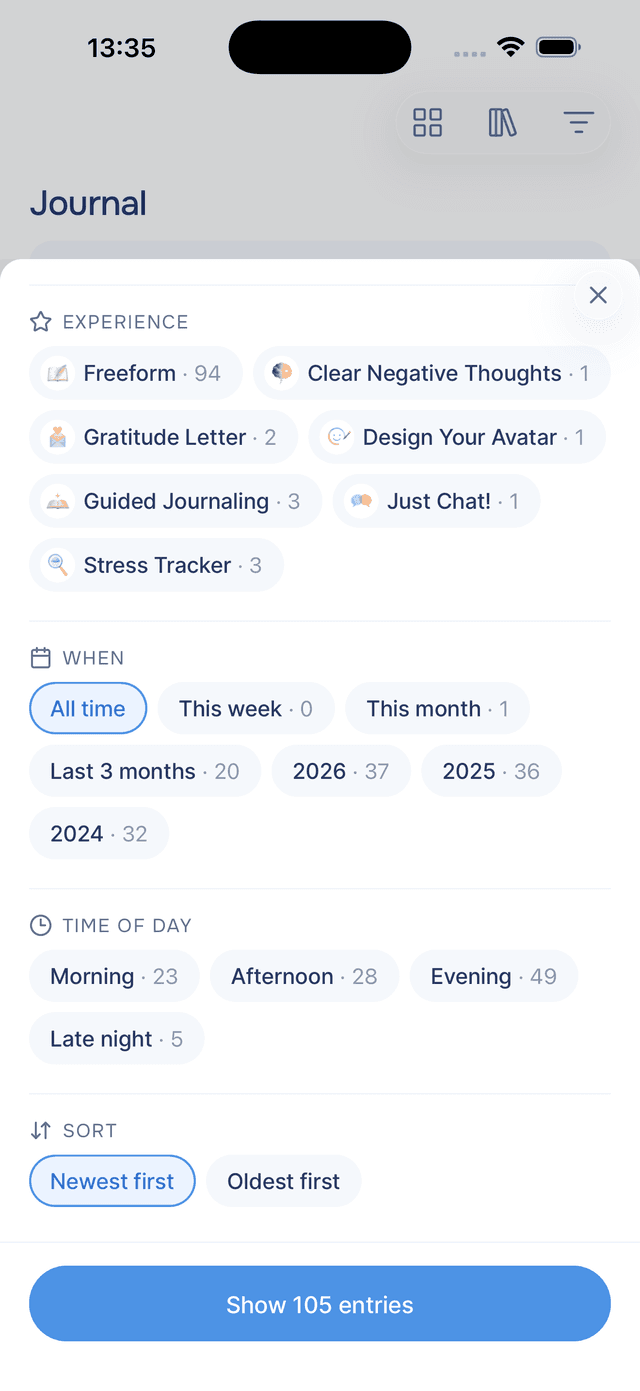
What You Can Filter By
| Section | Options |
|---|---|
| Show | Everything, My entries, or Shared with me — useful once people start sharing entries with you. |
| Only | Favourites and Shared by me. Favourites is how you see everything you have hearted. |
| Artwork | With artwork, Personalised, Classic, or No artwork — a quick way to find entries with art made from your own photos. |
| Experience | Freeform for entries you wrote yourself, or any experience you have done, each with its own cover art. |
| When | All time, This week, This month, Last 3 months, or any year you have written in. |
| Time of day | Morning, Afternoon, Evening, or Late night — the hour you wrote, not what you wrote about. |
| Sort | Newest first or Oldest first. |
Combining Filters
Every option carries a real number — This month · 14, Evening · 63 — and those numbers respect your other choices. Pick Favourites, and the year chips immediately show how many favourites each year holds rather than how many entries.
Options that would give you nothing are simply not shown, and a whole section disappears when it has nothing to offer. If you have never journalled after midnight, there is no Late night chip to tap and be disappointed by.
Nothing changes in your journal until you tap the button at the bottom, which counts as you go: Show 128 entries. Close the sheet without tapping it and your choices are forgotten. Reset clears everything at once.
Filter Pills
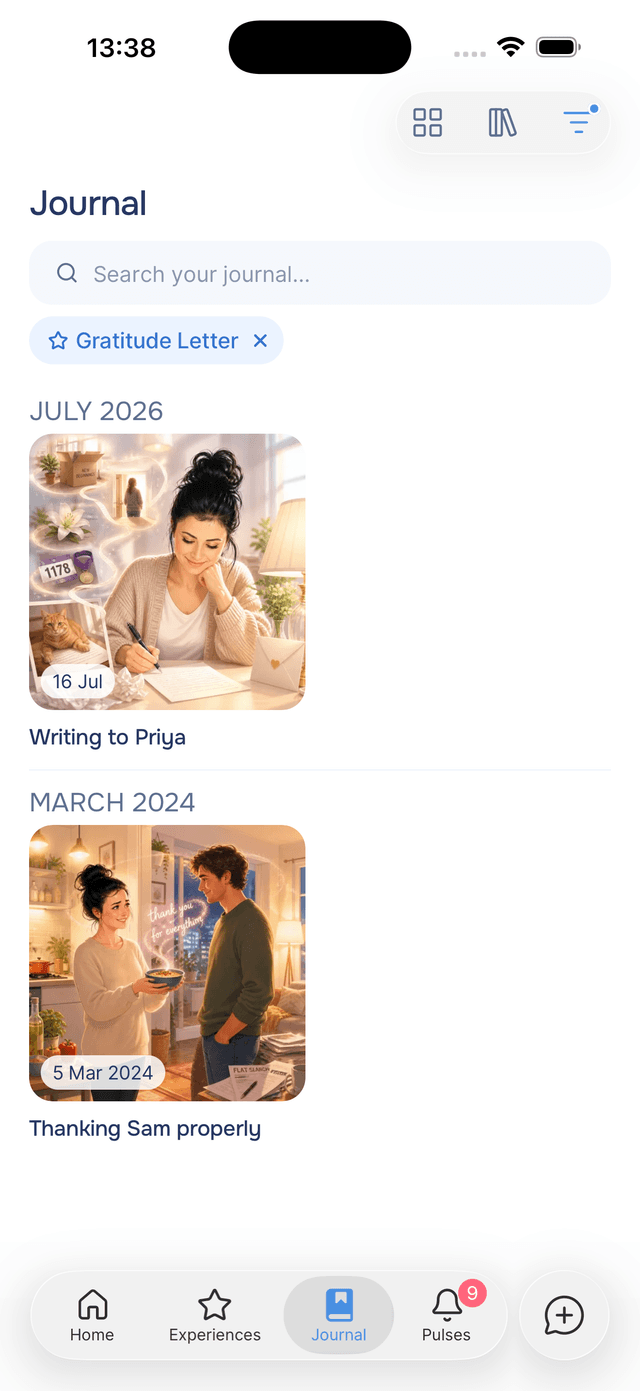
Your active filters appear as blue pills under the search field. Tap a pill to reopen the sheet, or tap its to drop just that one — handy when you want to keep Favourites but widen from this month to the whole year.
Filters stay put when you close the app, so the journal you left is the journal you come back to. If your journal ever looks emptier than expected, glance at the pills.
You Cannot Filter Your Way to an Empty Journal
The sheet will not let you apply a combination that finds nothing. Options that would return zero are not shown at all, and if the choices you have made add up to nothing, the button at the bottom reads No entries match and stays disabled until you change something.
So there is no dead end to back out of. If your journal ever looks emptier than you expect, it is a filter you left on, and the pills under the search field will tell you which.
Tips
- Combine two filters, not five — Favourites plus a year is usually enough to find what you are after. Stacking more tends to leave you with nothing.
- Use Time of day to spot a pattern — filtering to Late night and reading a few entries in a row can tell you something about what keeps you up.
- Filter by experience to see progress — picking one experience shows every entry it has produced, which reads like a course you have been quietly taking.
- Filters and search are separate — search always looks across your whole journal, so you never need to clear filters before searching.