

Favourite Entries
Heart the entries you want to find again, and pull them all up in one tap.
Some entries you write and move on from. Others you want to come back to — the one where something finally clicked, the letter you wrote yourself on a hard day, the entry you reread when you need proof that you have got through this before. Hearting an entry keeps it findable.
Hearting an Entry
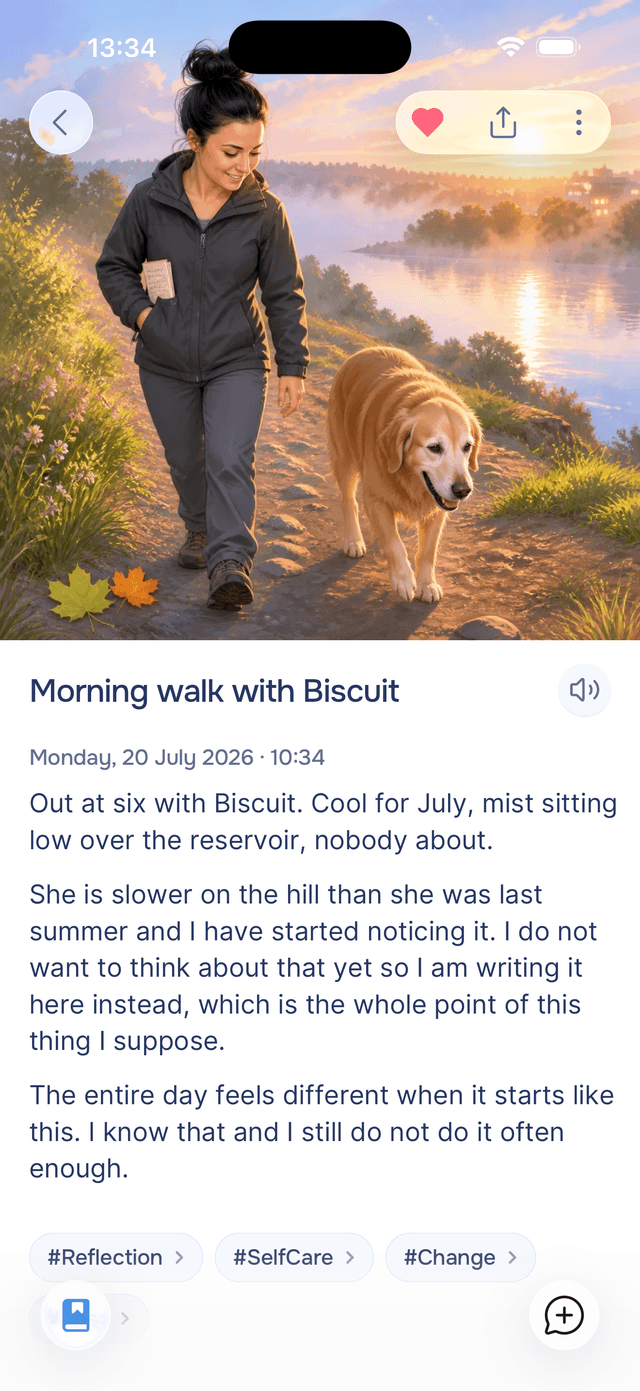
Open any entry and tap the heart in the top-right. It fills red, and that is the whole interaction. Tap it again to remove the heart.
The heart lives inside the entry rather than on the cards in your journal list. Favouriting is a small, deliberate act of "this one mattered", and that reads differently when you are looking at the entry than when you are skimming past it.
Finding Your Favourites
Go back to your journal, tap Filter, and pick Favourites under Only. Your journal narrows to hearted entries, and a blue pill stays on screen so you know what you are looking at. Tap the pill's to go back to everything.
Because it is a filter, you can layer it — favourites from last year, or favourites that came out of one particular experience.

Tips
- Heart sparingly — a favourites list of twelve entries is useful, one of two hundred is just your journal again.
- Heart the entries you want on a bad day — the ones that remind you what helped last time are worth having a tap away.
- Experiences have their own favourites — hearting a guided experience saves the experience, not an entry. See favourite experiences.