

Duplicates and merging
When Onsen learns the same person under two names, find the pair and merge them into one.
Overview
As you write, Onsen can learn the same person twice: Mom and Mum, Sam and Samuel, "my sister" and her name. Merging puts them back together, so every mention, photo and detail lives in one place.
There are three ways to do it:
- Find duplicates shows the pairs Onsen thinks are the same.
- Merge on an item's page lets you pick the other one yourself.
- Renaming an item onto a name that already exists merges the two.
Merging can't be undone.
Find duplicates
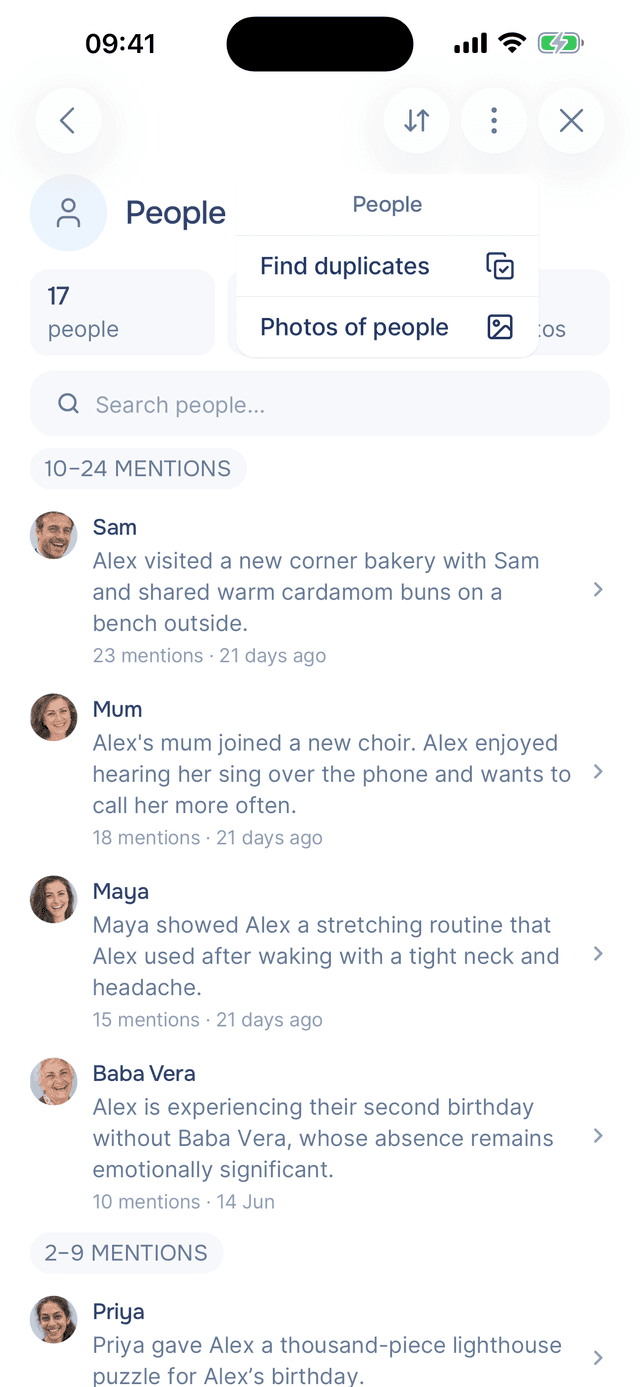
In Knowledge, open People, Animals, Places or Companies & groups. Tap , then Find duplicates.
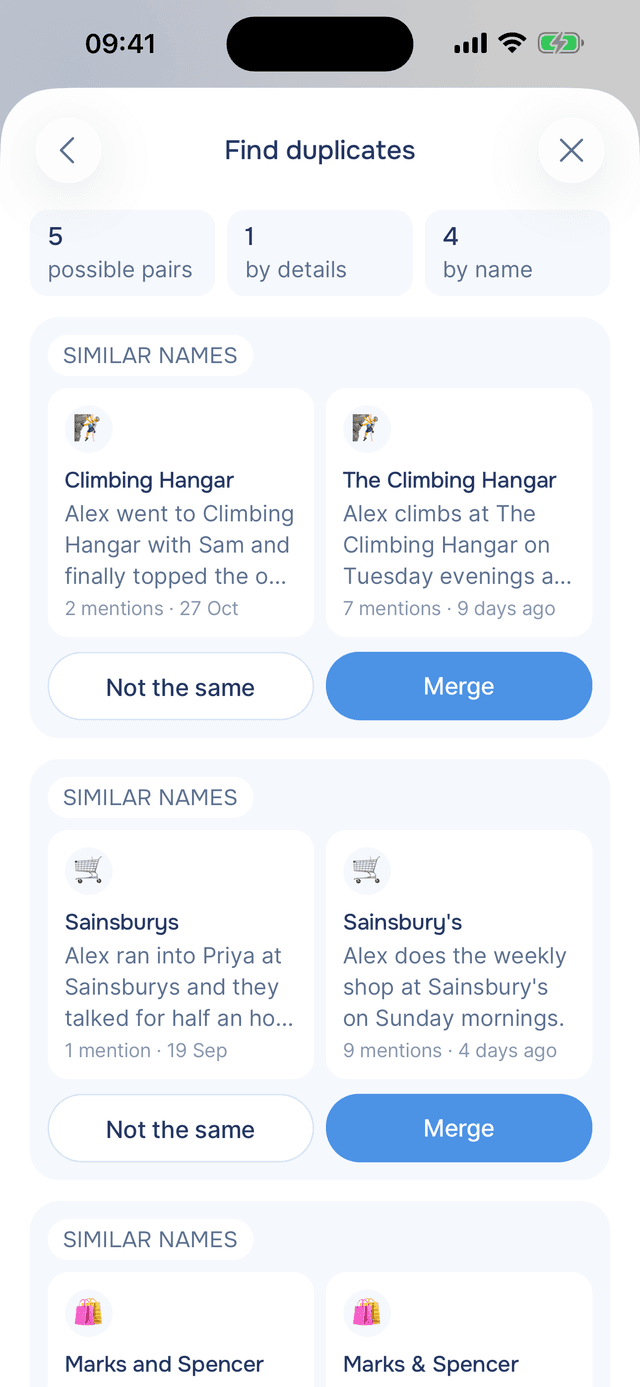
The page lists possible pairs, with a count at the top, such as "4 possible pairs · 3 by details · 1 by name". Each card shows:
- Similar details or Similar names: why Onsen thinks they're the same.
- The two, side by side, each with their icon, name, a few lines of what Onsen knows, and how often they've come up. The one mentioned more is on the right.
- Not the same and Merge.
Tap Not the same to keep them apart. The card goes away, and Undo brings it back for a moment. Tap Merge to merge them (see below).
With nothing to merge, the page says No duplicates.
Merging from an item's page
Open the item, tap , then Merge. Merge Maya with… lists Possible duplicates first, then everyone else in the same family, with a search field. Forgotten items aren't listed. Tap the one to merge with.
The merge steps
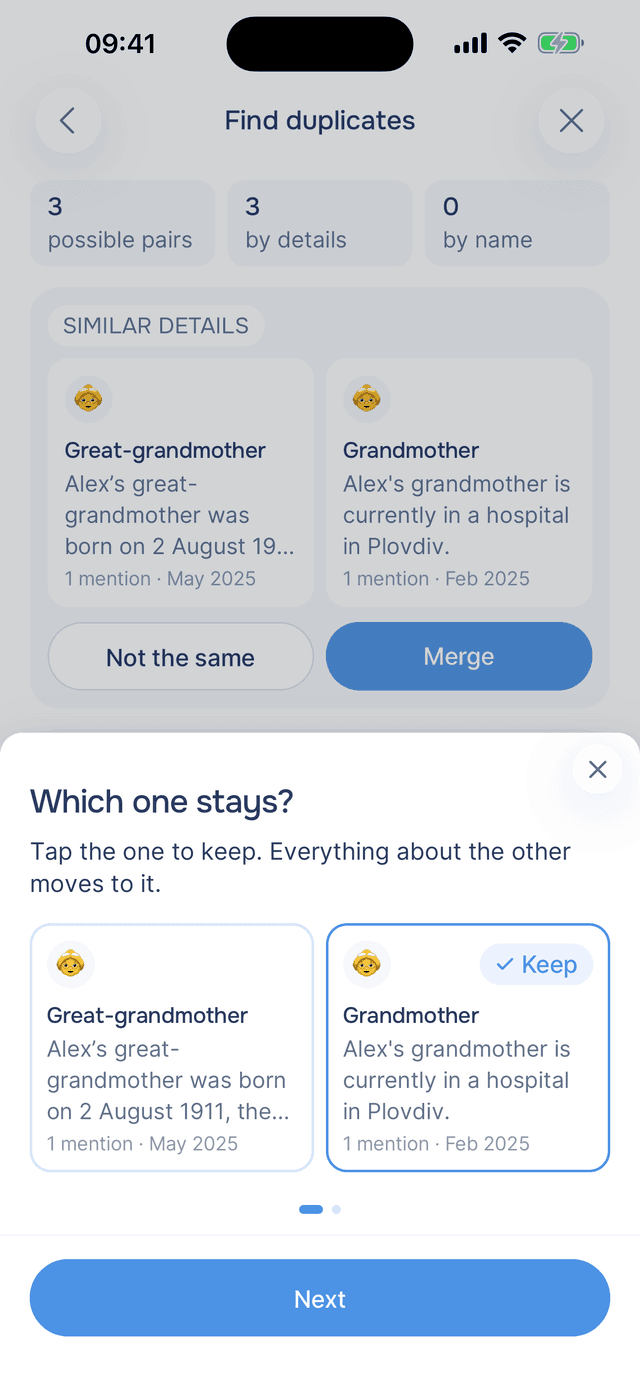
- Which one stays? Tap the one to keep, then Next. Everything about the other moves to it.
- Keep 3 photos — only if the two have more than 3 photos between them. Tick the 3 to keep: "2 of 3 kept · pick 1 more". If any of the kept item's own photos go, Onsen redraws its look from the new set.
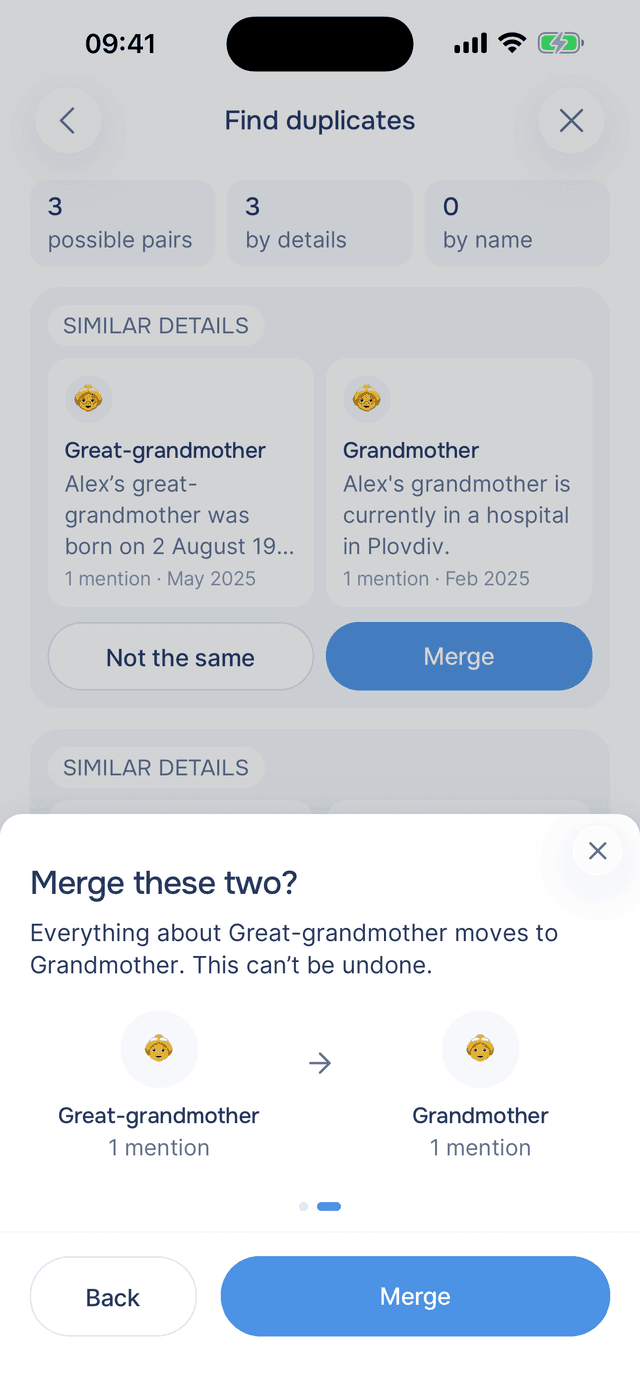
- Merge these two? Onsen says what moves where and how many photos will be deleted, then "This can't be undone." Tap Merge, or Back.
"Merged into Maya" confirms it.
Renaming onto an existing name
Rename an item to a name that already exists in the same family, and the rename becomes a merge: "Maya already exists, so this merges them and can't be undone." The button reads Merge. This way skips choosing photos, so use Merge when both have photos.
Tips
- Check Find duplicates now and then — it's quickest after a few weeks of writing about the same people.
- Keep the name you use — the one that stays keeps its name, so pick the version you write most.
- Not sure? Tap Not the same — two people with similar details can really be two people.