What's new in Onsen 2.15: everything you wrote, finally findable
Your journal used to go in one direction. Now it goes four.

Onsen 2.15 is out, and it is the biggest change to the journal since we built it. Three new ways to get back to what you have written: search, Knowledge, and the Timeline. Plus a proper set of filters, favourites, and experience ratings.
Here is what shipped and what each part is for.
Search your journal
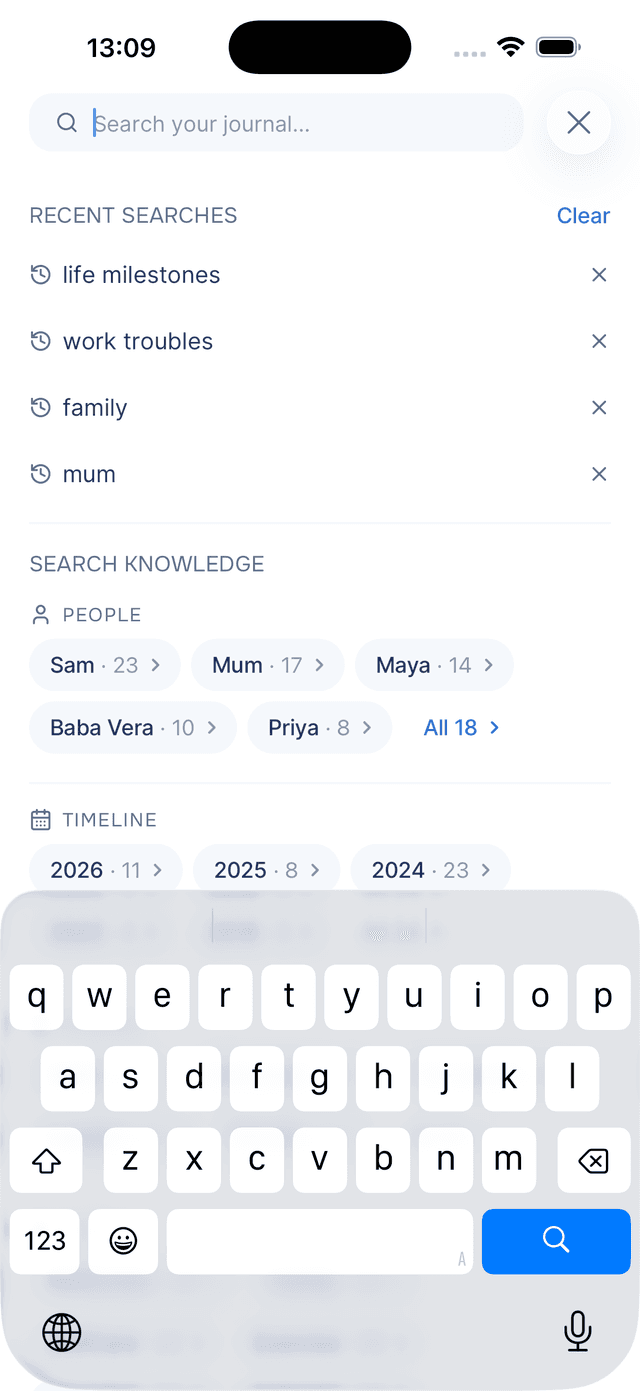
What it does. A Search your journal… field now sits at the top of your journal. Type two characters and results appear as you go.
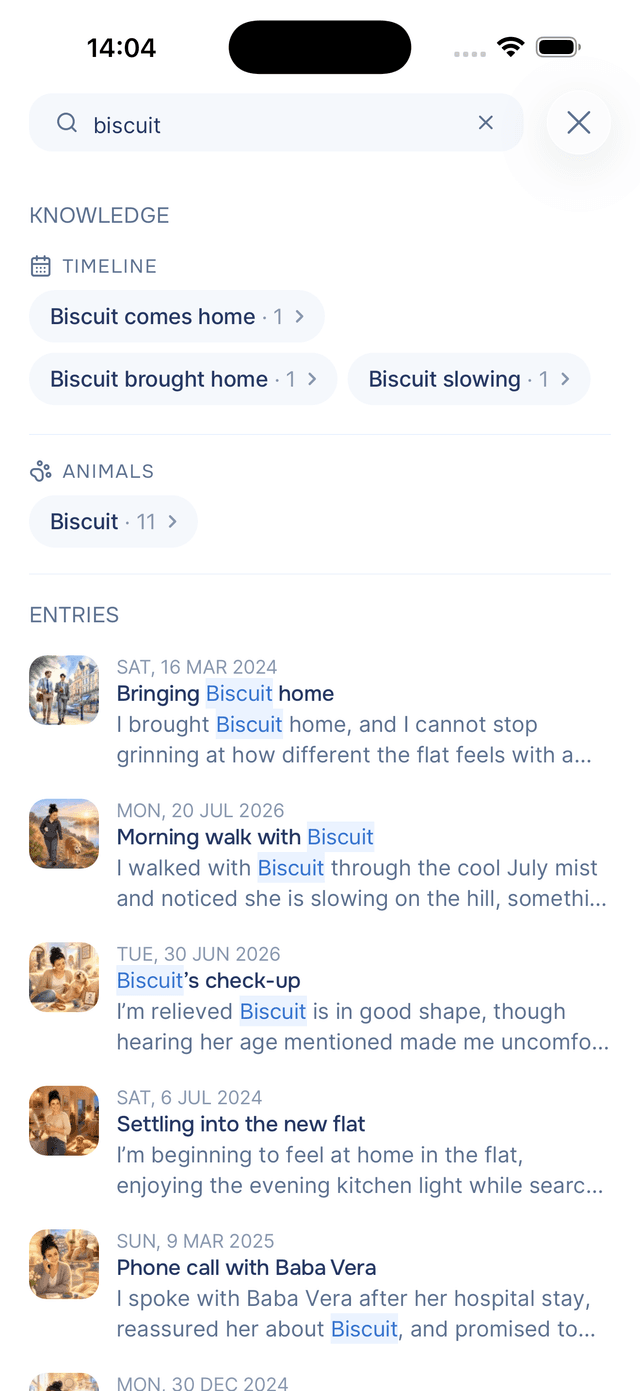
Why it helps. Onsen runs two searches at once. One looks for your exact words, weighted so a match in a title or hashtag counts for more than one buried in paragraph nine. The other ignores your words and looks for what you meant. So my cute dog finds the entry about the lurcher who leaned on you at the shelter, even though it never says "dog".
That matters because you rarely remember the phrase. You remember the feeling, or the person, or roughly when. Any of those now works as a search.
Results come in two groups: matching people and places as chips at the top, then the entries, each showing the line your words appeared in. Before you type, you get your last five searches and a way to browse straight into any person, place or year. The full guide to searching covers both passes in more detail.
Knowledge: what Onsen has learned about you
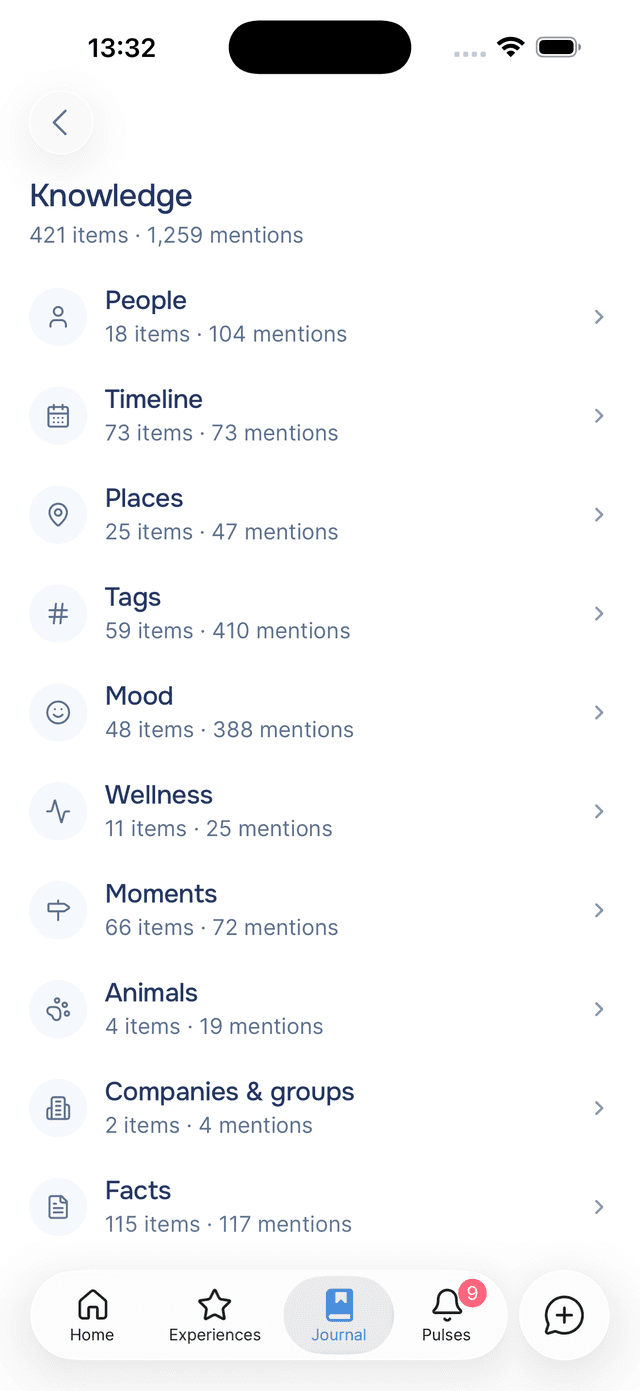
What it does. A new screen, reached from the Knowledge button at the top of your journal, collecting everything the AI has picked up from your writing: people, places, moods, wellness, moments, dates and more.
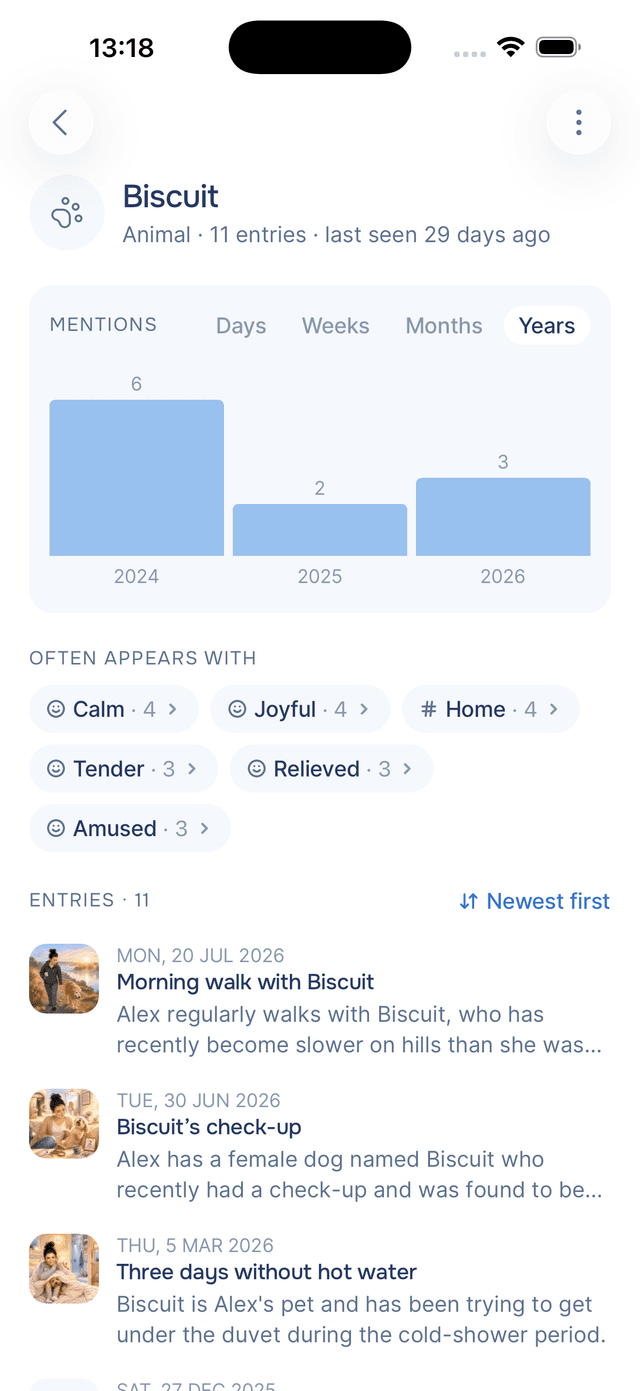
Why it helps. Your journal is ordered by date, which is useless when the thing you want is a person. Knowledge gives you the other index. Every item has its own page showing when it comes up, what it comes up alongside, and every entry it appears in.
| Category | What it holds |
|---|---|
| People | Everyone you write about, by name or by role |
| Timeline | The dates your entries refer to, from a birthday to a hospital appointment |
| Places | Cities, countries, the café you keep going back to, home |
| Tags | The hashtags on your entries, whether the AI wrote them or you did |
| Mood | How you have been feeling, in your own vocabulary |
| Wellness | Sleep, energy, exercise, appetite, and the rest of how your body is doing |
| Moments | The things that happened: the interview, the argument, the concert |
| Animals | Pets, mostly. Sometimes a fox in the garden |
| Companies & groups | Employers, teams, clubs, the choir |
| Facts | Everything else worth remembering that does not fit the above |
The pattern is usually the point. Open a person's page and you might find they mostly appear alongside one particular mood, which is close to impossible to notice one entry at a time.
You can correct it. Rename an item and every mention lines up under the new name. Rename onto a name that already exists and the two merge, which fixes a person recorded twice. Forget an item and Onsen drops what it learned. See knowledge items for what each does.
The Timeline: your life in date order
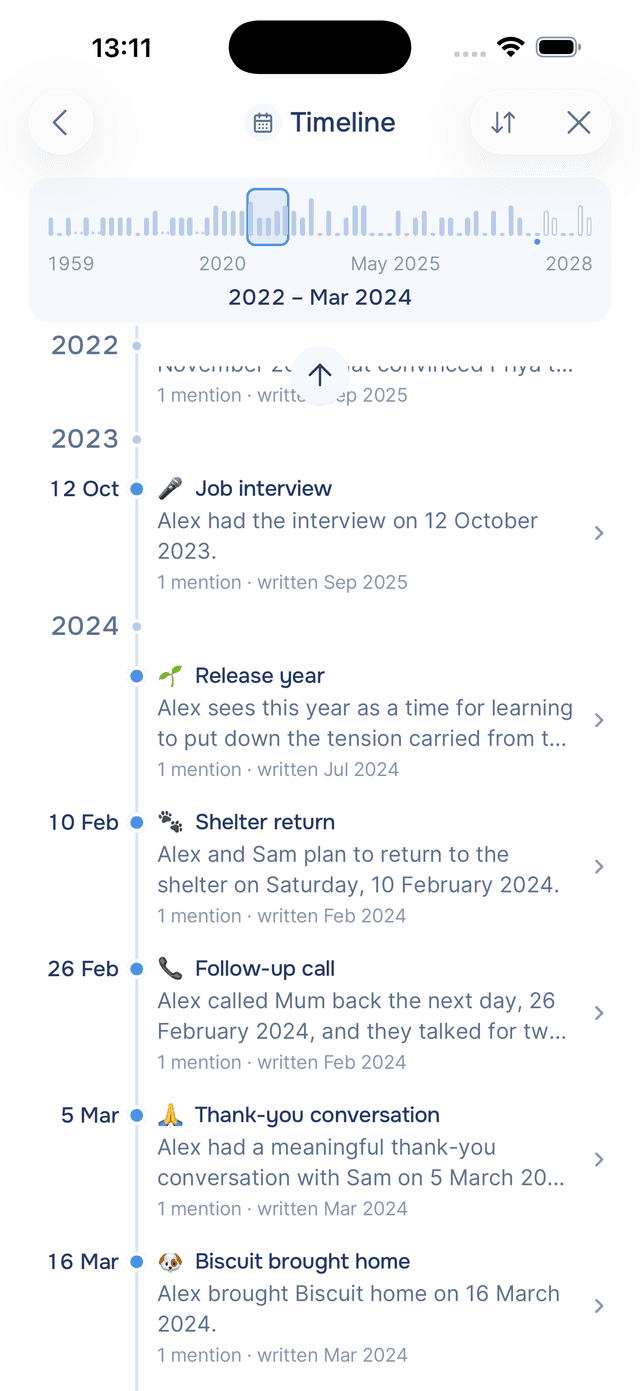
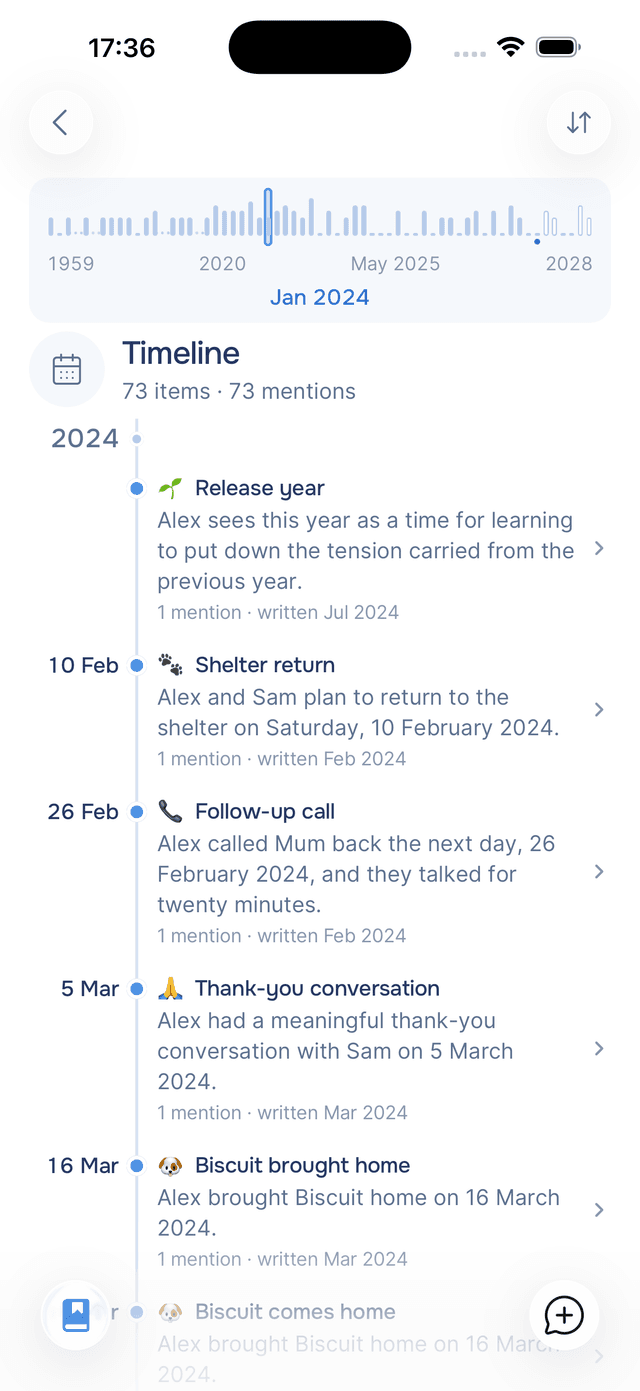
What it does. Your journal is sorted by the day you wrote. The Timeline is sorted by the day you wrote about. Mention the summer you moved, your grandmother's birthday, or the appointment booked for October, and each is filed under its real date.
Why it helps. It turns scattered entries into a chronology you never sat down to compile. Rows are named for the occasion rather than the date, so you read "Started the new job" instead of "2 September 2024". A line marks today, and dates still ahead sit below it as hollow dots.
Above the list is a chart of your whole timeline, one bar per period. Drag it and you travel: the label under your thumb names where you are, and lifting your finger drops the list there. Busy years open into months so you can land on March rather than somewhere in a year, while empty decades collapse to a few dots.
Filters
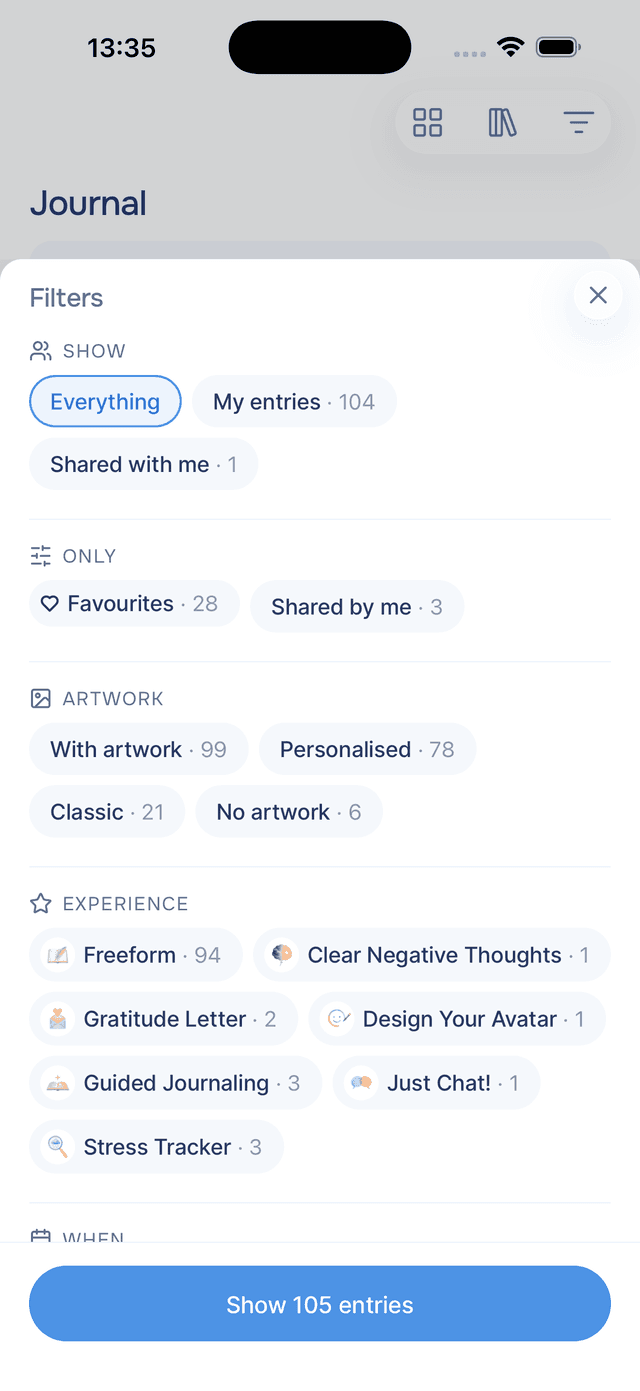
What it does. Filter gives you six ways to cut your journal down: favourites, artwork, experience, period, time of day, and whose entries.
| Filter by | What it gives you |
|---|---|
| Only | Favourites, or the entries you have shared with someone |
| Artwork | Entries with art, entries with art made from your own photos, or entries with none |
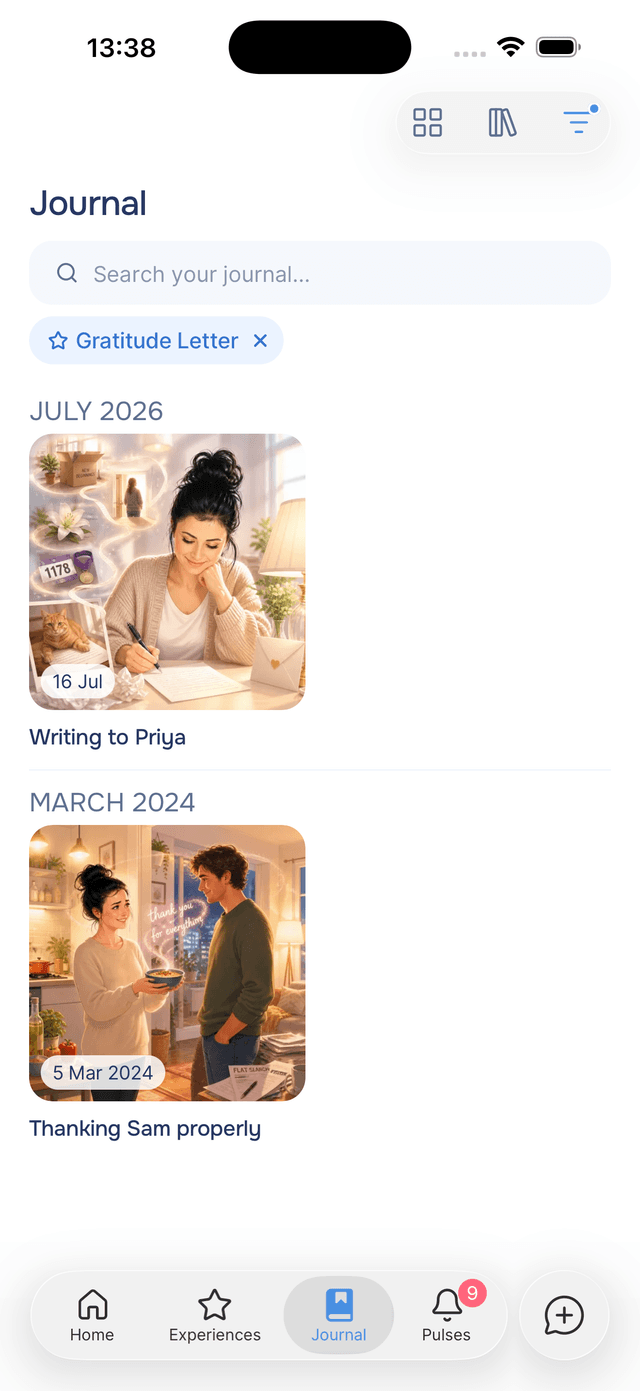
| Experience | Everything that came out of one guided experience |
| When | This week, this month, last three months, or any year you have written in |
| Time of day | Morning, afternoon, evening, or late night |
| Show | Your own entries, or the ones shared with you |
Why it helps. Filters compose, so you can ask for favourites from last spring that came out of one particular experience. Options that would return nothing are not offered, so you cannot filter your way into an empty journal, and whatever is active stays visible as pills you can drop one at a time.
Entries have hearts now too. The heart sits inside the entry rather than on the cards in your journal, because deciding something mattered is a different act from skimming past it. See favourite entries.
Experience ratings
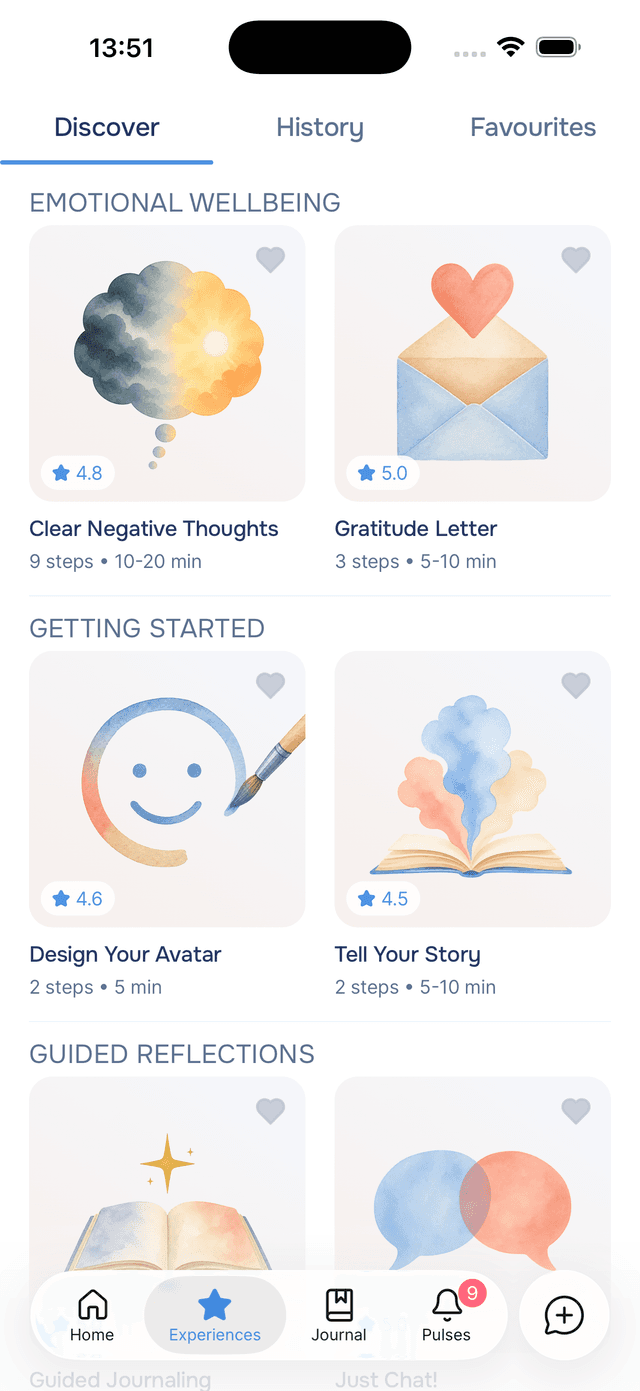
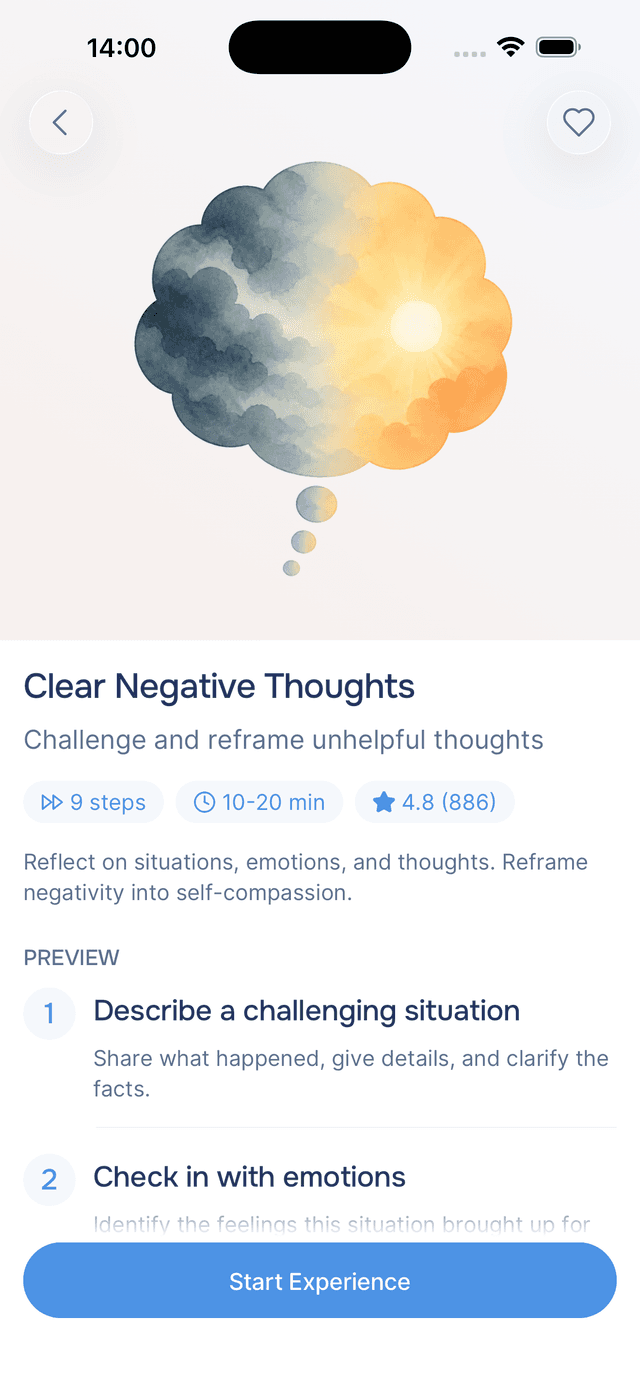
What it does. After a guided experience, you can rate it out of five and add a line about what worked. Experience cards now show the average.
Why it helps. Some experiences land differently for different people, and twenty minutes is a real commitment. Seeing what others made of one before you start is the difference between choosing and guessing. Open an experience and you get the count alongside the score, so you can tell one enthusiastic person from a hundred who agree. More in rating experiences.
A new look, everywhere you look
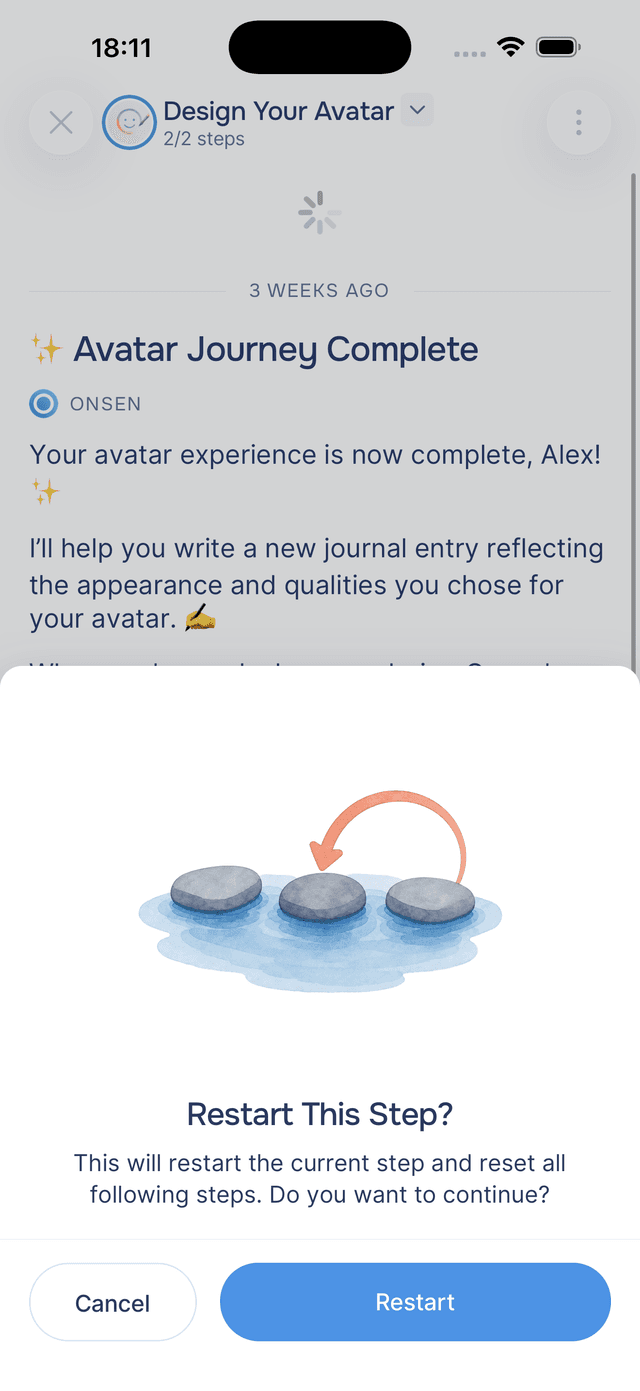
What it does. Every one of the 18 guided experiences has been re-illustrated, and the same watercolour style now runs through the alerts, the sheets, the intro screens and every empty state in the app.
Why it helps. The old covers were a patchwork: different styles, different eras, drawn at different times by different tools. Browsing them felt like flipping through a stock library. One style makes the library feel like one library, and makes it easier to tell experiences apart by their subject rather than by their rendering.
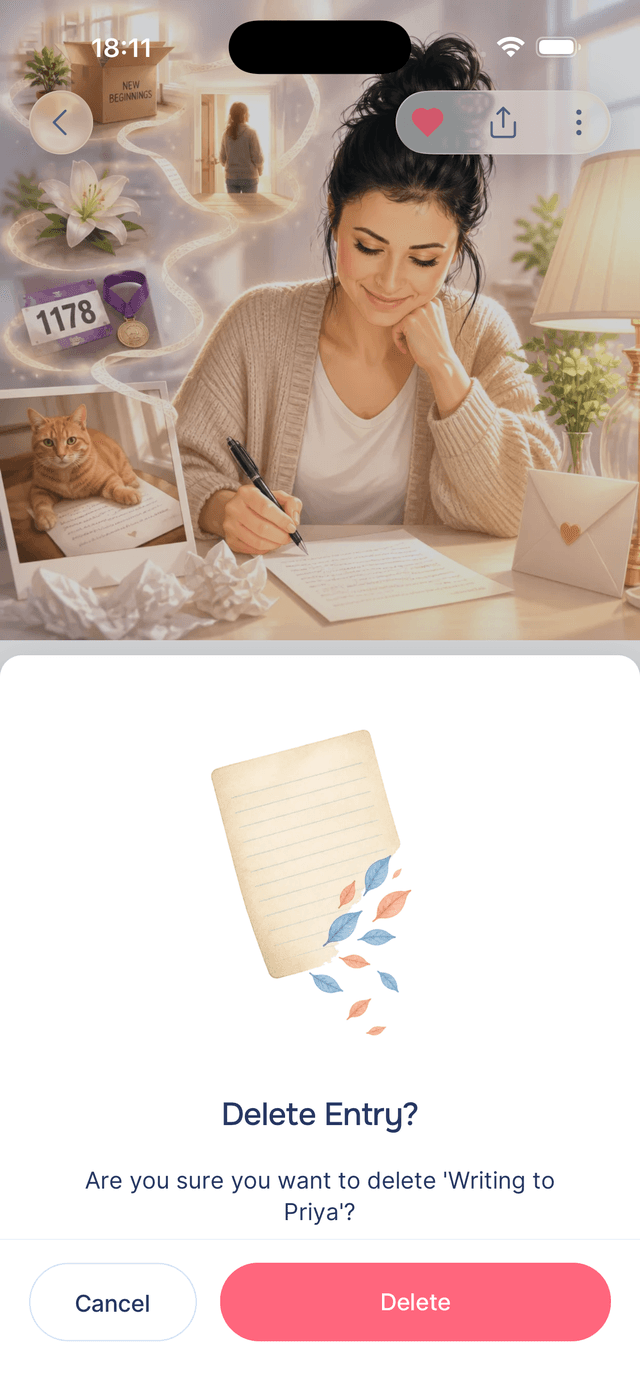
The care went past the covers. Every alert has its own painting now, chosen for what it is actually asking, and every empty screen has artwork where it used to have a line of grey text.
Also in 2.15
| Change | What you will notice |
|---|---|
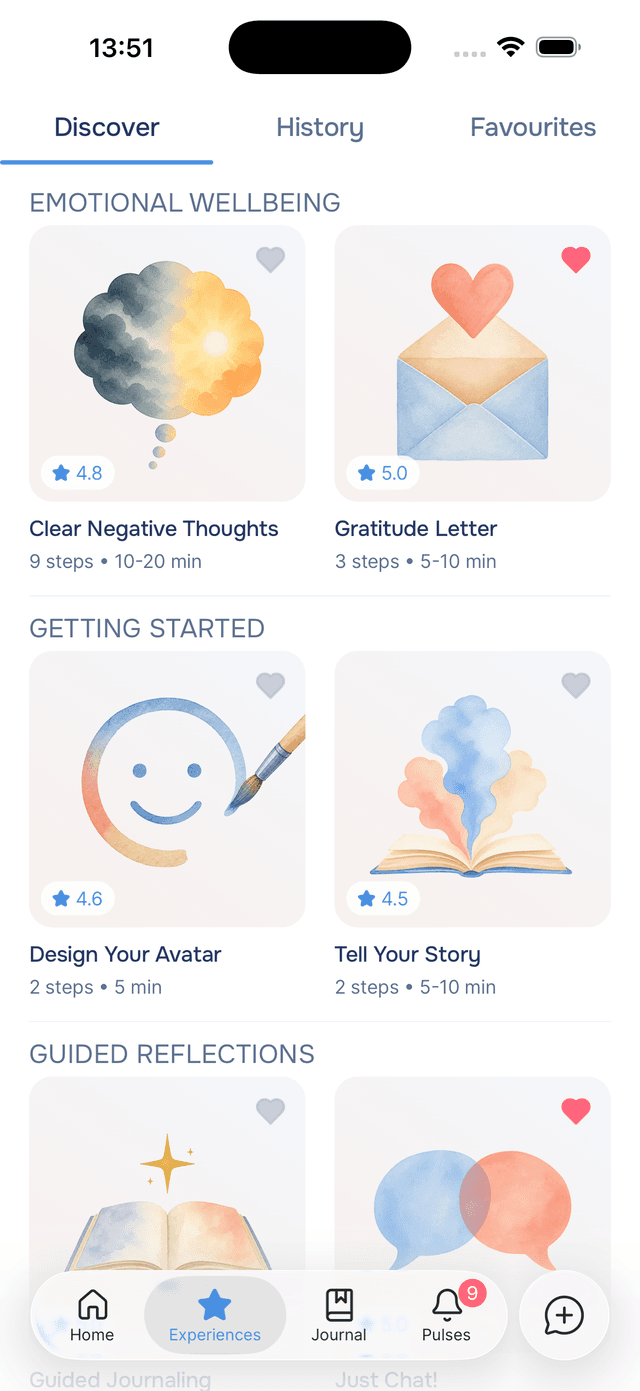
| Favourite experiences | A heart on any experience card, and a third tab holding the ones you keep coming back to. See favourite experiences. |
| An account screen | Your entries, experiences and day streak in one place, with when you joined and what your plan includes. See your account. |
| Leaving, made honest | If you ever delete your account, Onsen counts back exactly what will go and offers you a copy of everything first |
| Help before you sign in | A question mark on every step of signing up, opening the guide for the screen you are stuck on |
| A third journal layout | Grid for browsing artwork, cards for reading, and a new compact list for hunting through a long journal |
| The time you wrote | Entries now carry the hour alongside the date |
| Faster Pulse cleanup | A button to start selecting, so clearing a batch no longer starts with a long press |
Try it
Open your journal, tap search, and type the name of someone who matters to you. Then tap their chip and read what comes back in order. Most people are surprised by their own journal at that moment.
If you have not started yet, download Onsen for free. It is a warm AI companion with chat, guided experiences, mood check-ins, Pulses, voice, and a journal that now opens in every direction. New to writing things down? Our guide to starting a journal is the gentlest way in.