What's new in Onsen 2.17: a plan that grows from what you write
The things you keep meaning to do, kept.

You wrote on a Sunday that you keep meaning to walk the dog before work. On Wednesday you wrote it again, a little annoyed with yourself. Two weeks later it came up a third time, and nothing anywhere had kept it.
Onsen 2.17 keeps it. When you save a journal entry, your guide now notices the things you want to do, start or keep up, and puts them on a plan that lives on your Progress tab. You never type anything into it. You just keep writing.
Here is what is new.
A plan that grows out of what you write
What it does. After every journal entry, your guide reads what you wrote and decides whether any of it belongs on your plan. Something new you want to do gets added. Progress on something already there gets ticked off. Something you have moved on from comes off the plan and into an archive, where nothing is deleted.
Why it helps. Most of the things you want to change never get written down as goals. They show up sideways, halfway through an entry about something else. Your plan catches them there, so you get the use of a to-do list without turning your journal into one.


Most entries change nothing, and that is the right answer. A plan that grew from every sentence would stop being useful within a week. When an entry does change it, the Saved card tells you exactly what changed.
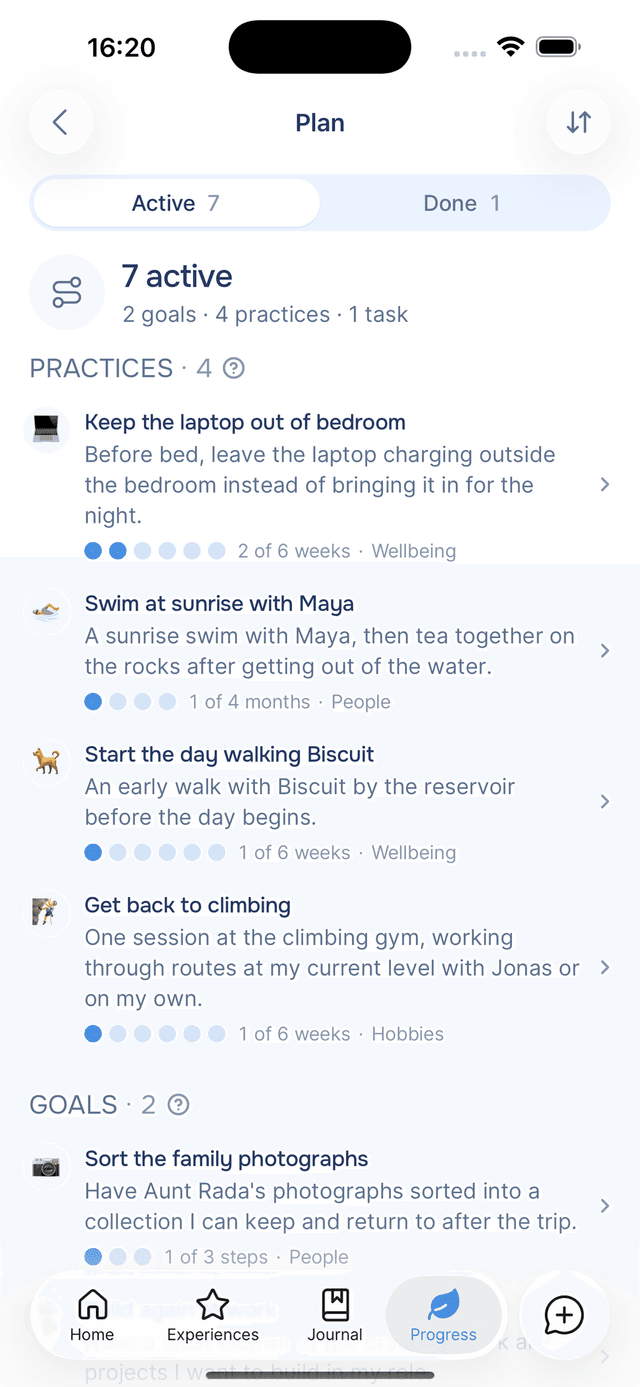
Not everything you want works the same way, so your plan holds three types of item:
| Kind | What it is | For example | When it is finished |
|---|---|---|---|
| Practice | Something you repeat until it becomes a habit | Leave the laptop outside the bedroom, 5 times a week for 6 weeks | Once you have done enough weeks, it is a habit |
| Goal | Something you are working towards, in a few steps | Sort the family photographs | Whenever you say it is done |
| Task | One thing to do | Renew your passport before October | When you tick it, or write that you did it |
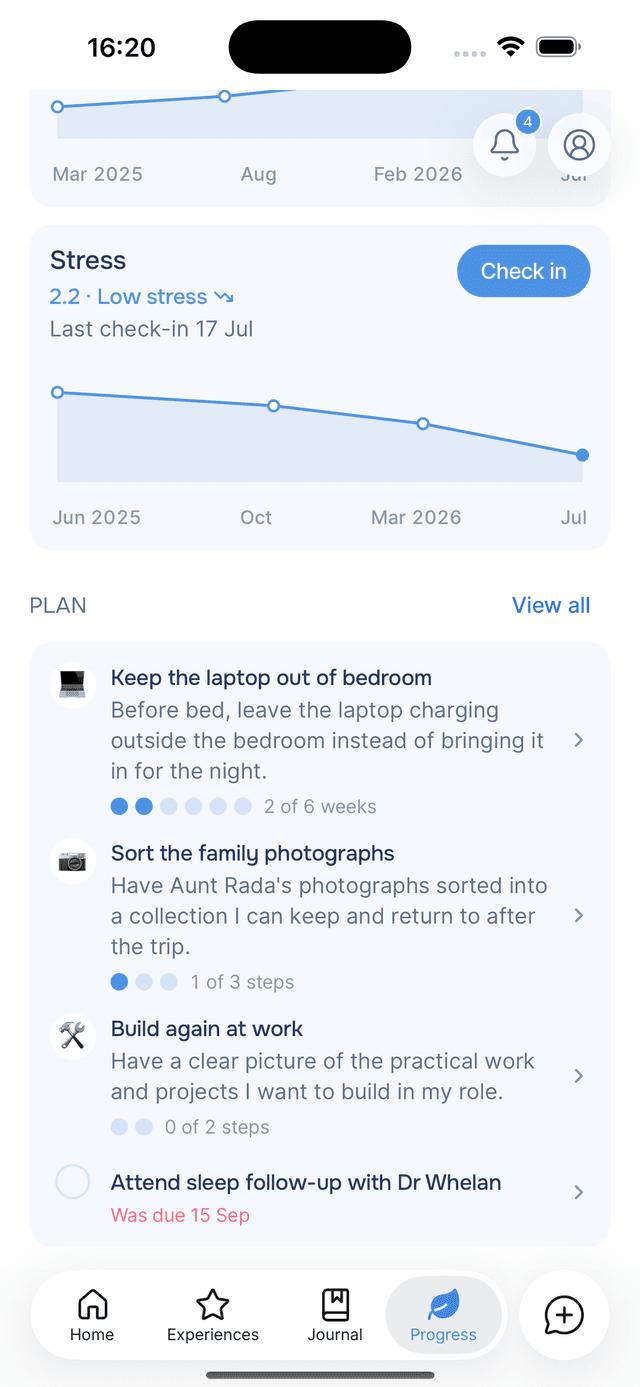
Your plan shows up where you already look. The Progress tab has a Plan section with the first few things on your plan, and View all opens everything, grouped by kind or by what each thing is about. Your guide also knows your plan when you chat, so you can talk about a goal without explaining it first.
Practices count weeks, and a missed one costs nothing
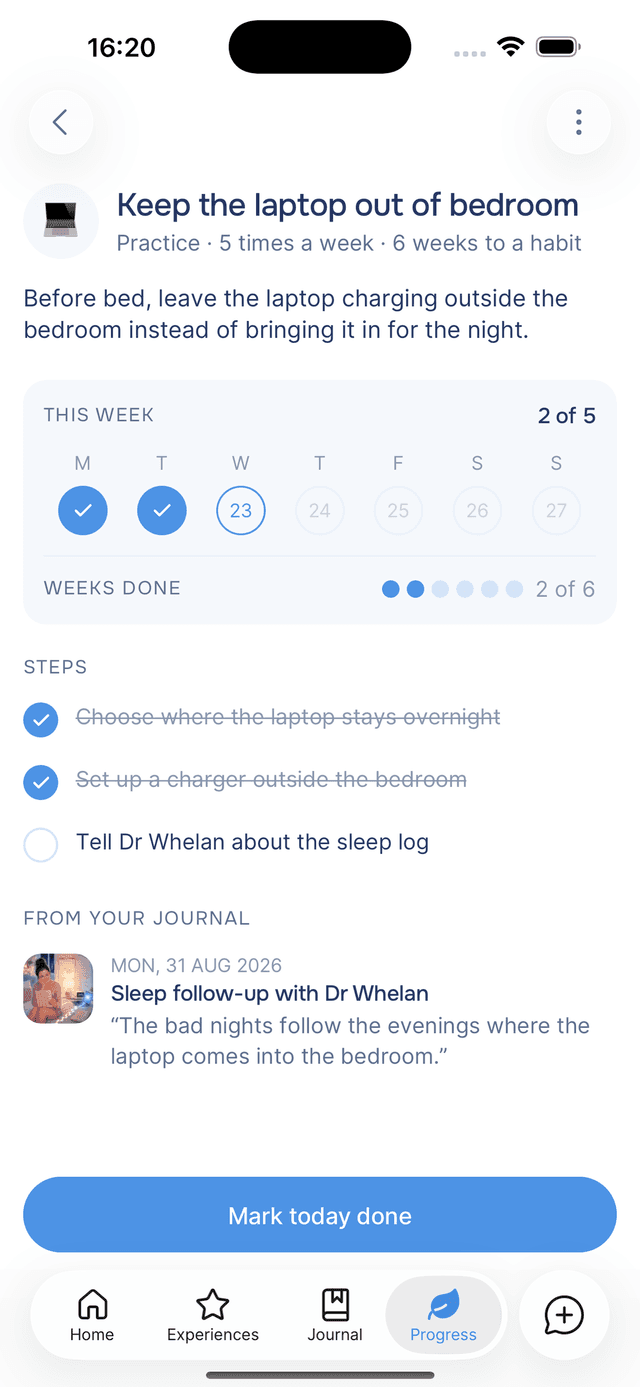
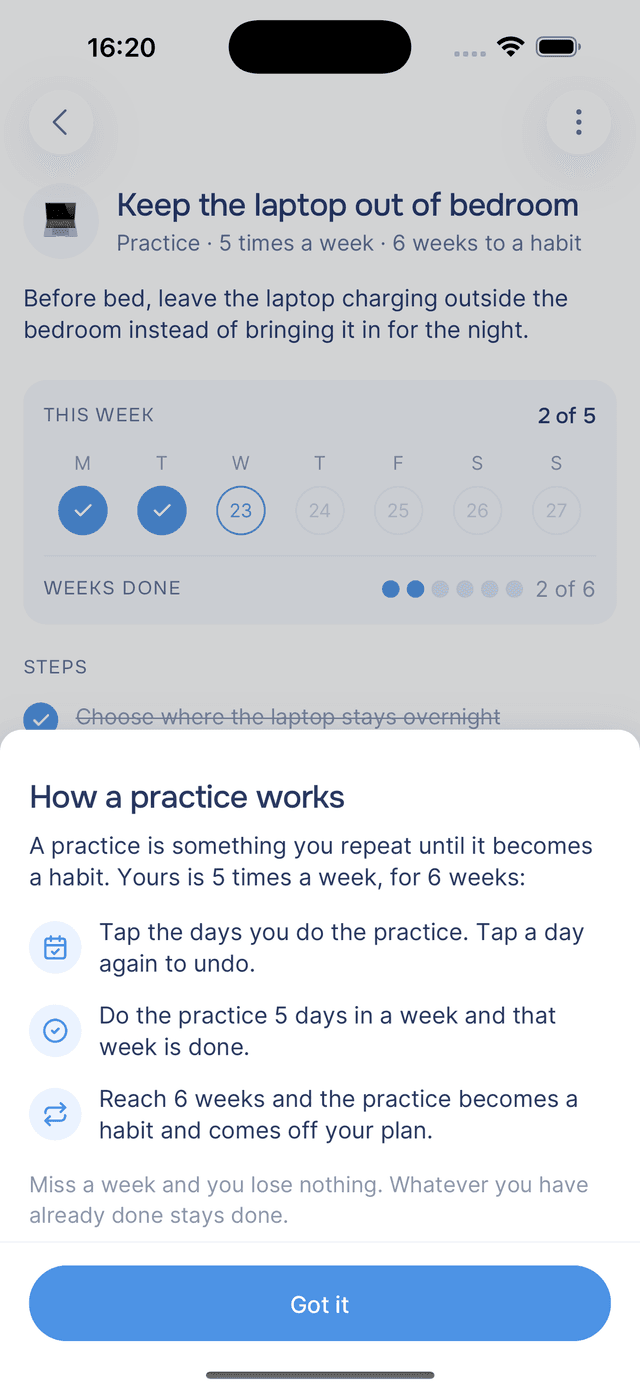
What it does. A practice has a rhythm and an end: 5 times a week, for 6 weeks. Open one and you see the current week, with today ringed. Tap the days you do it, or tap Mark today done. Do it 5 times in a week and that week is done. Get 6 weeks done and the practice becomes a habit, and it moves off your plan into Done.
Why it helps. Many habit trackers count a chain, and a chain breaks. The count goes back to zero, and that is where a lot of people give up. A practice counts weeks done instead, so a week you miss takes nothing away from the weeks you already have.
Sometimes a thing sticks sooner than planned. If a practice already feels automatic, choose Mark as a habit from its menu. Your guide never marks one early, because only you know when something has stuck. The help center page on practices has the details.
Home asks about your plan at the right moment
What it does. Home already shows at most one card at a time, for your streak or a check-in. That card can now show something from your plan: a task due today, a goal whose date has passed, or a practice that has fallen behind but can still catch up this week. One tap on the card marks it done. For a practice, the tap marks today done.
Why it helps. A plan that lives on a screen you have to remember to open is a plan you forget. An app that nags about every item gets its notifications turned off. So the plan card is careful about when it speaks.
| Situation | What Home does |
|---|---|
| A goal or task is due today or tomorrow | Shows it, with Mark as done |
| A goal or task's date has passed | Shows it until you finish it, and a snooze quiets it for three days |
| A practice is behind, late in the week, and can still catch up | Asks once that week, with Mark today done |
| Early in the week | Stays quiet, because there is still time |
| The week can no longer be saved | Stays quiet. A missed week costs nothing, so there is nothing to warn you about |
| You already marked the practice today | Stays quiet |
| A practice's first week | Stays quiet, because you have only just started |
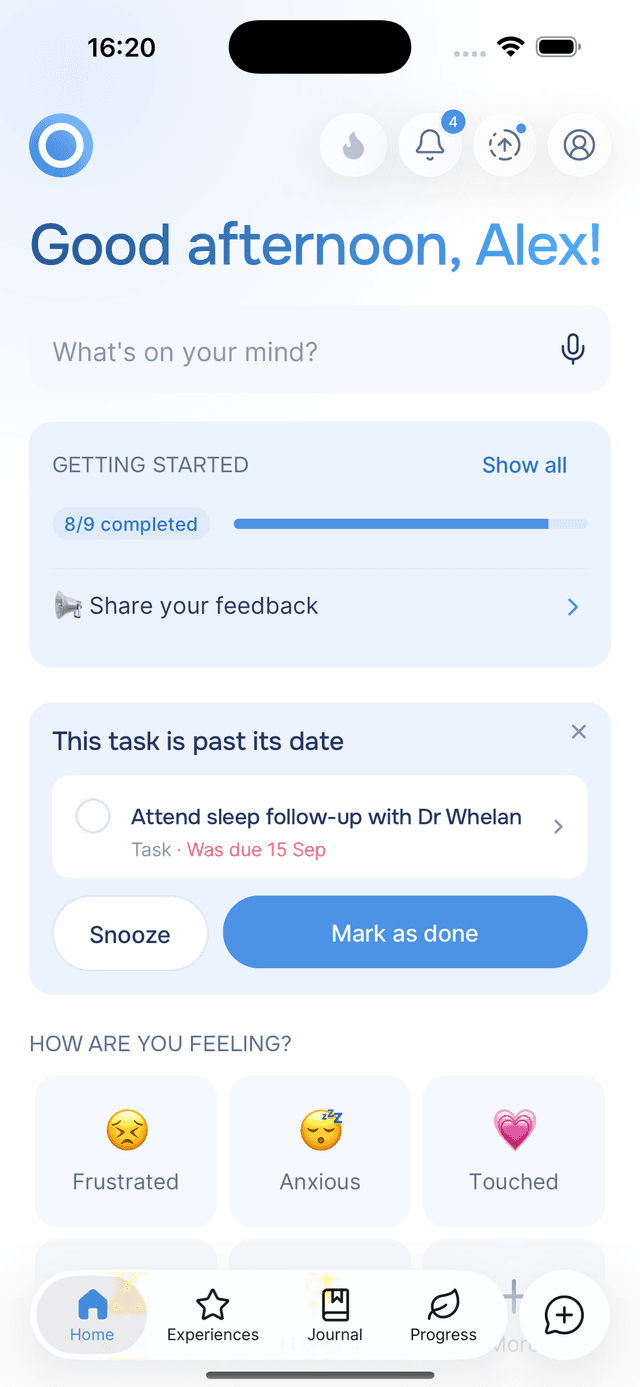
If three tasks are due today, the card shows one and counts them: 1 of 3. Your streak still comes first, because it loses a day at midnight if you have not written today. The full rules are on the Home nudges page.
What each entry adds up to
What it does. When your guide finishes reading a new entry, a Saved card opens over it. It lists the moods, people, places and moments your guide picked out. A Plan line counts what changed on your plan. If the entry kept your streak going, the card shows your streak and your garden, the picture that grows with it. Tap any line and it takes you to that part of the entry.
Why it helps. Before 2.17, Saved flashed up for a few seconds and the insights waited further down the page. Now you see straight away what your writing turned into, including anything that landed on your plan, and the card stays until you close it.
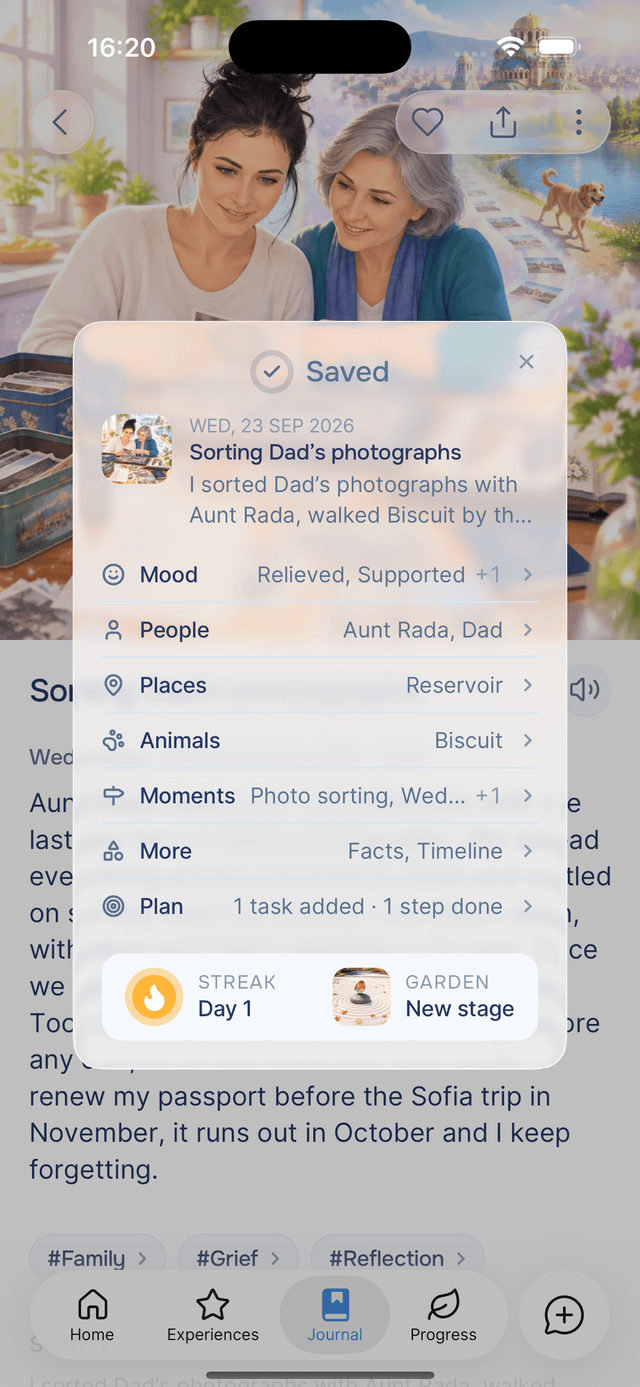
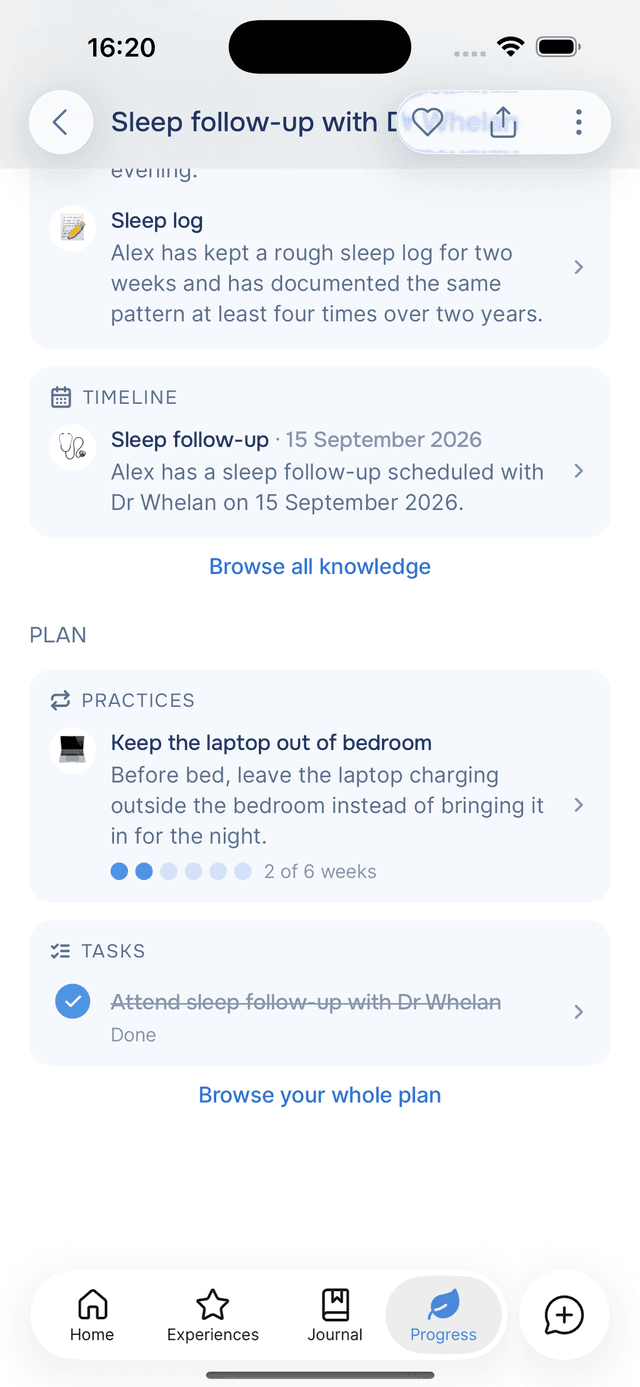
Every entry also has a Plan section of its own now, listing what that entry put on your plan. If you want your guide to take another look, choose Re-generate Plan from the entry's menu. The entry details page walks through the Saved card line by line.
Experiences, sorted into categories
What it does. The Discover tab in Experiences now opens with Popular, the experiences people have rated most often. Below it, the library is sorted into categories such as Journaling & reflection, Emotional wellbeing and Mindfulness & meditation. Each experience also shows Related experiences below its steps.
Why it helps. On a hard evening, choosing an experience is one decision too many. A category named for what you need is an easier place to start than a list of titles. When one helps, Related experiences points you to the next.
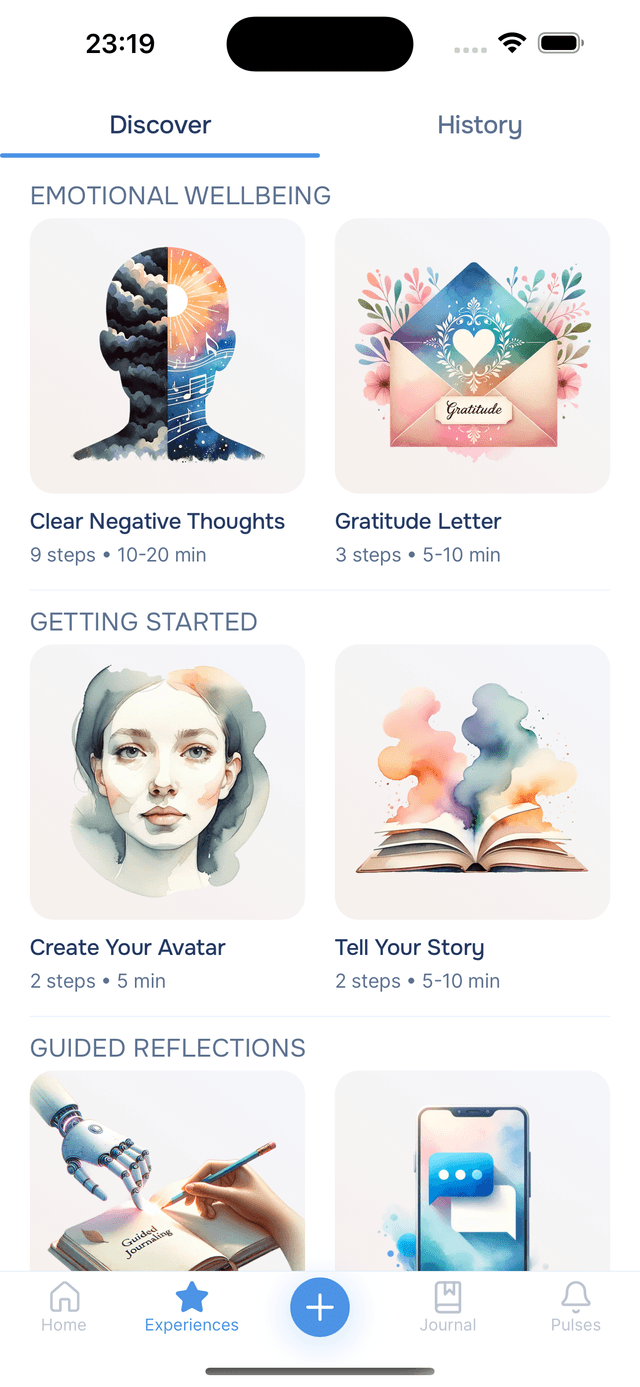
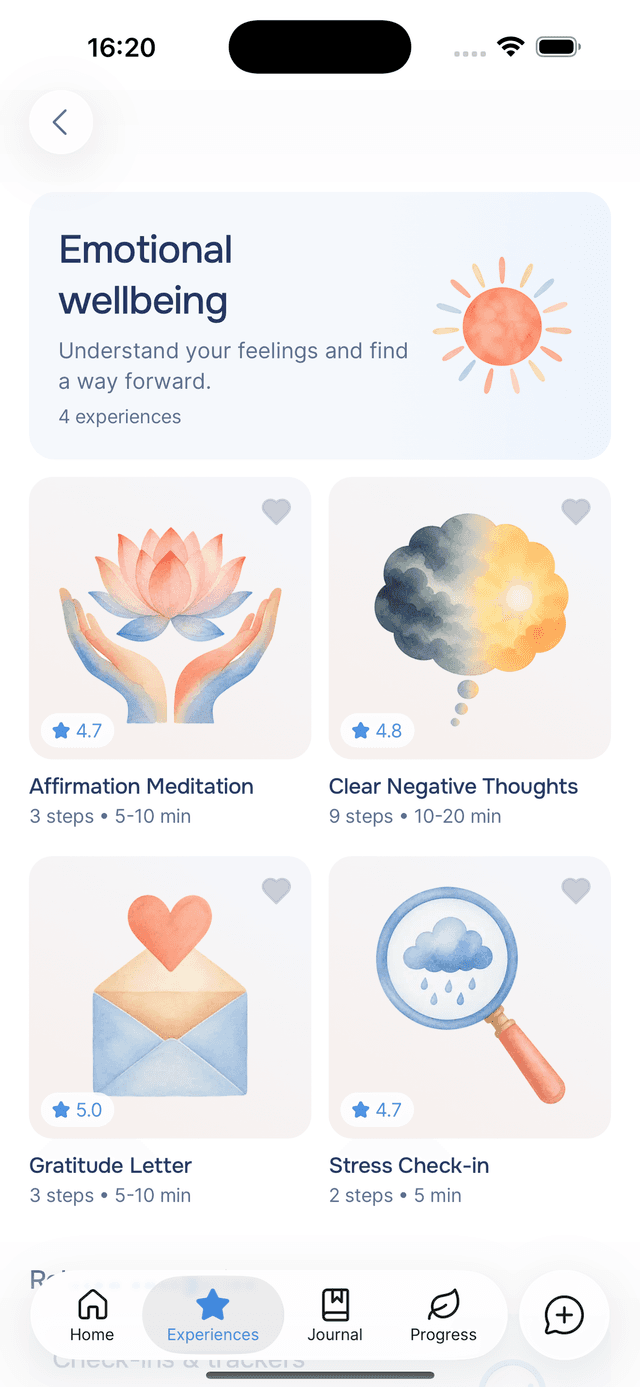
The full list is on the Discover experiences page.
A missed day costs one day, not your whole streak
What it does. Your streak now goes up by one for each day you write and down by one for each day you miss. It never drops below zero, and your longest streak is kept. Before, a single missed day sent the whole streak back to zero.
Why it helps. When we replayed four months of real journaling, two thirds of streaks longer than a week ended on a single missed day, and the people who missed that day were usually back writing the next. Losing weeks of progress to one evening off is the kind of setback that makes people give up, and a bad day should not cost you everything you built. Now one missed day costs one day, and writing again wins it straight back.
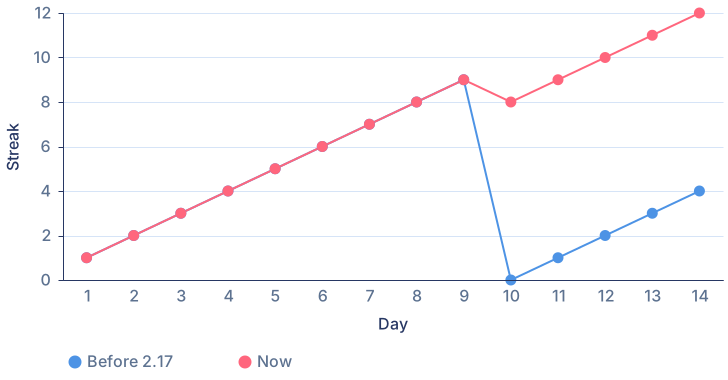
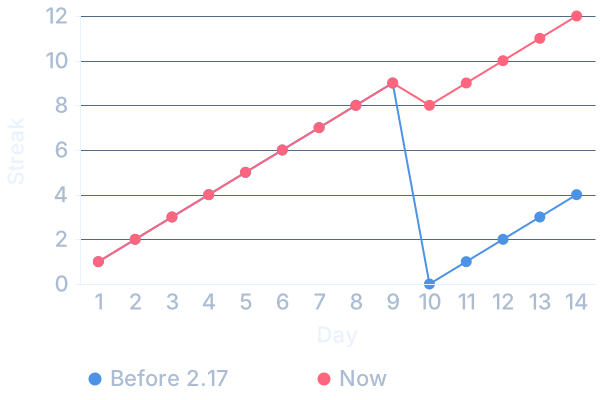
The chart shows the difference on one ordinary run: nine days written, one missed, then four more. Under the old rule the streak finishes on 4. Now it finishes on 12. The streak page in the help center has the details.
Sharper entry pictures, in half the time
What it does. We moved entry pictures to GPT Image 2.5, OpenAI's latest frontier image model. It works from the same description of your entry and the same reference photos as before.
Why it helps. The pictures are simply better:
- More neutral color, without the golden cast the old pictures had.
- Brighter, better-lit scenes.
- Sharper detail, down to words on a phone screen you can actually read.
- Closer to your reference photos, in the people and the setting.
They also arrive in about half the time.


Try it
If there is something you keep writing about and not doing, write it once more, plainly. If it belongs on your plan, the Saved card will say so.
Download Onsen for free, write one of them tonight, and see where it lands on your Progress tab.
The plan was always in your journal. Now you can see it.