What's new in Onsen 2.10: journal entries that look like your life
Photos in chat, personalised illustrations, Liquid Glass on iOS 26, and the prompt-engineering framework behind it all.

It's a Wednesday evening. You snap a photo of your dog asleep on the sofa and send it to your AI guide along with the day's small chaos. The next morning, when you open your journal entry, the illustration at the top of the page shows your dog. On that sofa. The light is right.
That's the headline of Onsen 2.10. The journal art now looks like your life, not a stock illustration of someone else's. Underneath it is a new chat-photo flow, a new image model, a rebuilt prompt-engineering pipeline, iOS 26's Liquid Glass material across the app, listen-anywhere audio, a polished in-app camera, and a frontier chat model graded on warmth and care every week.
This is the release we've been pointing at for months. Here's what it actually does.
A journal entry that looks like your life
For a long time, Onsen has illustrated each journal entry with a small dreamy scene that captures what you wrote. The trouble with the old approach was that the people, pets, and places in the art looked nothing like yours. A journal grid of "person at desk with notebook" thumbnails is not a memory aid. A grid of your moments is.
In 2.10 the art finally looks like your life. Your dog stays your dog across entries. Your partner looks like your partner. The light in your bedroom looks like the light in your bedroom.
Research on photo-elicitation suggests that photographs catalyse remembering by surfacing relevant ideas, feelings, and associations the words alone might not[1]. Personalised journal art leans on the same idea: when the picture at the top of an entry matches the room, the people, the dog you actually wrote about, the entry becomes a real prompt back into the moment, not a generic decoration.
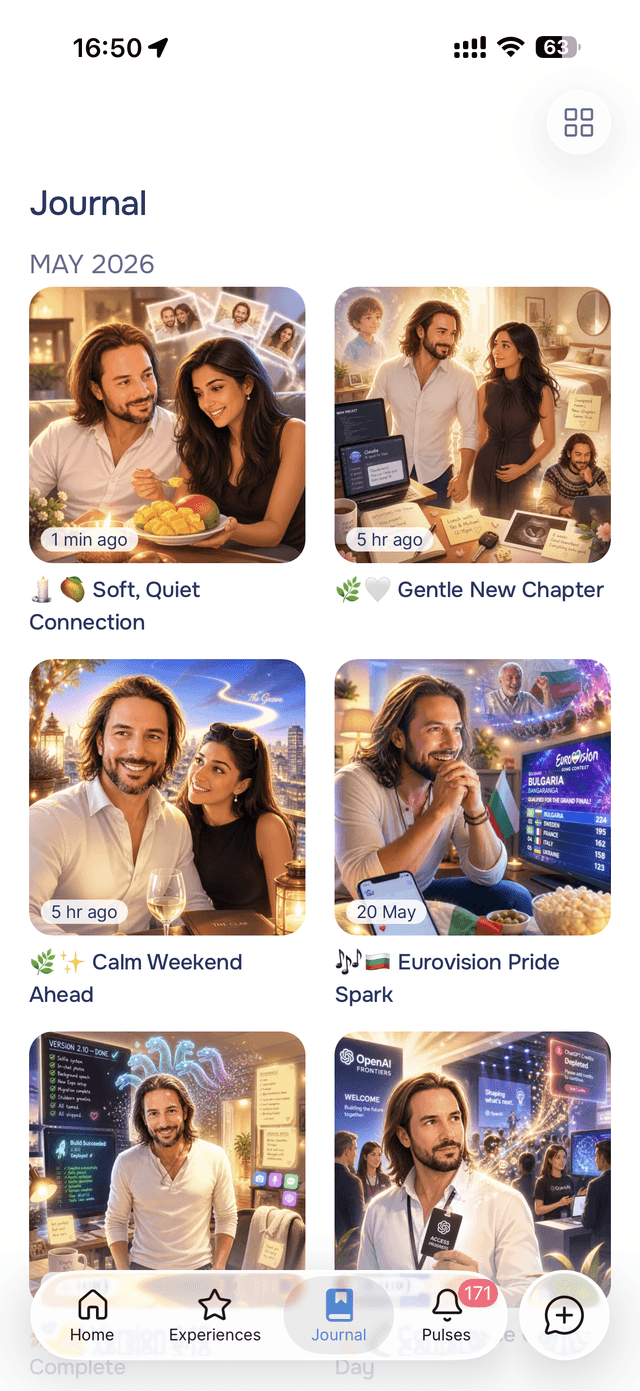
Why the art got better
Two things changed at once.
We upgraded the image model. Earlier journal entries were illustrated with OpenAI's DALL-E 3, which served us well but is a couple of generations old. Onsen now runs on GPT image 2, OpenAI's frontier image model. Softer light, richer atmosphere, more deliberate composition. The base quality of the art is meaningfully better.
We built a new image-personalisation framework. This is the bigger change. Onsen now uses your photos as visual references when illustrating your entries, in two ways:
Selfies anchor you. During avatar setup, you share up to three photos of yourself. Onsen quietly uses those as identity references when illustrating entries that involve you. Over weeks, the person in your journal art consistently looks like you across days, woven into different scenes shaped by what you wrote that day.
Chat photos anchor the rest. Every photo you share with your AI guide in chat gets quietly analysed in the background after the reply lands. The system tags what's in it and stores that classification alongside the photo. When the next journal entry mentions your dog, your kitchen, or your partner, the relevant chat photo is pulled in as a scene reference and woven into the illustration. The art begins to remember.
Each reference is paired with a clear role: this one captures what you look like, this one is the room your sofa lives in, this one is the colour of your dog's fur. The renderer no longer guesses what's in your life.
Bringing your world into the conversation
Chat is where the visual context now starts. The "+" button next to the message input opens a quick attachment sheet: take a photo, pick from your library, share what's on your mind. Up to three photos per message, up to ten in a single chat.
Photos you've shared stick around for the whole conversation, so your guide can refer back to them later ("the dog you showed me earlier", "that kitchen layout"). When you reach the chat-wide cap, Onsen tells you clearly: "Start a new chat to share more photos". No mystery error messages.
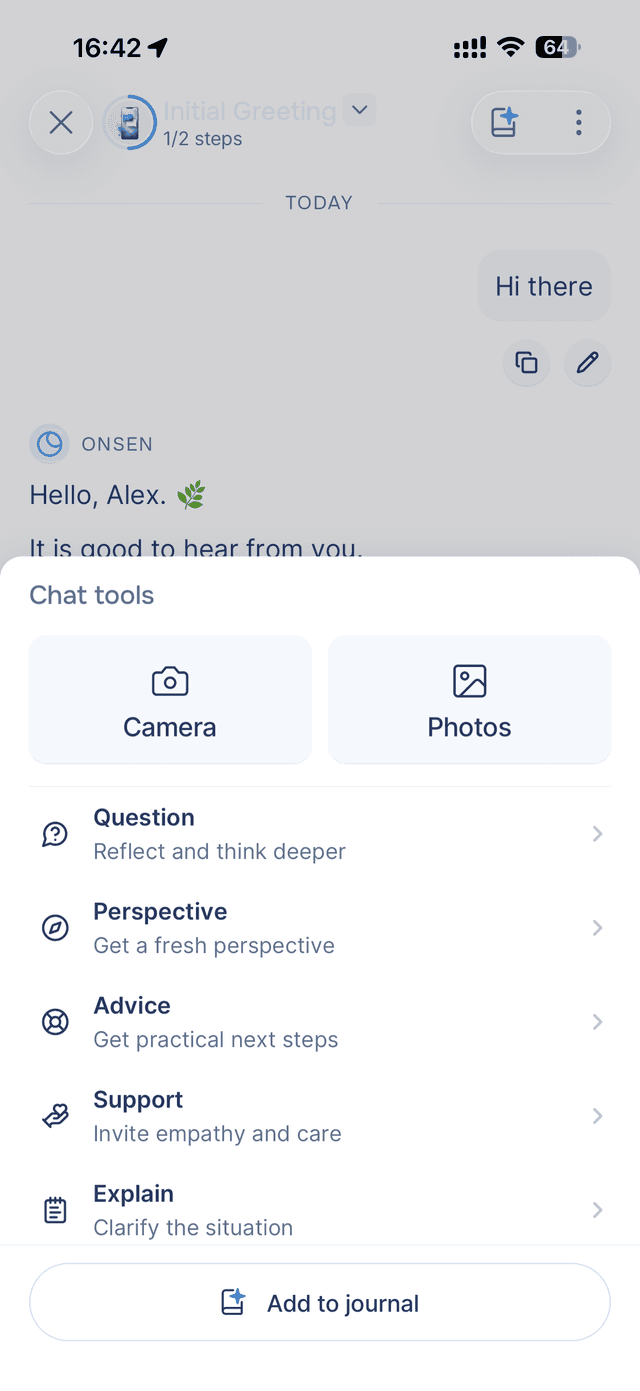
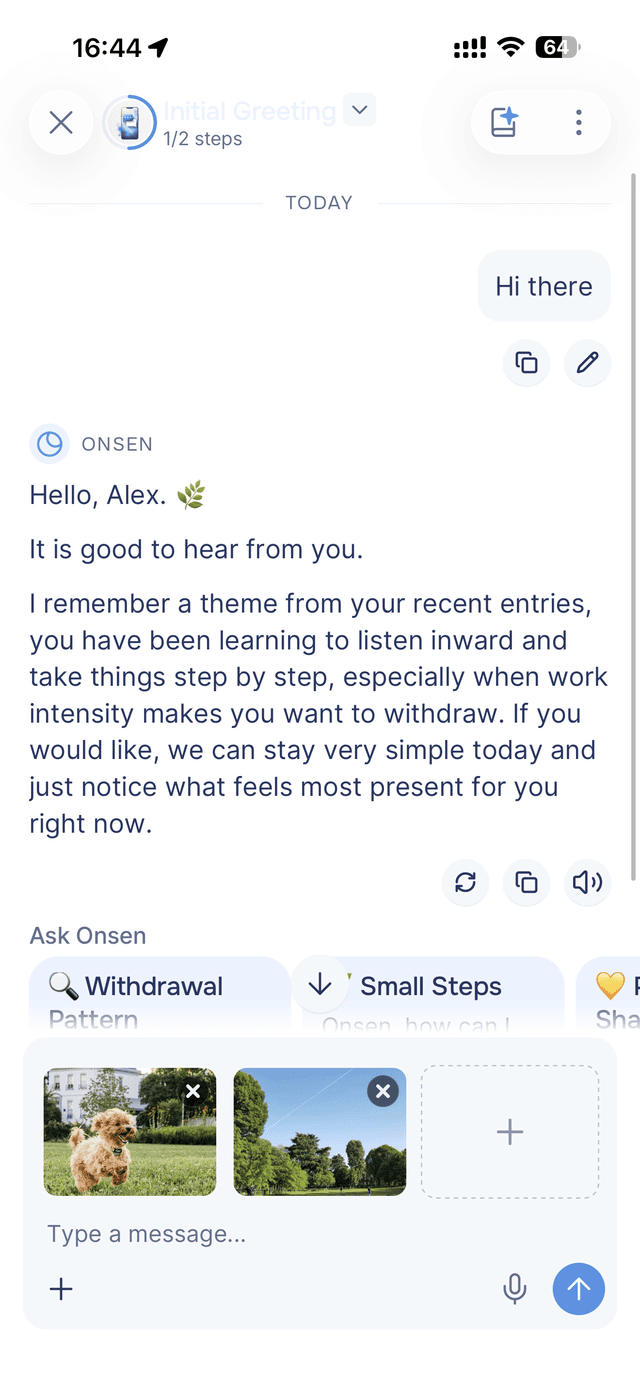
A quick note on safety. Every photo you share is gently checked before it gets reused as a reference for your journal art. Anything that doesn't pass the same bar we use for avatar setup is filtered out automatically. You won't see anything you didn't ask to see.
Dressed in Liquid Glass
If you're on iOS 26 with a recent iPhone, Onsen looks different now. The first time you scroll a long chat and watch the header bend the colours behind it, you notice. Header buttons, modal sheets, the speech bar, the photo gallery, all reimagined in Apple's new system material. Translucent. Refractive. It reacts to the content underneath as you scroll. The app feels lighter without losing any of the warmth.
Older iPhones, iPad, and Android keep the existing frosted-blur look. Light and dark mode follow your Onsen theme either way.
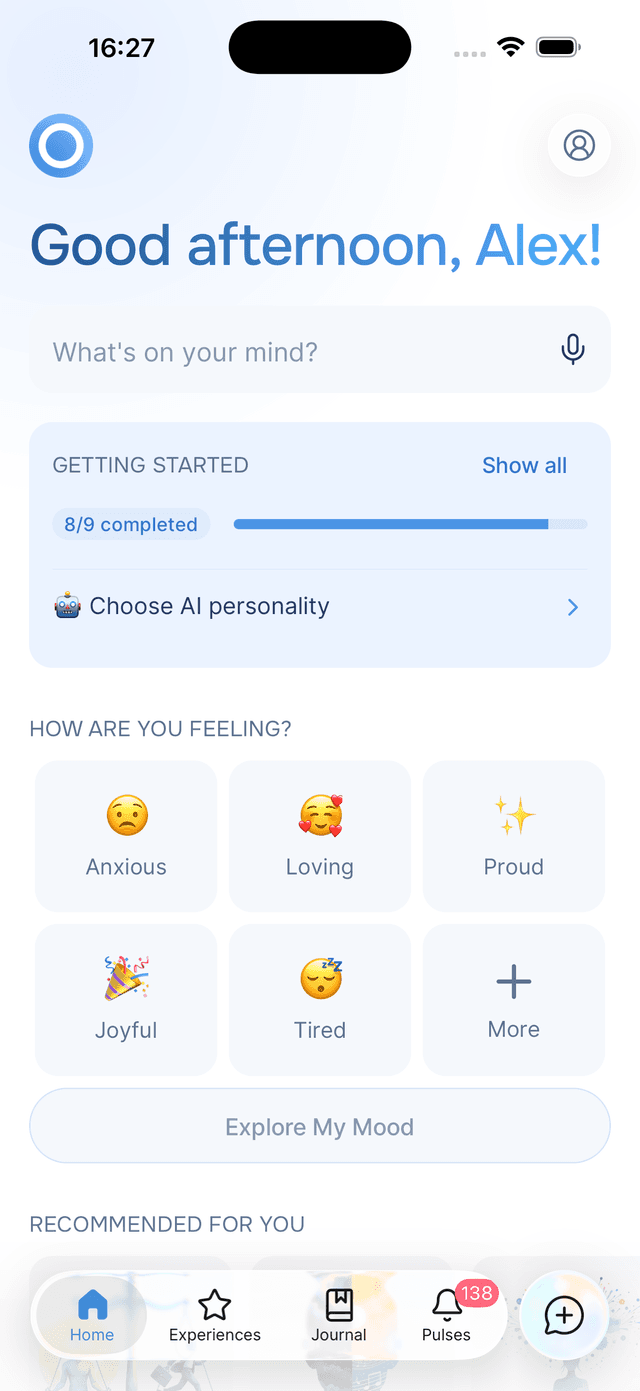
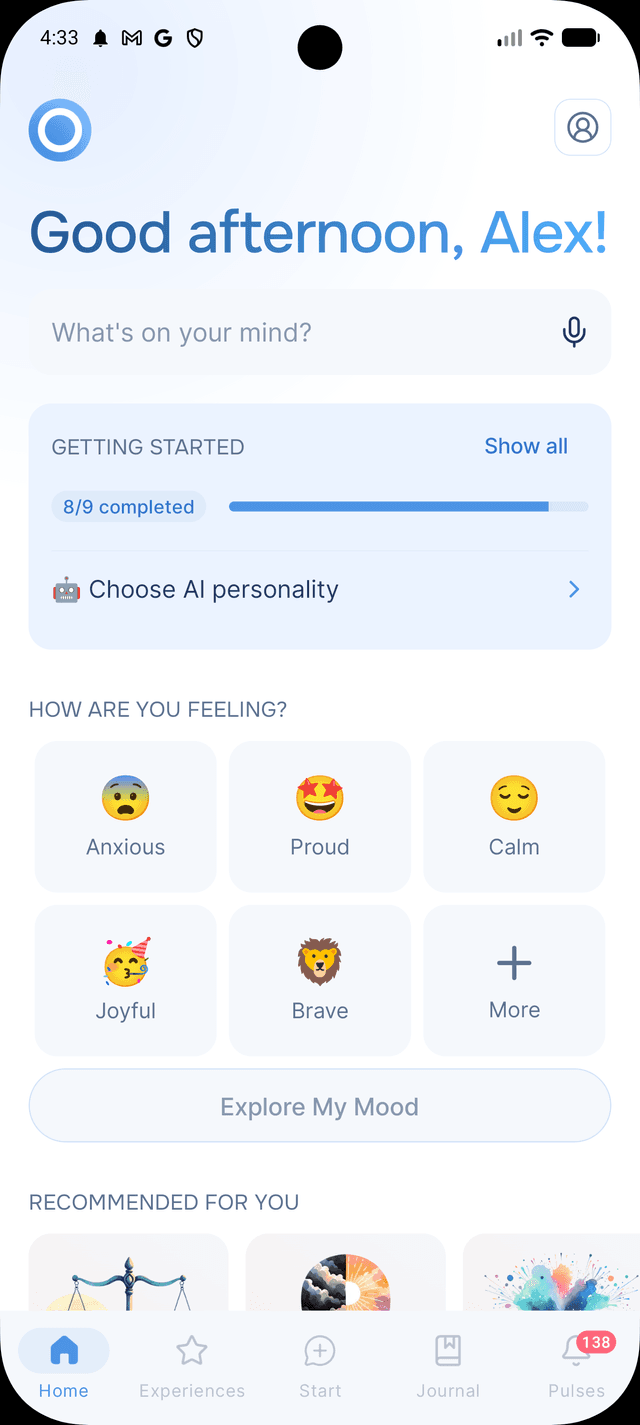
Shipping on the first day of a new Apple platform matters to us. The visual register of Onsen should feel like it belongs on the operating system you're running, and Liquid Glass is what 2026 looks like.
An in-app camera, and audio that follows you
Two parts of the app are doing significantly more in 2.10.
The camera. Until now, Onsen's camera only came out for one thing: taking a selfie when you set up your avatar. In 2.10 the camera shows up wherever your photos do. You can snap a photo directly inside Onsen to attach to a chat message, or take your avatar photos without ever leaving the app. The viewfinder is full-bleed. Pinch-to-zoom covers the full range smoothly. Flipping between front and back is instant. Flash and a 3×3 grid are one tap away. The viewfinder matches the photo you'll actually get, so no more discovering a different crop after the shutter.
A quick recap of where you can attach photos (and how many):
- Up to 3 photos when setting up your avatar
- Up to 3 photos per chat message
- Up to 10 photos across a single chat in total
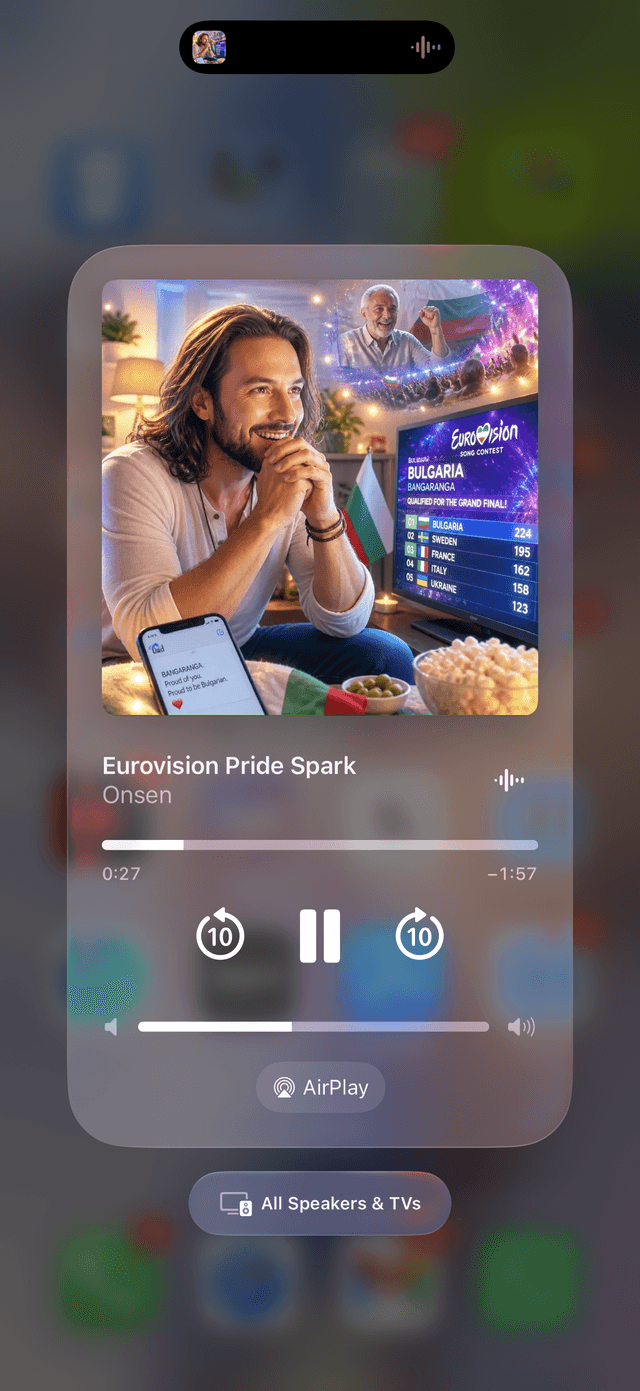
The audio. You press play on a long entry, slip the phone into your pocket, and finish making dinner while it reads to you. The audio keeps playing through your AirPods, in your car, on the speaker. Pause, skip back, or jump forward right from your lock screen or your phone's playback controls in the notification panel. The entry's own artwork sits on the cover.
A smarter, measured conversation
The chat experience itself has changed too. Onsen now runs on OpenAI's frontier GPT-5.4 model with a freshly rewritten system prompt, tuned for warmth, honesty, focus, and care.
More importantly: every reply is graded.
Every week, thousands of conversations are quietly scored on the qualities that actually matter: did the guide stay warm? did it stay focused? did it land on something useful? did it overclaim? The grading happens in the background. You never see it. But the chat keeps getting better because of it, week over week.
Smaller improvements
Scroll-to-bottom actually scrolls to the bottom. This one was a thorn through many releases. You'd tap the button at the bottom of a long chat and end up halfway up, two messages short, or somewhere unrelated entirely. We heard you about it, many times. It's fixed: in 2.10 the button takes you to the latest message, every single time.
Updated Terms of Use and Privacy Policy. You'll see a quick prompt to review what changed.
Plus a handful of smaller polish across the app: menus, alerts, and bottom sheets feel noticeably snappier; the Android date picker fits Onsen's look; "Prefer not to say" is now a choice on every profile question; and recent sessions on Home no longer surface ones you've hidden.
The fastest way to feel the difference is to open Onsen, share a photo with your guide about whatever's on your mind right now, and write tonight's entry. The illustration that lands at the top of that entry tomorrow morning will hold a little bit more of you than it ever did before.
Download Onsen for free if you haven't yet. It's the same warm AI companion you know (chat, experiences, mood check-ins, Pulses, journal, voice), only now your photos shape your art, your conversations sound like Onsen, and your phone looks like 2026.
Six months from now, when you scroll back through your timeline, the pictures will remember the moments for you.
Sources
- 1.Fawns (2023). “Cued recall: Using photo-elicitation to examine the distributed processes of remembering with photographs.” [journals.sagepub.com ]