

Rating Experiences
Rate an experience out of five, add a comment if you want to, and see what everyone else made of it before you start.
Not every experience lands the same way for every person. Ratings are how that gets shared: you say what an experience was like for you, and everyone else sees it on the card before they commit twenty minutes to it.
Rating After an Experience
When an experience finishes and your journal entry opens, Onsen asks How was your experience? and shows five stars. Tap one and you are done — the rating is in.
If you have more to say, a comment box appears after you tap. It is optional, and it is where the useful detail lives: "the pacing was too fast for me", "the third step is the one that helped". Tap Submit Rating to send it along.


Rating Later
Missed the moment, or changed your mind after sitting with it for a day? Open the entry that came out of the experience, tap and choose Rate Experience. The same stars come back.
You can also send feedback from inside an experience while you are still in it — open the step menu and choose Feedback.
Seeing Ratings Before You Start
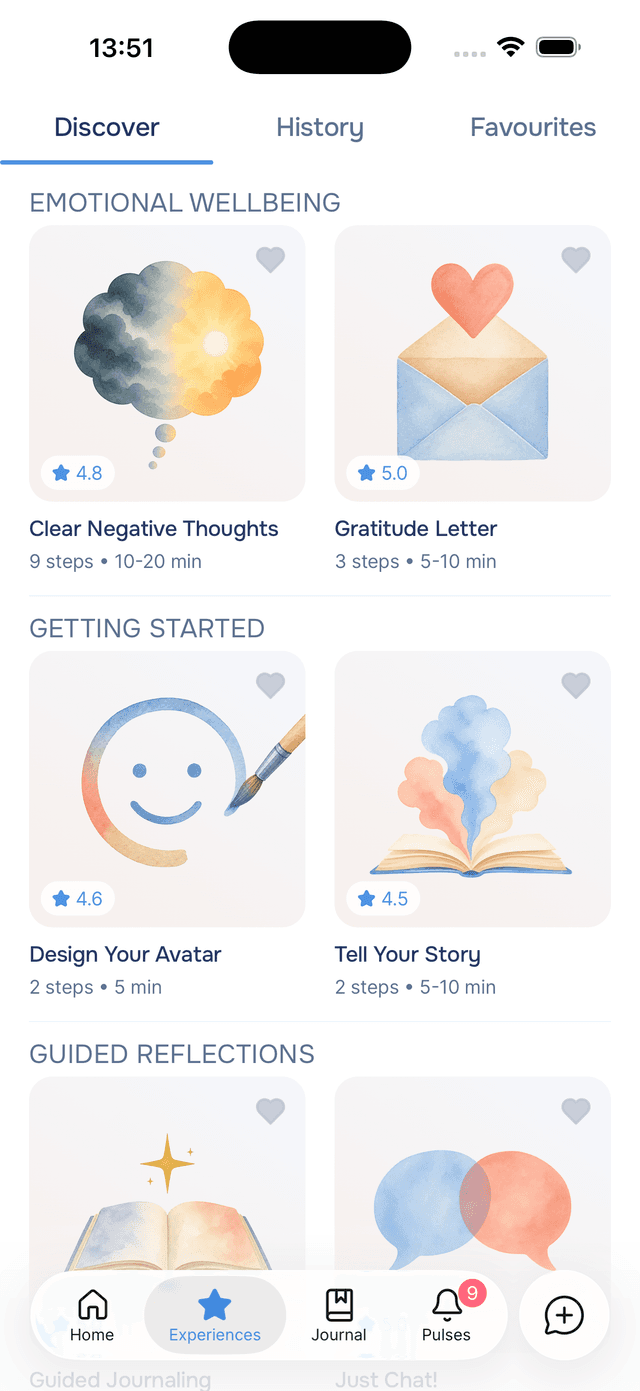
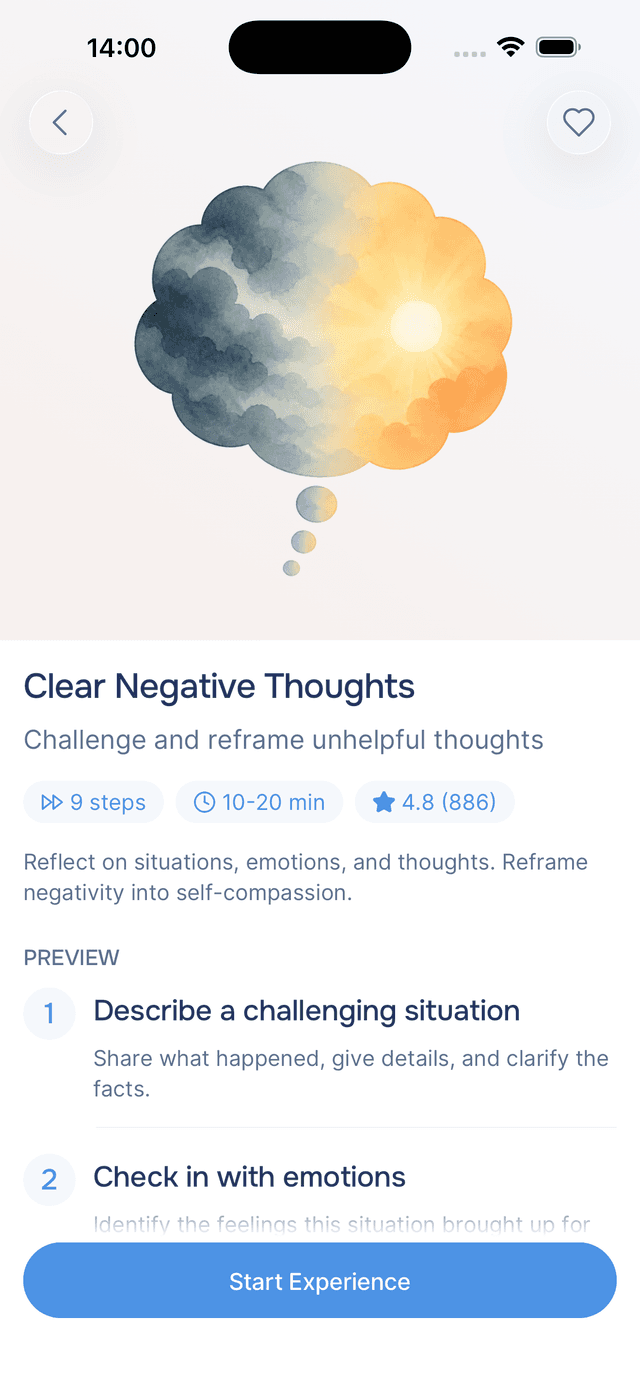
Experience cards carry a small badge in the corner of the artwork with a and the average score, like 4.6. Open the experience and you get the count alongside it — 4.6 (23) — next to the step count and duration, so you can tell the difference between one enthusiastic person and twenty-three people who agree.
An experience only shows a score once enough people have rated it. A card with no badge is not a bad experience, just a new or quiet one.
Tips
- Rate honestly, including the low ones — a two-star rating with a sentence explaining why is more useful to the next person than a polite four.
- Say what worked, not just whether it worked — comments naming the specific step that helped are the ones that change how an experience gets built.
- Check the count, not just the score — 4.6 from twenty-three people means something different from 5.0 from two.
- Something broken rather than disappointing? Use Report Bug in Support instead, so it reaches the right place.