

Pausing and Resuming
Step away from an experience any time and pick up exactly where you left off.
Overview
Life happens, and you may not always finish an experience in one sitting. Onsen automatically saves your progress after each interaction, so you can step away and come back whenever you are ready — no progress lost.
Auto-Save
Your progress is saved automatically after every interaction. There is no manual save button — the moment the AI finishes responding or you complete a step, that progress is recorded. If you close the app mid-conversation, everything up to the last completed interaction is preserved.
How to Pause
You can step away at any time:
- Tap the close button in the top-left corner
- Close the app entirely
Your experience stays in progress and is ready to resume whenever you come back.
Resuming from the Home Screen
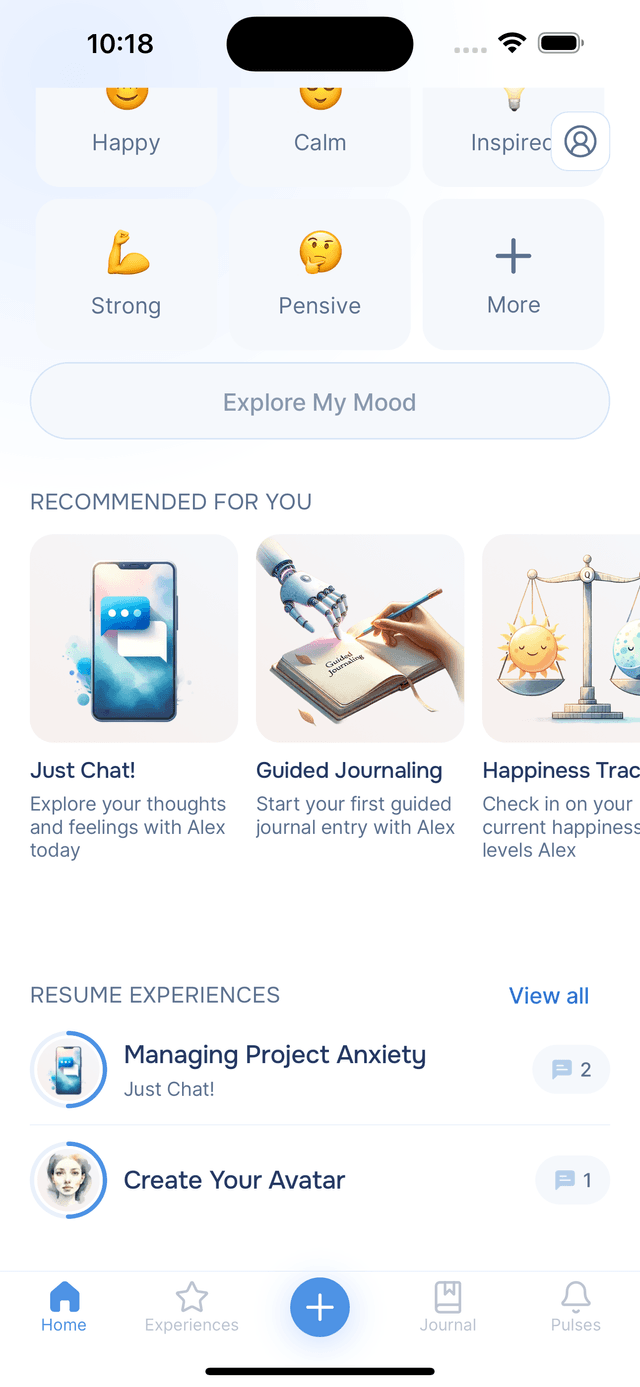
On the Home tab, the Resume Experiences section shows your most recently active experiences. Each card displays the title, experience type, and your progress. Tap any card to jump straight back in at the exact step where you left off.
Resuming from the History Tab
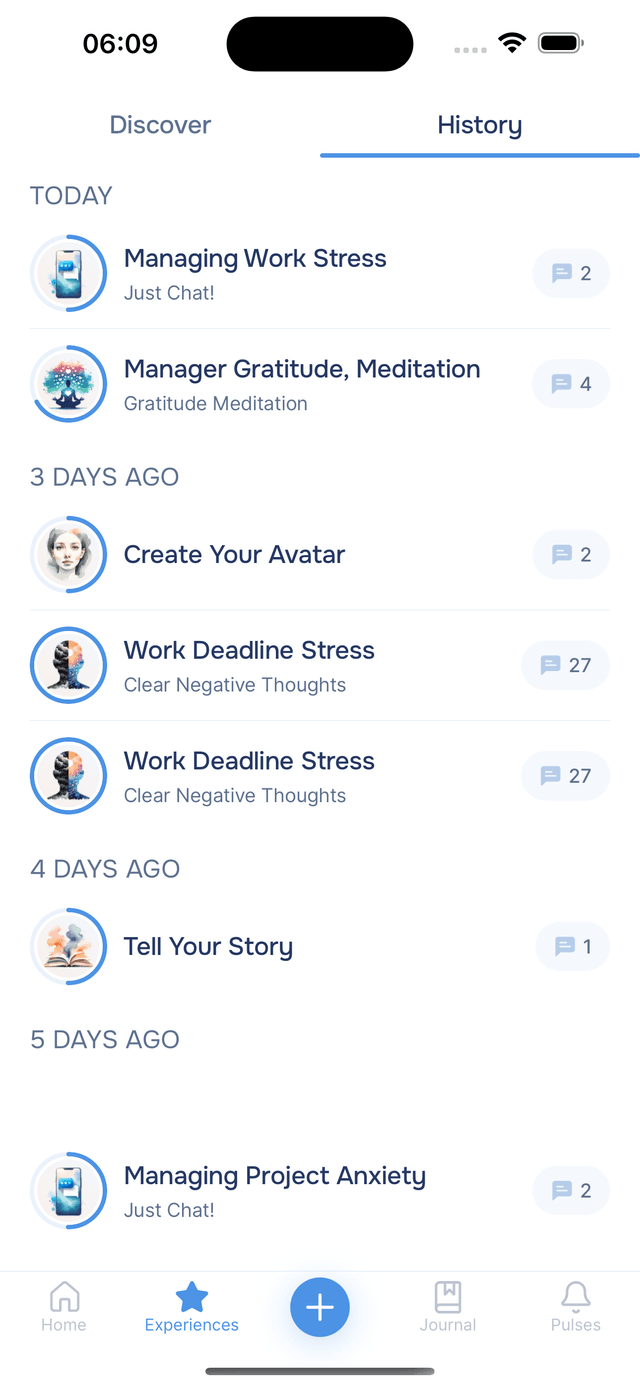
You can also resume from the Experiences tab — tap History at the top and find your in-progress experience. The step progress indicator shows how far along you are, making it easy to spot experiences that still need your attention.
Picking Up Where You Left Off
When you resume, Onsen loads the exact step and conversation state from when you last interacted. All your previous messages and AI responses are preserved. You can also use the step navigation menu in the header to revisit earlier steps if you want to review what was discussed.
Tips
- No rush — experiences are designed to fit your schedule. Take a break and come back tomorrow if you need to.
- Multiple experiences at once — you can have several in progress at the same time. Each one saves independently.
- Check the Home screen — the Resume section always shows your most recent experiences so you can pick up quickly.