

Tell Your Story
Answer friendly questions and create a journal entry about yourself.

Overview
Tell Your Story is an introductory experience that helps Onsen get to know you. Through a series of friendly questions, you share your background, interests, and what brings you to the app. At the end, Onsen creates a journal entry capturing your story.
- Category: Getting Started
- Duration: 5–10 minutes
- Completion: Once completed, starting this experience again opens your existing one so you can review what you shared
How It Works
Step 1 — About You
Your AI guide opens with a warm greeting and kicks things off with the first question — something like "Where are you from?" or "What do you do?" Each question comes with a set of suggested answers you can tap to use as-is, or you can type your own response or speak it aloud.
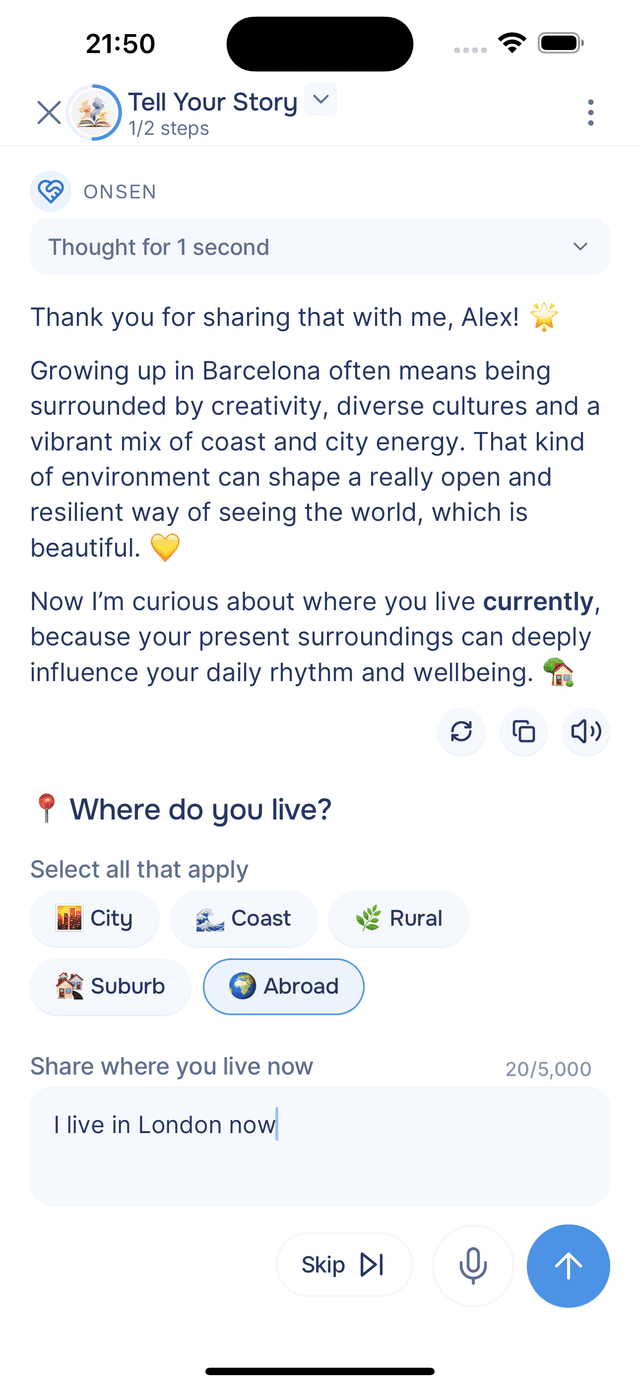
After you answer, the guide responds with a brief, personalized comment on what you shared — it's not just collecting data, it's having a conversation. Then it moves on to the next question, covering topics like your family, hobbies, goals, and what you hope to get from journaling.
After the first three questions, the guide pauses and asks whether you'd like to continue with three more or move on. You can keep going as many rounds as you like, or stop whenever you feel you've shared enough. There are no right answers and no minimum — it's entirely up to you.
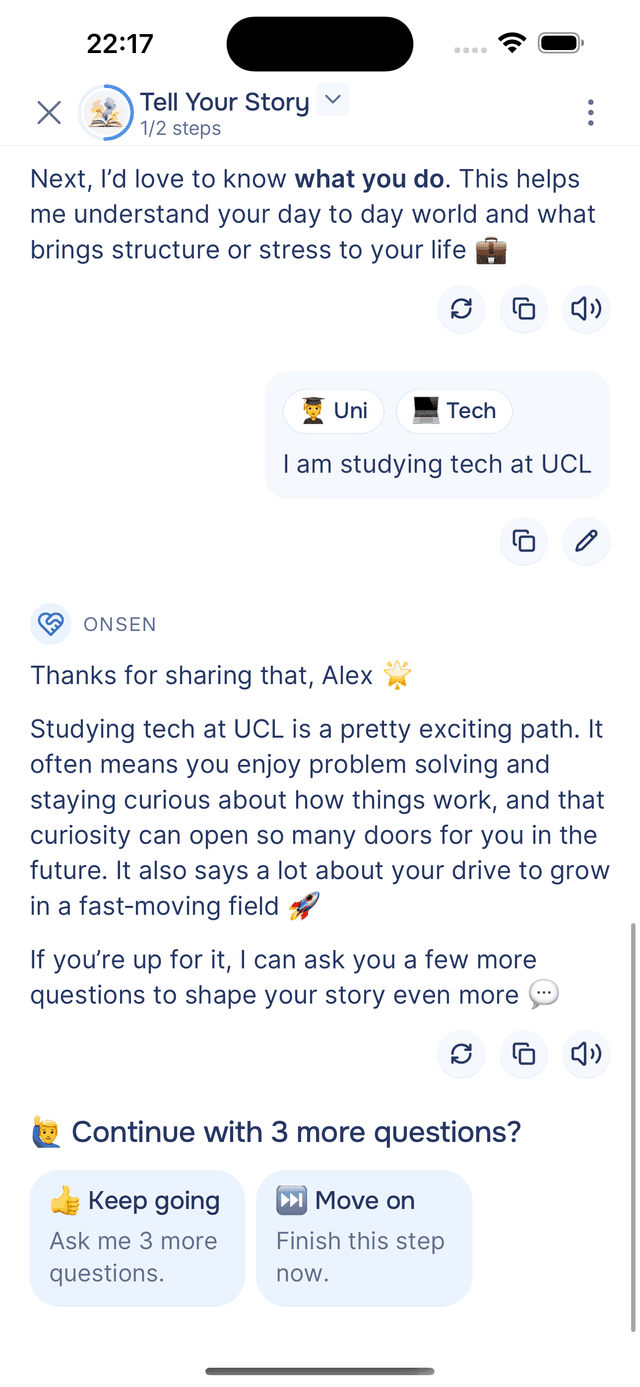
Step 2 — Your First Journal Entry
Once you finish the questions, the guide acknowledges what you've shared and drafts a journal entry for you. It's written in your voice, in first person, pulling together everything you discussed into a short, personal piece of writing.
You can review and edit the entry before saving it. When you're happy with it, tap Add to Journal — and that's it. The entry is saved to your journal, where you can read it back anytime.
Tips
- No right or wrong answers — just share what feels natural.
- The more you share, the better — Onsen uses your story to personalize future conversations, recommendations, and insights.
- You can skip any question — if a topic doesn't feel relevant, just tap skip and the guide moves on.
- Revisit your story anytime — it is saved as a journal entry you can read back whenever you like.