

Create Your Avatar
Add a photo, customize your avatar, and make Onsen yours.

Overview
Create Your Avatar is an introductory experience where you design a personalized avatar for your Onsen profile. Your AI guide takes you through three interactions — adding a photo of yourself, refining your appearance attributes, and confirming your final look — before inviting you to write a short journal entry to celebrate the moment.
- Category: Getting Started
- Duration: 5 minutes
- Completion: Once completed, starting this experience again opens your existing one so you can review it
How It Works
Step 1 — Avatar
Your guide explains what the avatar is for and invites you to add a photo of yourself — a selfie, or a photo someone else took of you. The photo is used to detect your appearance — things like hair colour and length, eye colour, skin tone, and more — and is also kept securely as a face reference, so the people in the artwork on your journal entries look like you. Personalised journal entry images is a Premium feature.
If you'd rather not have a photo stored, you can skip adding one and fill in your appearance attributes manually. In that case, no photo is kept and Onsen generates images without a face reference. Deleting your account permanently removes any photo you've added along with the rest of your data. See the Privacy Policy for full details.
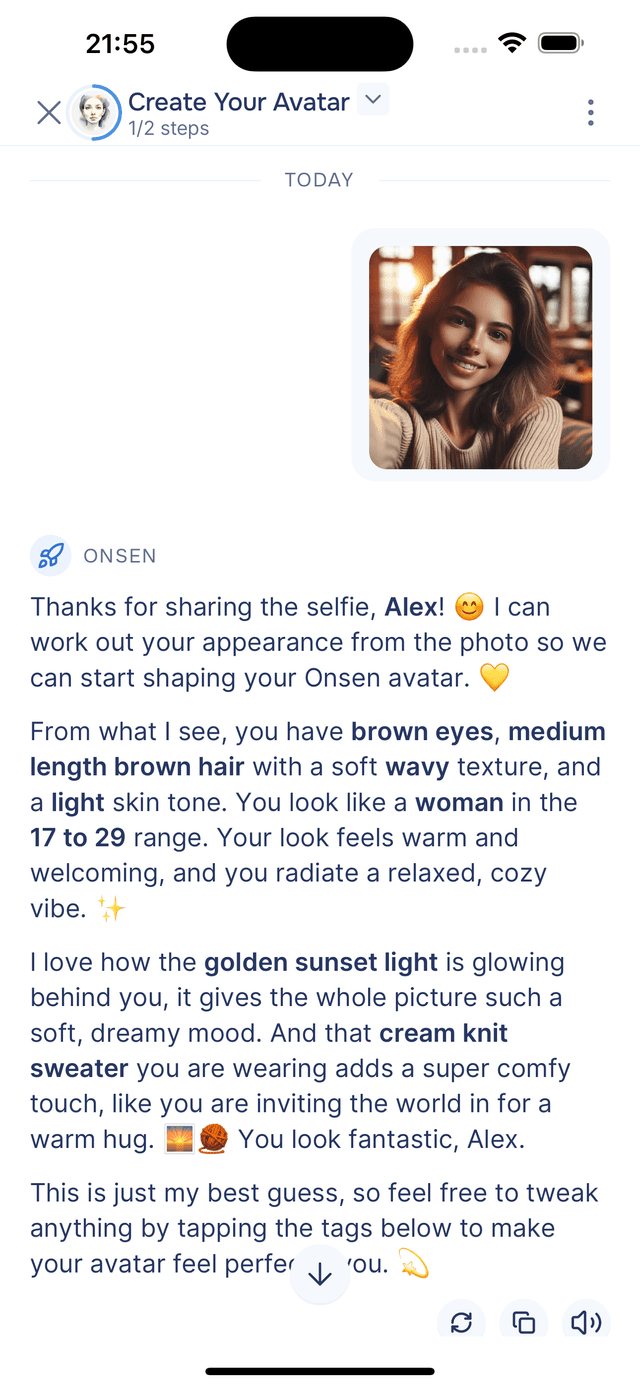
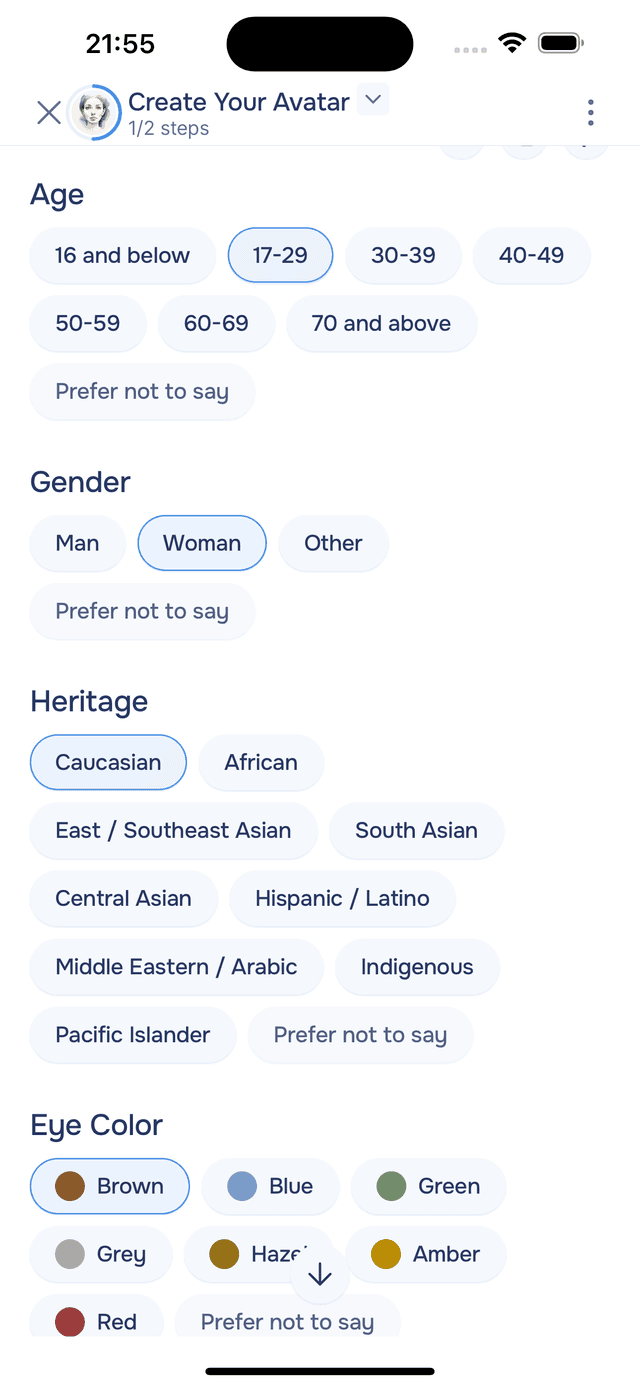
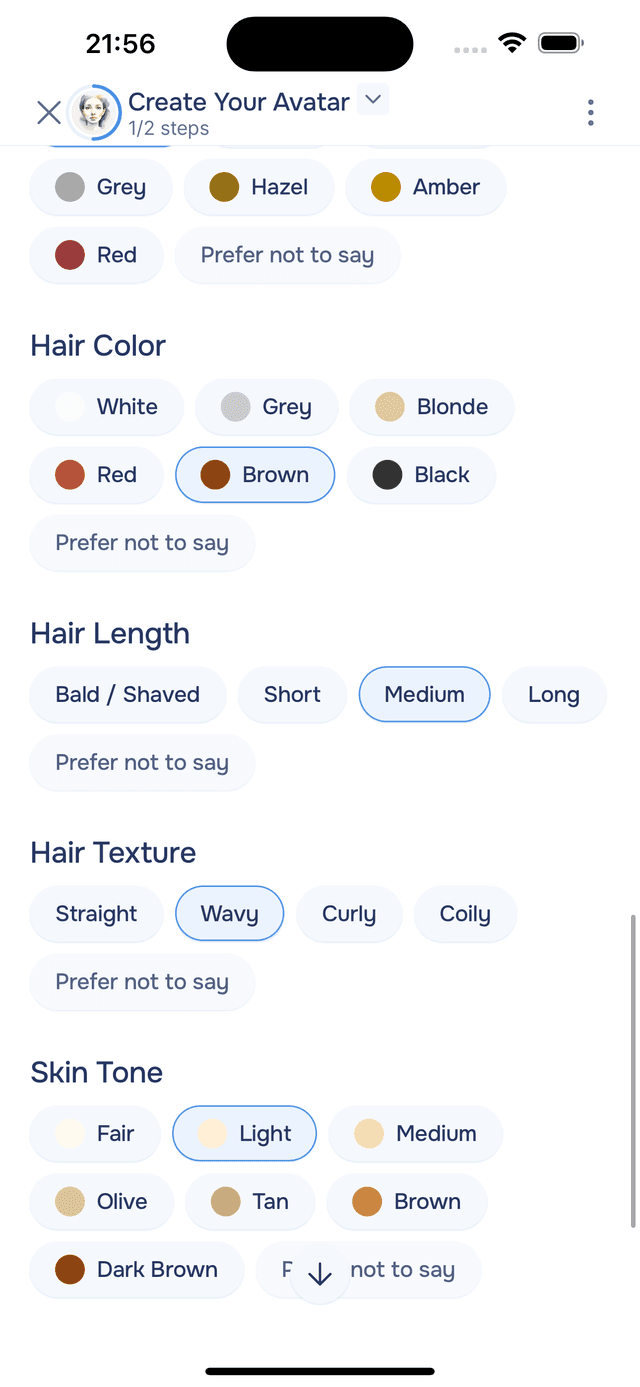
Once the attributes are detected, they appear as a set of editable tags below the guide's message. You can tap any tag to change it — the AI's best guess is just a starting point. When everything looks right, save your avatar and move on.
Step 2 — Your First Journal Entry
With your avatar saved, the guide drafts a short journal entry describing your appearance in your voice. It's a small, personal piece of writing that captures what you look like when you first joined Onsen.
You can edit it before tapping Add to Journal to save it. The entry is added to your journal and you can return to it anytime.
Tips
- Use good lighting — a clear, well-lit photo gives the AI the best chance of detecting your features accurately.
- Review the tags — the detected values are a starting point. Tap any tag to correct or refine it before saving.
- Skipping the photo is fine — you can fill in your appearance attributes manually if you prefer not to share one.
- Change it anytime — your avatar can be updated later from Settings.
- Personalised images is Premium — when you've added a photo, Onsen uses it as a face reference for generated journal entry images. If you'd rather not have a photo stored, skip it during setup.