

Viewing Your Pulses
How the Pulses notification feed works — time groups, unread indicators, and what each notification shows.
Your Notification Feed
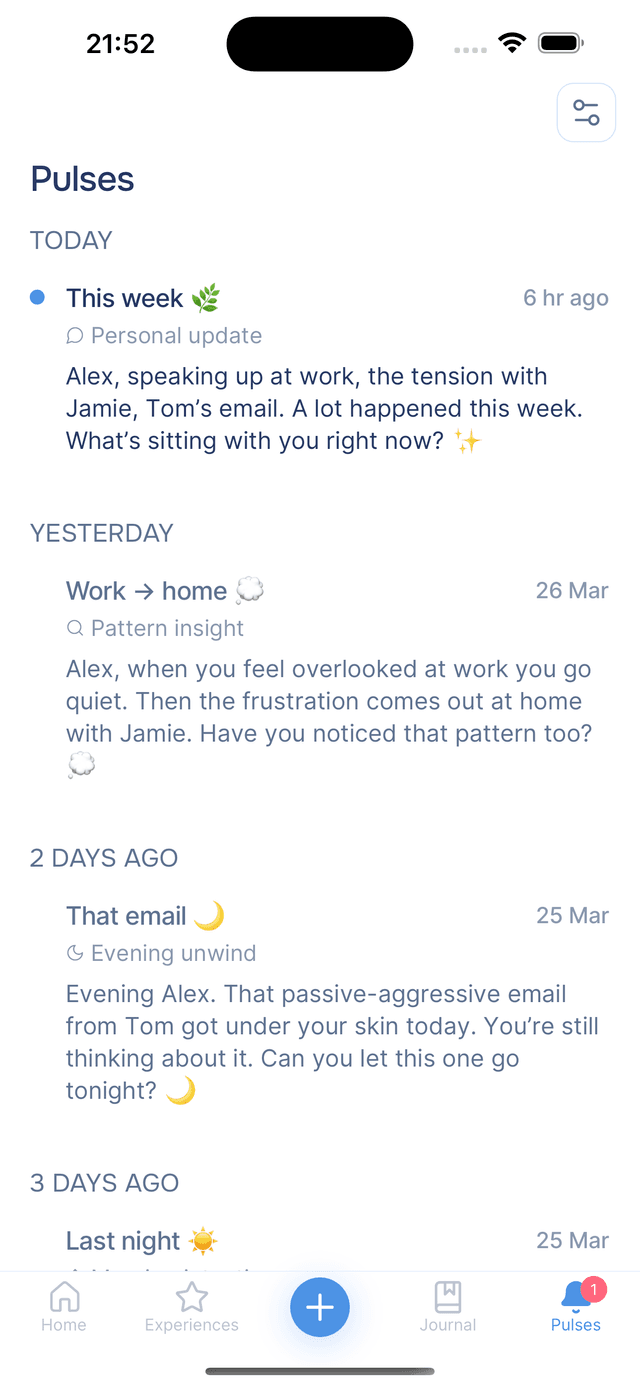
Tap the bell in the top-right corner of Home to open your Pulses. The feed shows your notifications in reverse chronological order, grouped by time — Today, Yesterday, and then relative labels like "1 week ago" or "2 weeks ago". Unread notifications stand out with a blue dot and bolder text, so you can see what is new at a glance.
Pull down to refresh the list manually, though Onsen also updates it automatically whenever you open the tab, return to the app, or receive a new push notification.
Opening a Pulse
Each notification in the feed shows:
- Title — a headline summarizing the pulse
- Category — the type of pulse, such as "Daily Rhythm" or "Win Recognition"
- Message preview — the first few lines of the notification content
- Time — when it arrived, displayed as a relative timestamp like "2 hours ago"
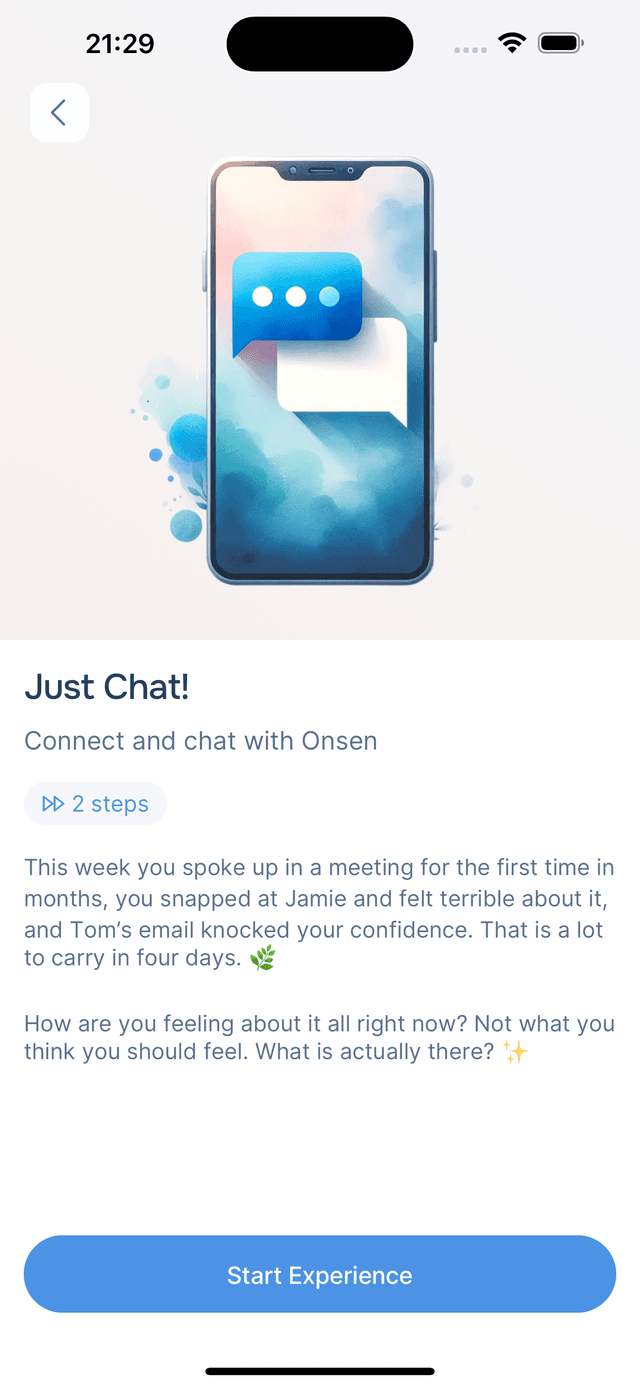
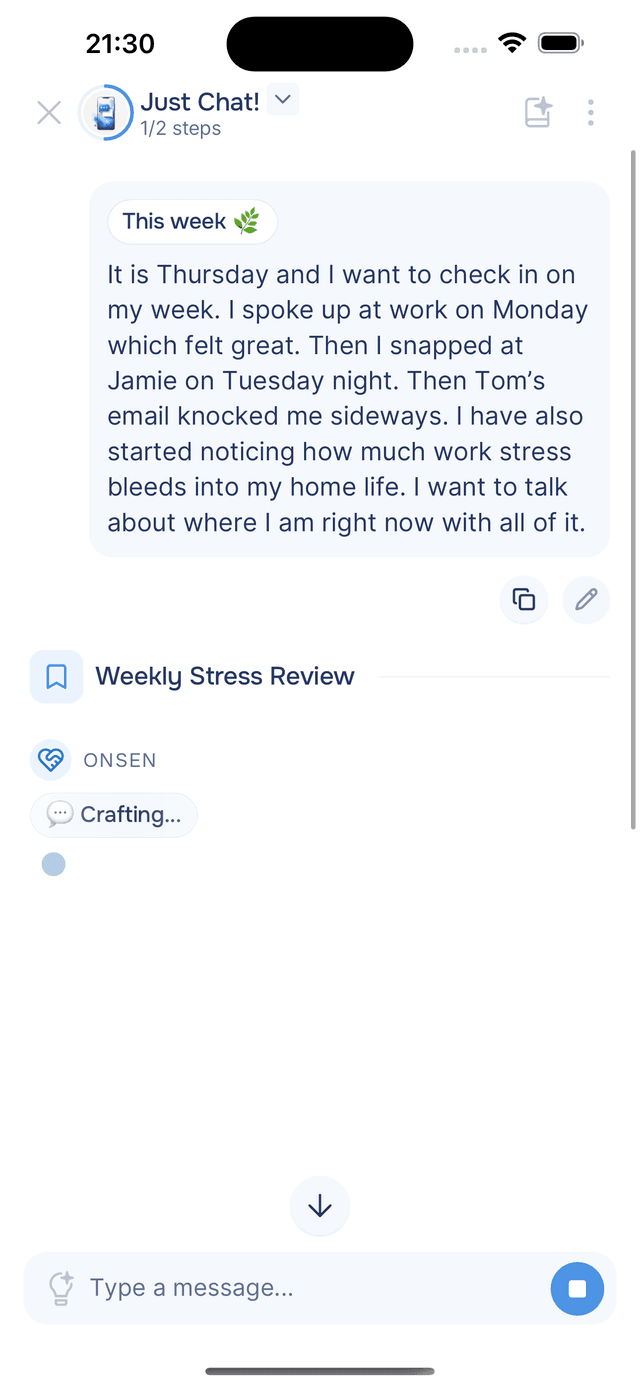
Tap any notification to open it. Onsen opens a Just Chat! experience with a personalized opening message based on the pulse — summarizing what it noticed in your entries and inviting you to explore further. Tap Start Experience to begin the conversation, and the notification is marked as read automatically.
If you just want to clear the unread indicator without opening anything, you can mark it as read from edit mode.
Enabling Push Notifications
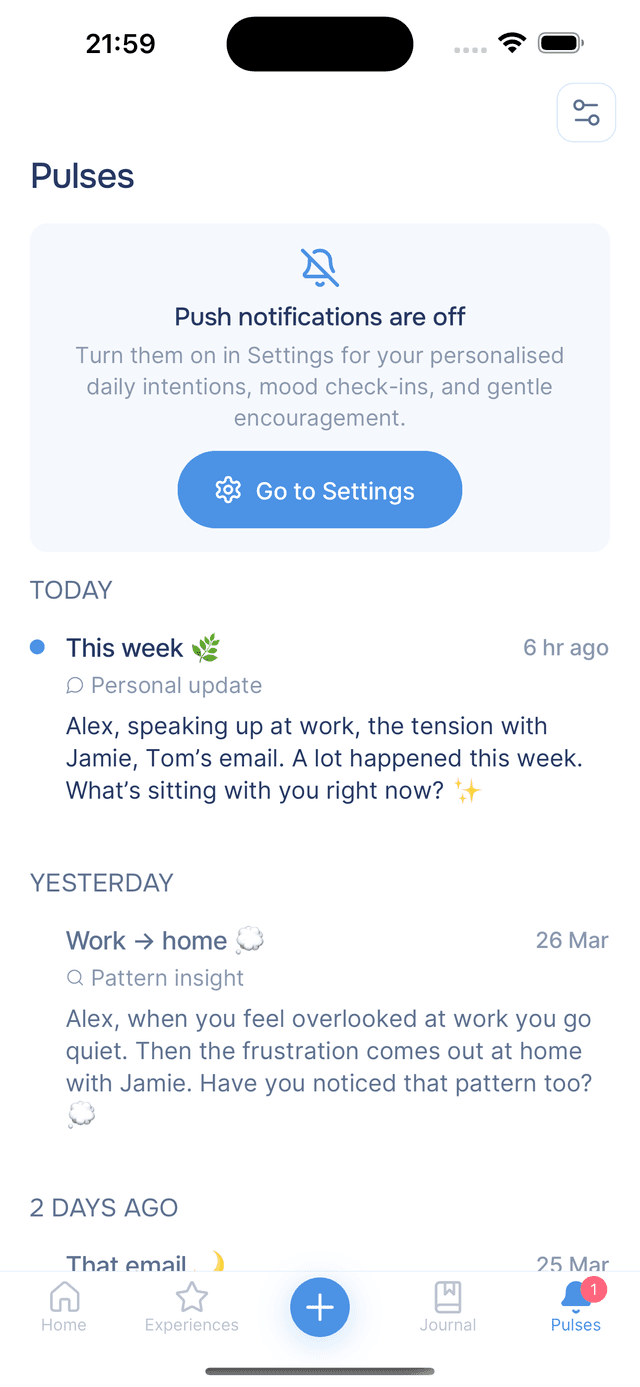
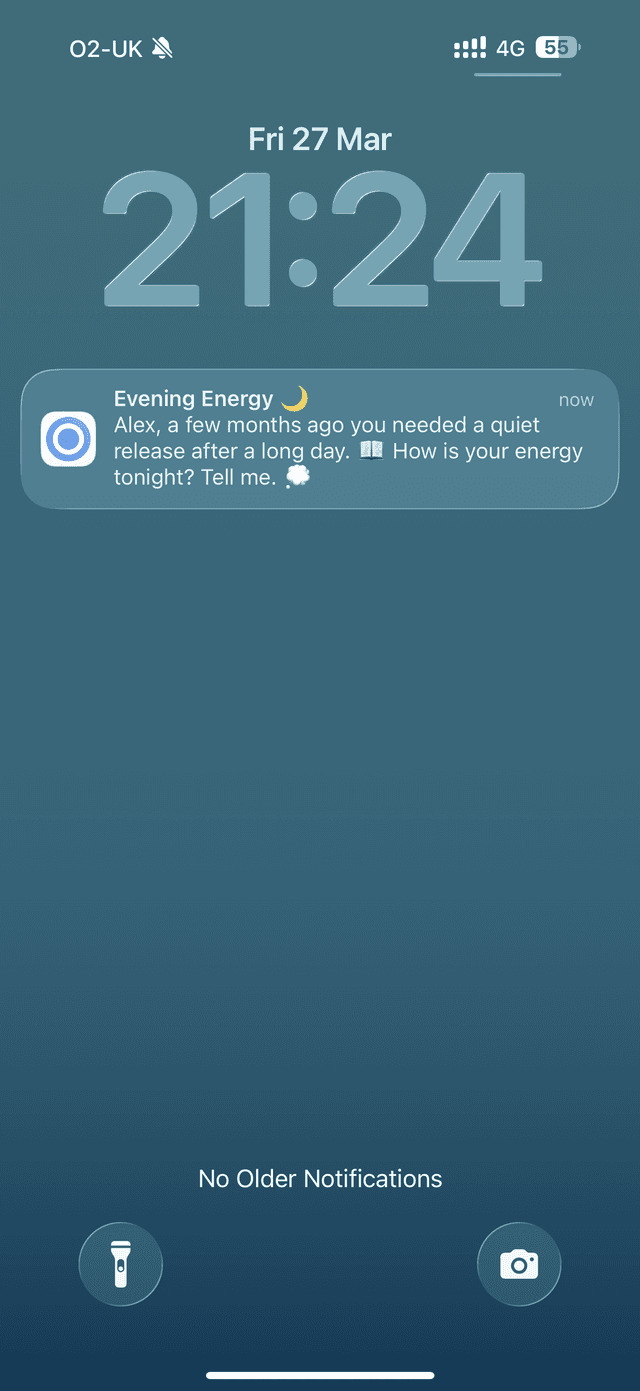
Pulses always appear in the in-app feed, but you can also receive them as push notifications on your lock screen. If push notifications are turned off, a banner appears at the top of the feed:
- First time — tap Enable Notifications to grant permission
- Previously denied — tap Go to Settings to update your device permissions
Even without push enabled, you will not miss anything — all Pulses are still available in the app whenever you open it. You can fine-tune which categories use push in notification settings.
Tips
- Pulses get smarter over time — the more you journal, the more personal and relevant your notifications become.
- Check the feed when you need a boost — even older Pulses can be worth revisiting, especially insights and memory replays.
- No need to open every notification — the preview shows enough to get the gist. Tap only when you want to dive deeper into the related content.