What's new in Onsen 3.0: your journal images now look like you
Our biggest update yet, and everything since 2.17.

Onsen 3.0 is our biggest update yet. Your journal images now draw you, your friends, family and pets the way they look in your photos, and you can tell Onsen what to remember and what to forget.
Three more versions have shipped since our last post (2.17), so this walkthrough covers all of them: 2.18, 2.19, 2.20 and 3.0, grouped by what they change.
Your journal images, drawn from your own photos
Your look
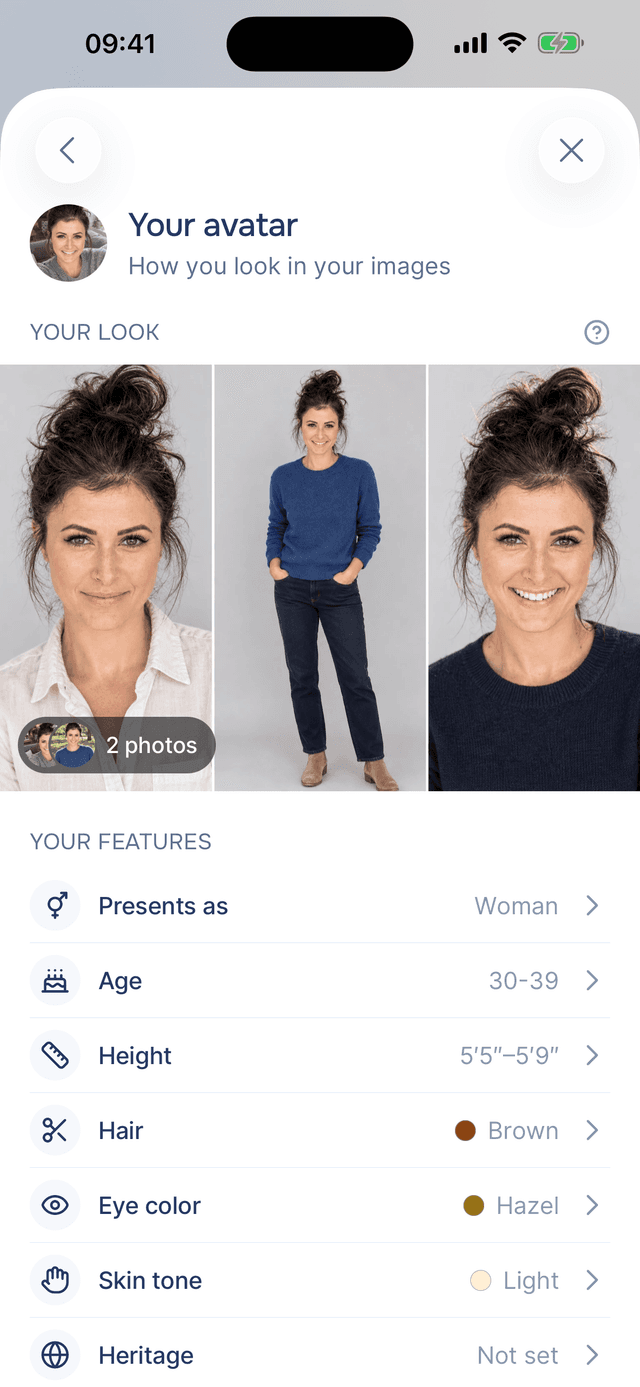
Create Your Avatar has been redesigned. Add 2 or 3 photos of yourself, and Onsen makes your look: three clear pictures of you that it keeps as its reference for how you look. A close-up, a half-body shot and a head-to-toe shot work best.
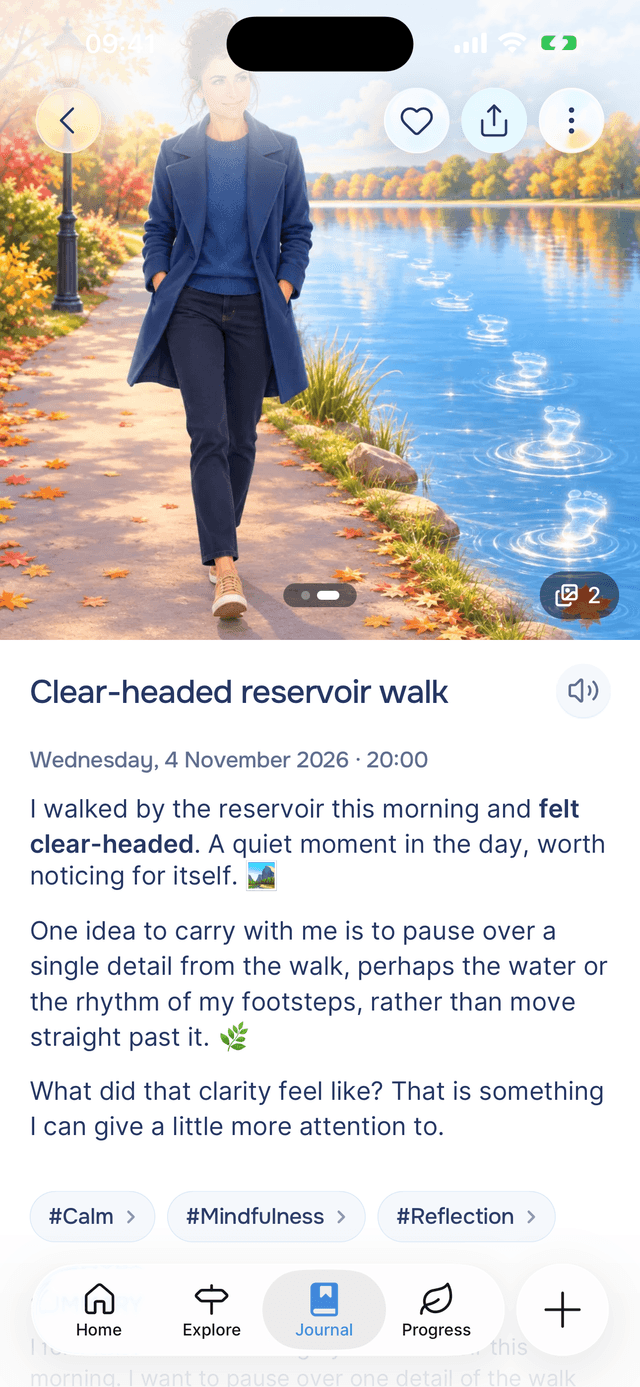
Your avatar is how Onsen draws you from that reference. Every journal image now shows you, in Onsen's style. Find both in Settings › Your avatar, with your features below your look. Your photos and your look are private to you, and you can change them any time.
Your friends, family and pets, as they look
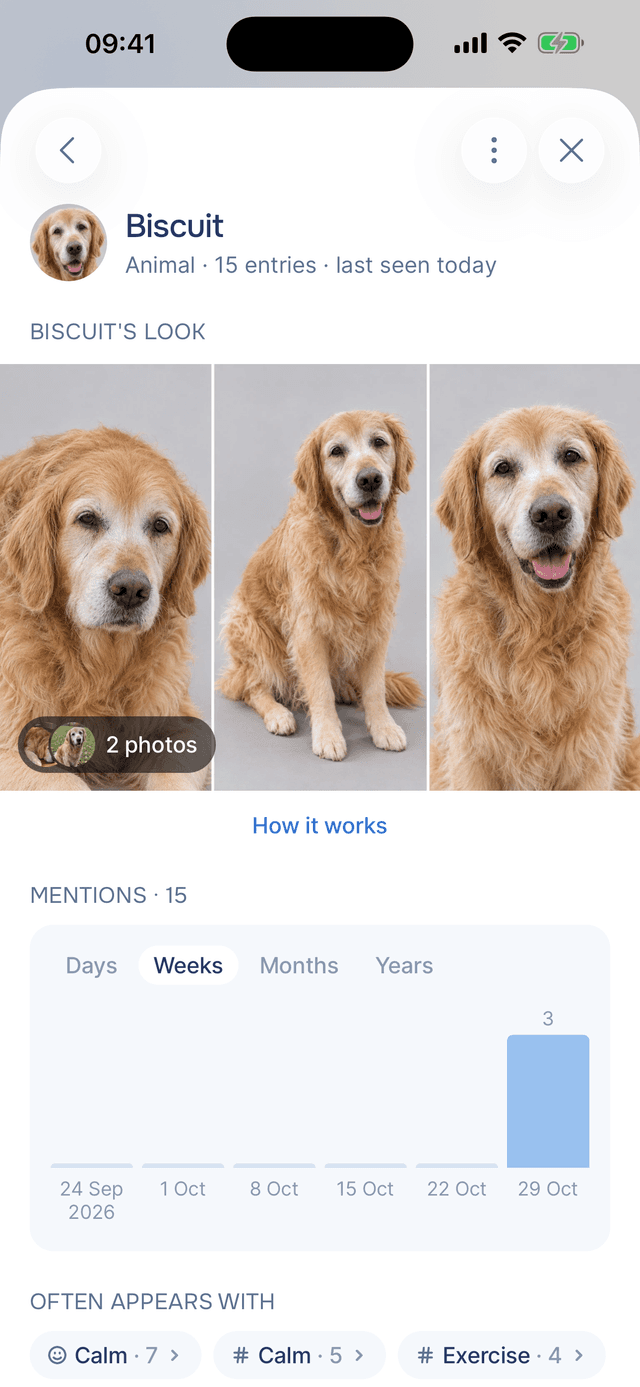
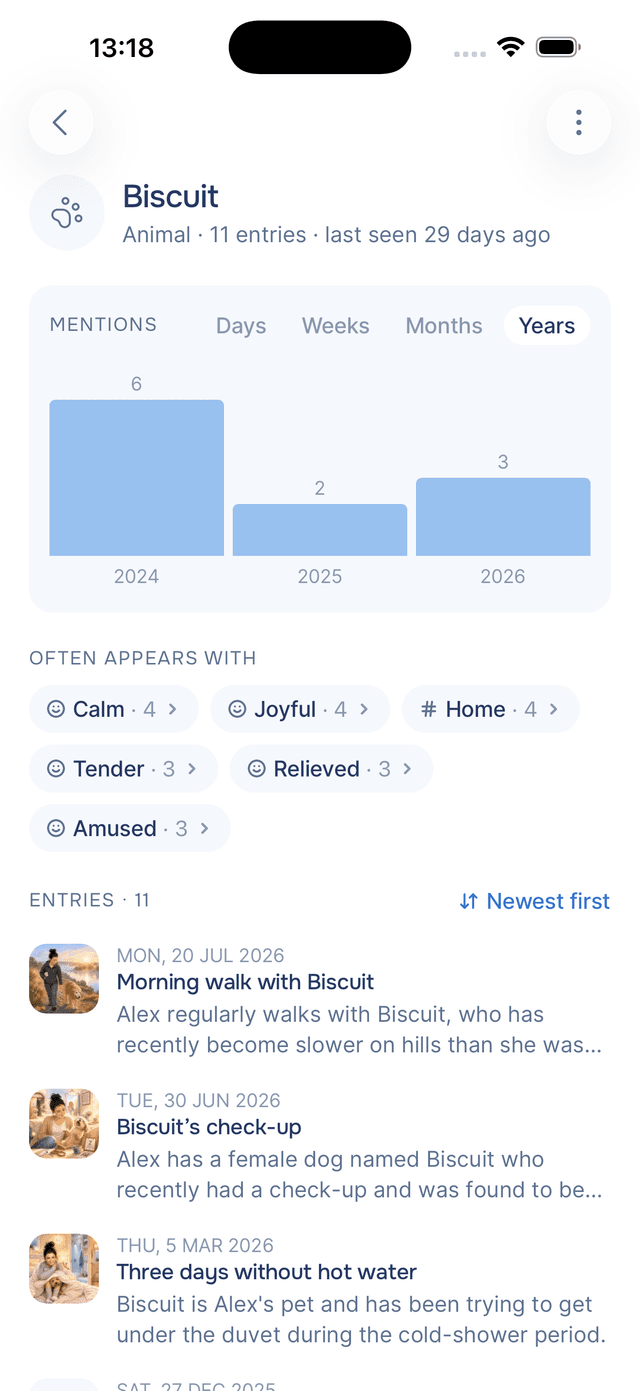
Anyone in Knowledge who is a person or an animal can now have up to 3 photos. With 2 or more, Onsen draws their look the same way, and your journal images show them as they are. It is a drawing, not a photo, so it won't catch every detail, and you can change their photos any time.
Their round icon becomes the smiling picture from their look, so your lists start to look like the people and pets in your life. The photos and looks page shows every place you can add them. Since 2.20, animals are also drawn as the right animal, with their breed and color when you have written about them.
Several images per entry
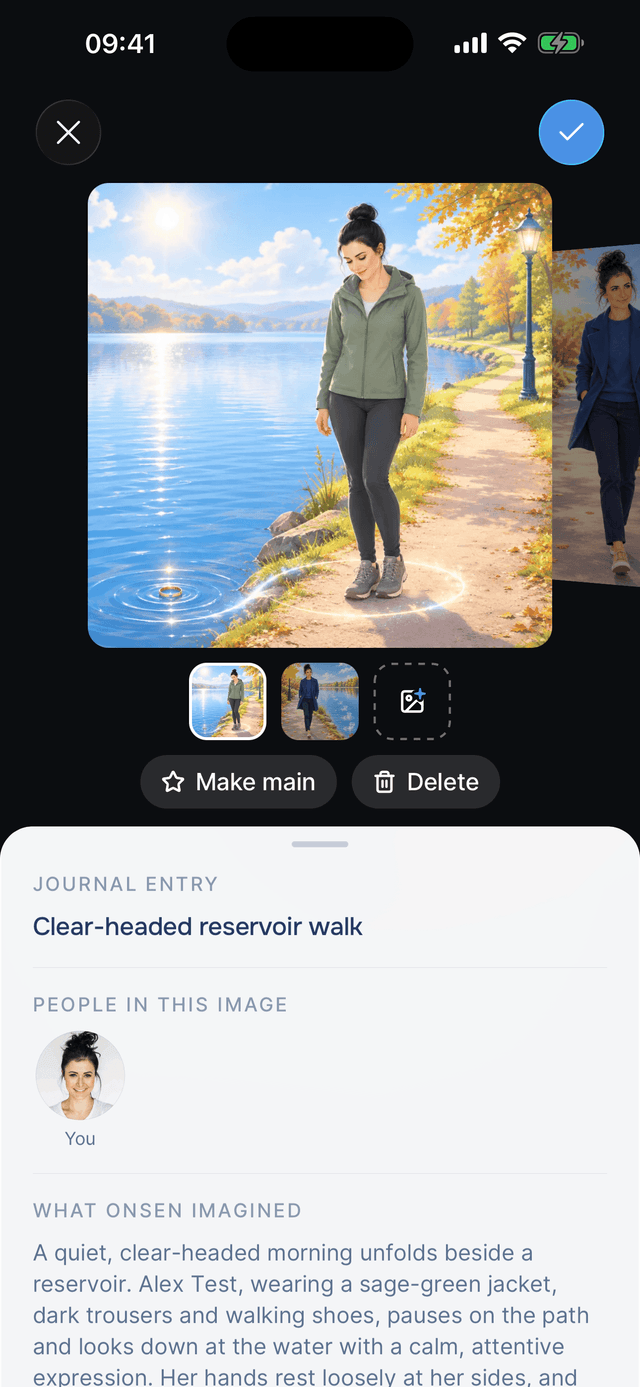
An entry now keeps up to 5 images. Tap › New image in the entry's menu, and Onsen draws another one from your text.
Open an image to see them all side by side. Swipe through them, tap Make main to choose the one your journal shows, or delete the ones you don't want.
Watch Onsen save your entry
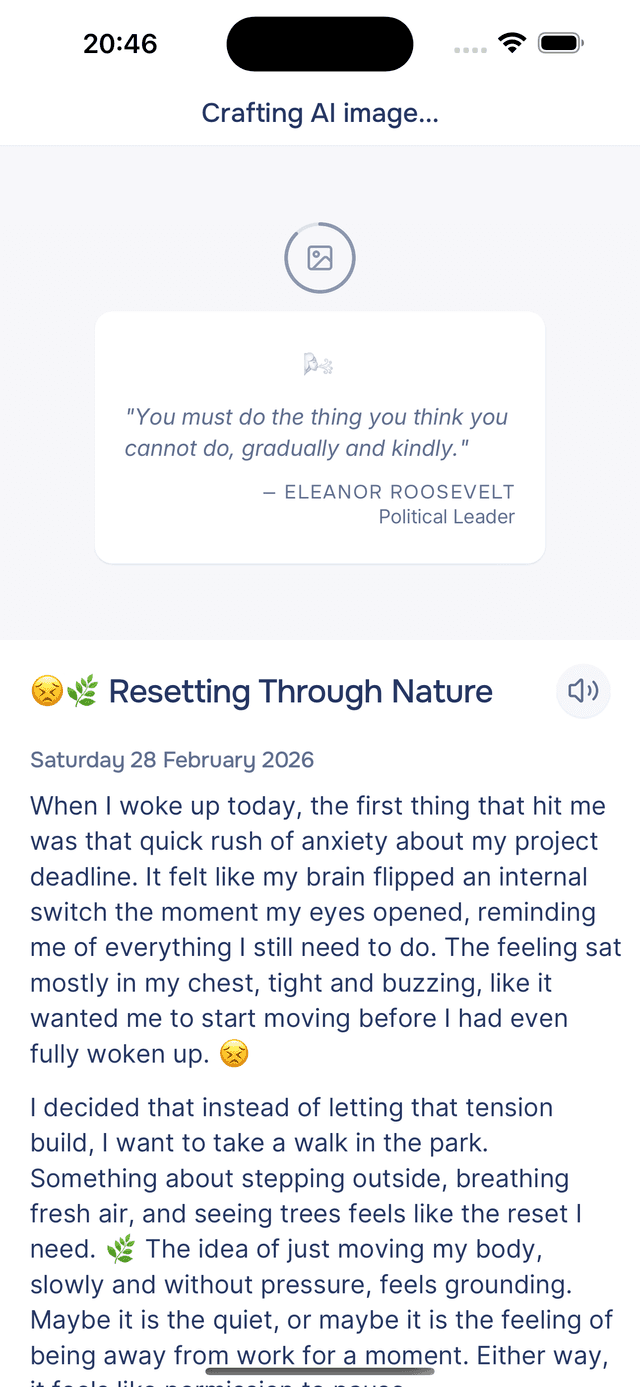
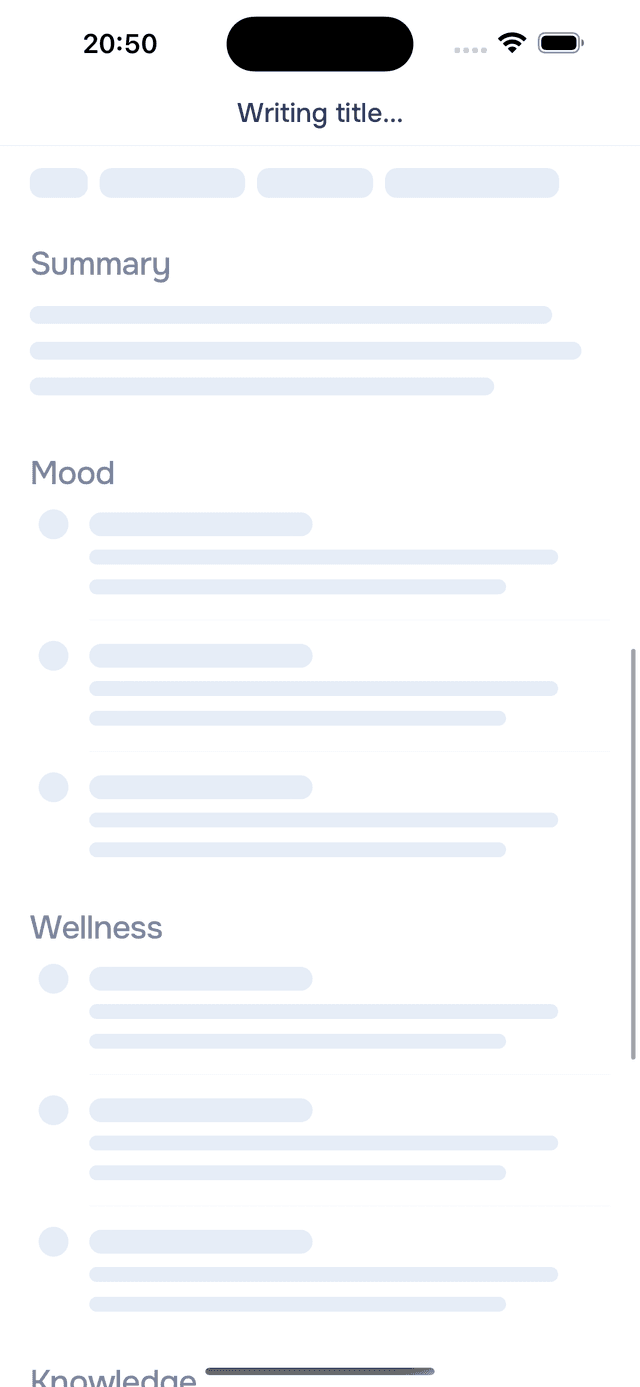
Since 2.19, saving an entry is something to watch. A ring counts down the seconds while Onsen reads your entry, and bubbles pop up with what it is finding: the people and places you wrote about, how you were feeling, and what your image will show.
A quote keeps you company while it works. When it is done, the Saved card lists everything it found.
A memory you control
Remembering, by itself or when you ask
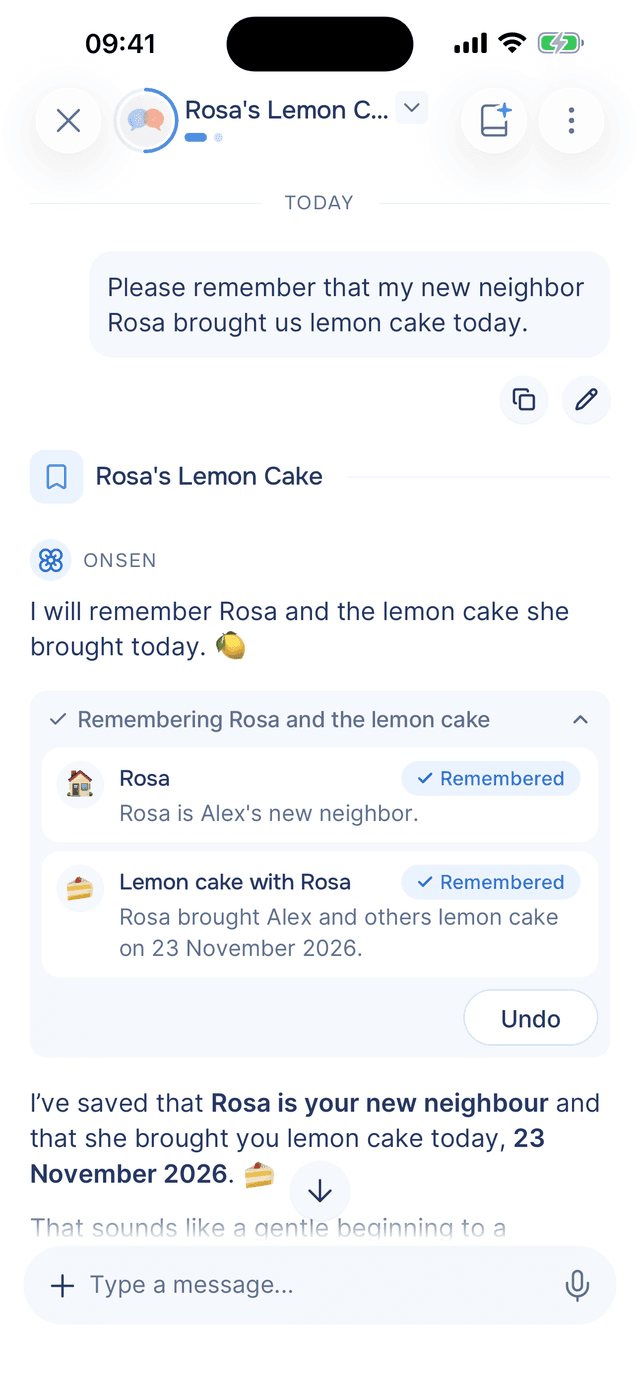
Onsen remembers what you share in a chat by itself: a new friend, a place, a moment. Each time, a step under its reply shows what it saved.
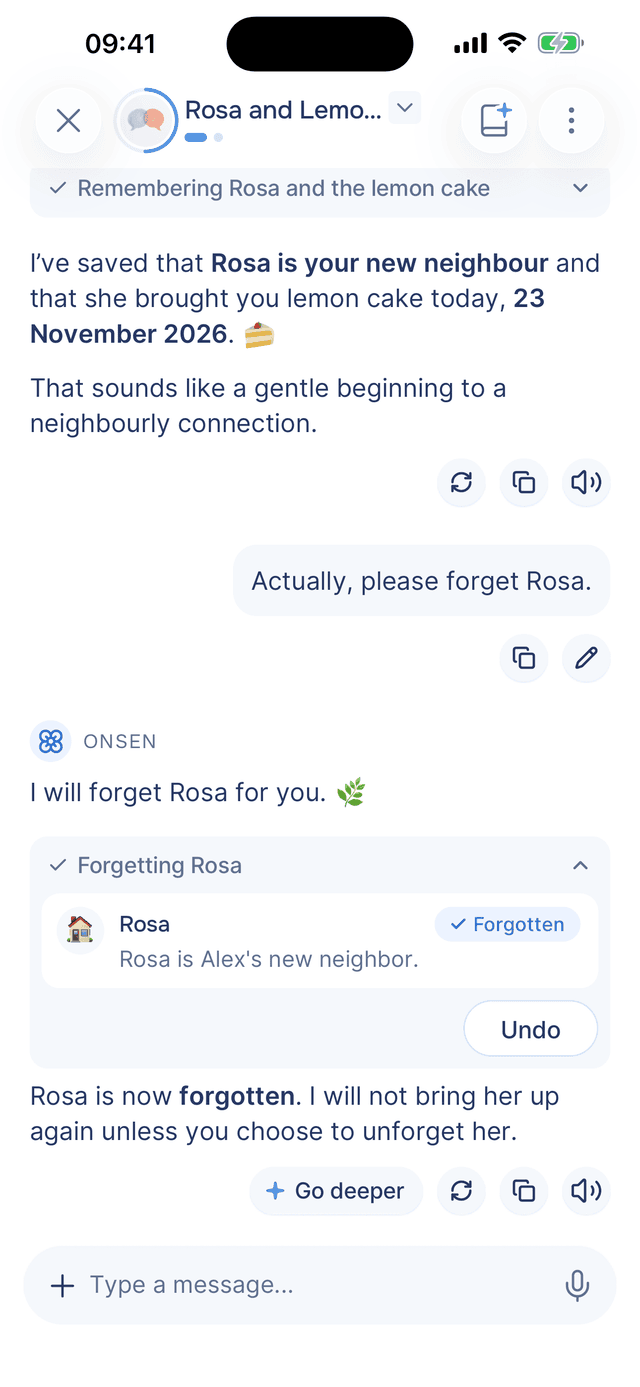
You can also ask. Say "Please remember that my new neighbor Rosa brought us lemon cake today", and Onsen saves it. Say "Please forget Rosa", and Onsen stops bringing her up in chats, check-ins and notifications. Your journal entries keep every word you wrote.
Every change shows a tag: Remembered, Updated or Forgotten. If it was not what you meant, Undo puts it back exactly as it was.
Onsen also uses that memory better since 2.20. When you chat, it searches your journal for the entries that match what you are saying, puts recent ones first, and draws on several different entries instead of many pieces of one.
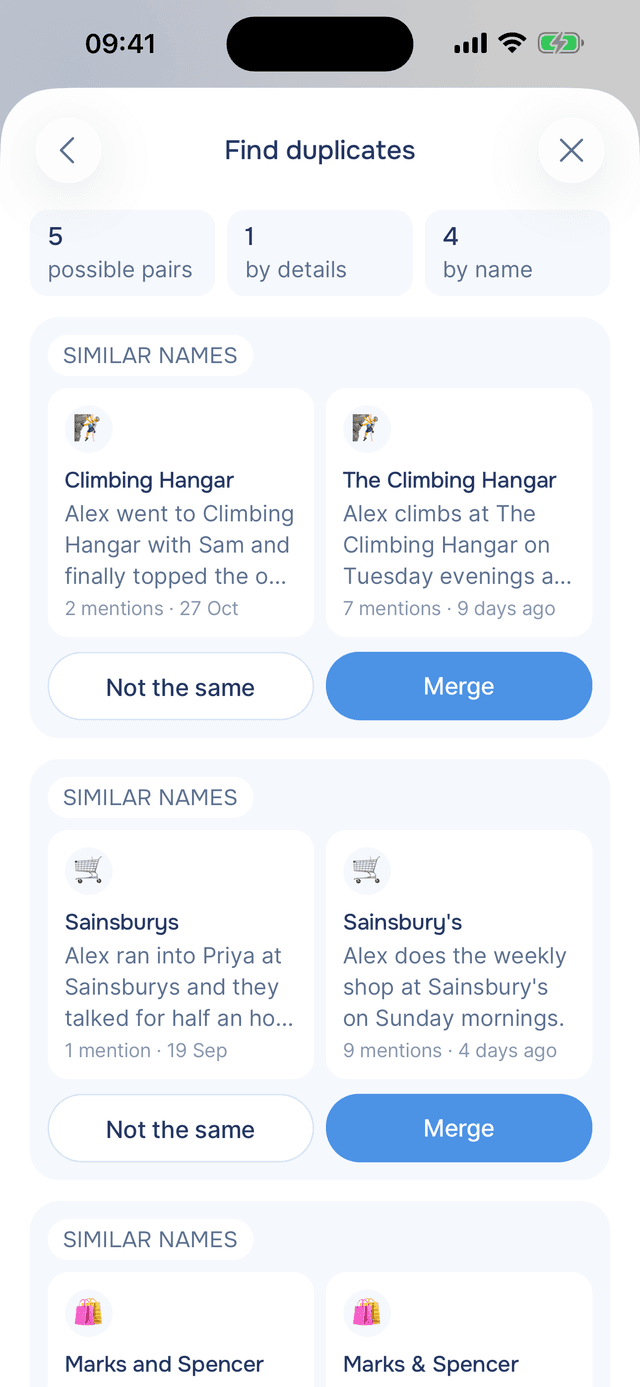
Find duplicates
As you write, Onsen can learn the same thing twice: Sainsbury's and Sainsburys, or Marks & Spencer and Marks and Spencer. Find duplicates, in the menu of People, Animals, Places or Companies & groups in Knowledge, lists the pairs that are probably the same.
Tap Merge and every mention, photo and detail ends up in one place. Tap Not the same and Onsen won't pair them again.
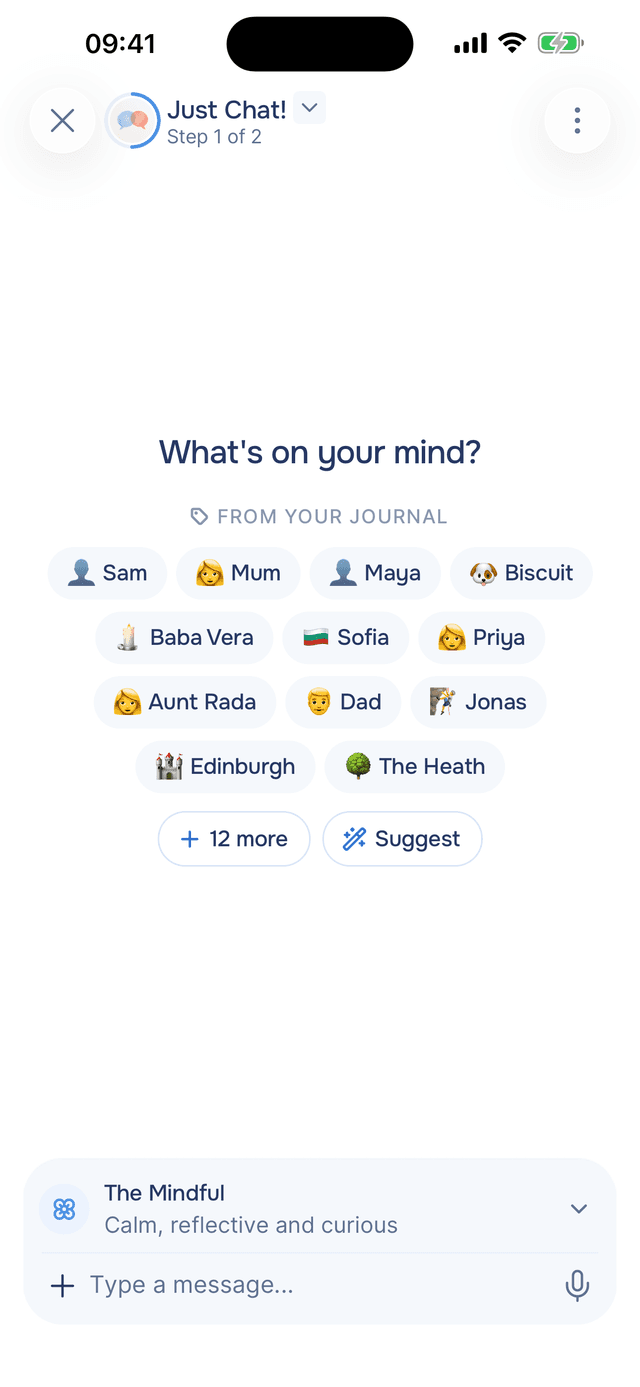
Topics from your journal
A new chat opens with the people, places and pets you write about most (2.19). Tap one or more to start a chat about them, or tap Suggest for Onsen's own ideas.
Chats that think deeper
GPT-6, and a personality you can switch
Onsen's chats now run on GPT-6.1 Sol, OpenAI's latest model (2.19). Replies go deeper and read as more thoughtful.
The message box shows which personality you are talking to. Tap it to switch, for a new chat or part-way through one: the next reply comes from the new personality, and each reply shows the icon of the one that wrote it.
We also rebuilt how every personality comes through: its tone and energy, its humor, and the traits it was given. Personalities you made yourself were rebuilt the same way and kept their names.
Go deeper
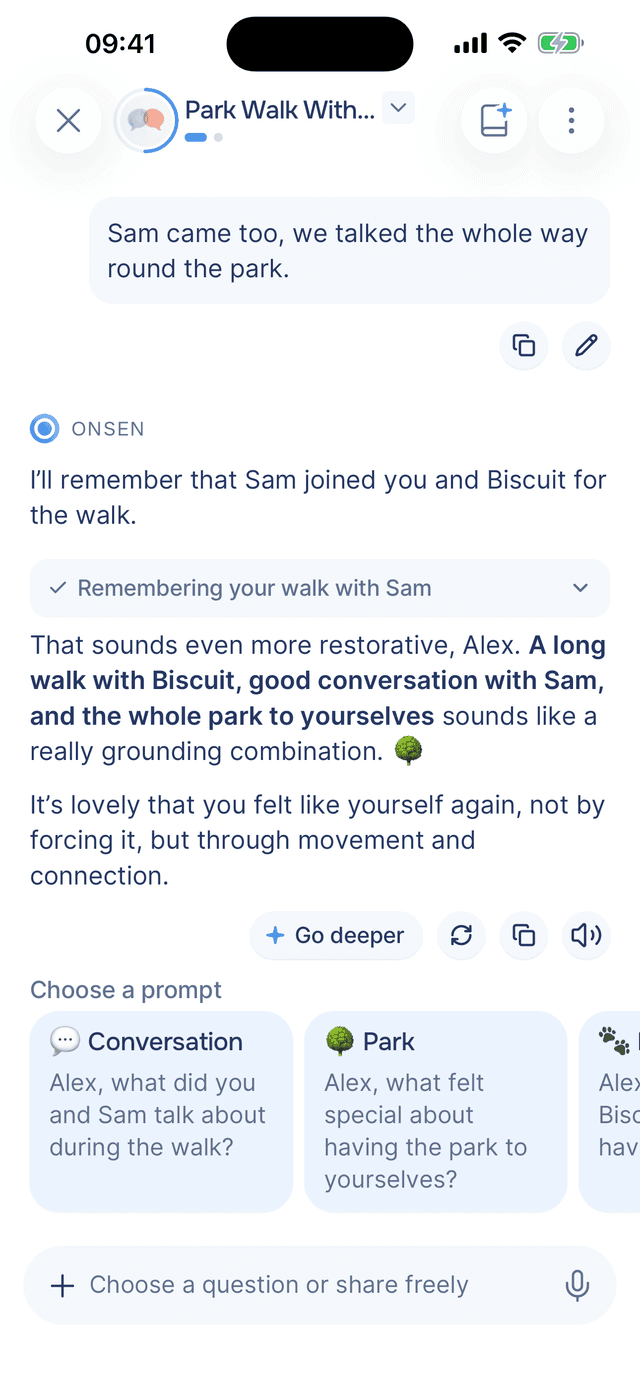
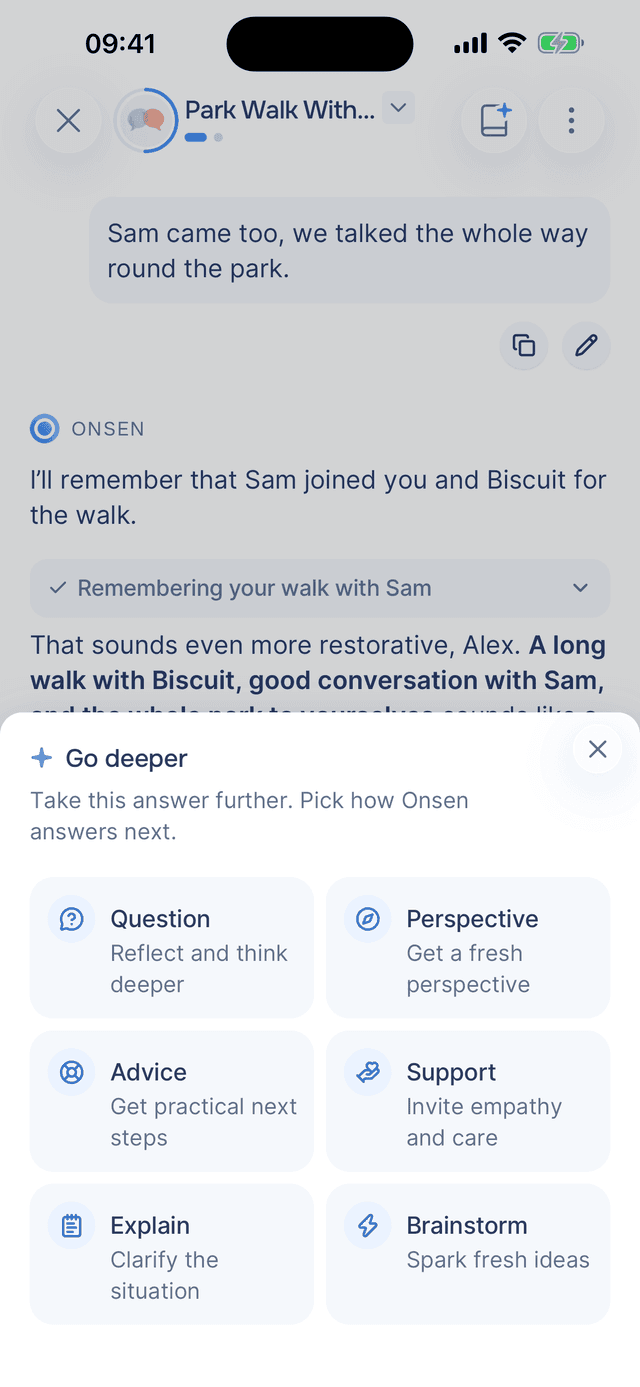
Under your guide's latest reply, Go deeper offers six ways to take an answer further: Question, Perspective, Advice, Support, Explain and Brainstorm. When you are ready to keep a chat, Write my entry takes it to your journal.
Talk as long as you like, and listen back
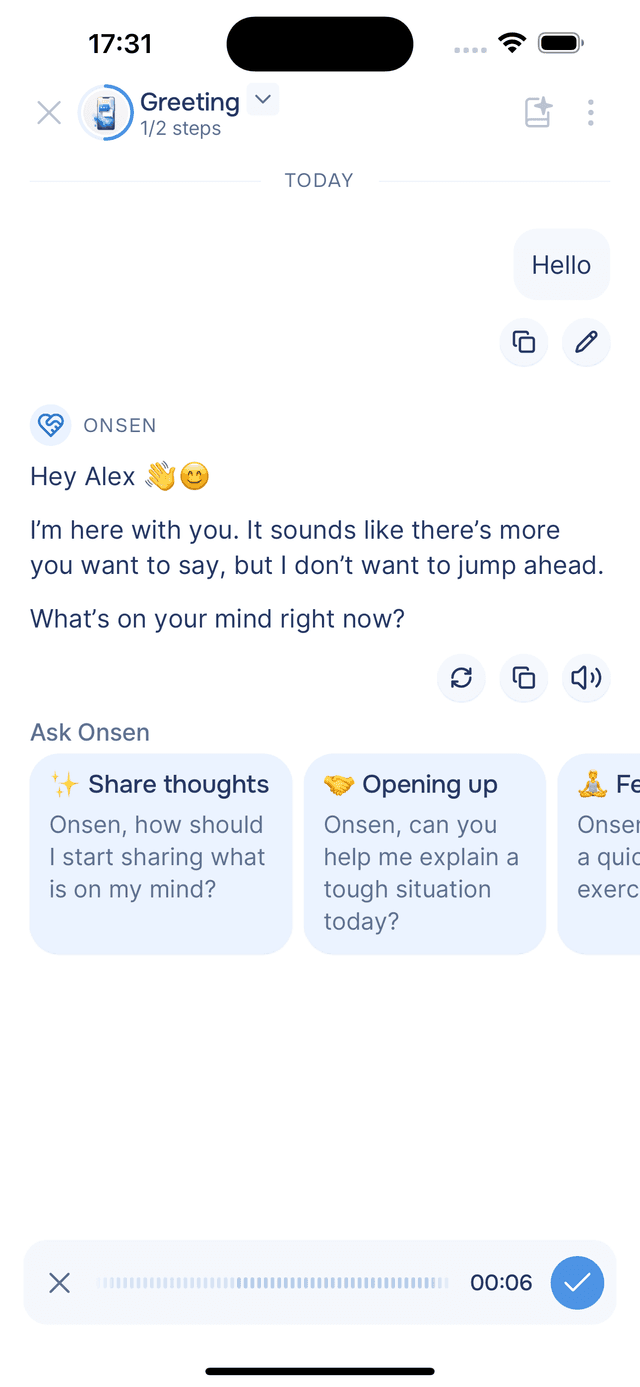
When you talk, your words appear in the message box as they are written, and Onsen spells the names of the people and places in your journal right. No more "Rosa" coming back as "Rose".
There is no time limit on a recording any more (3.0): talk for as long as you need. When a message is nearly full, a note tells you to finish and carry on in the next one.
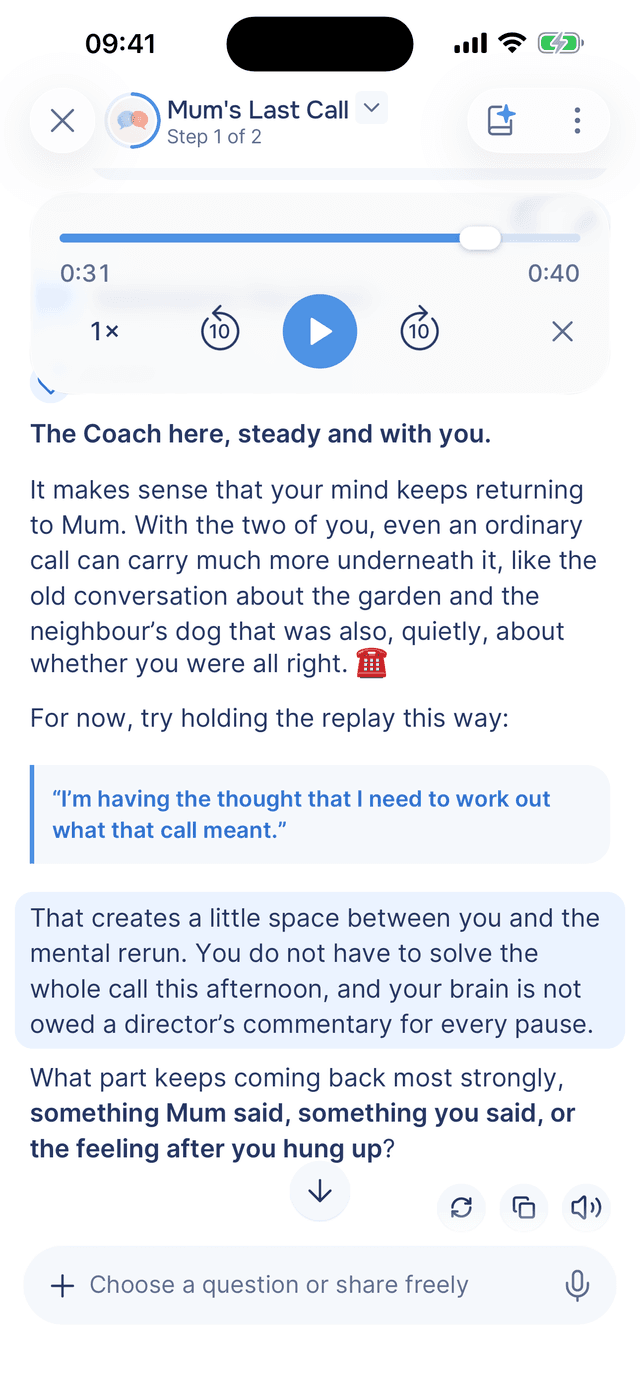
The new Read Aloud player (2.20) lets you tap or drag the bar to jump anywhere, change the speed from 0.75x to 1.5x, and skip back or forward 10 seconds. While Onsen reads a reply or an entry, the paragraph being read is highlighted and kept on screen.
Chats that stay steady:
- A message that fails to send says so, with Retry, and stays there when you come back.
- A chat that is nearly full tells you how many messages are left, and a full one offers Start a new chat. Onsen remembers your journal, so nothing is lost.
- A better balanced safety check. Onsen still answers real risk with emergency help, and no longer brings up crisis support when nobody raised a risk. If a message is flagged, the chat says so, and Show my message lets you see and edit it.
Signing in, simpler and safer
Signing in is how Onsen knows it is you, and it is now simpler and safer. Here is every way in:
| Way in | How it works | Since |
|---|---|---|
| Onsen emails you a button and a code. Tap the button, or type the code. No password needed. | 2.18 | |
| Apple or Google | One tap. The one you used last is marked. | Before |
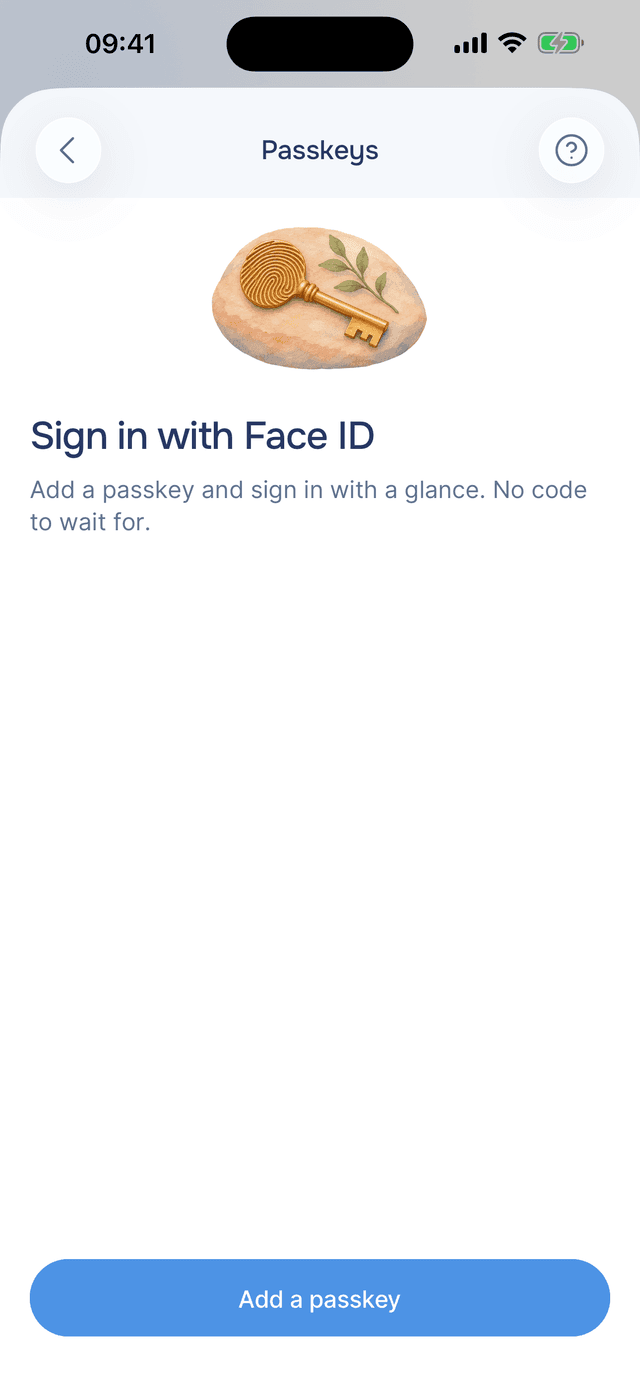
| Passkey | Face ID, Touch ID or your fingerprint, instead of waiting for an email code. | 3.0 |
| Password | Still there if you set one. Forgot it? Onsen emails you a code. | Before |
| 2-step verification | Your password plus a code from an authenticator app. | 3.0 |
You stay signed in for a year, instead of being signed out after 30 days, and a new account needs only your first name and two ticks.
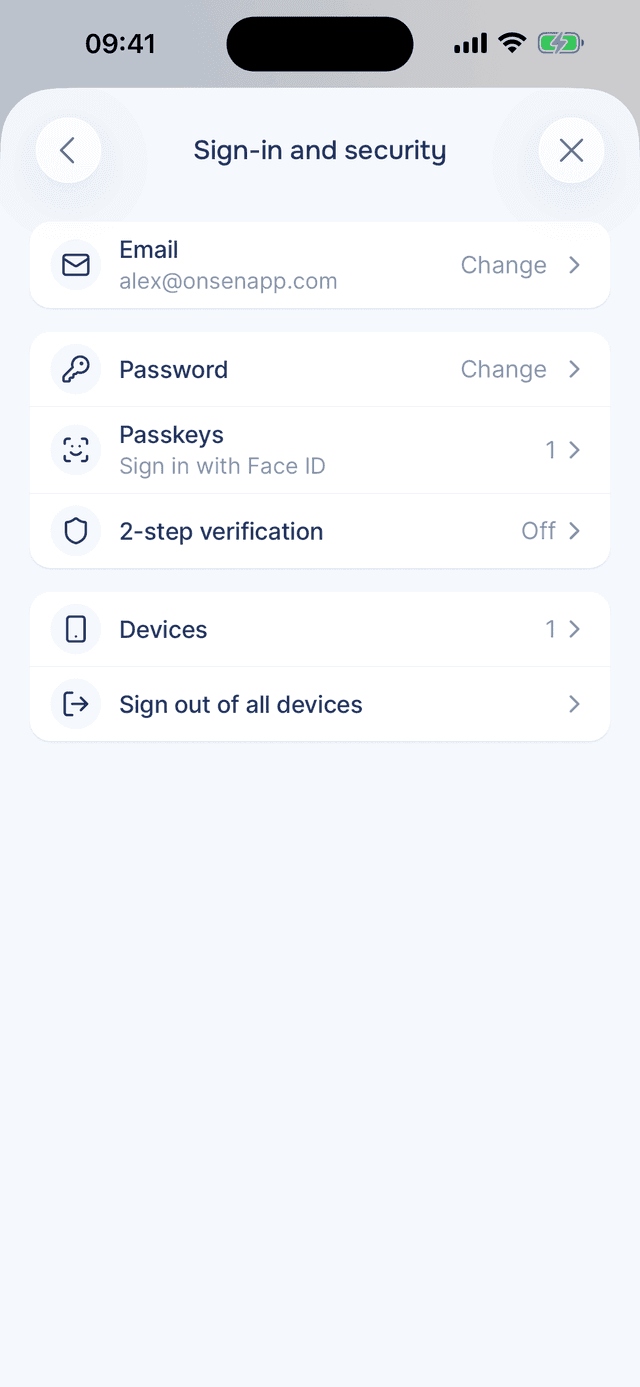
A new page, Settings › Sign-in and security, keeps it all in one place: change your email, set or change a password, add a passkey, turn on 2-step verification, see your devices, and sign out everywhere.
Finding your way around
Discover Onsen
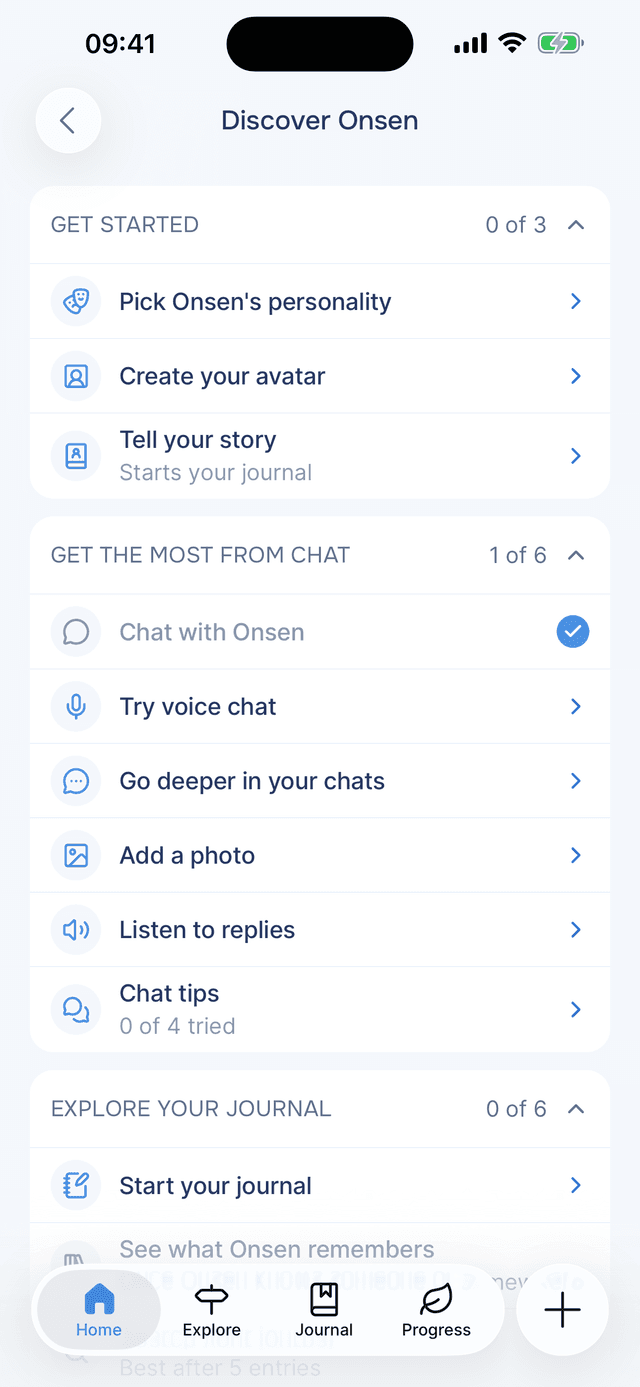
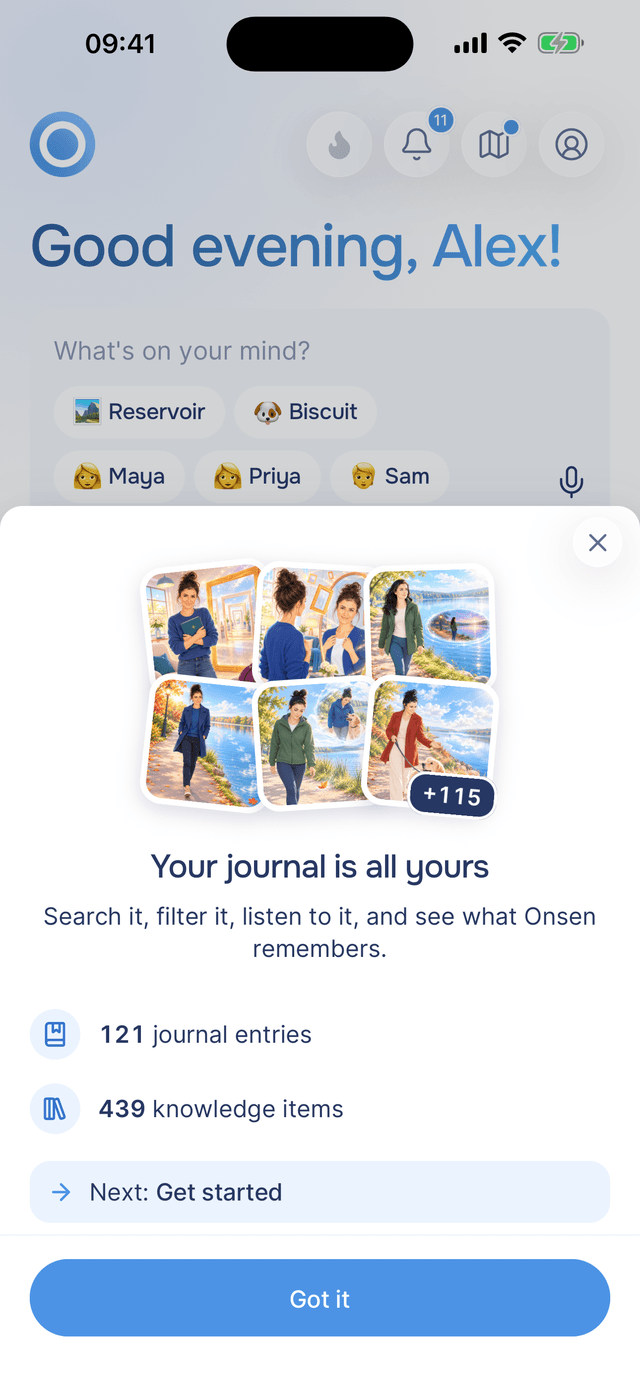
A card on Home walks you through Onsen in seven short chapters, one at a time. Each step opens a short sheet first, and each finished chapter is celebrated with the pictures from your own entries.
Tap View all to open Discover Onsen: every chapter on one screen, with the steps you have done ticked off. A quick tour after the welcome sheet shows you each tab and button.
A new camera
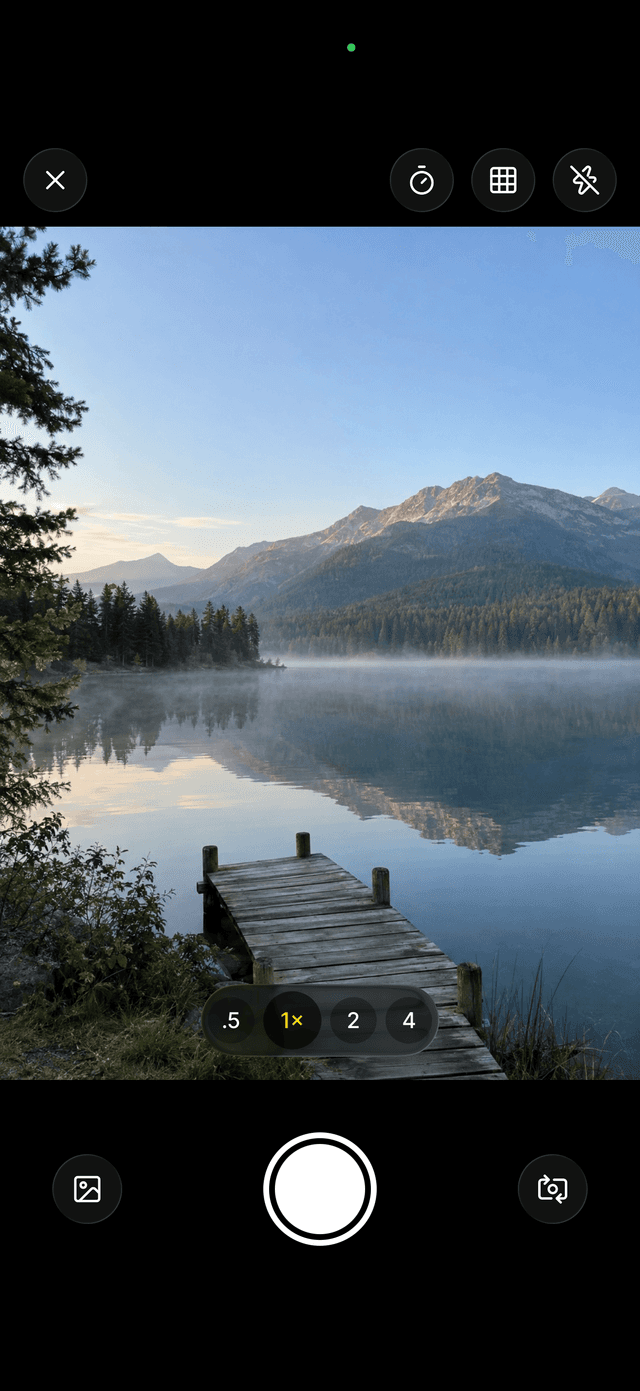
Onsen has its own camera for chat photos and your avatar photos: your phone's real lenses, pinch to zoom, tap to focus and a self-timer. You can crop a photo before you use it.
Polish all around the app
3.0 is also the most polished Onsen yet. Some of it you will notice right away, and some of it you will just feel:
| What changed | |
|---|---|
| Smooth replies | Replies stream in smoothly as they are written, and say what Onsen is doing: Reading, Recalling or Thinking. |
| New motion | New animations across chats, saving an entry and Home, so every step feels calm and clear. |
| Cards in your chats | Chats show what Onsen did as tidy cards and steps, from remembering to drafting your entry. |
| A split tab bar | Home, Explore, Journal and Progress sit together, with Quick start as its own button for a new chat or entry. |
And the smaller things
Four versions add up to a lot. Here is the short map of what each one brought:
| Version | What it added |
|---|---|
| 2.18 | Email sign-in with no password, a year signed in, the birthday look-back |
| 2.19 | GPT-6, switching personality, topics from your journal, the save ring |
| 2.20 | The Read Aloud player, check-in cards, animals drawn right, a better memory search |
| 3.0 | Your look, photos for your people, remember and forget, passkeys, recordings of any length |
- Explore. The Experiences tab is now Explore, with All, History and Favorites. (3.0)
- Complete your profile. Add your birthday for a look back at your year on the day, and your pronouns so Onsen talks about you the right way.
- Check-ins end with Onsen's take as a short card, each point tied to your journal and compared with your previous check-in. (2.20)
- A first step everywhere. A new journal, Knowledge and Progress each show what to do first, instead of an empty screen. (3.0)
- Experiences. Clear Negative Thoughts was rewritten, the gratitude letter offers fresh categories each time, and mood check-in replies are shorter and easier to read. (2.20)
- Easier reading. More space around headings, lists, quotes and tables in replies and entries. (2.20)
- Kept as you left it. The message box keeps unsent text, photos and picks in each chat until you send them. (2.19)
- An offline bar, and a slow connection no longer leaves a screen loading forever. (2.19)
- The black screen after unlocking with Face ID is fixed, along with many smaller things. (3.0)
- Retry and Update plan. Every AI action is now one verb and one noun: Retry, New image, Update knowledge, Update plan. (3.0)
Try it
Pick one person or pet you write about often, and try these.
Download Onsen for free, or update from the App Store or Google Play, and see who turns up in your next entry.
Your journal was always about your people. Now it looks like them too.